Posted by: kurtsh | December 11, 2014

RELEASE: MDOP 2014 R2 Now Available

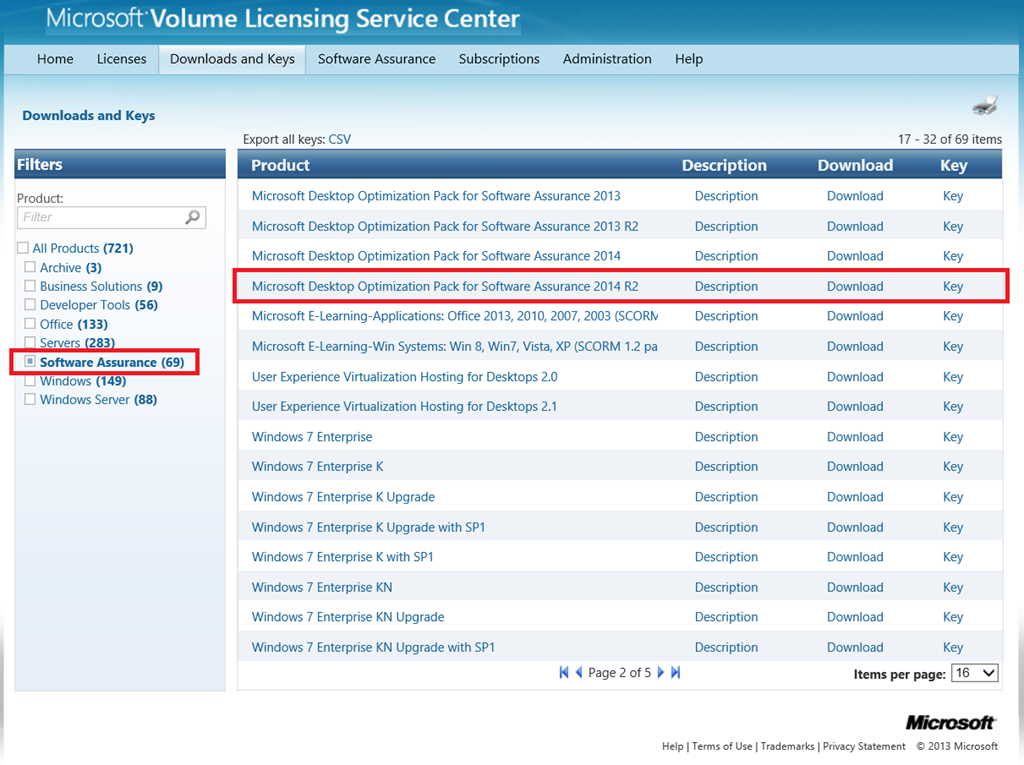
In case you missed this, we released the Microsoft Desktop Optimization Pack (MDOP) 2014 R2 to the Volume Licensing Service Center.

You’ll find it under Software Assurance. 

For a list of everything that’s updated and all the new improvements made to the suite, see the announcement blog post from the “Windows for Business” blog.

image

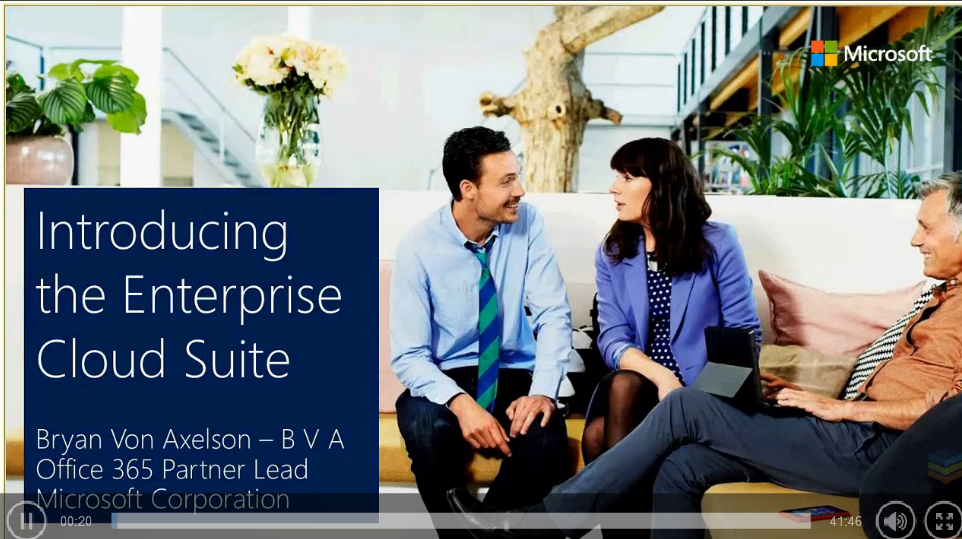
imageDid you know that we offer Windows Software Assurance licensing on a per user basis, through a new offering called the “Enterprise Cloud Suite”?

“Per User” licensing for Windows SA means that “all of a user’s devices are covered through Windows Software Assurance, including those running iOS and Android operating systems.  Only the user’s primary work PC needs to be running a qualified operating system (ex: Windows Pro).  With Windows Software Assurance per User, Windows Enterprise Edition can be delivered across the user’s devices.  This provides simpler license management by allowing you to count just the users with primary PCs instead of counting every single device.”

I’ve seen very little discussion about this – and that’s kinda surprising given how revolutionary this offering is for Microsoft.  We have in the history of Microsoft, only offered actual Windows licenses on a per device basis.  Note that this is just one component of the Enterprise Cloud Suite however it’s a very special one. 

The Enterprise Cloud Suite actually contains 3 per user licenses:

  • Office 365 E3
  • Enterprise Mobility Suite
  • Windows Software Assurance per User

For more details, check out the following references:

RESELLER & PARTNER ANNOUNCEMENTS:

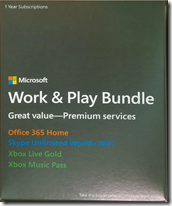
imageThe “Work & Play” bundle is a set of 1 year subscriptions offered at a VERY steep discount ($149), only at the Microsoft Store.  As mentioned here & here, it contains 4 subscriptions:

  • Office 365 Home ($99 value)
  • Xbox Live Gold ($59 value)
  • Xbox Music Pass ($99 value)
  • Skype Unlimited World + Wifi
    ($150+ value: NOT AVAILABLE SEPARATELY)

WHAT DO YOU PHYSICALLY WALK OUT OF THE STORE WITH?
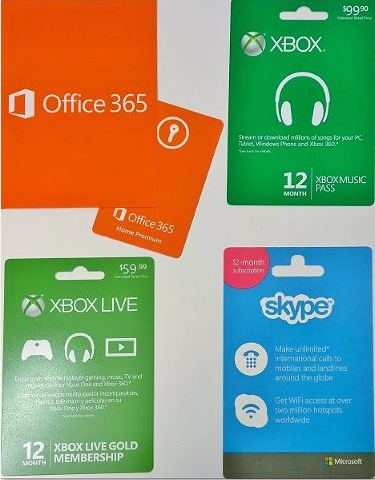
For those that haven’t done this yet, they give you 3 gift cards each with “scratch off” codes for each subscription, along with one small boxed copy of Office 365 Home. (This box simply contains yet a 4th gift card in it with a “scratch off” code to redeem for Office 365 Home)

There’s no product box or anything for the Work & Play bundle:  It’s basically just 4 separate gift cards. (Photo above is a snapshot of what I got walking out of the Microsoft Store in Century City.)

There doesn’t appear to be anything preventing you from simply using the gift cards you need personally, then gifting the remaining gift cards for the holidays to friends & relatives.

WHY IS IT BUNDLED LIKE THIS?
Here’s the funny thing:  The store actually has “cardboard boxes” for this bundle on display but they don’t actually give the box to you.  As it’s been explained to me, it’s basically just something the store is “trying out” as a promotional vehicle for a limited time (that’s why the offer ends in January) and it was put together by the Microsoft Stores themselves.  This is why you won’t find this deal anywhere else – not even the online Microsoft Store.

Jump on this bundle:  The Work & Play Suite is an awesome “65% off deal” that is available until January 4th… or until they run out since it’s a limited run of subscriptions bundles.

Posted by: kurtsh | December 8, 2014

DEAL: Free Technical Support at the Microsoft Store

[Note: MS MVP Richard Hay brought this up on his blog which caught my eye initially however I never saw written proof of this posted on the Microsoft Store web site until recently… and I verified this with store management]

imageImagine getting free, hands-on technical support… from the company that wrote the operating system and likely the Office productivity suite you’re using.

Imagine having some place to send your friends & relatives to when they need tech support.  Again, from a name they can trust & a company that has a vested interest in making sure your PC is working, outside of just making money on tech support services fees.

Apparently, we’re now providing FREE technical support to anyone with a Windows PC at the Microsoft Store:

Free in-store services
Whether you bought your PC from Microsoft or somewhere else, our Answer Desk experts will repair any software-related issue, including the following services, for free:

  • Extended diagnostics on any device
  • Software repair or support
  • Virus and malware removal
  • PC tune-ups for increased performance
  • Recycle for Rewards appraisal with store credit1

This list just absolutely blows my mind.  Yes, the free technical support for all Microsoft Windows customers is amazing but for just $49, you can also get some very complicated services:

$49 in-store services
We also offer a wide selection of paid services at our Answer Desk. Get affordable, expert help with upgrades, installation, or data needs, including the following services:

  • Warranty Concierge, where we work with the manufacturer to resolve any in-warranty issue at our store (so you don’t have to ship it in)
  • Hardware upgrade/install for your PC; free with new memory or drive purchase
  • App install for your PC or tablet; free with new PC purchase
  • Windows 8.1 upgrade/install
  • Data backup migration to ensure your info remains safe on your PC, phone, tablet, Xbox One, or other device
  • OneDrive setup to synch all your devices together; free with new PC purchase

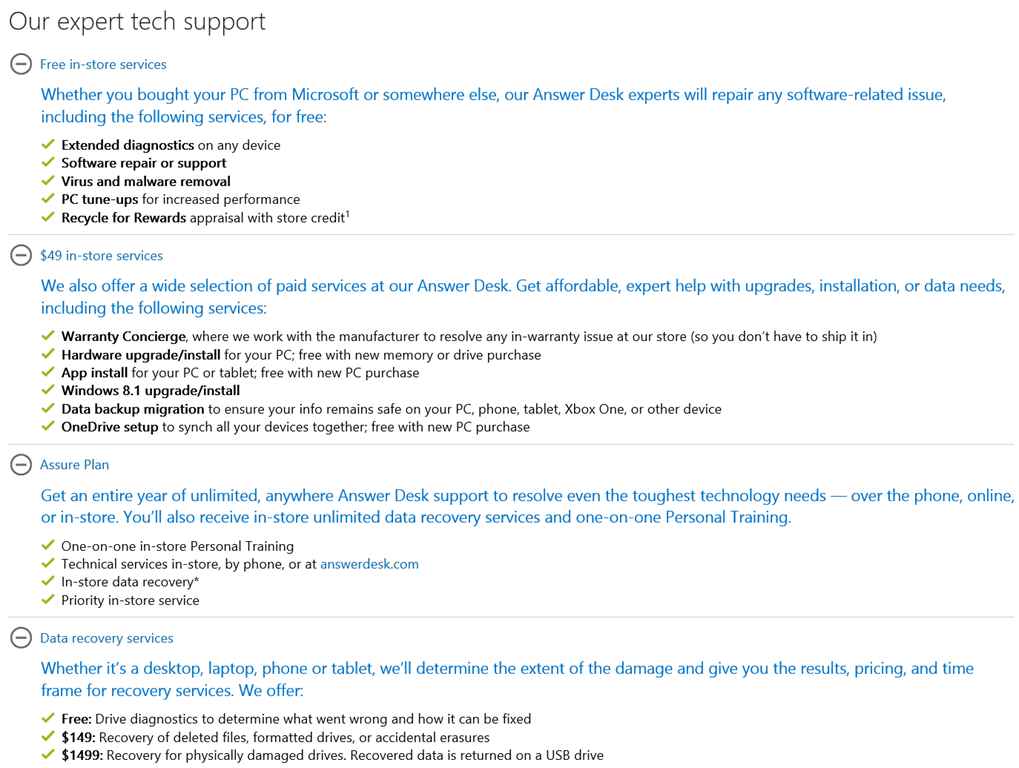
Here’s a snapshot of the services list:

image

Please CALL and make a reservation before going to the store. If you’re looking for the nearest Microsoft Store, check out this page:

http://www.microsoft.com/en-us/store/locations/answer-desk

imageI want to clarify something I think is very important about what we offer in the Microsoft Work & Play Bundle for $149.

The bundle contains 4 subscriptions in it:

  • Office 365 Home ($99 value)
  • Xbox Live Gold ($59 value)
  • Xbox Music Pass ($99 value)
  • Skype Unlimited World + Wifi
    ($150+ value – NOT AVAILABLE SEPARATELY)

SKYPE UNLIMITED WORLD != SKYPE UNLIMITED WORLD + WIFI
Notice the “NOT imageAVAILABLE SEPARATELY” above.  The subscription in the Microsoft Work & Play bundle includes Skype WiFi” for a year – not just Skype Unlimited World, which is unlimited worldwide voice calls.

WHAT’S SKYPE WIFI?
Skype WiFi is this awesome service that gives you access to over 2,000,000 WiFi Internet access points.  This is done by connecting you to a number of 3rd party WiFi Services throughout the world.  When you go into hotels, coffee shops, and other locations, they often offer pay-for WiFi access.  This can cost anything from $4.99 to $19.99/hour depending on the length of access.

imageThe most expensive of these is usually GoGo Inflight, the service that provides WiFi Internet access on airplanes like Virgin America, American Airlines, United Air, Japan Airlines, Delta Air, Alaska Airlines, US Airways, etc.

Normally, you use Skype Credit in order to pay for Skype WiFi to connect to GoGo Inflight or another 3rd party WiFi service.  The Skype WiFi that comes with the Work & Play Bundle gives you FREE and UNLIMITED access to all these WiFi Internet services for 1 year. 

In other words, you’re not burning any Skype Credit.  You can use participating WiFi services any time you like, for as long as you like, without any additional charges.

Again, “Skype Unlimited World” purchased separately does not provide access to Skype WiFi.  This is a benefit exclusively of the Work & Play Bundle.

There is no other way to obtain unlimited access to “Skype WiFi”.  For more information on Skype Wifi, visit this page:

UPDATE 12/8/14 1:40PM
I was asked what WiFi Hotspots Skype WiFi users get access to.  I honestly don’t have a list but here’s just a sample of the networks that Skype has agreements with based on their Hotspot finder:

  • GoGo Inflight
  • Advanced Wireless Group WiFi
    (LAX & most major airports)
  • Wyndham Hotel Group
    (Ramada,
    Super 8, Days Inn, Howard Johnson, Travelodge, Planet Hollywood, etc.)
  • Choice Hotels (Comfort Inn, Quality Inn/Suite, Clarion, Sleep Inn)
  • Boingo Wireless
  • Hilton Honors
  • Holiday Inn
  • SpotOn Wireless
  • Marriott Guest Wireless
  • AT&T Wireless
  • iBahn
  • Ethostream
  • Instant Internet
  • FON Network

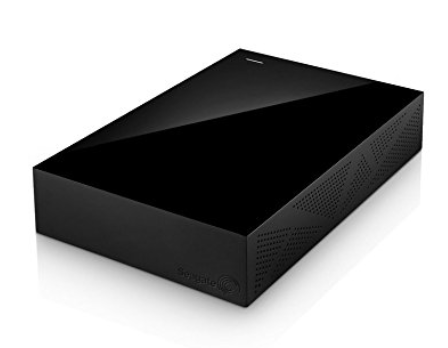
imageI bought a brand new Seagate 4.5TB USB3.0 External Hard Drive explicitly for use on my Xbox One.  (It was on sale at the time for $139, if you can believe that.)

I plugged it in and *boing*, the Xbox One recognized it but according to my Xbox One’s Settings it was only useful for ‘videos, music, and photos’.  That’s NOT what I wanted:  Most of my storage was occupied by games consuming as much as 65GB EACH.  Now according to most 3rd party articles, the External Hard Drive needed to be “formatted” specifically by the Xbox One in order to load games and apps on it so I searched the XB1 console interface for a way to “format” the hard drive for this purpose since when I plugged it in, I received no prompt asking me if I wanted to format the new drive.

I couldn’t find a thing. <sigh>

HOW DO I GET THE XBOX ONE TO RECOGNIZE THE DRIVE AS GAMES & APPS STORAGE
So I started doing some Bing searches to try to figure out what went wrong and how to get my Xbox One to recognize the drive for “Games & Apps” not just “Videos, Music, & Photos”.  All I turned up was this:

You don’t really need to bother clicking the article above because it didn’t help me at all.  I found a somewhat helpful video tutorial that someone named David “Briar Rabbit” did that at least provided me with some context.

image

This is the screen I was apparently trying to get to, but never saw when I plugged in my drive. 

SOLUTION: DELETE THE PARTITION ON A PC
I decided to take the hard drive to my PC, plug it in, and take a look at it through the Disk Manager.  (run “diskmgmt.msc”)  There was an existing NTFS partition on there that Seagate preinstalled on the drive.

WARNING: Making changes using the Disk Manager can be very dangerous & result in data loss if you don’t know what you’re doing.  It is infamously easy for an inexperienced user to accidentally delete the partition of ad important hard drive connected to their PC instead of the intended External Hard Drive they just plugged in.  This process will DELETE ALL DATA on the hard drive you target with this tool so make sure you do all of this on the right hard drive.

I opened Disk Manager & deleted the existing partition on the External Hard Drive, then disconnected the drive and brought it back to the Xbox One.

Sure enough, once I plugged it in, and the Xbox One examined it for a few seconds, the all-important “We see you have external storage. Let’s set it up.” screen appeared. 

At this point, I was able to format the drive and start using it as my default storage location for future games & application installations.  YAY!

EPILOGUE…
So there you have it.  I never saw where this was documented on Microsoft.com or Xbox.com so I decided to quickly write this up.  It’s a little annoying that this isn’t managed through the Xbox One interface, and even more annoying that the average human would still be confused by this, just because the Xbox One appears to recognize any drive with a pre-existing partition on it as for video/music/photos only. 

I’d say some improvements are necessary for Xbox One storage management.

Posted by: kurtsh | December 7, 2014

DOWNLOAD: “Christmas Cam” free for Windows Phone

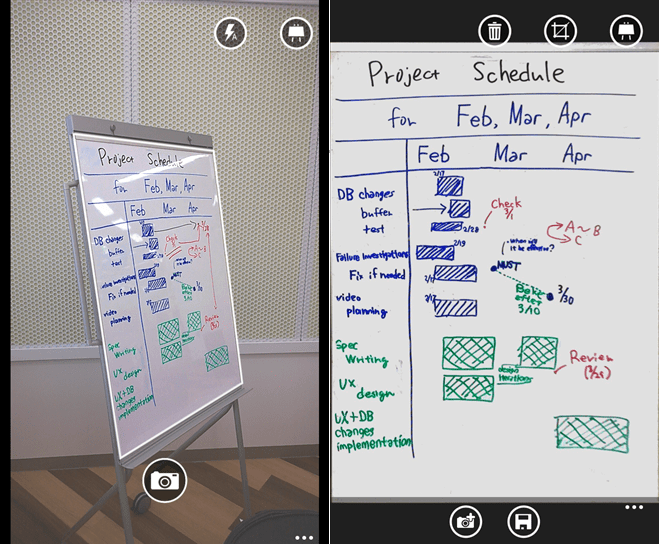
imageMary Branscombe found this free little Windows Phone app that allows you to, among other things, digitally put a Santa cap on your head for the Christmas season. (Similar to what @darth famously does for well-known Twitter users) 

From the app description:

Overlay your photos an item. Save or share with your friends your photos on facebook, twitter or any other accounts sharing you have!

  • Possibility to move the item on the shot
  • Ability to flip horizontally the item
  • A gallery of item is proposed
  • Share your photo with 6tag (instagram)

And again, it’s free.  (They make their money on add-on content downloads.)

imageAre you tired of the email experience you have on your current non-Windows device?  There’s good news for Apple iOS and Android customers.

I’m pleased to announce that Microsoft has acquired Acompli, provider of innovative mobile email apps for iOS and Android.

This acquisition is part of our company-wide effort to help people accomplish more with their mobile devices. This year we brought Office to the iPad and the iPhone, and we recently announced that we’re bringing Office to Android devices. These are significant steps in our work to deliver the best productivity experiences across mobile platforms, and we’re continuing to push forward.

In a world where more than half of email messages are first read on a mobile device, it’s essential to give people fantastic email experiences wherever they go. The Acompli team is passionate about this quest. Their app provides innovative ways to focus on what’s important in your inbox, to schedule meetings, and work with attachments and files. Users love how it connects to all email services and provides a single place to manage email with a focus on getting things done. It consistently receives enthusiastic feedback from users and strong app store ratings. Reviews have called it “your new best friend,” “brilliant” and “must have for BYOD.”

Read the entire announcement here: http://blogs.microsoft.com/blog/2014/12/01/microsoft-acquires-acompli-provider-innovative-mobile-email-apps/

Acompli CEO Javier Soltero had this to say on their company blog:

I’m incredibly excited to announce that Acompli has been acquired by Microsoft. Our team and products will become part of Microsoft’s ambitious effort to reimagine productivity for the mobile era.

18 months ago we started building a team and a product around the idea that we could make mobile email better. Today that journey continues as part of a larger organization with the technology, talent, and market reach that will help us take the vision of Acompli to hundreds of millions of mobile users across the world.

A lot has happened in the last 18 months. We started as a small team huddled up at Heavybit, quietly juggling the balancing act of delivering a reliable email service while creating a fundamentally new mobile email experience. With the amazing support and patience of our early users we got to a usable email app. Soon after that we were able to show more people what Acompli was and everyone started getting excited. We then launched and earned the love and support of mobile users around the world who both showered us with compliments and also told us (sometimes quite candidly) what we needed to do better at.

Soon after launch we started working with a number of enterprise IT departments who believed, like we do, that great products need to be “Loved by Users, and Trusted by IT.” Right around this time we began conversations with the folks at Microsoft about how we could go farther by integrating the capabilities of their Office 365 platform into our product while continuing to provide amazing support for email and file services from Apple, Dropbox, Google, and Box. Those conversations led to today, where we have decided the opportunity to join forces in pursuit of a better, faster, more powerful email experience is something we can do better as one company.

Read the rest of his statement here:
https://www.acompli.com/fwd-microsoft-acquires-acompli/

Posted by: kurtsh | December 5, 2014

POST: “All you need to know about Microsoft Band”

There’s a Reddit post that’s really excellent in succinctly describing everything you need to know about Microsoft Band.

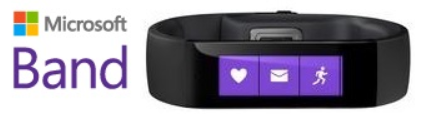
imageWhat is Microsoft Band?

Microsoft Band is a fitness oriented smart watch. Currently available only in US for $199. There are three sizes available; small, medium and large, which equate to wrist height guideline measurements of 39mm, 41mm and 49mm. It weighs in at 60g and measures 19mm x 8.7mm. You can use it as a standalone device since it has GPS built in, so you can sync it with your phone once you’re back home.

  • Microsoft Band specifications
  • Features
  • What’s in the box
  • Official apps

For more details, go to the post:

This is part of the Microsoft Band subReddit:

imageMicrosoft’s annual TechEd North America conference has merged with the Microsoft Management Summit, SharePoint, Exchange, Lync and Project Conference into Microsoft Ignite, to be held May 4-8, 2015 in Chicago, IL.

imageCustomers with Premier Support Agreements can fund their attendance by using Premier hours, similar to past TechEd events.

Early bird price is $1,920 (approximately 8 Premier hours) until 12/11/2014, and $2,220 (approximately 9 Premier hours) afterwards.

Contact your Microsoft Premier Support Technical Account Manager for details on how to execute this transaction.

« Newer Posts - Older Posts »

Categories