Thought some of you in Burbank/Glendale would be interested in this: 

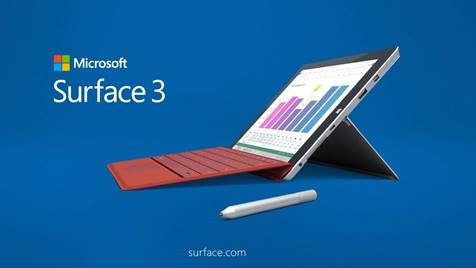
The Surface 3 Launch is right around the corner!  Microsoft Store Glendale Galleria would like to invite you to visit our store on Launch day.

clip_image001

Come help us celebrate the release. 

Surface 3 Launch Event:
May 5th, 2015 Tuesday – 10am-1pm

We will be hosting an Internet Café in the morning.  We will have experts in the store to help any questions regarding the Operation and how to best utilize it for your business, school, or personal use.

If you Pre-Ordered your Surface 3, you will have the advantage to pick it up.  Let our experts assist with setting up the device for you while you enjoy breakfast.

Fiesta Event:
May 5th, 2015 Tuesday – 1pm-7pm

clip_image002Join us in the Afternoon for our Afternoon Fiesta!  We will have light snacks, drinks, and swag.

Our experts will continue to show the exciting Surface 3 and assist with any questions you may have about the device.
Location:
Microsoft Store Glendale Galleria
2140 Glendale Galleria, JCPenney Court
Glendale, CA 91210
(818) 637-7739
image

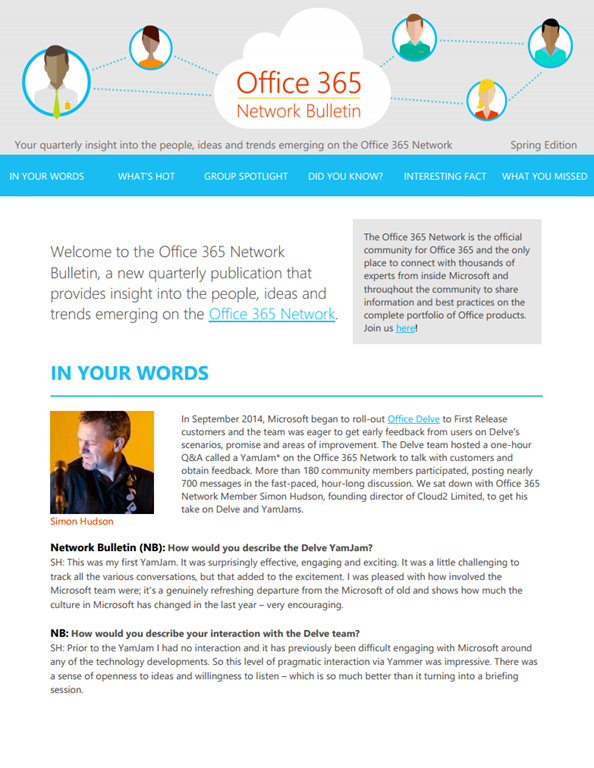
Introducing the Office 365 Network Bulletin!

Every day, tons of valuable information grounded in real-world experience with Office products is shared on the Office 365 Network. To help you get the best of community content in an easy to read format, we’re launching the Office 365 Network Bulletin, a new quarterly publication that delivers insight into the people, ideas and trends emerging on the Office 365 Network.

This inaugural issue includes perspectives from community members on the value of YamJams, pointers on helpful groups to join, as well as a sneak peek at what’s coming up at Ignite.

Check it out!

image

Are you a Minecraft mod developer?  Ready to step up to the world’s best Integrated Development Environment?

We just announced today at Build 2015 that we’ve released a Visual Studio add-in for “Minecraft” mod devs. 

It’s called the Minecraft Mod Developer Pack and it’s available for download, for FREE, right now.  Here’s the announcement:

Posted by: kurtsh | April 30, 2015

INFO: Microsoft Intune Jumpstart FAQ & Q&A

imageWow.  Simon May, Technology Evangelist for Microsoft wrote up a great FAQ around Microsoft Intune from the Jumpstart event he ran on the same topic.

Here’s a summary of the questions he answers:

  • Do we have option to have Intune in [my / the] customer[‘s] DC than on Cloud?
  • Can Intune integrate with SCCM?
  • What is the unique feature that Intune has to coexist with SCCM for an organization that already have SCCM 2012?
  • Does Intune have capability of Digital Rights Management or Which DRM solution it can integrate with?
  • Intune can work through Azure but is it possible to have a ADFS, ADFS Proxy and [Microsoft] Federated Identity manager?
  • Is it possible to clarify on what is happening in the background when a mobile device is enrolled to Intune?
  • Can Intune stand-alone and Intune/SCCM live together side by side?
  • Can I migrate from Standard to Hybrid?
  • Can I migrate from Standard to Hybrid?
  • Can we use office 365 MDM and Intune on the same tenant
  • Is Conditional Access for Exchange on-premises with SCCM/Intune is already available?
  • Do we need the exchange connector for conditional access to Exchange on-premises?
  • Is Apple iPad supported by Intune standalone?
  • If you sync your on “on-prem” accounts with Intune and you already had some existing Office 365 user accounts that are cloud-only. Will this create an issue?
  • What can I do, when a phone is lost with corp data, and phone does not have an internet and mobile connection?
  • Does the Intune client include Endpoint protection, or is that only with SCCM?
  • Can I manage all or at least most aspects of Intune through SCCM or are some management features split between SCCM and the Intune portal?
  • Is Conditional Access available in O365 MDM?
  • If I do a change in the policy is that pushed out our does the users need to reenroll the devices. For example if I decides to change the demand of password?
  • With the emphasis on BYOD and mobile devices, should we anticipate treating desktops as just another flavor of a BYOD scenario?
  • If I add a setting that only works on iOS and Windows Phone, what will happen if an Android user tried to enroll?
  • Where can we find a manageable list of the Windows CSPs? Not an exhaustive List!

Find the answers here:

Are you an IT Pro that needs to get started with Azure Security?  Here you go… and yes, this is free.

imageDo IT security concerns keep you up at night? You’re not alone! Many IT Pros want to extend their organization’s infrastructure but need reassurance about security. Whether you are researching a hybrid or a public cloud model with Microsoft Azure, the question remains the same: Does the solution meet your own personal and your organization’s bar for security, including industry standards, attestations, and ISO certifications?

In this two-part, demo-filled course, explore these and other hot topics, as a team of security experts and Azure engineers takes you beyond the basic certifications and explores what’s possible inside Azure. See how to design and use various technologies to ensure that you have the security and architecture you need to successfully launch your projects in the cloud. Dive into datacenter operations, virtual machine (VM) configuration, network architecture, and storage infrastructure. Get the information and the confidence you need, from the pros who know, as they demystify security in the cloud.

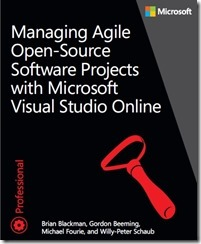
imageWe’re happy to announce the release of our newest free ebook, Managing Agile Open-Source Software Projects with Microsoft Visual Studio Online (ISBN 9781509300648), by Brian Blackman, Gordon Beeming, Michael Fourie, and Willy-Peter Schaub.

With this ebook, the ALM Rangers share their best practices in managing solution requirements and shipping solutions in an agile environment, an environment where transparency, simplicity, and trust prevail. The ebook is for Agile development teams and their Scrum Masters who want to explore and learn from the authors’ “dogfooding” experiences and their continuous adaptation of software requirements management. Product Owners and other stakeholders will also find value in this ebook by learning how they can support their Agile development teams and by gaining an understanding of the constraints of open-source community projects.

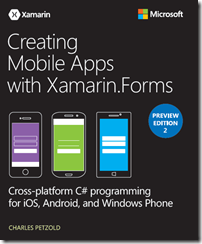
imageThe second preview edition of Charles Petzold’s Creating Mobile Apps with Xamarin.Forms: Cross-platform C# programming for iOS, Android, and Windows Phone is now available for download! Below you’ll find the download link and part of the ebook’s Introduction. Enjoy!

This is the second Preview Edition of a book about writing applications for Xamarin.Forms, the exciting new mobile development platform for iOS, Android, and Windows Phone unveiled by Xamarin in May 2014. Xamarin.Forms lets you write shared user-interface code in C# and XAML (the Extensible Application Markup Language) that maps to native controls on these three platforms.

This book is a Preview Edition because it’s not complete. It has only 16 chapters and doesn’t cover some important topics. The final edition of the book will probably be published in the summer of 2015.

This book is for C# programmers who want to write applications for the three most popular mobile platforms—iOS, Android, and Windows Phone—with a single code base. Xamarin.Forms also has applicability for those programmers who want eventually to use C# and the Xamarin.iOS and Xamarin. Android libraries to target the native application programming interfaces (APIs) of these platforms. Xamarin.Forms can be a big help in getting programmers started with these platforms or in constructing a prototype or proof-of-concept application.

This book assumes that you know C# and are familiar with the use of the .NET Framework. However, when I discuss some C# and .NET features that might be somewhat new to recent C# programmers, I adopt a somewhat slower pace.

imageWe’re happy to announce the release of our newest free ebook, Microsoft System Center Deploying Hyper-V with Software-Defined Storage & Networking (ISBN 9780735695672), by Microsoft TechNet and the Cloud Platform Team; Series Editor: Mitch Tulloch.

You only have to perform a quick web search on “deploying Hyper-V,” “configuring Storage Spaces,” or “understanding Hyper-V Network Virtualization,” to realize that a wealth of information is available across Microsoft TechNet, blogs, whitepapers, and a variety of other sources. The challenge is that much of that information is piecemeal. You’ll find an excellent blog post on configuring Storage Spaces, but the networking configuration used is vastly different from the whitepaper you’ve found that guides you through configuring network virtualization. Neither of these sources align with a bare-metal Hyper-V deployment article you’ve been reading. The point here is that it’s difficult to find a single end-to-end resource that walks you through the deployment of the foundation of the Microsoft software-defined datacenter solution, comprising software-defined compute, storage, and networking, from the racking of bare-metal servers, through to the streamlined deployment of virtual machines (VMs). This book does just that.

Providing a POC deployment, this book gives the what, why, and the how of deploying the foundation of a software-defined datacenter based on Windows Server 2012 R2 and System Center 2012 R2. If you’re an IT professional, an infrastructure consultant, a cloud architect, or an IT administrator, and you’re interested in understanding the Microsoft software-defined datacenter architecture, the key building blocks that make up the solution, the design considerations and key best practices, this book will certainly help you. By focusing on a POC scale, you can implement a solution that starts small, is manageable, and is easy to control yet helps you learn and understand why we chose to deploy in a certain way and how all of the different pieces come together to form the final solution.

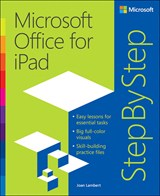
imageNOTE: This is not a free eBook, however it is definitely something a lot of people are likely interested in: “Microsoft Office for iPad Step by Step”

The quick way to learn Microsoft Word, Excel, PowerPoint, and OneNote for iPad!
This is learning made easy. Get productive fast with every Office for iPad app–plus OneNote, too! Jump in wherever you need answers–brisk lessons and colorful screen shots show you exactly what to do, step by step.

  • Quickly create Word documents by tapping, typing, or dictating
  • Organize and design professional documents of all kinds
  • Visually analyze information in tables, charts, and PivotTables
  • Deliver highly effective presentations in PowerPoint straight from your iPad
  • Save and send PDFs, with or without Office 365
  • Use OneNote to capture and share everything from text to iPad photos

Download your Step by Step practice files at: http://aka.ms/iPadOfficeSBS/files

Here’s a sample chapter:

If you’d like to get a copy either physically or as an eBook, it’s roughly $23.99-$29.99:

image

We’re happy to announce the release of our newest free ebook, Microsoft Azure Essentials: Azure Machine Learning (ISBN 9780735698178), by Jeff Barnes. This is the third ebook in Microsoft Press’s free Microsoft Azure Essentials series.

Previous free eBooks on Azure, include:

Here’s a quick description of the new eBook:

Microsoft Azure Machine Learning (ML) is a service that a developer can use to build predictive analytics models (using training datasets from a variety of data sources) and then easily deploy those models for consumption as cloud web services. Azure ML Studio provides rich functionality to support many end-to-end workflow scenarios for constructing predictive models, from easy access to common data sources, rich data exploration and visualization tools, application of popular ML algorithms, and powerful model evaluation, experimentation, and web publication tooling.

This ebook will present an overview of modern data science theory and principles, the associated workflow, and then cover some of the more common machine learning algorithms in use today. We will build a variety of predictive analytics models using real world data, evaluate several different machine learning algorithms and modeling strategies, and then deploy the finished models as machine learning web service on Azure within a matter of minutes. The book will also expand on a working Azure Machine Learning predictive model example to explore the types of client and server applications you can create to consume Azure Machine Learning web services.

« Newer Posts - Older Posts »

Categories