Posted by: kurtsh | May 5, 2015

VIDEO: Office training and tutorials

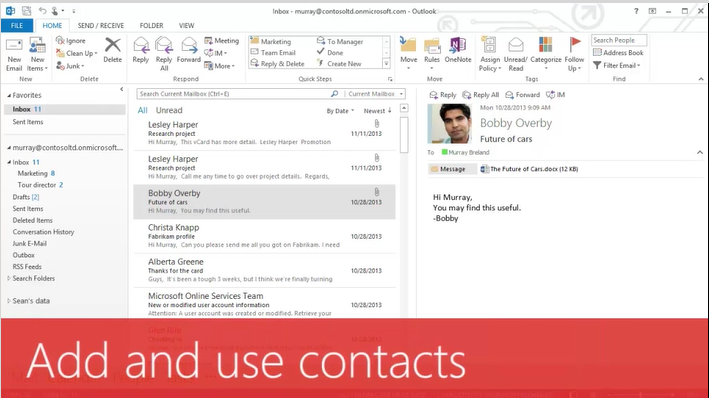
imageOur support site has a bunch of training for Office in the form of videos that your end users can use to get up to speed. 

The following are the types of videos shown:

  • Office 365 training
  • Office training for your PC
  • Office training for your Mac
  • Office for Android tablet training
  • Office for iPad training
  • Office for iPhone training
  • Training for previous versions of Office
  • SharePoint training
  • Free 15-minute webinars

View the training videos here:

IE11 will be the default browser for enterprise customers in Windows 10. Beginning 1/12/16, it will be the only version supported on Windows 7 & 8 per the announcement here from August 7, 2014:

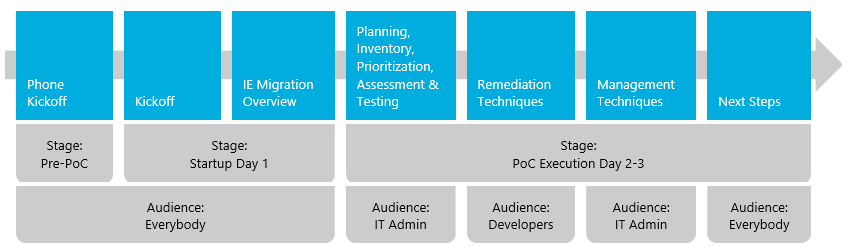
If you are a customer of mine looking for a path to Internet Explorer 11, you may want to consider IE Migration Proof of Concept, something that Microsoft or Microsoft partners can help orchestrate.

image

This is prescriptive guidance for our Enterprise customers that we at Microsoft have put together to identify and remove deployment blockers caused by common IE app migration challenges.

For more details on the Internet Explorer Migration POC, visit:

If you’ve experimented with Microsoft Azure, or are already using it for some of your IT functionality, you may be ready to take that next step and integrate your infrastructure with Azure so you can use it as an extension to your on-premises infrastructure. Finding all the information that helps you do this can be very time consuming.

To help decrease the amount of time required to extend your datacenter to Azure, we’ve published the Datacenter extension reference architecture diagram, shown below.

image

The diagram illustrates how an organization can extend its on-premises datacenter to Microsoft Azure.  It’s an interactive diagram.  Download the file and open it in your browser.  If Internet Explorer asks you if you want to allow blocked content, you’ll need to allow it to enable the interactivity.  This message appears because the page contains script that enables the interactivity.  Hovering your mouse over most objects in the diagram will provide additional details about the implementation of the object.  Clicking on many of the objects will open a relevant design or implementation article about the object.

If you already have some experience with Azure, this will help you understand how to use it as a true extension to your on-premises datacenter.  If not, it’s recommended that you gain a basic understanding of Azure before using this diagram.  The example data and links within the diagram should save you countless hours of searching for all the information you’ll need to extend your on-premises datacenter to Azure.  A video walkthrough of the diagram is also available. The editable Visio diagram and spreadsheet (with data) used in this interactive diagram are available as separate downloads.

clip_image001

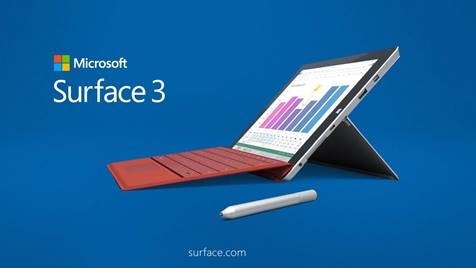
I just received the following regarding the Surface 3 launch at the Microsoft Store in Century City – May 5th, starting 9:00AM:

Join us in the morning for Surface 3 Mini Launch Tuesday, May 5th at 9am where we’ll provide Continental Breakfast, Nespresso Coffee, first 50 will receive swag as well as a chance to enter into a Raffle giveaway for a HP Stream 7.

Our Team will showcase Surface 3 throughout the day as well as provide light snacks, drinks and special Surface 3 swag.

Our product advisors will continue to show the exciting Surface 3 and assist with any questions you may have about the device as well as free workshops on “Build an App in an Hour” from 12pm-1pm & Power Up Your Business with Surface Pro 3 from 630p-730p.

Location:
Microsoft Store Westfield Century City
10250 Santa Monica Blvd, #616
Los Angeles, CA 90067
(310) 228-3550

imageI got asked the question:

“What the heck is a Data Lake? And what’s an Azure SQL DW?” 

We opened the Microsoft BUILD 2015 keynote with a discussion around something called “Data Lakes” and “Azure SQL DW”. (I believe Richard Campbell from the .NET Rocks podcast joked, that we start with Data Lakes because there’s an Ocean of data that is going to be hitting everyone – a result of Internet of Things (IoT).)

In a nutshell, a Data Lake allows every type of data to be kept without discrimination regardless of its size, structure, or how fast it is ingested. Organizations can then use Hadoop or advanced analytics to find patterns of the data. Data lakes can also serve as a repository for lower cost data preparation prior to moving curated data into a data warehouse.

Build 2015: Data Lake


As for Azure SQL Datawarehouses, developers building software-as-a-service (SaaS) applications can now leverage SQL Database to gain the flexibility to support both explosive growth and profitable business models. For workloads with unpredictable resources demands, our elastic database technology provides you with the ability to create a pool of database and allocate resources which can be shared across the database pool.

Build 2015: SQL Data Warehouse


Read more here:

imageThink of this as kinda like “Tron” for your network.

Imagine a program that roams your network and monitors for activity that doesn’t look like it should be happening.  Then imagine that program tracking the activity & alerting you, your security team to initiate action.

This is Microsoft Advanced Threat Analytics (Public Preview)… and it’s awesome.

Microsoft ATA is an on premises, non-intrusive solution that leverages deep packet inspection (DPI) technology to analyze Active Directory related network traffic, as well as information from Security Information and Event Management (SIEM) and Active Directory.

ATA analyzes this information to create dynamic behavioral profiles for each entity in your organization and builds an Organizational Security Graph (an entity interaction map representing the context and activities of the users, devices and resources).

After building this interaction map, it identifies abnormal behavior of entities, advanced attacks and security risks without the need to create rules, policies, or install desktop and server agents. Microsoft Advanced Threat Analytics focuses on three areas:

  • Abnormal Behavior: ATA uses Machine Learning algorithms to identify normal and abnormal entity behavior and will detect anomalous logins, abnormal resource access, and even unusual working hours.
  • Advanced attacks in near real-time based on TTPs: ATA uses DPI and information from other sources to identify advanced attacks such as Pass-the-Hash, Pass-the-Ticket, Overpass-the-Hash, Forged PAC (MS14-068), Golden Ticket, and Remote Execution on the Domain Controllers, Skeleton Key Malware, Honey token activities and more.
  • Known security issues and risks: ATA will identify known security issues and risks such as service account expose passwords in cleartext over the network, broken trust, weak protocols and protocol vulnerabilities.

Here’s the announcement and more:

imageWe’re happy to announce the release of our newest free ebook, Introducing Windows 10 for IT Professionals, Preview Edition (ISBN 9780735696969), by Ed Bott.

Here’s the introduction:

I’ve written about Microsoft Windows for nearly a quarter-century, and in all that time I have never worked on a project like this one. Then again, I’ve never seen anything quite like Windows 10 from Microsoft, either.

This book is a preview, a work in progress about a work in progress. It offers a snapshot of the Windows 10 Technical Preview as of April 2015, on the eve of the BUILD Developers’ Conference in San Francisco.

By design, this preview edition has a limited shelf life. After Microsoft releases Windows 10 to the general public this summer, I’ll revise and expand the content in this edition to reflect the finished product.

Windows 10 represents a major transformation of the PC landscape. For IT pros who’ve grown comfortable managing Microsoft Windows using a familiar set of tools and best practices, this version contains a startling amount of new. A new user experience. A new app platform. New security features and new management tools.

My goal in this book is to help you sort out what’s new in the Windows 10 Technical Preview, with advance notice of features that will be available in the finished product but aren’t yet implemented. I’ve tried to lay out those facts in as neutral a fashion as possible, starting with an overview of the operating system, laying out the many changes to the user experience, and diving deep into deployment and management tools where it’s necessary.

Although I’ve written in-depth guides to Windows in the past, this book is not one of those. It’s also not a review. Only you can decide whether, and how and when, to incorporate Windows 10 into your enterprise, based on your own organizational requirements. This book is designed to serve as a rough guide so that you can get more out of your evaluation of the Windows 10 Technical Preview.

By design, this book focuses on things that are new, with a special emphasis on topics of interest to IT pros. So you might find fewer tips and tricks about the new user experience than your users want but more about management, deployment, and security—which ultimately is what matters to the long-term well-being of the company you work for.

The Windows 10 Technical Preview offers anyone an opportunity to not just try out the next version of Windows but to provide feedback about the new operating system, in real time, to the team that is building it. I encourage you to share your feedback about this book directly with me. E-mail your comments to me at feedback@realworldwindows.com.

Ed Bott
April 24, 2015

Read the announcement here:

Download the .PDF version here:
(ePub/MOBI coming soon)

imageI wanna clear something up here because I think there’s some confusion as to what we have available. 

There are TWO completely different “beta” releases out there for Office running on Windows:

OFFICE FOR WINDOWS 10:

Office for Windows 10 is a preview release that is designed specifically as a “touch first” application suite and created as a Universal app.  In other words, it leverages the “metro” or “flat Windows” design UI principles & runs full screen in tablet mode on Windows 10.

The touch targets are larger throughout the user interface to accommodate the size of user’s fingers, relative to a mouse pointer, and gestures are predominantly available (in addition to traditional UI functions) for more convenient navigation.

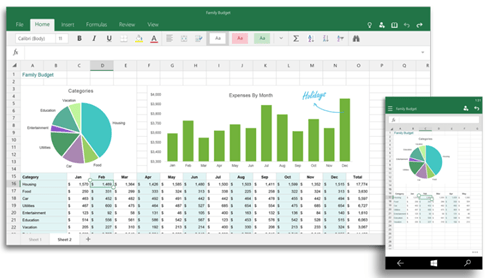
Equally importantly, Office for Windows 10 isn’t just for desktops:  It’s also available for Windows 10 for Mobile Devices, i.e. phones, etc.  If you look at the snapshot below you can see the analogous UI between the two screen sizes for Office on Windows 10 on a desktop/tablet & phone.

Manageability & distribution, as a Universal/“metro-type” Windows app, is handled using the new Windows Store.  This is key in that the new Windows Store has the distinction of being a converged store for desktops, laptops, tablets & phones, thus making available Office “universally” available for all form factors.

Note: While this suite is designed to be a great solution for tablet & mobile users, a caveat that I have not completely verified however is the compatibility between this suite & traditional Office plug-ins & add-ins.  I’m 95% certain that most Office-installable modules that are used to integrate Office apps into line of business systems (like CRM/Document Management solutions, FAX automation tools, or 3rd party components like Outlook productivity add-ins) do not work in this new UI.  I suspect that the UI itself make integrating any of these 3rd party add-ins likely difficult, even if the same APIs were available.
image


OFFICE 2016 FOR WINDOWS:

Office 2016 for Windows is the spiritual & logical successor to today’s existing Office 2013 and the current release of client-installable Office software delivered through Office 365.

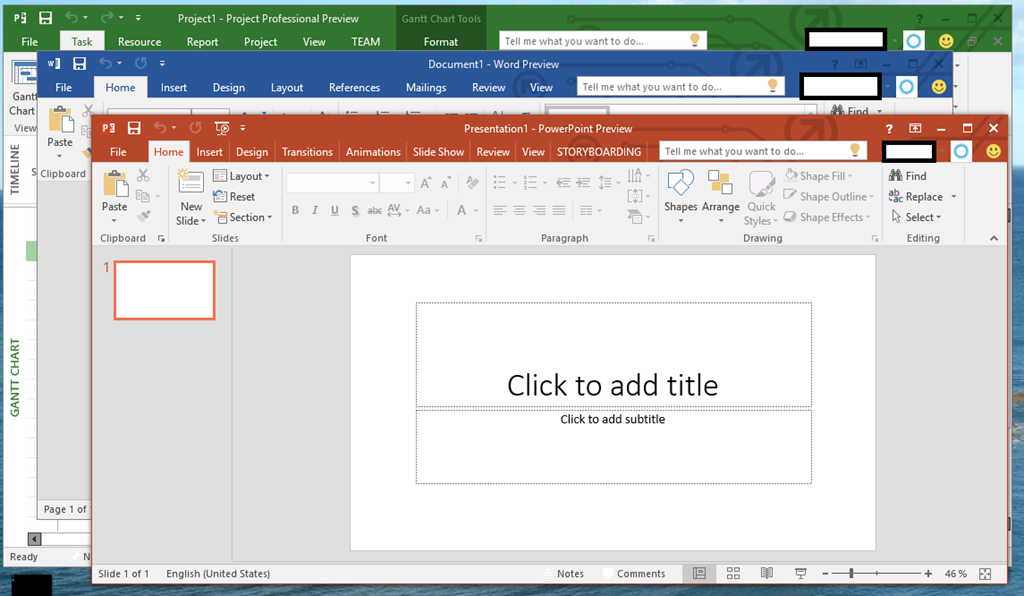
It’s a x86/x64 Windows application suite designed as a “desktop first” suite leveraging mouse & keyboard as it’s primary input tools, running on the Windows desktop & enabling windowed usage – as opposed to full screen usage – as its primary view.

One of the major improvements (and exciting ones for me personally) is the integration of feedback about Click-to-Run deployment – specifically Enterprise Management.  Historically we’ve deployed Office 2013 Pro Plus through .MSI packages running under a single SCCM 2012 R2 installation.  With Office 365 Pro Plus, that’s still possible however maintaining the desktop installations is difficult.   Read more about this here: http://blogs.office.com/2015/03/19/office-365-proplus-it-control-and-management-update/

Unlike the Office for Windows 10 suite, Office 2016 for Windows is designed for compatibility with applications that are integrated with Office 2013, so this including plug-ins, add-ins & API level integrations with 3rd party document management & workflow systems.

image

StevieB posted on the Surface Blog today that we acquired advanced digital pen technology from N-trig Ltd.

See the Microsoft Surface Pen in action

Read what Stevie said here:

imageWe are releasing a NEW 20-page white paper, entitled, “Trusted Cloud: Microsoft Azure Security, Privacy, and Compliance”.  The paper describes the key points of the Azure approach to enabling trust.

(If you want to learn about Network Security: You can download the full whitepaper from Microsoft Azure Network Security Whitepaper V3. This update describes capabilities available as of January 2015 and the above highlights are just some of what you’ll see in this recent v3 version)

« Newer Posts - Older Posts »

Categories