Microsoft is thrilled to announce the highly anticipated .NET Conf 2024, a free, 3-day virtual developer event celebrating the release of .NET 9. Co-organized by the .NET community and Microsoft, this annual tradition continues to grow, and we’re more excited than ever to bring you the latest innovations in .NET.
Mark your calendars for November 12th to 14th, 2024, and prepare to be inspired by a wealth of knowledge, creativity, and community engagement.
Live from PyCon US 2024, the largest Python conference in the world, Microsoft returned to the Expo hall as a Sustaining sponsor with lots of fun presentations, knee deep in the code, and sharing the latest and greatest of what we do in the Python work.
I consider myself to be the custodian of the Microsoft technologies my customers implement which keeps me busy. I get asked a lot how it is that I “stay plugged” in with Microsoft’s many different technologies.
MICROSOFT PUBLIC NEWSLETTERS One way is by subscribing to the very newsletters that everyone else has access to publicly. Here’s a list of some of the newsletters that I subscribe to:
BLOGS ON MICROSOFT TECH COMMUNITIES More selectively, I also subscribe to email notifications for product/technology blogs on the Microsoft Tech Community portal. This is where the product groups publish articles, updates & “newsletters” that they write monthly. If you are the caretaker of a particular Microsoft technology in your organization, you should be subscribing to email notifications for these as well.
Did you know your Power Apps subscription entitles you to unlimited support incidents for break/fix issues? For people that need expert guidance around usage, architecture or “how to” accomplish an objective a.k.a. “proactive advisory services”, a paid support plan is required.
Here’s a table I created to help explain the levels of support for Power Apps administrators & developers.
Power Apps “Community & Forums“
Power Apps “Subscription” Support
Power Apps “Professional Direct” Support
Power Apps support through “Unified Services”
Service description
Connect with peers & share ideas in this discussion forum where you can ask community experts for help & research previous conversations about issues
Break/fix support included with your Power Apps paid license. Unlimited support tickets.
No advisory support. (“how to” or “usage guidance”)
Break/fix support with faster response times, and escalation management for business-critical incidents.
Proactive advisory support services for non-break/fix matters.
Comprehensive support for your entire org covering all Microsoft technologies.
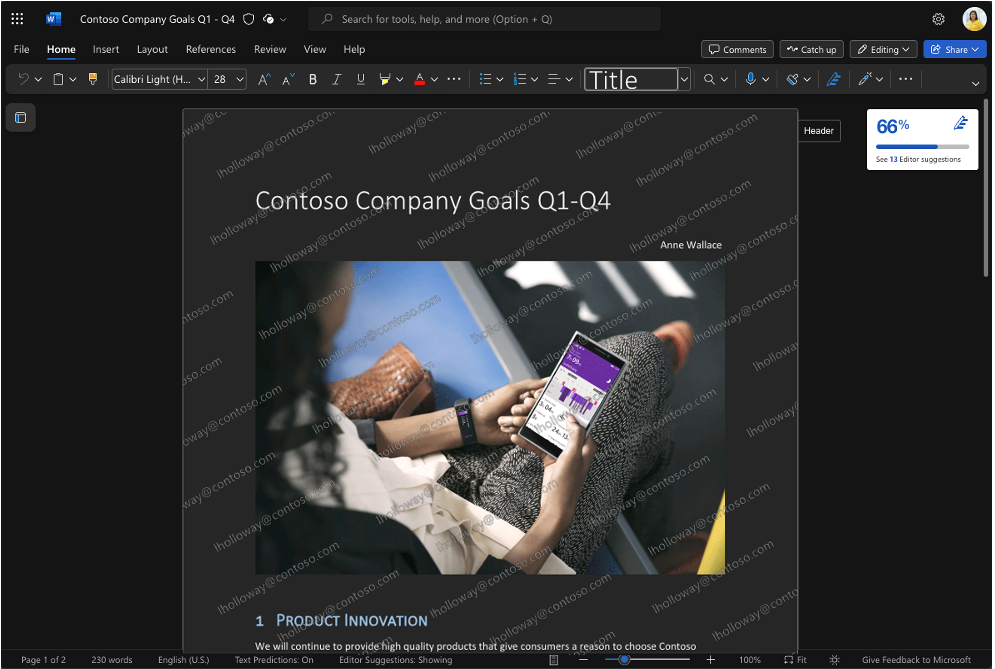
Take a look at the image below: Notice the watermark imprinted on the opened document with the current user’s identity, “jholloway@contoso.com”?
That’s a “dynamic watermark”.
Explore the latest advancement in information protection:Dynamic Watermarking for Word, Excel, and PowerPoint. This innovative feature helps organizations mitigate the risk of data leaks via “analog loopholes” by deterring users from photographing their screens while displaying confidential information. Delve into our recent blog post for detailed insights into this new functionality.
If you work with sensitive or confidential documents, you know how vital it is to prevent any leaks of information from these documents. Sensitivity labels from Microsoft Purview Information Protection offer a highly effective way to limit access to sensitive files and prevent people from taking inappropriate actions with them, such as printing a document, while still allowing for full collaboration.
However, it’s still possible for someone to take a picture of a sensitive file on their screen or of a presentation being shared either online or in-person. (Some forms of screenshotting cannot be blocked with existing technology.) This loophole presents a simple way to bypass the protections that sensitivity labels place on a document. Dynamic watermarking can be a potent weapon in combatting these kinds of leaks.
“We’re excited to announce that the migration tool for Active Directory Federation Service (AD FS) customers to move their apps to Microsoft Entra ID is now generally available! Customers can begin updating their identity management with more extensive monitoring and security infrastructure by quickly identifying which applications are capable of being migrated and assessing all their AD FS applications for compatibility. “
In November we announced AD FS Application Migration would be moving to public preview, and the response from our partners and customers has been overwhelmingly positive. For some, transitioning to cloud-based security is a daunting task, but the tool has proven to dramatically streamline the process of moving to Microsoft Entra ID.
A simplified workflow, reduced need for manual intervention, and minimized downtime (for applications and end users) have reduced stress for hassle-free migrations. The tool not only checks the compatibility of your applications with Entra ID, but it can also suggest how to resolve any issues. It then monitors the migration progress and reflects the latest changes in your applications. Watch the demo to see the tool in action.”
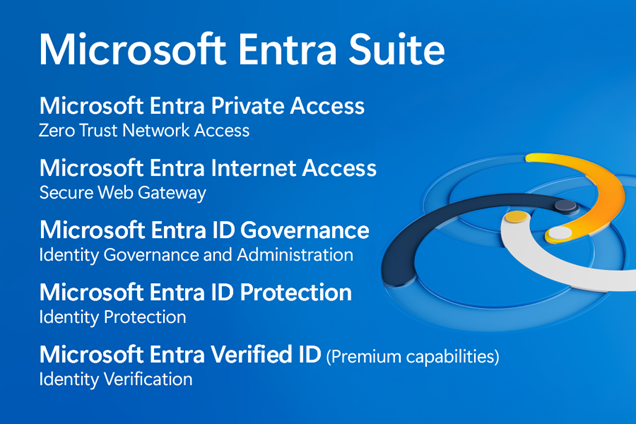
Join us August 14th for a deeper dive into the Microsoft Entra Suite. Get to know the industry’s most comprehensive secure access solution for the workforce. Learn how you can unify identity and network access security–providing you with the ability to verify users, prevent overprivileged permissions, improve detection, and enforce granular access controls for all users and resources.
Microsoft Entra Suite Tech Accelerator – August 14, 2024
RSVP to save your spot, receive event reminders, and post your questions—either in advance or during the event. Note: You must be signed into the Tech Community to RSVP and participate in the live Q&A, but sessions can be viewed without signing in.
Date/Time: Wednesday, Aug 14, 2024 07:00 AM – 09:30 AM (PDT)
Registration: (This is mandatory to access & participate in Q&A)
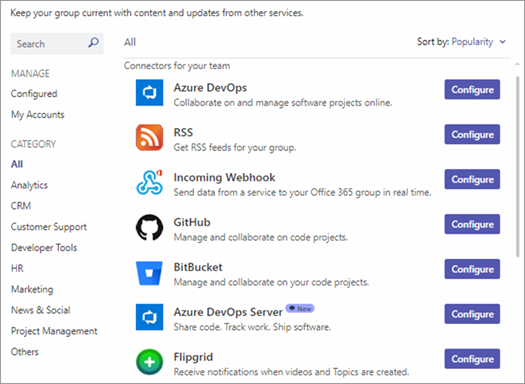
Existing Office connectors need to be migrated to Workflows before October 1, 2024, when all connectors will stop functioning
Why?
As taken from the deprecation announcement: “We recommend Power Automate workflows as the solution to relay information into and out of Teams in a … secure way. Power Automate workflows… provide maximum security of your information. These changes are aligned to the Microsoft Secure Future Initiative, and our company-wide priority to safeguard our customers from cyber threats.“
FAQ
Are we able to extend the deadline for the Office 365 Connector deprecation? Not at this time. The deprecation of Office 365 Connectors is being orchestrated in concert with the timelines associated with Microsoft’s Secure Future Initiative.
Is there a cost for Power Automate workflows? No. M365 users are seeded Power Platform licenses which allows them to use Power Automate standard connectors for free.
Any advice on reporting on the usage of connectors within a Microsoft 365 cloud instance? Here is Eu Nice’s script on this, which can help and be run by Tenant Admins:
Does this deprecation also include the “Incoming Webhook” connector? Yes, this does include the deprecation of the “Incoming Webhook” connector. Currently the connector for “Incoming Webhook” is a security risk as it’s an unauthenticated and anonymous service. We are directing customers to go use the Workflows Webhook templates as they provide an authenticated and more secure solution.
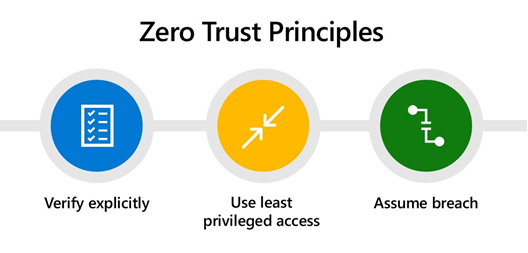
Cybercriminals have embraced emerging technologies like AI as quickly as the rest of the world. In today’s rapidly evolving threat landscape, your Zero Trust strategy has become more essential than ever. Learn how to bolster your Zero Trust strategy with innovative solutions that’ll help you stay ready for changes to the threat landscape at the Zero Trust in the Age of AI spotlight on July 31.
Join us to learn how to:
Simplify your Zero Trust strategy and deployments with new solutions.
Unify identity and network access controls to proactively secure access to any application or resource from any location.
Extend Zero Trust requirements to all endpoints, apps, and data.
You’ll also hear about the latest end-to-end security innovations and get recommendations for advancing your Zero Trust strategy in a panel discussion with a Forrester analyst and a customer.
Speakers:
Vasu Jakkal – Corporate Vice President, Security, Compliance, Identity, and Management, Microsoft
Carlos Rivera – Senior Analyst, Forrester
Gary McLellan – Head of Engineering Frameworks & Core Mobile Apps, Virgin Money
Irina Nechaeva – General Manager, Identity Product Marketing, Microsoft
Scott Woodgate – General Manager, Threat Protection, Microsoft
Anupma Sharma – Principal Group Product Manager, Microsoft
Date/Time: Wednesday, July 31, 2024 10:00 AM–11:00 AM Pacific Time
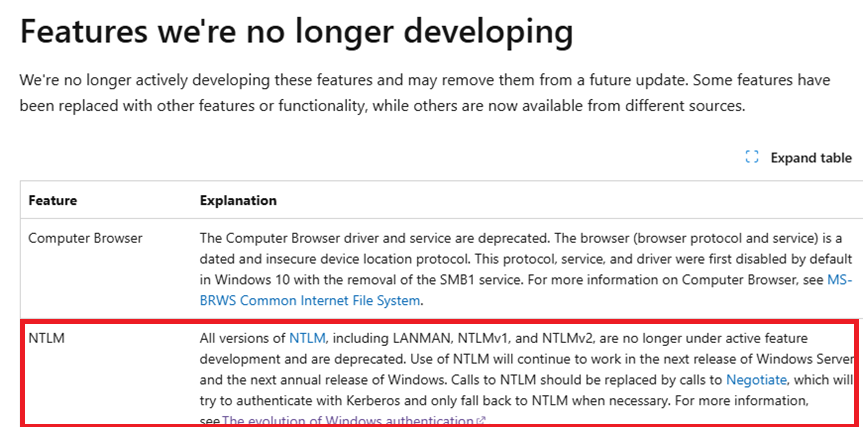
Deprecating NT LAN Manager (NTLM) has been a huge ask from our security community as it will strengthen user authentication, and so we are announcing that deprecation of NTLM is planned in the 2nd half of 2024 in Windows.
Why?
No server authentication (read: can’t verify malicious authentication servers)
Legacy MD4 encryption used for hashing password (read: weak & guessable)
Password submitted not salted (read: offline crackable)
Only supports password-based authentication (read: no certs, biometrics, MFA, FIDO, etc.)
 Microsoft is thrilled to announce the highly anticipated .NET Conf 2024, a free, 3-day virtual developer event celebrating the release of .NET 9. Co-organized by the .NET community and Microsoft, this annual tradition continues to grow, and we’re more excited than ever to bring you the latest innovations in .NET.

 kurtsh
 Kurt Shintaku's Blog
You must be logged in to post a comment.