Posted by: kurtsh | May 11, 2016

NEWS: ServiceNow integration with Azure

ServiceNow customers can now integrate with Azure for VM Management. 

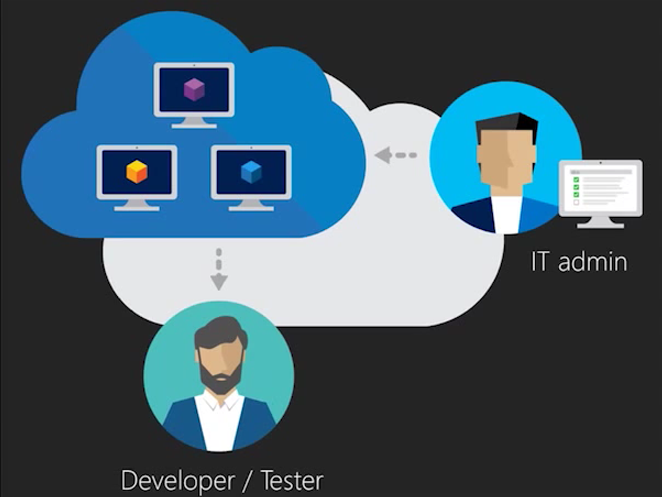
imageThe Microsoft Azure Cloud application integrates with Azure to expose virtual machine and managed services management to ServiceNow users. The application enables users to request Azure virtual resources through the service catalog and provides flexible reporting for Azure admins.

The Microsoft Azure Cloud application provides the following fundamental services:

  • Lifecycle management for individual VMs
  • Lifecycle management for resource groups
  • Cost and Usage reports of Azure data using ServiceNow report modules

For more information:

Posted by: kurtsh | May 11, 2016

RELEASE: Microsoft Advanced Threat Analytics 1.6

imageA few days ago, the Microsoft Advanced Threat Analytics team release v1.6.

Today, we are proud to announce that ATA’s new version (1.6) is publicly available. With this blogpost, I would like to share detailed information about this update and explain the exciting new enhancements our team developed.

As pioneers of the UEBA market, we set the bar very high and we are introducing exciting new capabilities and innovation:

  • New detections such as
    • Pass-The-Hash and Bruteforce based on unusual protocol behavior
    • Elevation of privileges
    • Reconnaissance via Net Session enumeration
    • Compromised credentials via malicious DPAPI Request
    • Compromised credentials via malicious Replication Requests
  • New deployment option with the ATA Lightweight Gateway helping with branch sites and IaaS deployments
  • New and improved detection engine that significantly improves our performance and scale
  • Support for automatic updates and upgrades using Microsoft Updates
  • Improvements in third party integration to enrich detection

Additionally, they’ve posted online documentation for migrating from previous versions to 1.6 step-by-step:
https://docs.microsoft.com/en-us/advanced-threat-analytics/understand-explore/ata-update-1.6-migration-guide

Read the announcement below:

imageFor those interested in using Xamarin, Microsoft’s cross platform development solution for Visual Studio developers, there is a LOT of online conference sessions to be viewed now.

Xamarin Evolve, the Xamarin conference for developers interested in and using Xamarin for Visual Studio (previously April 24-28 in Orlando, FL), has posted all their recorded content online – roughly 60 sessions… including the closing keynote featuring both Miguel de Icaza & Steve Wozniak.

Read more at the Xamarin blog:

image

Folks concerned about whether their end users will “like” Microsoft’s Surface devices now have documentation that says they need not worry:  Microsoft has just been cited as having nearly the highest customer satisfaction ratings for a any tablet vendor – second only to Apple, by a single point.

In the latest J.D. Power 2016 U.S. Tablet Satisfaction Study, Microsoft surpassed most of the field, particularly in the space of features & function for hybrid tablets, which rated 11 points higher than non-hybrid tablets.

To quote the study’s summary:

An increase in usage activity on hybrids is enabled by their ability to function in two core capacities. When using a physical keyboard or a mouse/stylus, customers can use hybrids for work-related activities. When using a touch-screen interface/virtual keyboard, hybrids provide a tablet-like experience for personal use, including sharing content, surfing the Internet and watching movies.  Among hybrid tablet owners, usage is higher than among non-hybrid device owners  when using Microsoft Office (1.0 hour vs. 0.6 hours for non-hybrids); browsing the Internet (4.5 hours vs. 4.1); using social media (2.4 hours vs. 2.2); and texting/instant messaging (1.1 hours vs. 0.9).

Notably, customers who own hybrid tablets have downloaded more paid apps within the previous 30-day period than those who own non-hybrid tablet devices (2.9 vs. 1.3, respectively). Additionally, owners of hybrid devices have a higher incidence of data plans (33% vs. 28% among non-hybrid owners).

“Increasing the number of activities that can be done on a single device has a positive impact on the overall user experience,” said Kirk Parsons, senior director and technology, media & telecom practice leader at J.D. Power. “Hybrid tablets are raising customer expectations for device performance. Brands with a strong lineup of hybrids are in a favorable position to satisfy the needs of consumers interested in a single device for business computing and entertainment. A satisfying hybrid tablet experience can lead to brand loyalty, recommendations and repurchase intent.”

Read the full summary & download the study here:

Okay – admit it.  There’s a lot about the cloud world that you’re probably lost on.  And meanwhile, IT is going into the cloud and requires cloud skill sets.  IDC predicts that in just 4 years, 1 in every 3 IT positions will be cloud-related.

What do you do?

Introducing Microsoft IT Pro Cloud Essentials

 
Microsoft IT Pro Cloud Essentials

Microsoft is here to support IT professionals as they lead their companies to adopt the cloud with two new programs:

  • Microsoft IT Pro Cloud Essentials
  • Microsoft IT Pro Career Center

CLOUD ESSENTIALS
The free Microsoft IT Pro Cloud Essentials is an annual subscription that provides IT professionals with access to cloud services, training, support and certification. This includes:

  • Free Azure credits to try cloud scenarios like backup, disaster recovery, security & dev/test.
        • Introductory offer:
          $100/mon for 3 months of Azure credit for anyone that enrolls
        • Limited time offer:  Must sign up before Sept 30, 2016
  • Free Pluralsight subscription for on-line training.
  • Free Priority support in the TechNet forums. (24 hour SLA)
  • A free phone support incident for Azure or on-premises products.
  • A free certification exam voucher. [2]
  • Extended trials of Enterprise Mobility Suite and Office 365.

“CAREER” ESSENTIALS
Meanwhile, the FREE Microsoft IT Pro Career Center provides IT professionals with guidance in evolving their careers in the cloud:

  • Map your IT cloud role.
  • Follow a learning curriculum for your chosen cloud role.
  • Evolve at your own pace & learn with your peers.
  • Discover which cloud roles are in demand and their salary ranges.
  • Get insights on your personality traits and how they matchup to cloud roles.
  • Hear from industry experts about the trends in cloud roles and skills you need.

Sign up here:

Read more about these new resources here:

imageIn case you’ve been living in a cave for the past month, (there’s been more coverage of this solution that I’ve seen in a long while) you should know that Microsoft has created & released in preview, a brand new automated workflow solution called “Microsoft Flow”.

WHAT IS IT?
It’s essentially a technology that allows end users to build automated workflows by connecting completely different services together – either from Microsoft or from 3rd parties.

For example, here’s a a workflow :

  1. I get a mail from a VIP customer
  2. It automatically posts the email to a Yammer Group for review
  3. It send a text message to myself and others on the team
  4. It adds an entry to a SharePoint todo list
  5. Anytime this or anything else is added to this SharePoint todo list, it creates an action item in my personal Wunderlist

The big deal is that we just announced that Microsoft Flow will be integrated into SharePoint moving forward.  This means that this will become a key part of the SharePoint productivity experience.  Taken from the Future of SharePoint announcement:

imageSharePoint lists give teams the ability to access, share and collaborate around structured data. Customers regularly bring data from other systems into SharePoint lists to support business processes. Last week, we announced Microsoft Flow, a new service for automating workflow across the growing number of apps and SaaS services that business users rely on. Microsoft Flow includes connectors that enable you to exchange data between SharePoint and a variety of Microsoft and third-party services, and store and modify that data within SharePoint. We’re pleased to announce deep integration of SharePoint and Microsoft Flow, which allows you to create and launch Flows directly from a SharePoint list.

A summary of Flow’s capabilities are located at:

For more on Microsoft Flow, check out the Preview site here:

image

Interested in social sentiment and how to turn it into opportunity?  Grab our new eBook on social media monitoring!

Taken from the download site:

For the record, we don’t think your brand ‘sux’.

In today’s social and mobile world, you may encounter negative sentiment at some point during the life of your business. In our latest e-book Your Brand Sux, we focus on social media monitoring and how to reap the rewards of customer feedback on social, even if it isn’t always positive.

Things you’ll learn:
  • Tracking brand sentiment
  • Tips to improve engagement
  • Best practices for global brands
  • And more tips for developing amazing customer experiences

Grab the book from the following link:

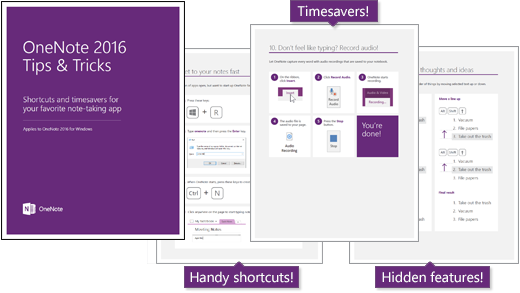
imageHey, are you looking for a nice primer on Office 2016?  Maybe something without all “the ethereal marketing fluff” from a 3rd party?

I found a nice eBook written by a 3rd party – a Microsoft MVP – called “Conversational Office 2016” that I think a lot of people will like.

It’s written for humans, a less so for tech geeks.  But in the vein of the “for Dummies” series of books, it’s very easy to understand and, as the title states, “conversational” in nature.

What I think is cool is that it explains the difference between Office 2016 (software) and Office 365 (subscription), while also going over the new capabilities/features of the Office 2016 suite.

As it’s described online as such:

Microsoft Office has gone through quite a few changes over the last few years since Office 365 intruded upon what was once a very simple suite of applications. Now, “Microsoft Office” is a confusing term often applied to any number of applications and online services, both free and via paid subscription. This book is designed to dispel any confusion, and make you smarter as you support and consume Office.

Grab it for free online now!

IoT all the things!  We just obtained the talents & properties of Solair – a company that has specific skills & solutions for providing massive scale monitoring, analytics, & insights-based optimization.

imageToday, I’m pleased to announce that Microsoft has acquired Solair, an Italian company that has been delivering innovative Internet of Things (IoT) services to customers across a number of industries, including manufacturing, retail, food & beverage and transportation. Solair shares our ambition for helping customers harness their untapped data and create new intelligence with IoT, and this acquisition supports our strategy to deliver the most complete IoT offering for enterprises. We’re excited about their technology and talent – and delighted to welcome them to the Microsoft team.

Solair’s IoT customization and deployment solutions, built on Microsoft’s Azure cloud platform, are engineered to help businesses in any industry utilize IoT to run more efficiently and profitably. For example, Solair has brought the power of IoT to the Rancilio Group’s full line of espresso machines, allowing the Italian manufacturer to remotely monitor machines resulting in greater efficiency across the supply chain. Using the power of cloud-based data and analytics, Solair has helped the Rancilio Group reduce costs and increase revenue.

imageIoT COFFEE MACHINES?
And because it’s buzzworthy, the media is highlighting Solair’s implementation of IoT-enabled Professional Grade Espresso Machines from Rancilio. 

It should be noted that Solair implemented this an many more IoT solutions.

Read more on the announcement page:

Delve Analytics is wicked cool.  It provides end users with the ability to understand how you spend your time & maximize your productivity.

If you have Office 365, “Delve Analytics” can tell you:

  • Who you correspond with the most
  • How much time you spend on work relative to the rest of your activities
  • Who is reading your emails

image

Most analytics are available from an Office 365 web page for your organization, likely ending with something like “/_layouts/15/me.aspx?v=analytics”.  See the snapshot above to see a part of my personal analytics page.

Here’s a video that shows how it can help people monitor their usage of time to be more productive:

Meet Delve Analytics


DELVE ANALYTICS OUTLOOK ADD-IN
imageAdditionally, here’s an example of the statistics that you can see about email that you’ve sent.  As you can see, reporting analytics is available directly within the sent email itself inside of Outlook.

More descriptions of what Delve Analytics can empower the end user with are available in this Delve Analytics Infographic:

imageFor folks that are Office 365 Admins, here’s documentation on how to manage this feature for your users:

For a nice write up about Delve’s capabilities, check out this article from Windows IT Pro:

« Newer Posts - Older Posts »

Categories