UPDATE 4/30/16:
I’m told that the article is behind a paywall to TechProResearch.  I subscribe to TechProResearch so it’s not surprising that I wouldn’t notice that it’s a “pay-for” article, but I’ve also heard others able to access the post without paying for a subscription so YMMV on access.

—————-
ORIGINAL POST:

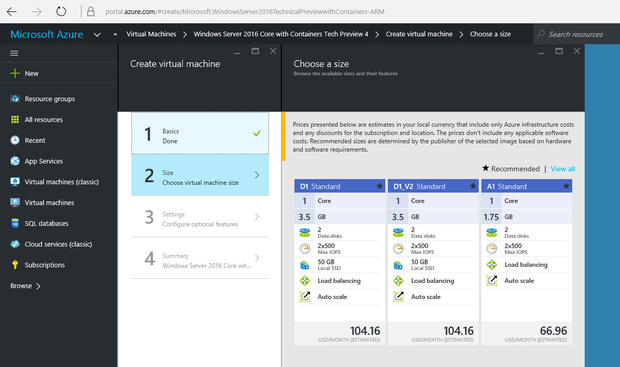
imageI don’t often do this but I really have to point out a great post that Ed Bott wrote.  It’s a really nice, succinct & practical “beginnger’s guide” to building your own Virtual Machine environment in the Microsoft Azure cloud.

And it costs new users NOTHING to get started.

Ed took advantage of the free $200 credit – with no commitment – that we give to anyone trying out Azure.  He specifically built a virtual network in our cloud with the following VMs running:

  1. Windows 10 desktop
  2. Windows Server 2016 Core with Containers
  3. Windows Server Essentials running on Windows Server 2012 R2

Even as a new user to Azure, Ed took only 30min to set up his entire “lab” environment. 

And before you ask, the machines run mostly idle if you’re not doing anything on them and thus run on pennies a day in this state.

Take a look at the article if you’ve never used Azure and want to see what it’s like for a complete beginner to set up their own Windows VMs & network in Microsoft Azure.

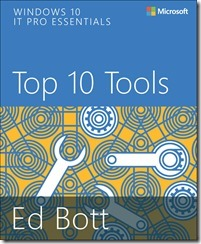
imageThis 165 page book is one of the coolest downloads you’re gonna make a in a while.  Why?  Check out some of the chapter heading:

  • Chapter 7: Sysinternals Suite (pg 93)
  • Chapter 8: Diagnostics and Recovery Toolset (pg 109)
  • Chapter 10: Hyper-V (pg 131)
  • Chapter 11: Microsoft Azure (pg 145)

Where else are you gonna get a primer on some of these topics?  And it’s FREE!

[description taken from the Microsoft Press blog]

Dive in to Windows 10 with award-winning journalist and Windows Expert Ed Bott in this highly curated free eBook covering the top apps, accessories, and utilities included in the box with Windows 10.

The sheer volume of Windows programs and accessories says a lot about the power and complexity of Windows—a fact that every IT pro knows from firsthand experience. There’s a tool for nearly every task, and a large part of the process of becoming a Windows expert is knowing how to find the appropriate one when you need it.

This eBook contains descriptions and hands-on advice to help IT Pros work faster and smarter. Some of these tools are for everybody—end users and experts alike—whereas some are strictly for professionals. A few are so specialized that you’ll only need them once in a blue moon. Collectively, though, they make up a toolbox that can save you (and your company) time and money.

image

[taken from the MSPress blog]

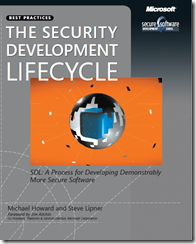
Hello, Michael Howard here, from the Microsoft Cybersecurity team. It’s hard to imagine that Steve Lipner and I wrote The Security Development Lifecycle: A Process for Developing Demonstrably More Secure Software (Microsoft Press, 2006) a decade ago. Even though much has changed in the intervening years, it’s amazing how the simple fundamentals still hold true.

In the book we talk of “banned functionality,” or functionality that is dangerous and should never be used, and we still talk about the topic today, even though some of the specifics are a little different. Threat modeling, which has a dedicated chapter in the book and which is a cornerstone of the Microsoft Security Development Lifecycle (SDL), is a critical component of any application architecture today.

Read more here:

Download the books here:

imageWhat does it mean to “move to the cloud”? In this eBook, we break down myths about cloud computing and detail what you really need to know when considering Microsoft Office 365. Fill out the form to get your free eBook to learn about:

  • How the cloud can help you reduce headaches and time maintaining hardware.
  • How cloud storage is actually safer than on-premise.
  • How cloud technology and cloud solutions can increase employee productivity.
  • Advantages of cloud computing and how it allows you to spend less time on software updates and more time building your business.

Grab the book here:

image

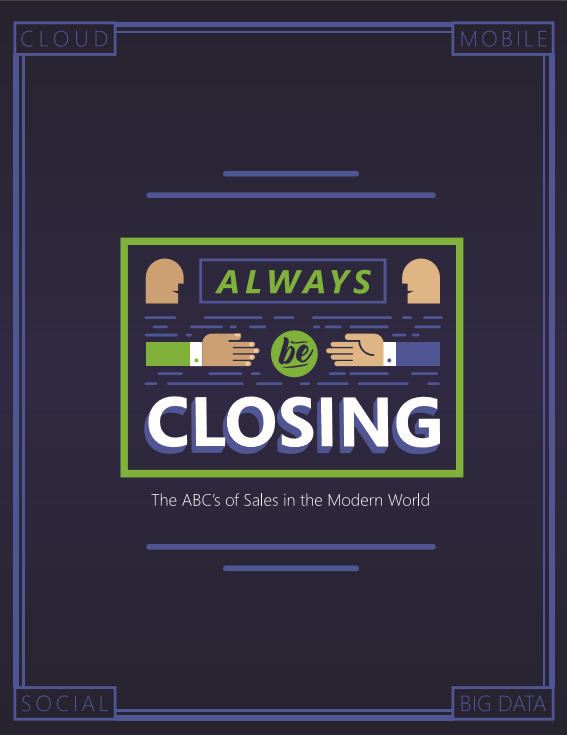
Download Always Be Closing: The ABCs of Sales in the Modern Era – An essential sales strategy guide featuring best practices and thought leaders.

Learn how organizations can set their sales teams up for success with this free e-book: Always Be Closing: The ABC’s of Sales in the Modern Era.

Taken from the introduction:

A better way to sell: cloud, mobile, social, big data

A…B…C… When we think of the abc’s, perhaps even more so than the popular sales mantra “always be closing,” we think of getting back to the basics. The alphabet is a foundational lesson we learn early on and internalize to the point where we hardly even notice it as we move through our days, no matter how ubiquitous it is on our lives.

In naming our latest ebook, we wanted to convey this deeper message beyond “always be closing.” From the chalkboard illustration on the title page to our subtitle “the ABC’s  of Sales in the Modern Era,” this ebook is all about finding our way back to the heart of sales with technology that is helpful without getting in the way.

The sad truth we face with the complexity and pressure in today’s market is a  salesperson can only spend about 22% of their time actually selling1. Even if a  salesperson closes 100% of their deals, they’re only able to do this with less than a  quarter of their time. This is a problem.

So how do we solve it? We need technology that doesn’t waste a salesperson’s time — that actually helps salespeople do their jobs better, improving their productivity while enabling them to meet today’s customer expectations and the dramatically different buying process.

In this ebook, we tackle the issues facing sales today head on, incorporating changes  and developments in the market that your teams need to understand. I’m incredibly excited not only to introduce this brand new ebook, but also the next generation of  sales productivity from Microsoft.

[Thanks to my coworker, Rodney Campbell, for forwarding this]

image

We are getting close to the first drop of public preview of Skype for Business Mac client.

This Friday, April 22nd the Skype for Business product team will be delivering a broadcast on the Mac Client preview.

  • What: Learn about the Skype for Business Mac Client preview
  • Who: Skype for Business group
  • When: April 22nd at 9:00 am PST
  • Where: Skype Meeting Broadcast – http://aka.ms/SfBcast
  • Will this be recorded: Yes, it will take a couple of weeks and then it will posted on the Skype channel.

(Source: Learning IT Together http://blogs.technet.com/b/learningittogether/archive/2016/04/19/skype-learn-about-the-skype-for-business-mac-client-preview.aspx)

Posted by: kurtsh | April 18, 2016

RELEASE: Safety Tips feature of Office 365

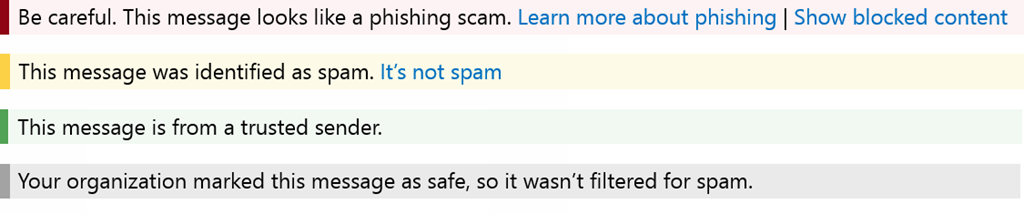
A blog post the other day (Email Safety Tips in Office 365) details a new Safety Tips feature of O365 which provides an additional layer of protection via a warning to the user in an email that is marked suspicious, or a reassurance when a message is safe.

image

This feature is unique in that only Office 365 & Exchange Online Protection can integrate with the Outlook client to provide this level of transparency. 

Folks evaluating other solutions like mail gateways or 3rd party filtering solutions should understand how these capabilities can help uniquely protect their organization by simply involving the end user in the process of determining the threat at the time the email is viewed by the user. 

SOCIAL ENGINEERING THREATS
For example: Automated threat filtering is fine if threats are emailed as part of an attachment.  But what if the threat is written, i.e. the ‘threat’ is simple social engineering encouraging a user to send vulnerable data to the attacker – posing as someone in an authority position like IT?  These are the things that Safety Tips can help flag to the end user.

For the more technical, the blog below details the under-the-hood changes to EOP that make some of this possible.

imageJP Morgan recently release a 50-page note to their clients around the state of cloud computing in the Enterprise.

The note summarized the results of a survey of 207 CIOs of large Enterprise companies -specifically those CIOs with a budget of $600M or more.

J.P. MORGAN: INDISPENSIBLE ENTERPRISE VENDORS FOR CLOUD COMPUTING

One of the survey questions asked was:

“Which IT mega-vendor will be most critical and indispensable to your organization’s IT environment in the future, and why?”

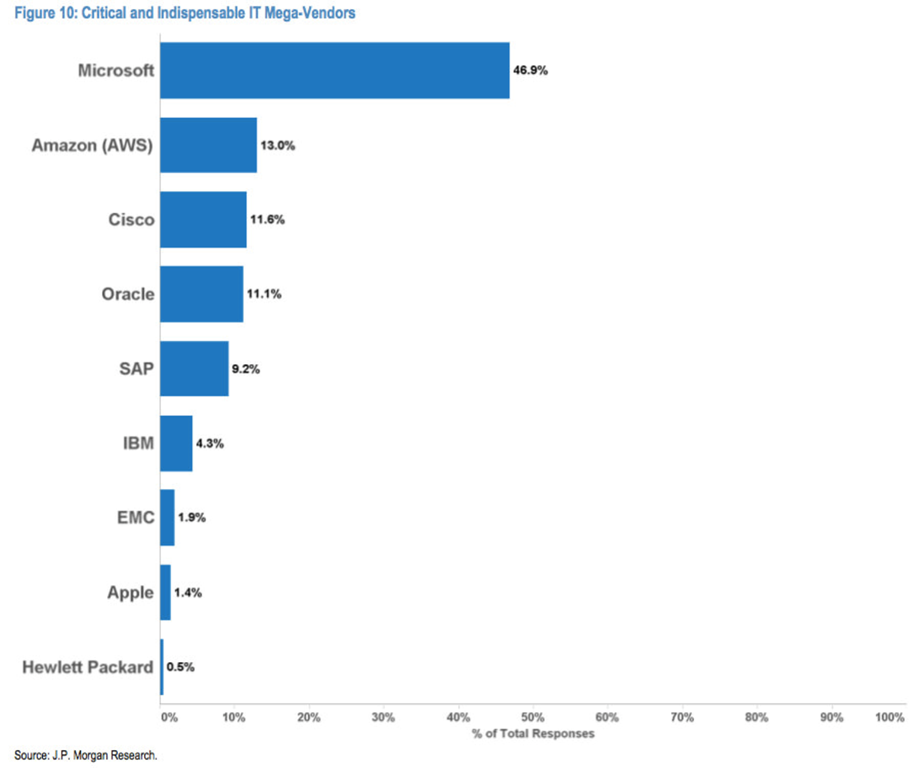
The results are somewhat lopsided, with Microsoft coming out the most significant choice of CIOs for cloud computing, with almost 4x as many votes as the next vendor, Amazon:

image

The survey results of J.P. Morgan’s 207 CIOs of large Enterprises for “Critical and Indispensible IT Mega-Vendors”:

  1. 48.9% Microsoft
  2. 13,0% Amazon (AWS)
  3. 11.6% Cisco
  4. 11.1% Oracle
  5. 9.2% SAP
  6. 4.3% IBM
  7. 1.9% EMC
  8. 1.4% Apple
  9. 0.5% Hewlett Packard

J.P. MORGAN: VENDORS LOSING TO CLOUD COMPUTING
J.P. Morgan’s note also highlights “who’s going to lose share to cloud vendors” and the results of that question are similarly lopsided:

  1. 26.1% IBM
  2. 15.0% Hewlett-Packard Enterprise
  3. 14.5% Oracle
  4. 12.1% Dell
  5. 11.6% EMC

MORE ON THE SURVEY
For more on this story and JP Morgan’s survey of these CIOs, read the following articles:

Posted by: kurtsh | April 15, 2016

INFO: Windows 10 Roadmap

imageAt the beginning of the week, we published Microsoft’s Windows Roadmap, in the same way that we’ve published Microsoft’s Server & Cloud Roadmap & the Office Roadmap.

The Windows 10 roadmap provides a snapshot of what we’ve recently made generally available, released into public preview, are still developing and testing, or are no longer developing.

For example, here’s a few items that we’re working on today from the “in development” list:

  • Use Companion Device to Unlock your Windows PC
  • Use your phone to unlock your Windows PC
  • Enhancements to Microsoft Passport
  • Windows Defender Advanced Threat Protection
  • Cortana and Action Center integration
  • Remote Display Experience

For more, visit:

Our Cloud roadmap is located here:

Our Office roadmap is located here:”"

Posted by: kurtsh | April 15, 2016

RELEASE: Visual Studio Code 1.0

image

[taken from the Visual Studio Blog]

Today we’re very proud to release version 1.0 of Visual Studio Code. Since our initial launch one year ago, 2 million developers have installed VS Code. Today, we’re excited to report that more than 500,000 developers actively use VS Code each month.

What started as an experiment to build a production quality editor using modern web technologies has blossomed into a new kind of cross-platform development tool, one that focuses on core developer productivity by centering the product on rich code editing and debugging experiences. Visual Studio Code brings the industry-leading experiences of Visual Studio to a streamlined development workflow, that can be a core part of the tool set of every developer, building any kind of application.

Getting to "1.0" over the last few months has been about more than features. We have worked with the community to further improve stability, fixing hundreds of bugs. And we’ve pushed hard on getting the best performance we can out of the editing experience.

VS Code was initially built for developers creating web apps using JavaScript and TypeScript. But in less than 6 months since we made the product extensible, the community has built over 1000 extensions that now provide support for almost any language or runtime in VS Code. Today, a broad range of developers from individuals and startups to Fortune 500 companies, including audiences completely new to Microsoft’s tools, are all more productive with a tool that fits comfortably into their current tool chain and workflow, and supports the technologies they use, from Go and Python to React Native and C++. With this great ecosystem in place, we’re now confident in declaring our API as stable, and guaranteeing compatibility going forward.

And we have strived to make VS Code 1.0 a great editor for every developer. VS Code is now fully localizable, and ships in 9 different languages, including French, German, Japanese, and Chinese. And, we have worked to make VS Code the most accessible of modern editors, with full keyboard navigation and support for screen reading and accessible navigation for visually impaired developers.

Read more of the announcement here:

« Newer Posts - Older Posts »

Categories