image

UPDATE 10/25/16:
At Microsoft Ignite 2016 this year, Richard Harbridge did an updated presentation which is additive to the original presentation I listed below.

VIDEO/POWERPOINT: Learn what to use when: Office 365 Groups, SharePoint Team Sites, Yammer, and OneDrive for Business (2016)

ORIGINAL POST:
A question that comes up a lot is, “Office Groups, SharePoint, OneDrive, Yammer… when should we use which collaboration solution that Microsoft offers?”

image2toLead is a consultancy that has written a 75-page whitepaper that was updated a couple months ago on the exact topic of how to “provide the right enterprise tool” for the collaboration scenario requested.  While it was originally a Microsoft reviewed document, it’s been modified from that original form and is no longer distributed by us (hence the reason it doesn’t have any Microsoft insignia on it any more compared to it’s original incarnation) so it’s not considered Microsoft’s official guidance however, the authors are Office 365 MVPs so they do speak with great experience. 

imageHere’s the location of the whitepaper, if you’d like to download it: (Requires registration)

The authors did a session at Microsoft Ignite 2015 last year on a similar topic.  Here’s the recording:

imageEveryone’s always looking for ways to squeeze more battery juice out of their Surfaces.  Because I use several “compute & network-heavy” solutions as background processes on my device, I sadly don’t get the battery life that many others do.

Yes, there’s all the typical tips like “minimize screen brightness”, “disable location, bluetooth, wireless”, “turn on airplane mode”, etc. Of course, these should be followed first & foremost as they’re the most obvious ways to save battery.

But here’s a few lesser known techniques I’ve used that have suited me very well to extend the battery life of my Surface Book, that should work for any Surface:

TIP #1: DISABLE INTEL CPU SPEEDBOOST:
When your CPU hits 100% utilization, the chipset automatically overclocks the processor from 1.7Ghz to 2.2Ghz. This is called Intel SpeedBoost & has the effect of making your PC faster but also draining the battery significantly.

The solution is to set a cap on CPU utilization so that it never goes above 99%. The problem is that on Surface Pro 4 & Surface Book, the ability to set a maximum CPU usage threshold is is disabled.  So here are instructions on how to reenable it via the Registry & set it to 99% so your Surface never “overclocks” while on battery power.  I believe this technique has given me an extra hour of battery life on any given day.

imageTIP #2: AUTOMATICALLY USE BATTERY SAVER WHENEVER YOURE ON BATTERY
Battery Saver in Windows 10 is a great feature that auto-tunes the OS so it doesn’t do certain background operations to minimize power consumption.  According to Ed Bott, Battery Saver disables:

  • Email notifications
  • Live tile updates
  • Background activity for some apps

Normally you have to manually turn it on but if you’re like me, you often forget and next thing you know, 50% of your battery was needlessly used up because you forgot to turn on Battery Saver.

So here’s how to automatically turn it on whenever you’re on battery:

  1. Go to Settings –> System –> Battery
  2. Ensure the box “Turn battery saver on automatically if my battery falls below:” is checked
  3. Set the slider to 100%

This will ensure that you maximize you battery life whenever you’re not plugged in by throttling background processes power consumption.

imageTIP #3: USE MICROSOFT EDGE TO BROWSE THE INTERNET
There are some apps you can’t avoid using.  Outlook… Excel… PowerPoint… Word… etc.

But there are some that consume an obnoxious amount of power because they were never designed with battery life in mind.  Chrome, Firefox, & Internet Explorer 11 are all power hogs.

But Edge is not.  When you’re on battery and you want to save power, use Edge as MUCH AS POSSIBLE whenever browsing.

This isn’t a joke: I’ve found that using Edge can reduce my power usage while browsing by 50% or more, especially when compared to Chrome, Firefox or Internet Explorer.  Verge has written an article on this as well.

If you want to know how much of your battery is being used by your browser choice, do the following:

  1. Go to Settings –> System –> Battery
  2. Click the words “Battery Usage by App”.  This will reveal the percentage of battery each app you’ve run in the past has consumed.
  3. Click on your browser.  It will breakdown how much power is used in the foreground vs the background.
          • imageSPECIAL: If you click on Microsoft Edge in your list (assuming you’ve used Edge in the past), you will see a special options menu that appears that allows you to tune Edge’s behavior when placed in the background vs the foreground.  You can also leave this behavior to Battery Saver to control. (i.e. “Managed by Windows”)

TIP #4: HIGH CPU FROM “SYSTEM AND COMPRESSED MEMORY”
If your Surface is running really hot, it means it’s eating ton of power. There may be an application or system process that is running at high CPU. Some processes like Windows Update, Office sync, anti-virus scanning, and Edge may run high CPU at times. Over time these processes should subside.

However, I’ve been told that there is also a Windows 10 bug where the “System and Compressed Memory” task runs at high CPU and causes the system to heat up.

imageThe current workaround is to Disable “Fast Startup” in Control Panel:

  1. Right click the battery icon in SysTray, Choose “Power Options”
  2. In the left pane, Click “Choose what the power buttons do”
  3. Click “Change settings that are currently unavailable”
  4. Scroll to the bottom of the window & uncheck “Turn on Fast Start”
  5. Reboot

TIP #5: UNDERVOLTING THE CPU & GPU
If you want to diminish the voltage allocated to the processors on your Surface Pro 4 or Surface Book to maximize your battery life, there are tools available to do this – one in particular is Throttlestop which is a free download.  This includes disabling Turbo which is similar to what is described above but it’s done in firmware.

Here’s two videos that highlight how to accomplish this using different tools:

On August 2016, Microsoft announced a new Windows desktop & server servicing/patching model that will be coming soon.

EXECUTIVE SUMMARY:
Post-Oct 2016, for each applicable Windows version, every month on the 2nd Tuesday, there will be ONE “Monthly Roll Up of Security & Reliability Patches from both past-and-present” published and ONE “Security Rollup of Patches from this-month-only” published & made available through traditional update distribution mechanisms.  Moving forward, individual patches will no longer be available for Windows 7, 8.1, 2008R2, & 2012.

DETAILED OVERVIEW:
Full details are posted in the announcement at:
https://blogs.technet.microsoft.com/windowsitpro/2016/08/15/further-simplifying-servicing-model-for-windows-7-and-windows-8-1/.

There is also a Premier Field Engineer blog post on the matter here:
https://blogs.technet.microsoft.com/askpfeplat/2016/08/30/a-bit-about-the-windows-servicing-model/

OVERVIEW PRESENTATION:
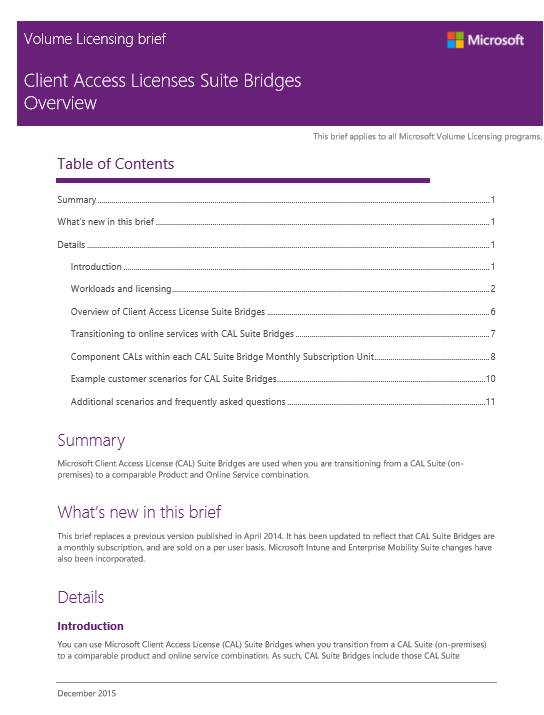
imageI have additionally posted a presentation entitled, “Improving Windows Servicing Scenarios”, that provides greater detail on this process for reference.  It shows a sample time line of what to expect and it also has an FAQ in there that answers questions like:

  • What components are included in rollups?
  • What’s in the .NET Framework Monthly rollup?
  • Is there any prerequisites for a rollup?
  • What is the expected size of the security only update?  The monthly rollup?
  • Does the Monthly Rollup increase network traffic?
  • Is it possible to apply only security updates?
  • What if there is an issue with a roll up?
  • Do the roll ups included version update of IE & GWX?

Download the presentation below:

Q&A:
Here are some questions I have received about this topic:

Re: “I need more detail about how the roll ups will work on the server side, critical vs important/optional.”

Windows servicing & rollup publishing won’t be any different from servers as from the desktop releases.

Re: “What about Office patches (some servers have Outlook for MAPI as well as some installed Office products like Word or Excel)? Are those in the rollups or are there going to be different rollups?”

The blog & the servicing changes only apply to the Windows – more specifically, the Windows releases that are stated below.  There is no monthly “singular” Office patch rollups or any change, for that matter, in Office servicing for legacy .MSI installations for Office Professional Plus (2016 or prior releases).  Our go-forward servicing model is centered on Office 365 ProPlus – Click-to-Run installations.  Nathan Mercer, Windows Product Manager & the writer of the original post, states this at https://blogs.technet.microsoft.com/windowsitpro/2016/08/15/further-simplifying-servicing-model-for-windows-7-and-windows-8-1/#comment-9805

Re: “Do we need to change anything in SCCM to accommodate this new model?”

No. Update Management through SCCM will operate the same way as before… except there will now be TWO patches available to deploy on Patch Tuesday within the SCCM Update console.  One representing the “Monthly Roll Up of Security & Reliability Patches from both past-and-present” and one representing the “Security Rollup of Patches from this-month-only”.  This is addressed by Nathan Mercer here: https://blogs.technet.microsoft.com/windowsitpro/2016/08/15/further-simplifying-servicing-model-for-windows-7-and-windows-8-1/#comment-12235

Re: “Are there multiple roll ups each months for each type, etc..?”

For each applicable Windows version, there is:

  • One “Monthly Roll Up of Security & Reliability Patches from both past-and-present
  • One “Security Rollup of Patches from this-month-only

Individual patches will no longer be available post-Oct 2016 per Nathan Mercer at https://blogs.technet.microsoft.com/windowsitpro/2016/08/15/further-simplifying-servicing-model-for-windows-7-and-windows-8-1/#comment-8385.

Re: “You list Windows 7, 8, etc… but what about Windows 10?”
Windows 10 already adheres to this servicing model going back to its release in Sept 2015. Please read our documentation for details on Windows 10 Servicing here:

The cumulative nature of all Windows 10 releases

It is important to note that, in order to improve release quality and simplify deployments, all new releases that Microsoft publishes for Windows 10 will be cumulative. This means new feature upgrades and servicing updates will contain the payloads of all previous releases (in an optimized form to reduce storage and networking requirements), and installing the release on a device will bring it completely up to date. Also, unlike earlier versions of Windows, you cannot install a subset of the contents of a Windows 10 servicing update. For example, if a servicing update contains fixes for three security vulnerabilities and one reliability issue, deploying the update will result in the installation of all four fixes.

Got a Microsoft HoloLens?

Now you can create your own mixed reality videos featuring holographic characters and effects. A steady supply of themed packs will feature content from your favorite brands and genres. Place, resize, and record holograms in the real world for a new take on storytelling.

Actiongram Beta is available now, featuring George Takei, Grumpy Cat, Nyan Cat, and more!

Microsoft HoloLens: Actiongram Beta feat. George Takei

Read more about Actiongram & HoloLens at Geekwire here:
http://www.geekwire.com/2016/microsoft-george-takei-hololens/

Download Actiongram at http://aka.ms/action.

Learn more about Actiongram at www.hololens.com/actiongram.

Learn more about Microsoft HoloLens at http://www.microsoft.com/HoloLens.

Microsoft HoloLens is available in two “editions”:

So what’s the difference between the two?

There is a video & a text-based explanation of some of the additional features included in the Commercial Suite.

Microsoft HoloLens | Anniversary Update

Key Commercial Features:

  • Kiosk mode. With HoloLens kiosk mode, you can limit which apps to run to enable demo or showcase experiences.
  • Mobile Device Management (MDM) for HoloLens. Your IT department can manage multiple HoloLens devices simultaneously using solutions like Microsoft Intune. You will be able to manage settings, select apps to install and set security configurations tailored to your organization’s need.
  • Windows Update for Business. Controlled operating system updates to devices and support for long term servicing branch.
  • Data security. BitLocker data encryption is enabled on HoloLens to provide the same level of security protection as any other Windows device.
  • Work access. Anyone in your organization can remotely connect to the corporate network through virtual private network on a HoloLens. HoloLens can also access Wi-Fi networks that require credentials.
  • Windows Store for Business. Your IT department can also set up an enterprise private store, containing only your company’s apps for your specific HoloLens usage. Securely distribute your enterprise software to selected group of enterprise users.

This is a table that explains what the differences are between the two releases.

image

Here are some references available online, buried in Microsoft.com:

Posted by: kurtsh | September 9, 2016

INFO: Get ready for the football season with Microsoft

imageBing predictions… Cortana-based tracking & updates… Windows streaming apps… Outlook reminders for upcoming games…

Check out these ways Microsoft can help you enjoy the football season!

Let Bing predict which teams will win
Bing has you covered this professional football season from basic player info to schedules and more. The Bing team created a unique professional football experience powered by Bing Predicts for all types of football fans looking to get the edge, including:

  • Game by Game Predictions – Predictions on which team will win every weekly matchup.
  • Fantasy Football Predictions – Weekly predictions of who to start in your fantasy league by position including predictions of how many points each player will achieve in PPR leagues. Carousel appears during Fantasy Football related queries.
  • NFL Playoff Predictions – Each week we will update the predictions of who has the best chances to make the playoffs and win the division. Bing’s very own intelligence spin on Power Rankings.

Track your favorite teams with Cortana
Cortana lets you track your favorite sports teams’ right in your notebook. Select your favorite football team and Cortana will provide score updates, show upcoming games and matches and can even notify you with the final score. Give it a try today!

Follow the games with the Touchdown! Collection in the Windows Store
The Touchdown! Collection in the Windows Store is ready with great ways to watch the game your way on Windows or Xbox, letting you follow favorite teams, stream games, view schedules and stats, listen on-the-go, plan tailgates and more!

Keep track of your football games schedule with Outlook
Following professional and college football game schedules just got easier thanks to a new Interesting Calendars feature for Outlook.com and Outlook on the web. The new feature allows fans to add their team’s schedule directly to their Outlook.com or Outlook on the web calendar. Once added, the calendar is synced across devices and automatically updates if there is a change to the schedule, so you never miss a game. For more information on the feature, please visit the Office Blog.

(Note: For Outlook users with Office 365 subscriptions on Exchange Online, visit:
Outlook on the webhttps://aka.ms/interestingcalendarowa)

image

imageWhether you were able to experience the //build conference this year or were unable to attend, we invite you to participate in an exciting day focused on just developers! This event will feature a keynote covering the latest announcements from the Microsoft //build conference and an update on developments that have taken place since the conference.

This free, one-day event consists of three tracks giving you the opportunity to take part in sessions covering topics that interest you the most: Next Generation Client Experiences, The Power of Azure or DevOps.

Join us for a Beyond //build event in a location near you to experience what is next for developers on the Microsoft and cloud platform, presented by seasoned Microsoft developer solution experts, engineers and staff from Microsoft Technology Centers

image

Register to attend today!

imageEvery organization has big data aspirations that can be achieved with the right guide. Your map to the great digital unknown can help uncover unforeseen trends, traits, and insights.

Discover how your organization can start its journey of data discovery, read The DIY Guide to Data Navigation.

We announced 2 interesting cloud-based services for Office 365 Microsoft Word 2016 subscribers.

Introducing Researcher—accessing credible sources and cited content just got easier

Researcher is a new service in Word that helps you find and incorporate reliable sources and content for your paper in fewer steps. Right within your Word document you can explore material related to your topic and add it—and its properly-formatted citation—in one click. Researcher uses the Bing Knowledge Graph to pull in the appropriate content from the web and provide structured, safe and credible information.

Introducing Editor—your new digital writing assistant

While Researcher helps you start a paper, Editor assists you with the finishing touches by providing an advanced proofing and editing service. Leveraging machine learning and natural language processing—mixed with input from our own team of linguists—Editor makes suggestions to help you improve your writing. Initially, it will help you simplify and streamline written communications by flagging unclear phrases or complex words, such as recommending “most” in place of “the majority of.”

Here’s a video that goes over these features:

Word 2016 Researcher & Editor for Office 365

There are also improvements made to Outlook (Focused Inbox) & PowerPoint (Zoom).  For more information, read the announcement post here:

At Computex 2016, we announced 2 things with Intel during the keynote:

  1. Intel and Microsoft are collaborating on a specification for mixed reality ready PCs and head mounted displays (HMDs).
  2. Next year, we will be releasing an update to Windows 10, which will enable mainstream PCs to run the Windows Holographic shell and associated mixed reality and universal Windows applications.

This video is a real example of Windows Holographic running on a low end Intel NUC:

Demo of Windows Holographic running on an inexpensive Intel NUC at 90fps


Read more about these announcements at:

« Newer Posts - Older Posts »

Categories