Posted by: kurtsh | January 27, 2017

RELEASE: Dynamics AX – 1099 Tax Updates for 2016

imageWe’ve released a series of hotfixes for tax updates in 2016 that apply to:

  • AX 5.0 (Microsoft Dynamics AX 2009)
  • AX 6.0/6.1 (Microsoft Dynamics AX 2012)
  • AX 6.2 (Microsoft Dynamics AX 2012 R2)
  • AX 6.3 (Microsoft Dynamics AX 2012 R3)
  • AX 7.1 (Microsoft Dynamics 365 for Operations)

The changes made and downloads are available here:

imageDo you have Visual Studio Team Services based developers?  Do you have Office 365? 

Microsoft Teams the new chat-based workspace in Office365 offers several services to enable work group collaboration. One way of enabling work group collaboration for developers is through a built-in integration with Visual Studio Team Services. Microsoft Teams paired with Visual Studio Team Services provides a comprehensive chat and collaboration experience across your Agile and development work.

Some of the features that enable this tight integration can allow developers to stay up to date with alerts for work items, pull requests, commits, and builds. This functionality is enabled through a connector inside the Microsoft Teams service. Each Connector event is its own conversation, allowing users to be notified of events they care about and discuss them with their team members.

Read more here:

clip_image002

Attention Office 365 admins—Do you have users still running Office 2013 ProPlus? If so, please read on…

If your organization has deployed Office ProPlus from your Office 365 subscription, you may still have some users who are running Office 2013 ProPlus. Not only are these users missing out on the new capabilities in Office 365, like Groups and Skype for Business, but there is something more important for you to be aware of…the end of mainstream support for Office 2013 ProPlus.

As of February 28th, 2017, Office 2013 ProPlus will no longer be covered by mainstream support. Users running Office 2013 ProPlus will still receive critical security updates, but they will no longer receive product updates for new features that are added to the service. There is no automatic way to move from Office 2013 to Office 2016; however, Microsoft is here to help you transition to 2016 so you get access to mainstream support, as well as the latest features the service has to offer.

Here are the steps you should follow:

1. Get familiar with the Office channel release model. Office 2016 is shipping in multiple channels. These different release channels allow you to control who in your organization gets the latest release, based on your needs.

The First Release for Deferred Channel (FRDC) enables you to configure (per user) a group of early adopters. This group will get the latest and greatest features four months in advance of a Deferred Channel (DC) release. Premier Support escalates any cases related to the FRDC build directly to the Office engineering team, so that issues can be addressed prior to the DC release.

The DC is made available only a few times a year (instead of every month) and is best for organizations that don’t want to deploy the latest features of Office right away or that have a significant number of LOB applications, add-ins, or macros that need to be tested. This approach helps to avoid compatibility issues that can potentially stall deployments.

Start testing FRDC now, if you plan to roll out the DC June release. TechNet has more information about channel release models.

2. Determine which of your users are still running Office 2013. Upgrading from Office 2013 to Office 2016 is not an automated process. If you are an Office 365 admin, you need to determine which of your users are still running Office 2013. Once you have identified these users, you will need to uninstall Office 2013 and reinstall Office 2016 for each of them.

3. Start a group of users on the First Release builds. This group could include the IT team or early adopters, and gives them an opportunity to get comfortable with the new capabilities and test any LOB integrations that are critical to your business.

If your users find any potential issues, they can open a CSS support incident. We actively monitor First Release tickets to more quickly escalate issues to the product engineering team.

4. Contact the FastTrack Center to get assistance for your Office 365 ProPlus deployment. They will provide assistance to help you upgrade 2013 clients to 2016 and ensure you are on the latest service managed client. You can review the FastTrack Benefit Overview to learn more about how to work remotely with Microsoft specialists to get your Office 365 environment ready for use, as well as to plan rollout and usage within your organization.

The FastTrack Center can provide you with assistance in testing, repackaging, and distributing Office 365 2016 ProPlus or help you to validate your deployment approach with a Microsoft engineer. To request assistance, go to the FastTrack site, select the Services tab, and submit the Request Office 2016 ProPlus Upgrade Assistance form.

Posted by: kurtsh | January 24, 2017

DOWNLOAD: Surface Tools for IT

imageI was recently directed to set of tools for Surface that I’d not seen before.  Looks like we just published them today.

This download location stores all the right tools you need as a IT Professional when you want to deploy, manage and secure a Surface device in your organization.

  • Cisco_EAP_Supplicant_Installer_v1.zip
  • Surface_Data_Eraser_Installer_v3.1.9.msi
  • Surface_Deployment_Accelerator_v_1.96.0405.msi
  • Surface_Diagnostic_Toolkit_v1.1.8.0.zip
  • SurfaceDockUpdaterSetup.msi
  • SurfaceUEFI_Configurator_v1.0.25.0.msi
  • SurfaceUefiManagerSetup.msi
  • SurfaceWOL.msi

Grab the tools here:

image

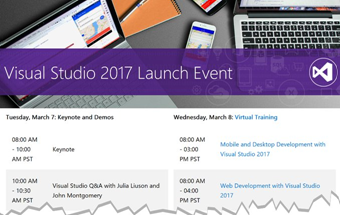
Learn how to maximize your team’s effectiveness through 90-minute online training sessions on Microsoft Teams, the new chat-based workspace in Office 365. Launched last November, Teams provides built-in access to Word, SharePoint, PowerPoint, OneNote and Skype for Business, and allows users to work on documents directly in the app

Sign up here:

image

Forrester—one of the most influential research and advisory firms in the world—recently released their latest report evaluating enterprise collaboration providers, and we’re pleased to share that Microsoft is named a Leader in the report.

imageTo help protect against credential theft, such as pass-the-hash attacks, Microsoft IT enabled Credential Guard across our network on all Windows 10 devices.

Credential Guard isolates derived domain credentials—and the process for managing them—in a secure container, using Hyper-V and virtualization-based security. It’s one more way we reduce our risk profile and secure our network against cyber security threats.

image

See more at:

Posted by: kurtsh | January 18, 2017

INFO: Connecting your AWS & Microsoft Azure Environments

image

I loved this post about connecting AWS environments securely with your Microsoft Azure environment… so I wanted to let you folks know about it as well:

In this post I will show how created that site to site IPsec tunnel to connect to a Virtual Private Cloud (VPC) hosted in Amazon Web Services (AWS) to a Virtual Network in Azure. Using this setup you can have workloads in one or both clouds with full VM to VM connectivity over a secure IPsec tunnel. This easily can provide connectivity for high availability operations, backup or (like in our case) migration between clouds.

Read more here:

This article helps you understand how Microsoft Azure services compare to Amazon Web Services (AWS). Whether you are planning a multicloud solution with Azure and AWS, or migrating to Azure, you can compare the IT capabilities of Azure and AWS services in all categories.+

In the tables following, there are multiple Azure services listed for some AWS services. The Azure services are similar to one another, but depth and breadth of capabilities vary.

image

Read the article here:

Additionally, there’s a larger article about Azure for the AWS professional that’s available for review:

imageSign up for a Groove Music Pass, and the next four months are on the house. What’s even better than millions of songs in your pocket – plus playlists, artist radio, Xbox Background Music for gamers, and more? Getting all that music free for 4 whole months.*

For a limited time, new customers who sign up for a Groove Music Pass will get their first trial month free, and will receive a promo code for the next 3 months on us. As always, you can cancel anytime. But act fast – this deal won’t last long.

Sign up here:

(*Sign up for a 30-day Groove Music Pass trial before March 1st, 2017 and we’ll send you a token within 30 days for an additional 3 months of free music. Must be redeemed by 03/14/17. 30-day trial continues to a paid monthly subscription unless canceled or after the promotional period. Credit card required. Limit 1 per person; prior Zune, Xbox or Groove Music Pass trial customers not eligible. Groove Music Pass sold separately and in selected markets. Catalogue size and availability varies by market and over time. Microsoft account and internet required; ISP fees apply. Works with Windows 10, PCs, tablets and phones, Windows 8.1, Windows Phone 8, Xbox One and Xbox 360 (Xbox Live required). Works with Sonos, Android and iPhone; see app stores. Requires up to 100 MB storage. Download music on up to 10 devices (not available on Xbox and the Web). Stream to one device at a time. Subject to terms (which may change without notice) at microsoft.com/msa.)

« Newer Posts - Older Posts »

Categories