Posted by: kurtsh | July 11, 2017

NEWS: Microsoft signs agreement to acquire Hexadite

<taken from the announcement post>

imageMicrosoft Corp. has signed an agreement to acquire Hexadite, a company delivering agentless, automatic incident investigation and remediation solutions. The terms of the agreement have not been disclosed.

  • Once closed, the acquisition will build on the successful work Microsoft is already doing to help commercial Windows 10 customers detect, investigate and respond to advanced attacks on their networks with Windows Defender Advanced Threat Protection (WDATP). WDATP continues to prove its value in detecting high-profile security cases such as zero-day attacks, ransomware and other advanced cyberthreats. Today, Microsoft is strengthening its Advanced Threat Protection offering by adding artificial intelligence-based automatic investigation and remediation capabilities, making response and remediation faster and more effective. With Hexadite, WDATP will include endpoint security automated remediation, while continuing the incredible growth in activations of WDATP, which now protects almost 2 million devices.

I like this description of what Hexadite does:

Fighting automation with automation is the only way to level the playing field. Hexadite uses artificial intelligence to investigate every alert and remediate threats, resolving incidents in minutes and freeing up your analysts to focus on the threats that truly demand their expertise.”

Here’s an explanation of their remediation automation solution:

Read the announcement post below:

imageYesterday, we made a big announcement, essentially making it possible for customers to license & run “Windows 10 Enterprise” within a VM in Microsoft Azure cloud. (or other IaaS services)

Today, we’re making two announcements that provide our business customers with greater choice. The first is that virtualization use rights will be coming to Windows 10 subscriptions in the cloud solution provider (CSP) program starting in September, with the flexibility to host in both Azure or with 3rd party hosting partners. And the second announcement is a new certification program for 3rd party hosting partners that wish to host virtual machines (VMs) licensed via CSP subscriptions.

To be clear, this licensing scenario was previously not available:  Windows 10 client OS was not allowed to be licensed for use in the cloud, however, with the inclusion of Windows 10 virtualization use rights in Windows 10 Enterprise E5 (or acquired separately – see below), customers may now run VDI environments within the cloud to deliver Windows & Windows applications anywhere there’s an Internet connection.

Beginning September 6th, 2017, customers will be able to choose from five subscription offerings in the CSP program with Windows 10 virtualization use rights, enabling Windows VMs to be hosted in Azure or with a qualified multitenant hosting partner:

  • Windows 10 Enterprise E3 will be available with or without virtualization use rights
  • Windows 10 Enterprise E5 will be updated to include virtualization use rights
  • A new Windows 10 Enterprise E3 VDA offering will be created for customers that require access to Windows VMs on non-Windows Pro devices
  • Customers purchasing or already subscribed to Microsoft 365 Enterprise (formerly known as Secure Productive Enterprise) via CSP will automatically receive Windows 10 virtualization use rights at no extra cost

Compute and consumption charges may apply based on VM use.

To learn more about Windows Enterprise subscriptions in CSP or to find a Windows 10 in CSP partner please visit this page.

To learn more about Windows virtualization licensing please refer to this document.

Did you catch that last bullet?  Let’s read that again:

  • Customers purchasing or already subscribed to Microsoft 365 Enterprise (formerly known as Secure Productive Enterprise) via CSP will automatically receive Windows 10 virtualization use rights at no extra cost

Grandfathering!  Now that’s a deal.  Read more at the announcement blog.

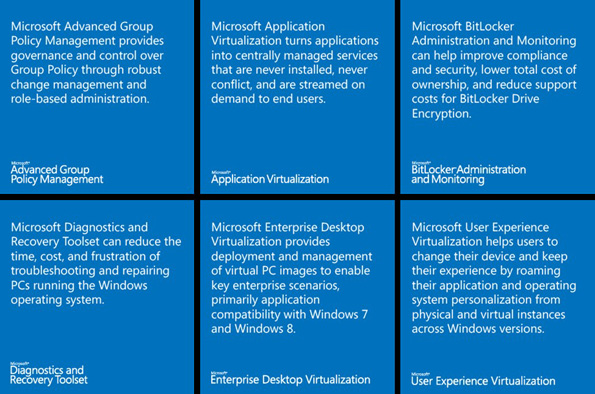
imageThis download contains GPO templates, .admx and .adml files, for Application Virtualization (App-V), User Experience Virtualization (UE-V), and Microsoft BitLocker Administration and Monitoring (MBAM). Templates are divided by technology and version. Different templates support different Windows operating systems and different feature sets. For more information about supported GPO, see documentation specific to the MDOP technology.

These MDOP Group Policy Templates delivers .admx and .adml templates to manage policy across the enterprise for the following MDOP technologies:

  • App-V 5.0
  • App-V 5.0 SP1
  • App-V 5.0 SP2
  • App-V 5.0 SP3
  • App-V 5.1
  • MBAM 1.0
  • MBAM 1.0 R1
  • MBAM 2.0
  • MBAM 2.0 SP1
  • MBAM 2.5
  • MBAM 2.5 SP1
  • UE-V 1.0
  • UE-V 1.0 SP1
  • UE-V 2.0
  • UE-V 2.1
  • UE-V 2.1 SP1

Download it here:

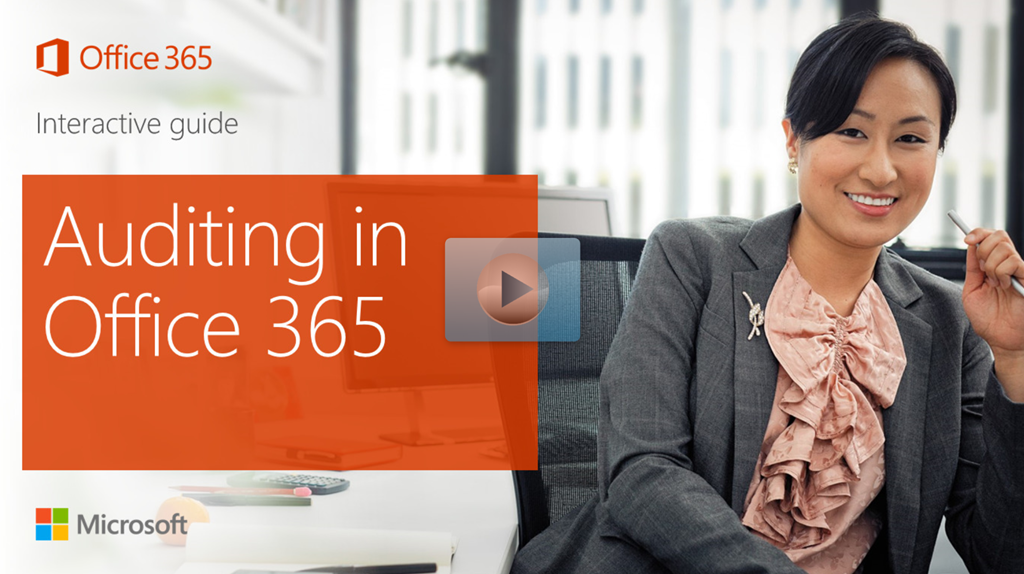
imageCheck out the following click-through demos, guiding IT pros and IT enthusiasts through the latest Office features and functionality.

Office 365 Groups

Office 365 Security & Compliance

And several dozen others.  See the entire list at the link below.

image

Join us on July 17 & 18 for the live stream of the Microsoft Research Faculty Summit 2017: “The Edge of AI”!

The 18th annual Microsoft Research Faculty Summit in Redmond, WA on July 17 and 18, 2017 will consist of a variety of keynotes, talks, panels, and technologies focused on Artificial Intelligence (AI) research: The Edge of AI.

Microsoft AI researchers are striving to create intelligent machines that complement human reasoning and enrich human experiences and capabilities. At the core, is the ability to  harness the explosion of digital data and computational power with advanced algorithms that extend the ability for machines to learn, reason, sense and understand—enabling collaborative and natural interactions between machines and humans.

We are seeing widespread investments in AI which are advancing the state of the art in machine intelligence and perception, enabling computers to interpret what they see, to communicate in natural language, to answer complex questions, and to interact with their environment. In addition to technological advances, researchers and thought leaders need to be concerned with the ethics and societal impact of intelligent technologies.

The Microsoft Research Faculty Summit 2017 will bring together thought leaders and researchers from a broad range of disciplines including computer science, social sciences, human design and interactions, and policy. Together we will highlight some of the key challenges posed by artificial intelligence, and will identify the next generation of approaches, techniques, and tools that will be needed to develop AI to solve the world’s most pressing challenges.

Focus Areas

We will explore the following areas:

  • Machine learning – Developing and improving algorithms that help computers learn from data to create more advanced, intelligent computer systems.
  • Human language technologies – Linking language to the world through speech recognition, language modeling, language understanding, and dialog systems.
  • Perception and sensing – Creating computers and devices which understand what they see to enable tasks ranging from autonomous driving to analysis of medical images.
  • AI, people, and society – Examining the societal and individual impacts on the spread of intelligent technologies to formulate best practices for their design.
  • Systems, tools and platforms – Integrating intelligent technologies to create interactive tools such as chatbots that incorporate contextual data to augment and enrich human reasoning.
  • Integrative intelligence – Weaving together advances in AI from disciplines such as computer vision and human language technologies to create end-to-end systems that learn from data and experience.
  • Cyber-physical systems and robotics – Developing methods to ensure the integrity of drones, robots and other intelligent technologies that interact with the physical world.
  • Human AI collaboration – Harnessing research breakthroughs in artificial intelligence to design technologies that allow humans to interact with computers in novel, meaningful and productive ways.
  • Decisions and planning – Reasoning about future events to enable informed collaborations between humans and intelligent agents.

If you’re interested in watching the broadcasts, here’s the information:

To add any of the sessions to your calendar, visit the event page at:

Win10Mgmt-AMA

We are very excited to announce an upcoming opportunity to ‘Ask Microsoft Anything’ (AMA) about Windows 10 management!

The AMA will take place on Tuesday, July 25th, 2017 from 9:00 AM to 10:00 AM Pacific Time in the Windows 10 management space.

If you aren’t familiar with the concept, an AMA is a live online question-and-answer event similar to a "YamJam" on Yammer or an "Ask Me Anything" on Reddit. The Windows 10 security AMA will give you the opportunity to connect with members of the Windows engineering and product teams, who will be on hand to answer your questions and listen to feedback about:

  • Modern management scenarios: traditional, hybrid, and cloud-based
  • Managing Windows devices with System Center Configuration Manager
  • Managing Windows devices with Microsoft Intune
  • Azure Active Directory
  • Group Policy
  • Microsoft Store for Business and application management

Don’t miss this opportunity. Add the event to your calendar. We hope to see you there!

Posted by: kurtsh | June 29, 2017

DOWNLOAD: Translator for Microsoft Edge

imageThis is worth installing… just in case you need it.  It’s a plugin for Microsoft Edge called “Translator”.

With Translator for Microsoft Edge, you can translate foreign language webpages and text selections for 50+ languages.

image

  • Look for the Microsoft Translator icon in the address bar when visiting a foreign-language webpage.
  • Click on the icon to instantly translate the webpage to your preferred language. You can also select text you want to translate and right-click to get in-line translations.

For a full list of supported languages, please visit https://www.microsoft.com/translator/languages.aspx.

If the extension does not work after install, please restart Microsoft Edge. If the extension still is not working, please provide feedback through the Feedback Hub.

Get ready for a new way to deploy Windows 10, coming with the Fall Creators Update release.

Learn how to easily set up new PCs with a standard, corporate Windows image using Windows AutoPilot.

Windows AutoPilot, a suite of capabilities powered by cloud-based services, is designed to simplify deployment and management of new Windows 10 PC’s along with enhancements to Mobile Device Management and new Device Health features in Windows Analytics.

BACKGROUND:
Traditionally, IT Pros spend a lot of time on building and customizing images that will later be deployed to devices with a perfectly good OS already installed on them.

Windows AutoPilot introduces a new approach:

  • From the users’ perspective, it only takes a few simple operations to make their device ready to use.
  • From the IT Pros’ perspective, the only interaction required from the end-user, is to connect to a network and to verify their credentials. Everything past that is automated.

Windows AutoPilot allows you to:

  • Automatically join devices to Azure Active Directory
  • Auto-enroll devices into MDM services, such as Intune (Requires an Azure AD Premium subscription)
  • Restrict the Administrator account creation
  • Create and auto-assign devices to configuration groups based on the devices’ profile
  • Customize OOBE content specific to the organization

In the video below, Principal PM Manager for Windows Enterprise and Security, Sidd Mantri, offers an overview of Windows Autopilot, a new cloud service from Microsoft that provides you with a zero-touch experience for deploying new Windows 10 devices to your organization. Sidd illustrates how you and hardware vendor can use Windows AutoPilot, to enable your users to easily setup new Windows 10 devices, and demonstrates the user’s set-up experience.

For more information on Windows Autopilot, visit the announcement page and the product page:

We’ve published a very exhaustive guide to tuning Windows Server 2016 that is available both online as well as a downloadable PDF.

imageWhen you run a server system in your organization, you might have business needs not met using default server settings. For example, you might need the lowest possible energy consumption, or the lowest possible latency, or the maximum possible throughput on your server. This guide provides a set of guidelines that you can use to tune the server settings in Windows Server 2016 and obtain incremental performance or energy efficiency gains, especially when the nature of the workload varies little over time.+

It is important that your tuning changes consider the hardware, the workload, the power budgets, and the performance goals of your server. This guide describes each setting and its potential effect to help you make an informed decision about its relevance to your system, workload, performance, and energy usage goals.

This guide organizes performance and tuning guidance for Windows Server 2016 across three tuning categories:

  • Performance tuning guidelines for Windows Server 2016
      • Server Hardware Tuning
          • Performance considerations
          • Power considerations
      • Server Role Tuning
          • Active Directory Server
          • File Server
          • Hyper-V Server
          • Windows Server Containers
          • Remote Desktop Services
          • Web Server
      • Server Subsystem Tuning
          • Cache and memory tuning
          • Network subsystem tuning
          • Software Defined Networking (SDN) tuning
          • Storage subsystem tuning
      • PowerShell tuning
          • Script authoring considerations
          • Module authoring considerations
      • Additional tuning resources

WARNING: Generating a downloadable version of this guide will produce a 200pg document.

Posted by: kurtsh | June 29, 2017

WHITEPAPER: VLSC User Guide to Online Services

imageThis user guide covers subscribing and activating Microsoft services for first-time users and for existing users.

It provides details on using the Microsoft Volume Licensing Service Center (VLSC) to reserve seats or add new services, view existing services, and change people’s roles.

The guide concludes with troubleshooting tips and where to get support for your services.

Table of Contents:

  • Who is this guide for?
  • Introduction
  • If you are subscribing to Microsoft services for the first time
  • If you are already using some Microsoft services
  • Reserve seats of add new services in the VLSC
  • Change a role in the VLSC
  • Assign seats and manage your services
  • Troubleshooting tips
  • Get help and support for your services
  • More information

Download the paper here:

« Newer Posts - Older Posts »

Categories