Q: Where does it say that all data that Azure Open AI uses is encrypted?

A: Azure OpenAI Service encryption of data at rest – Azure AI services | Microsoft Learn
All data processed by Azure AI Services is encrypted. The Azure OpenAI Service, part of Azure AI services, uses FIPS 140-2 compliant 256-bit AES encryption for data at rest. This encryption and decryption process is transparent, meaning that encryption and access are managed for you.

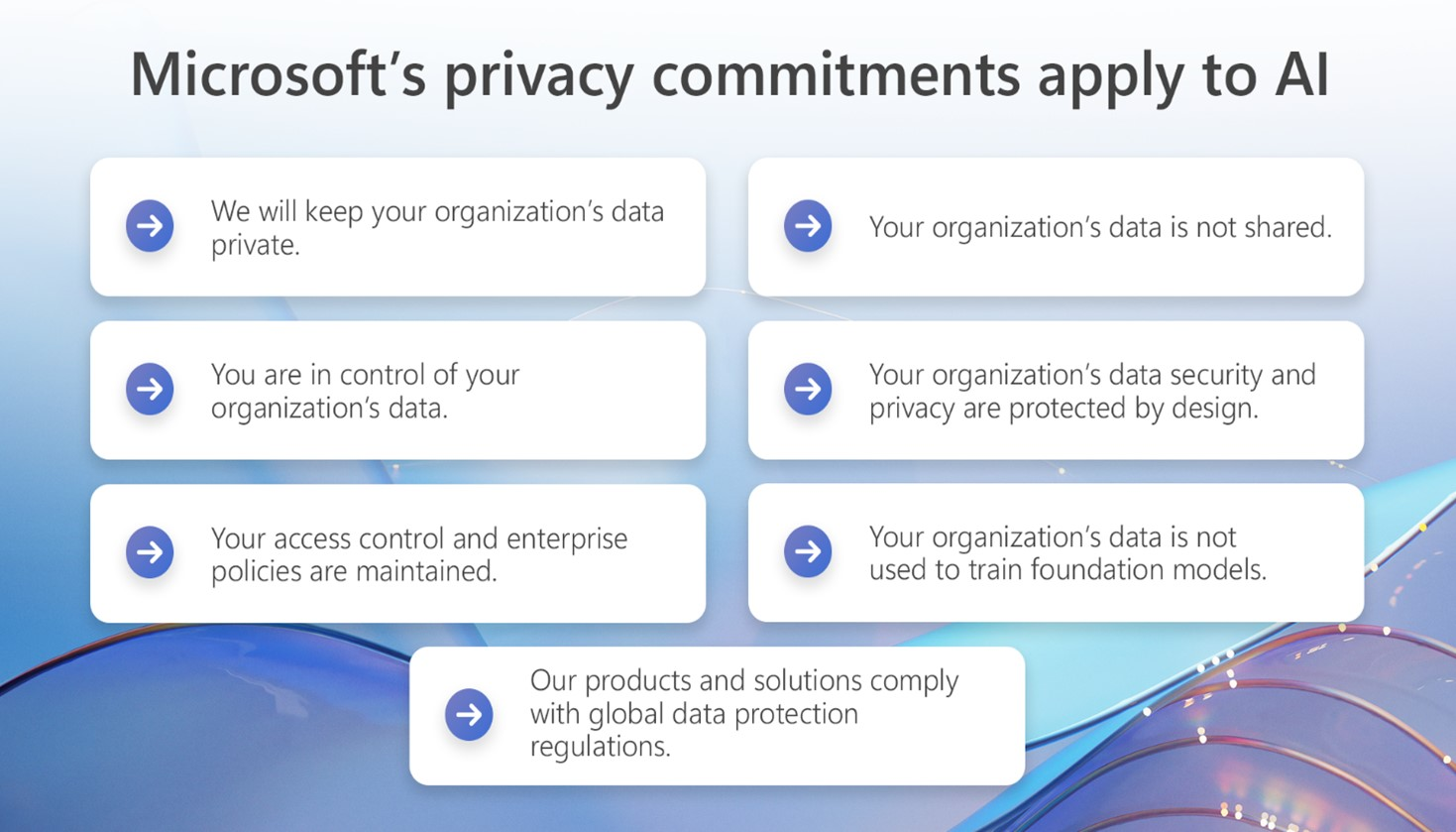
Q: Where is it documented that Microsoft does not train its Artificial Intelligence models on Enterprise (or Public Sector) customer data?

A1: FAQ: Protecting the Data of our Commercial and Public Sector Customers in the AI Era
A2: Protecting the data of our commercial and public sector customers in the AI era  

Microsoft’s generative AI solutions, including Azure OpenAI Service and Copilot services, do not use your organization’s data to train foundation models without your permission. Additionally, customer data, including prompts and completions, is not shared with OpenAI and is not used to train OpenAI models.

Posted by: kurtsh | December 21, 2024

OFFER: Free SharePoint Premium services until June 2025

[This promotional offer has now been extended through June 2025]

Did you know you can run advanced AI services like document translation, data extraction, document assembly, AI-driven document & image tagging, image OCR, & eSignature within SharePoint Online at no charge?

These services are called “SharePoint Premium” and were announced back at Ignite 2023.

To help you get started with pay-as-you-services as part of SharePoint Premium, we’re excited to share a new promotional offer that provides monthly free capacity for select SharePoint Premium services including:

CapabilityDescriptionIncluded with offer
Unstructured document processing Automatically classifies and extracts information from files like letters and contracts. Read more about unstructured document processing at https://learn.microsoft.com/microsoft-365/syntex/document-understanding-overview.100 pages per month are included in the promotional offer.
Structured document processing Automatically identifies field and table values from structured or semi-structured documents, like forms and invoices. Read more about structured document processing at https://learn.microsoft.com/microsoft-365/syntex/form-processing-overview.100 pages per month are included in the promotional offer.
Prebuilt document processing   Recognizes documents and the structured information in documents. Read more about prebuilt document processing at https://learn.microsoft.com/microsoft-365/syntex/prebuilt-overview.100 pages per month are included in the promotional offer.
Content assembly Automatically generates standard repetitive business documents, like contracts, statements of work, service agreements, letters of consent, sales pitches, and correspondence. Read more about content assembly at https://learn.microsoft.com/microsoft-365/syntex/content-assembly.50 documents per month are included in the promotional offer.
Taxonomy tagging Automatically tags documents in SharePoint libraries with terms configured in your term store using artificial intelligence. Read more about taxonomy tagging at https://learn.microsoft.com/microsoft-365/syntex/taxonomy-tagging-overview and https://wbaer.net/2023/12/a-quick-trip-around-taxonomy-tagging/.50 documents per month are included in the promotional offer.
Image tagging Automatically tags images with descriptive keywords using artificial intelligence. Read more about image tagging at https://learn.microsoft.com/microsoft-365/syntex/image-tagging-overview.2,500 images per month are included in the promotional offer.
Optical character recognitionExtracts printed or handwritten text from images and documents. Read more about optical character recognition at https://learn.microsoft.com/microsoft-365/syntex/ocr-overview.2,500 pages per month are included in the promotional offer.
Translation Enables you to translate content among dozens of languages. Read more about translation at https://learn.microsoft.com/en-us/microsoft-365/syntex/translation-overview1 million characters per month are included in the promotional offer.
eSignature Lets you securely send documents for signature to people both inside and outside of your organization. Read more about SharePoint eSignature at https://learn.microsoft.com/microsoft-365/syntex/esignature-overview.5 per customer per month are included in the promotional offer.

GETTING STARTED
To get started, you’ll need your Azure subscription ID to configure pay-as-you-go billing. Each month through the end of June 2024, every Microsoft 365 tenant will get a particular set capacity for each of these select services. Note: this monthly capacity is not cumulative; it will reset each month.

https://techcommunity.microsoft.com/blog/sharepoint_premium_blog/new-promotional-offer-for-sharepoint-premium/4021740

Posted by: kurtsh | December 21, 2024

TRAINING: Microsoft Americas Azure Events (Jan-Feb)

Learn first-hand from Microsoft subject matter experts how you can leverage some of the most popular Azure services allowing you to deliver applications and services faster than ever before.

Microsoft Innovation Workshops presents 1/2 day to full day training events on a variety of Azure topics, that include hands-on-labs. Events are delivered through Microsoft Teams and it is recommended that users install the Teams app for the richest interactive experience. All participants must register individually and will be initially added to our waitlist. You’ll receive an email confirmation once your registration has been approved.

  • Lunch & Learn – Integrate Azure OpenAI Into Your App
    In this workshop, you’ll explore how to harness the power of the Azure OpenAI Service to create advanced AI applications, such as chatbots and language models, that excel at understanding and processing natural human language. Azure OpenAI provides access to powerful pre-trained AI models and a comprehensive suite of APIs and tools that enable you to deploy, customize, and fine-tune these models to suit the specific needs of your application.
  • Lunch & Learn – Code Suggestions with GitHub Copilot in VS Code
    In this workshop, you’ll explore the capabilities of GitHub Copilot, a powerful AI-based coding assistant that provides real-time code suggestions and completions. While GitHub Copilot supports a wide range of programming languages and frameworks, it excels particularly in Python, JavaScript, TypeScript, Ruby, Go, C#, and C++.
  • Developing AI Applications with Azure AI Studio
    In this hands-on lab, participants will explore the capabilities of Azure AI Studio. This lab is designed for AI developers, data scientists, AI enthusiasts, cloud engineers, and AI engineers who want to enhance their skills in model evaluation and fine-tuning using Azure AI Studio’s Prompt Flow. Participants will gain hands-on experience in developing custom AI models, evaluating their performance, and refining them for improved results. The lab also covers the integration of chat flows and essential tools while ensuring responsible AI practices through content safety measures.
  • Innovate With AI
    In this Hands-on Workshop, you will be working with Azure AI tools, like Azure cognitive services, Azure ML, Metric Advisor, Azure Bot. At starting, you will be doing a document processing with Summarization with Azure Form Recognizer and Cognitive Service for Language. You will be working on Knowledge mining with Cognitive Seach and will be creating a Conversational AI with Bot Service using Power Virtual Agents. You will be exploring on Metrics Advisor with the help of Azure cognitive services.
  • Mitigating Vulnerabilities with GitHub Advanced Security and Azure DevOps
    In this hands-on lab, you will explore and learn about enabling, configuring, and managing security features across various tasks, such as secret scanning, dependency scanning, code scanning and explore the DevOps security findings and inventory provided by Microsoft Defender for Cloud.
  • Lunch & Learn – Get started with Azure OpenAI Service
    In this workshop, you will explore the Azure OpenAI Service, which integrates the generative AI models developed by OpenAI into the Azure platform. This service empowers you to create advanced AI solutions that leverage the robust security, scalability, and seamless integration capabilities offered by the Azure cloud platform. Whether you’re building chatbots, generating content, or developing other AI-driven applications, Azure OpenAI Service provides the tools and infrastructure to bring your ideas to life, ensuring they are both secure and scalable within the Azure ecosystem.
  • GitHub Copilot Innovation Workshop
    In this hands-on lab, you’ll gain a comprehensive understanding of the distinctions between GitHub Copilot for Individuals, GitHub Copilot for Business, You’ll also explore various use cases for GitHub Copilot for Business, including real-life examples showcasing how customers have leveraged it to boost their productivity and also how to leverage the GitHub Copilot in Jetbrains IntelliJ IDE.
  • Get Started With OpenAI And Build Natural Language Solution
    In this hands-on lab, you’ll learn how to get started with Azure OpenAI. You’ll provision the service as an Azure resource and use Azure OpenAI Studio to deploy and explore OpenAI models. Azure OpenAI Service brings the generative AI models developed by OpenAI to the Azure platform, enabling you to develop powerful AI solutions that benefit from the security, scalability, and integration of services provided by the Azure cloud platform.
  • Use Azure Open AI Like A Pro To Build Powerful AI Applications
    In this hands-on lab, you’ll work with Azure OpenAI tools to build AI-powered applications. You’ll gain practical experience using Azure OpenAI service and API to develop applications of various types, workloads, and languages. Starting with integrating custom datasets, you’ll learn to use the Azure OpenAI API effectively. Later, you’ll explore creating OpenAI-powered applications, including integrating with PowerApps for enhanced functionality.
  • NET App Modernization
    In this Hands-on Workshop, you will be migrating your application using Azure Migrate, assessing your website’s compatibility with Azure using the App Service Migration Assistant tool. Transition smoothly into the realm of Azure SQL Database through the insightful guidance of the Data Migration Assistant (DMA). Culminate your learning by exploring serverless computing; create an Azure Function and incorporate Azure Storage Queue to process orders asynchronously. By the end of this session, you’ll be adept at leading any application towards a cloud-optimized transformation.
  • Azure API Management
    Discover the power of Azure API Management in this hands-on lab. Learn to publish APIs, add products, import using OpenAPI, configure CORS, implement caching, apply transformation policies, and manage versions and revisions. Elevate your API management skills and enhance developer engagement with Azure.
  • Build Prompt Engineering With Azure OpenAI Service
    In this workshop, you’ll learn how to deploy a model in Azure OpenAI and use it in your own application to summarize text. With the Azure OpenAI Service, developers can create chatbots, language models, and other applications that excel at understanding natural human language. The Azure OpenAI provides access to pre-trained AI models, as well as a suite of APIs and tools for customizing and fine-tuning these models to meet the specific requirements of your application. Also, you’ll learn how different prompts for similar content help shape the AI model’s response to better satisfy your requirements.
  • Build Intelligent Apps With Microsoft’s Copilot Stack & Azure OpenAI
    In this hands-on lab, you will gain a strong understanding of Generative AI basics, Azure Open AI, Retrieval Augmented Generation (RAG) patterns, Semantic Kernel, and how to utilize these concepts to create your own Copilot for your business needs. You will also explore use cases that showcase Copilot product experiences. Using Microsoft’s Copilot stack and practical use cases this workshop will guide you in envisioning and creating intelligent systems that integrate foundation models resulting in improved productivity and hyper-personalized product experiences.
  • Azure Red Hat OpenShift Workshop
    Azure Red Hat OpenShift is a fully managed Red Hat OpenShift service in Azure that is jointly engineered and supported by Microsoft and Red Hat. In this hands-on lab, you’ll go through a set of tasks that will help you understand some of the concepts of deploying and securing container based applications on top of Azure Red Hat OpenShift.
  • Use Your Own Data And Explore Content Filter With Azure OpenAI Services
    In this hands-on lab, you’ll learn how to deploy a model in Azure OpenAI Studio and verify the chat behavior with and without adding your own data. The Azure OpenAI Service enables you to use your own data with the intelligence of the underlying LLM. You can limit the model to only use your data for pertinent topics or blend it with results from the pre-trained model.
  • DevOps With GitHub
    Intro to Azure DevOps, What is CI/CD automation, Setting up GitHub Action, Project management with DevOps
  • Azure Virtual Machine And Compute
    In this hands on lab we will create and deploy a Windows Server 2019 Datacenter virtual machine. We will also configure a backup of the virtual machine that will be user-accessible for recovery. You will also be able to load a web application in the VM you have just provisioned in Azure.
  • Implement CI/CD with GitHub Actions
    In this workshop, you’ll learn how to elevate your software development process. This will work as a user-focused guide on implementing Continuous Integration and Continuous Deployment (CI/CD) using GitHub Actions. Learn to automate your build, test, and deployment processes using GitHub Actions’ intuitive features. Streamline your development cycle and deliver code with confidence. Start your journey to efficient CI/CD practices today and transform your development workflow with GitHub Actions.
  • Automate Document Processing By Using Azure AI & OpenAI
    In this hands-on lab, you will learn how to implement automated document processing using a combination of Azure AI services, including Azure OpenAI, Azure Document Intelligence, Azure Cognitive Search, Azure Cosmos DB, and Azure App Service. Automated document processing is a crucial component in modern business operations, helping organizations extract valuable information from documents efficiently and accurately. By the end of this lab, you will have a working system that can process and search through various types of documents.
  • Build Prompt Engineering With Azure OpenAI Service
    In this workshop, you’ll learn how to deploy a model in Azure OpenAI and use it in your own application to summarize text. With the Azure OpenAI Service, developers can create chatbots, language models, and other applications that excel at understanding natural human language. The Azure OpenAI provides access to pre-trained AI models, as well as a suite of APIs and tools for customizing and fine-tuning these models to meet the specific requirements of your application. Also, you’ll learn how different prompts for similar content help shape the AI model’s response to better satisfy your requirements.

See the above sessions and more at:

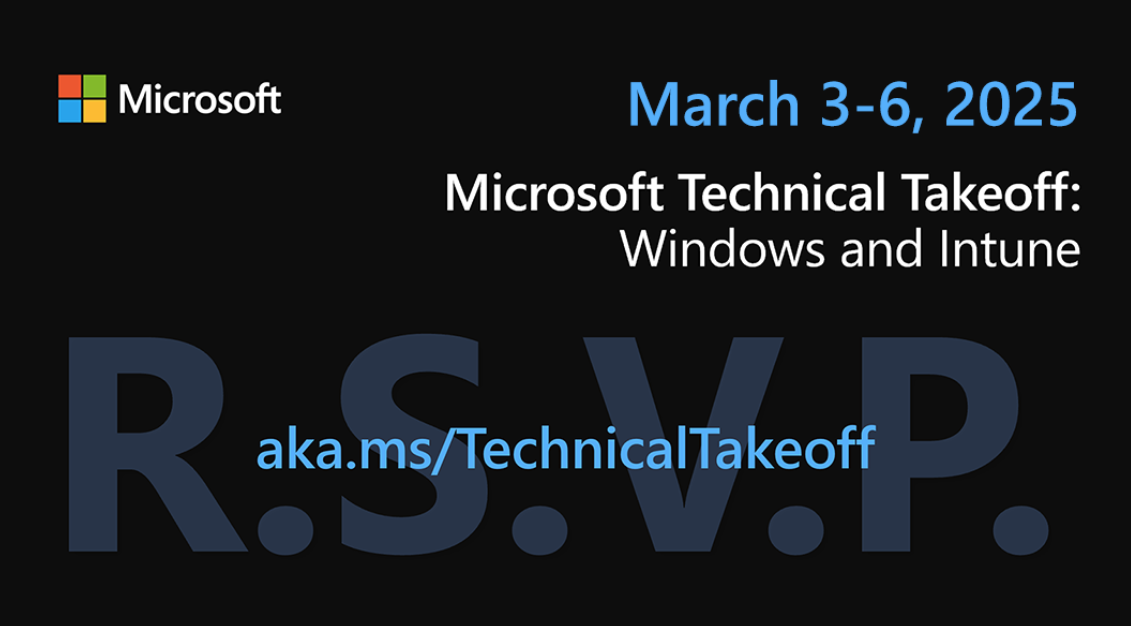
Microsoft Technical Takeoff, the *free* #Windows & #Intune virtual conference, is back w/ deep dives & panel discussions for Windows, #Windows365, Intune, #AzureVirtualDesktop & #Security – March 3-6, 2025

Microsoft & GitHub are excited to launch 9-lesson, open-source course on “Mastering GitHub Copilot for AI-Paired Programming”.

Learn GitHub Copilot’s autocompletion, customizable features & advanced programming techniques. Learn to harness AI-driven algorithms & optimize code quality.

From GitHub repos to Visual Studio Code integration, perfect your coding prowess in Javascript, Python & more.

#javascript #python #msftadvocate #GitHub #copilot #ai #Microsoft

Get our downloadable, interactive guide from the Microsoft Incident Response team to learn how to improve your organization’s ability to respond effectively and limit impact during a security breach:

Posted by: kurtsh | December 21, 2024

NEWS: Free GitHub Copilot for Visual Studio Code

We just announced that GitHub Copilot is now available for FREE in Visual Studio Code!
✅ Get 2000 code completions/month
✅ Get 50 chat requests/month
✅ Access both GPT-4o & Claude 3.5 Sonnet models… with Gemini coming!

How to set up your free access to GitHub Copilot for Visual Studio Code

Learn more at:

https://code.visualstudio.com/blogs/2024/12/18/free-github-copilot

#Copilot #VSCode #GitHub

Exciting News for Public Sector Innovators:
Microsoft 365 Copilot GCC is generally available today! 

We are thrilled to announce that Microsoft 365 Copilot GCC is generally available (GA) as of December 13, 2024 for qualifying GCC environment customers! This milestone marks a significant step forward in enhancing productivity and innovation within the public sector.

  • What is Microsoft 365 Copilot GCC?  Microsoft 365 Copilot combines the power of large language models (LLMs) with your organization’s data to boost productivity and drive innovation. Designed to complement and extend human expertise, Copilot relies on human judgment and oversight for optimal results.
  • Security and Compliance:  Our Top Priority Security and compliance are at the heart of our commitment to public sector customers. Built on the secure foundation of Microsoft 365 Government GCC, Copilot adheres to all existing privacy, security, and compliance commitments in the GCC environment.
  • Microsoft 365 Copilot Phase 1 features:
    • Business Chat: AI-powered chat feature leverages your organization’s Microsoft 365 data to provide personalized, relevant information and insights directly within your chat experience.
    • Microsoft 365 App Copilots (Word, Excel, PowerPoint): Embedded within your favorite productivity apps, these intelligent assistants help you craft documents, analyze data, and create presentations faster and with greater precision.
    • Outlook (Mail and Calendar): Manage communications and interagency meetings efficiently.
    • Teams Chat/Channel Copilot: Enhance collaboration across departments.
    • Intelligent Meeting Recap: Automatically capture key points from important policy discussions or public hearings.

Dive deeper into the capabilities and benefits of Microsoft 365 Copilot GCC by reading our detailed blog post here:

Ready to get started? Learn how Copilot can empower your agency or department:

Posted by: kurtsh | December 12, 2024

TRAINING: Microsoft Certification Exam Prep Video Series

Looking for some guidance around how to cram—- I mean, prepare for your upcoming Microsoft certification exam?

We have just the thing for you: Exam prep videos for certification exams in alignment with the Enterprise Skills Initiative! If your organization is a nominated customer in the ESI program, you will find many of these exam preps familiar in topic. These are recorded sessions with certified trainers to help you “cram” for your certification exam.

And they’re all free!

Introduction

Azure

Data Platform

Security

Artificial Intelligence

Power Platform

Posted by: kurtsh | December 9, 2024

INFO: Windows Server 2025 at Microsoft Ignite 2024

If you haven’t seen the Windows Server teams presentations from Microsoft Ignite 2024, you check out the recordings & download the presentation deck:

  • BRK238: Windows Server 2025: New ways to gain cloud agility and security
    Tuesday, November 19 | 9:30 AM – 10:15 AM – 45min
  • FP118: Bring solutions to life with exciting innovations from Windows Server
    Tuesday, November 19 | 10:05 AM – 10:10 AM – 5min

With that, here’s “all the things” about Microsoft Windows Server 2025 from Microsoft Ignite 2024: (Stolen gratuitously from Jeff Woolsey, Program Manager for Windows Server)

  • Free Windows Server 2025 Security Advice Book
    Windows Server 2025 introduces a suite of new and enhanced security features tailored to tackle modern threats across on-premises, hybrid, and cloud environments. Microsoft has just published a new Windows Server 2025 Security Advice book that you should download and read. For those responsible for Windows Server security in enterprise environments, this document is a technical roadmap for understanding the depth of protection now embedded in Windows Server.
    https://techcommunity.microsoft.com/blog/itopstalkblog/free-windows-server-2025-security-advice-book/4287481
  • Comparing how “Windows Server 2025 Security Baseline” (WS2025SB) to the “Microsoft Security Compliance Toolkit” (SCT)
    It’s a night & day comparison. SCT is great, but we’re using our learnings & your feedback to improve & ease security mgmt.
    • “Microsoft Security Compliance Toolkit” (SCT) is a set of tools that allows enterprise security administrators to download, analyze, test, edit & store Microsoft-recommended security configuration baselines. SCT enables enterprise security administrators to effectively manage their enterprise’s GPOs.
      While SCT helps harden Windows Server security, there was no specific focus on aligning with industry baselines like CIS/STIG. SCT is not used by Microsoft Cloud services like Microsoft 365 for example.
      https://www.microsoft.com/en-us/download/details.aspx?id=55319&msockid=0b97a80c197865410296bcc118c26475
    • “Windows Server 2025 Security Baseline” (WS2025SB) caters to both GPO and Arc managed systems and the baselines are consistent. This means you can use WS2025SB in distributed, hybrid, multicloud environments.
      WS2025SB is >90% compliant with CIS/STIG. This also means it has ~30% more settings, almost 400, when compared to SCT. WS2025SB is used as the basis for Microsoft Cloud Services such as Microsoft 365 and more.
      WS2025SB provides tailored out of the box baselines for your server role (domain controller, member server, workgroup member) including hundreds of settings to help meet CIS and STIG industry benchmarks. WS2025SB is compatible with non-domain joined systems.

      Q: Does WS2025SB require Azure connectivity? Arc required?
      A: No. You can manage WS2025SB locally via PowerShell or Windows Admin Center (WAC). See “Deploy Security Baselines Locally” learn.microsoft.com/en-us/window…
      OR you can manage at scale via Azure Policy and Azure Machine Configuration.

      If you’re not evaluating Windows Server 2025 already you should be. If you’re a Software Assurance customer, you already own it.

« Newer Posts - Older Posts »

Categories