We’ve published a comprehensive guide crafted to support Chief Information Officers as they navigate the transformative journey of AI integration.
What’s Inside:
C-Suite Collaboration: Align AI strategies with overarching business goals.
Employee Enablement: Equip teams with tools like Microsoft 365 Copilot and Copilot Chat, complemented by targeted skilling.
Operational Excellence: Embed AI into business workflows, leveraging intelligent agents for scalable impact.
Data & Governance: Establish a robust foundation with trusted data and security protocols.
This playbook is more than just a resource; it’s a roadmap for CIOs aiming to lead with confidence and drive measurable business outcomes in the AI era.
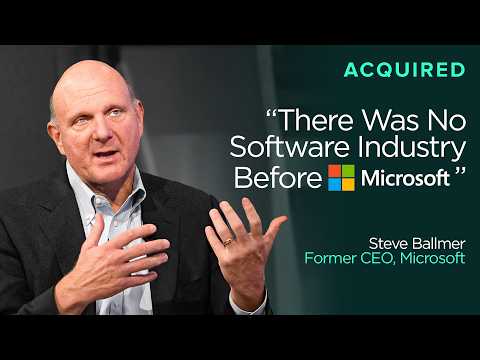
“Acquired” sits down with Steve Ballmer, former Microsoft CEO & owner of the Los Angeles Clippers, for an epic 3 hour conversation covering his 34yrs @ Microsoft, as sort of a follow on to the 2 earlier “Acquired” episodes discussing the history of Microsoft.
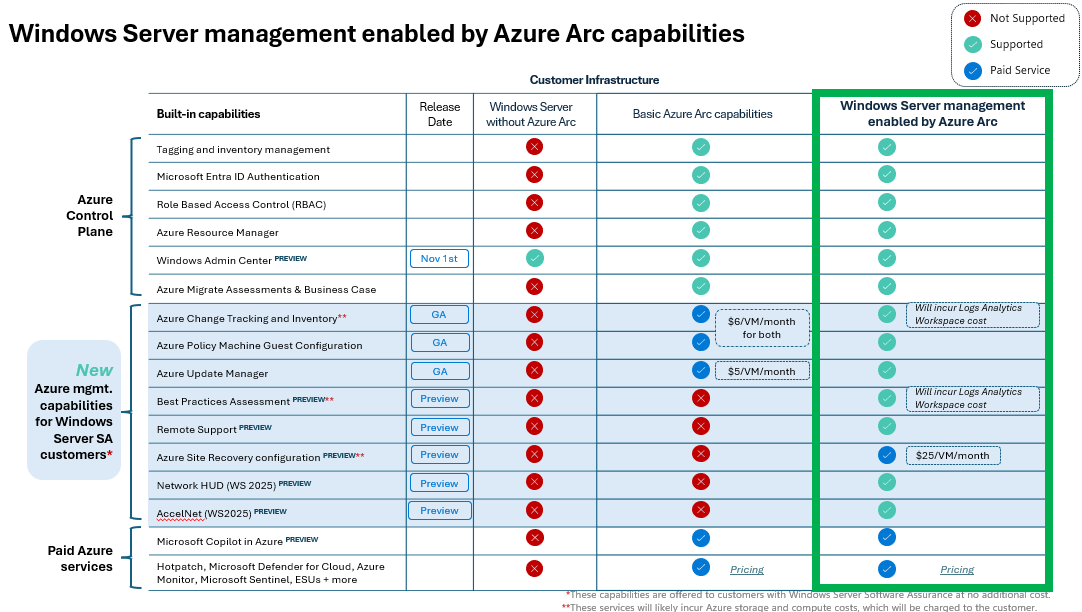
Windows Server management enabled by Azure Arc provides a single pane of glass for 20+ Azure services at no additional cost specifically for customers using either “Windows Server 2025 cores with Software Assurance” or “Windows Server 2025 enrolled in pay-as-you-go”.
These Azure services are designed to provide customers with no-charge management services:
Azure Arc Gateway: If you use enterprise firewalls or proxies to manage outbound traffic in your datacenter, the “Azure Arc gateway” lets you onboard infrastructure to “Azure Arc” for monitoring & management using only seven (7) endpoints. With “Azure Arc gateway“, you can:
Connect to Azure Arc by opening public network access to only seven Fully Qualified Domains (FQDNs).
View and audit all traffic an Azure Connected Machine agent sends to Azure via the Arc gateway.
Storage: While there are no services charges for using these Azure services for qualified servers, there may be a storage charge (specifically Azure Log Analytics) for data collected by “Azure Change Tracking & Inventory” or “Azure Best Practices Assessment”. This can be tuned based on retention requirements & volume.
Site Recovery: Automatically configuring a Azure Arc-enabled VM for Azure Site Recovery comes at no cost, however the persisting the Azure Site Recovery service to keep a VM replica “alive” is roughly $25/VM/month.
Here are some references & documentation on Windows Server Management enabled by Azure Arc:
Did you miss the Microsoft 365 Community Conference 2025? (May 6 – 8, 2025)
If so, you may want to plan for next year’s 2026 Microsoft 365 Community Conference which was announced to be held on April 21 – 23, 2026 in Orlando, FL.
If you missed the Fabric Community Conference 2025 (FabCon 2025), here is 2 1/2 hours worth of Fabric keynote addresses:
Microsoft Fabric: Vision & Roadmap (FabCon Keynote part one) Prepare for the era of AI by bringing all of your teams and data together on an AI-powered data platform. Watch the opening keynotefrom the Microsoft Fabric Community Conference (FabCon) 2025 in Las Vegas, Nevada to hear the latest announcements and see the newest features in action.
Harnessing AI for Business Transformation (FabCon Keynote part two) Prepare for the era of AI by bringing all of your teams and data together on an AI-powered data platform. Watch part two of the keynote from Day 1 of the Microsoft Fabric Community Conference (FabCon) 2025 in Las Vegas, Nevada to hear the latest announcements and see the newest features in action.
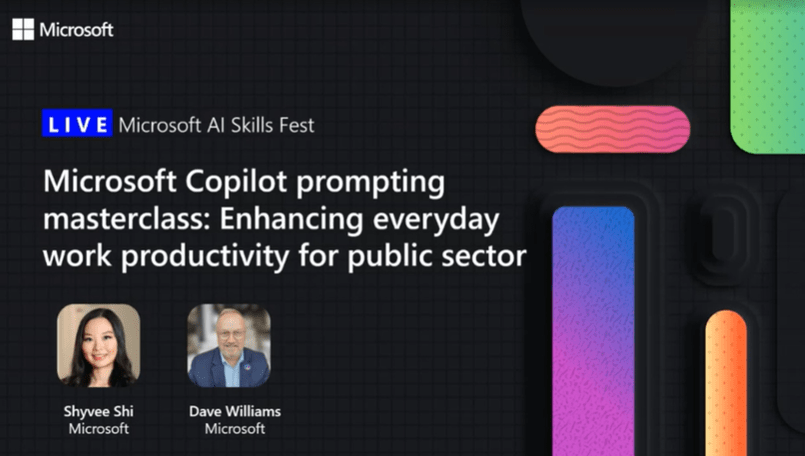
In case you’ve been missing the Microsoft “AI Skills Fest”, we had a great session for our Public Sector customers on Microsoft Copilot attended by over 1,600 people earlier. If you’d like to see the 1 hour recording, take a look below!
Microsoft Copilot Masterclass: Enhancing Productivity for Public Sector On-demand – Recorded live on Tues April 29, 2025
Join this 45-minute LinkedIn Live session and learn how to craft prompts to boost productivity and drive innovation in your public sector organization. Discover best practices, real-world applications, and how to elevate your public sector solutions!
In just 45 minutes, you’ll: ✔️ Learn the recipe to craft effective prompts ✔️ Hear how Microsoft 365 Copilot is helping public sector organizations increase efficiency ✔️ See live demonstration of relevant prompts for public sector ✔️ Walk away with resources to help you along your AI transformation journey
Speakers: 📣 Shyvee Shi, AI enthusiast and LinkedIn influencer with 100K+ followers, leads the AI Community Learning Program at Microsoft Teams. With deep expertise in AI-focused events, she brings sharp insights and practical takeaways to the discussion. 📣 Dave Williams, Director of Business Programs for Worldwide Government at Microsoft and is a leader in running hackathons and prompting sessions with public sector organizations, helping them develop and validate Copilot prompts to increase productivity and efficiency
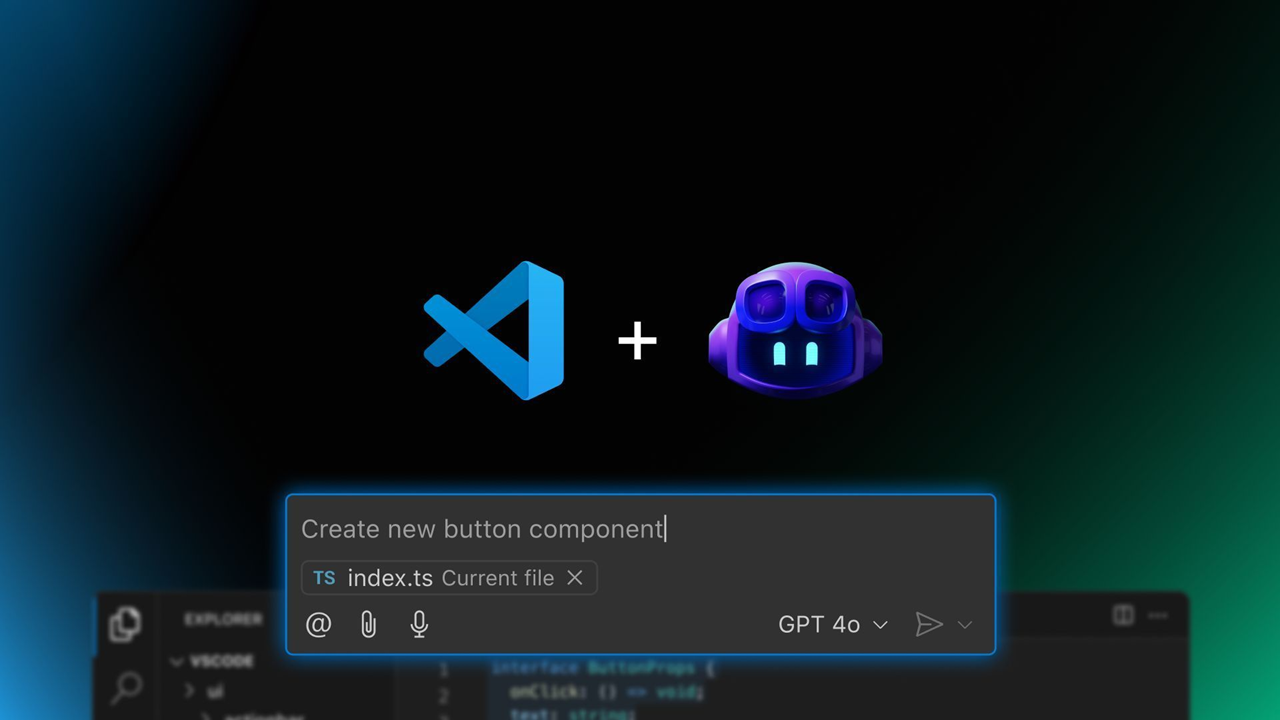
The GitHub Copilot Global Bootcamp started in February as a fully virtual learning journey — and it was a hit. More than 60,000 developers joined the first edition across multiple languages and regions. Now, we’re excited to launch the second edition — bigger and better — featuring both virtual and in-person workshops, hosted by tech communities around the globe.
This new edition arrives shortly after the announcements at Microsoft Build 2025, where the GitHub and Visual Studio Code teams revealed exciting news:
The GitHub Copilot Chat extension is going open source, reinforcing transparency and collaboration.
AI is being deeply integrated into Visual Studio Code, now evolving into an open source AI editor.
New APIs and tools are making it easier than ever to build with AI and LLMs.
This bootcamp is your opportunity to explore these new tools, understand how to use GitHub Copilot effectively, and be part of the growing global conversation about AI in software development.
👩💻 Who Should Join?
Whether you’re a beginner developer, a university student, or a seasoned tech professional, this bootcamp was designed with you in mind. You’ll learn practical use cases of GitHub Copilot and how to boost your productivity using AI — in a hands-on, accessible format.
Join the virtual edition
No matter where you are, you can join online and learn with us. Register at the links below:
July 8, 9:00-10:00AM: Best Practices for Mastering GitHub Copilot Chat Discover how the Ask, Edit, and Agent modes of GitHub Copilot Chat can transform your workflow in Visual Studio Code. We will demonstrate, in practice, how to combine these modes to solve real problems, implement complete features, and integrate external tools.
July 10, 9:00-10:00AM: Practical Integrations with MCP Servers in VS Code Did you know you can connect GitHub Copilot Chat to external servers and custom tools using MCP Servers? Come and discover how this technology allows you to automate tasks, access APIs, and share integrations among team members using simple configuration files. In this talk, I will show practical configuration examples, tips for safe usage, and how Copilot can identify and use MCP tools autonomously, making your development environment even more powerful and flexible.
Microsoft Applied Skills is a credentialing program designed to validate your ability to perform specific, real-world technical tasks. Unlike traditional certifications that often cover broad job roles, Applied Skills focus on scenario-based, hands-on skills that are directly applicable to critical business challenges.
And the best part? It’s completely free! You can demonstrate your skills through interactive, task-based assessments in a simulated environment—no multiple-choice questions, just real work.
One of the latest additions is the GitHub Copilot Applied Skill, which proves your ability to leverage AI to boost software development productivity and code quality:
This guide is designed to enable state and local governments to enhance their efficiency and effectiveness through technology modernization.
In this whitepaper, you will find actionable strategies and real-world case studies that demonstrate how cloud computing, AI-driven automation, and advanced cybersecurity measures can transform public services.
Additionally, the whitepaper includes case studies from various state and local agencies that have successfully implemented these strategies, showcasing the tangible benefits and efficiency gains achieved.
Q: Are you interested in Microsoft 365 Copilot security, deployment, governance & adoption?
Join us for two days of insights, demos, and deep dives on Copilot Control System (CCS)! Learn all about how to effectively secure, manage, and analyze the use of Microsoft 365 Copilot, Copilot Chat, Microsoft Copilot Studio, and agents across your organization.
Digital Deep Dive: Copilot Control System (CCS) – Day 1 Tuesday, June 17, 2025 – 8:00AM PT “Copilot Control System (CCS), Security, governance, and preparing your tenant for Microsoft 365 Copilot and agents” Topics include:
Data security
Compliance
Privacy
Oversharing
Data loss prevention
Search
Agent governance
Building agents securely
Digital Deep Dive: Copilot Control System (CCS) – Day 2 Wednesday, June 18, 2025 – 8:00AM PT “Copilot controls, agent lifecycle, measurement, reporting, and user enablement” Topics include:
Life cycle management
Agent cost management
Management, controls, and licensing (Microsoft 365 Copilot, Copilot Chat, and agents)
Productivity impact
Copilot and agent business value and ROI
User enablement and adoption
Come ready to learn and ask our experts all of your burning questions!



 kurtsh
 Kurt Shintaku's Blog
You must be logged in to post a comment.