Posted by: kurtsh | September 23, 2019

HOWTO: Automatically dismiss reminders from past events

imageOutlook has an option to automatically dismiss reminders for past events.

It’s not enabled by default.  Here’s how to enable it:

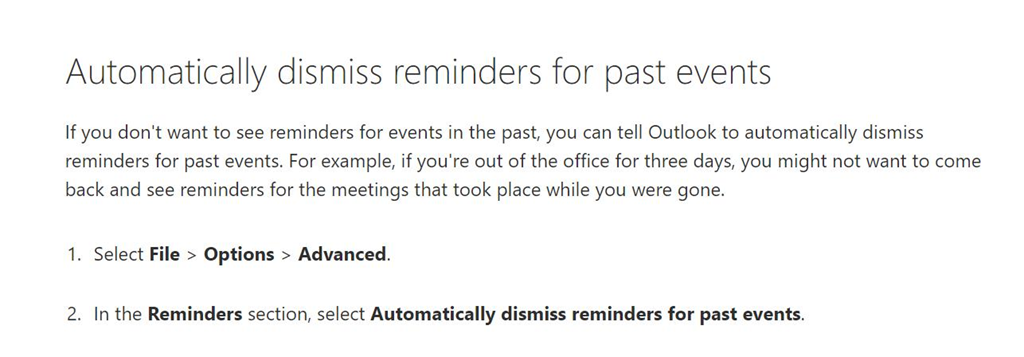
Automatically dismiss reminders for past events

If you don’t want to see reminders for events in the past, you can tell Outlook to automatically dismiss reminders for past events. For example, if you’re out of the office for three days, you might not want to come back and see reminders for the meetings that took place while you were gone.

  1. Select File > Options > Advanced.

  2. In the Reminders section, select Automatically dismiss reminders for past events.

[stolen from Jen Gentleman]

The support page documentation is here:

Posted by: kurtsh | September 23, 2019

RELEASE: Surface Dock Firmware Update tool for v1.42

UPDATE 10/4/19:
A comment was posted on the original announcement page that’s worthy of highlighting.  Note that for consumers, they noted that this firmware update will eventually get pushed out via Windows Update so it’s not that necessary that individual users apply the patch manually – unless of course it addresses an issue you need:

I’m re-posting @Mendioroz ‘s helpful information with correct formatting to make it a little easier to read for everyone:

  • The firmware (MSI) is only installable on Windows 10 1803 and beyond (any edition).
  • In Windows 10 S mode, the previous tool didn’t work and it this one won’t since it’s a MSI package (no executables were able to run).
  • If a Dock is updated with the MSI package, and then another Dock is connected to the same Surface device, in Registry Editor will show the information from the last Dock connected.
    HKEY_LOCAL_MACHINE\SOFTWARE\Microsoft\Windows NT\CurrentVersion\WUDF\Services\SurfaceDockFwUpdate\Parameters
  • If the Dock was updated with the Surface Dock Updater Tool before, there’s no need to install the MSI since there’s no changes on the “MSI firmware update”.
  • It is planned to release this update through Windows Update (no expected time).

I will also confirm that nothing appears in the Start menu when you install this new update and that it silently performs the update in the background when you connect a Surface Hub.

ORIGINAL POST:

Just released… an MSI for updating the Surface Dock firmware to version “1.42”.  (This supersedes the previous version “2.2” which had a legacy versioning system.)

imageThe latest firmware for Surface Dock now runs automatically in the background and simplifies the process of keeping your Surface Dock up to date. For full details, refer to Microsoft Surface Dock Firmware Update.

The tool comes packaged as a separate .MSI file in Surface Tools for IT. Simply download and install the tool on your Surface device to automatically update your Surface dock.  And of course, the Windows Installer .MSI file can be deployed remotetly across multiple Surface devices.

It supersedes the earlier Surface Dock Updater tool, which has been retired, is no longer available for download, and should not be used.

Surface Dock includes two high-definition video ports, a gigabit Ethernet port, four USB 3.0 ports, and an audio output, enabling users to transform their Surface device into a desktop PC.

View the original post here, along with the Q&A in the comments:

Posted by: kurtsh | September 20, 2019

INFO: Using TPM & BitLocker in China

imageI was recently asked about using “BitLocker in China” and apparently, there’s some confusion around this topic on the Internet, so I contacted our Windows deployment folks as well as those in China to shine some sunlight on the matter. 

This was their response:

This is an older matter really related to the TPM chipset – not BitLocker itself.  To be clear, BitLocker’s use was never prohibited by Chinese Government:  It was TPM 1.2 that wasn’t approved previously by Chinese Government, but since 2015, TPM 2.0 has been approved by the Chinese government.  Read the following for more detail:

  • Governments recognize the importance of TPM 2.0 through ISO adoption
    …the [TPM 2.0] standard was supported by a large number of countries, including Australia, Belgium, Canada, China, Czech Republic, Denmark, Finland, France, Ghana, Ireland, Italy, Japan, the Republic of Korea, Lebanon, Malaysia, Netherlands, Nigeria, Norway, the Russian Federation, South Africa, the United Arab Emirates, the United Kingdom and the United States, underlines the growing level of concern around cybersecurity, among both developed and emerging economies.
    https://cloudblogs.microsoft.com/microsoftsecure/2015/06/29/governments-recognize-the-importance-of-tpm-2-0-through-iso-adoption/

clip_image002

There are some OEMs selling machines in China with TPM 2.0, and this has changed over time.  For more detailed background you can read: https://microsoft.sharepoint.com/teams/Tradenet/Pages/Global-Encryption-Controls.aspx

Locally chip manufacturer, “Nation-Z” (www.nationz.com.cn) can provide TPM 2.0 chip-compatible components with TPM/TCM 2.0.

For example, Microsoft Surface devices ship with this chip in China and China only.

Posted by: kurtsh | September 15, 2019

INFO: Microsoft Surface Hub 2S

Is your company investing in Microsoft Teams & Office 365?

Are you looking for interactivity, not just display projection?

Is innovation through collaboration a key pillar to your success?

Experience teamwork without boundaries with new Surface Hub 2S, a modern, all-in-one collaborative canvas and meetings platform that brings the power of Windows 10 to teams. It’s, light, thin, and easy to integrate into any work space. Wherever your teams go, Surface Hub 2S can go too.

For more information visit:

Here’s a video demonstration of what Surface Hub 2S brings:

We’re making a change in Microsoft’s licensing that concerns:

  • Dedicated-hosted Cloud Services
  • Licenses WITHOUT Software Assurance

imageBeginning October 1, 2019, on-premises licenses purchased without Software Assurance and mobility rights cannot be deployed with dedicated hosted cloud services offered by the following public cloud providers: Microsoft, Alibaba, Amazon (including VMware Cloud on AWS), and Google. They will be referred to as “Listed Providers.”

There’s a large Frequently Asked Questions list at the URL below.

imageData scientist. Machine-learning engineer. Big-data engineer. All three rank among the top emerging jobs*, and companies across industries are seeking people with the requisite skills: math, programming, and domain expertise.

Many people working with data have developed one or two of these skills, but proper data science calls for all three. This comprehensive e-book from Packt, Principles of Data Science, helps fill in the gaps.

Improve business performance, drive innovation, and create new revenue streams by building data products—it all starts here.

This guide is for you if:

  • You’re looking to understand and apply the basic practices of data science for any domain.
  • You’re acquainted with basic mathematics (algebra, and perhaps probability).
  • You feel comfortable reading snippets of code and pseudo-code.

Download Principles of Data Science today and learn:

  • Data-science terminology and types of data.
  • The five steps of data science.
  • The basics of statistical data analysis and machine learning.
  • What’s possible beyond the essentials.

* According to LinkedIn’s 2017 US Emerging Jobs Report

Posted by: kurtsh | September 14, 2019

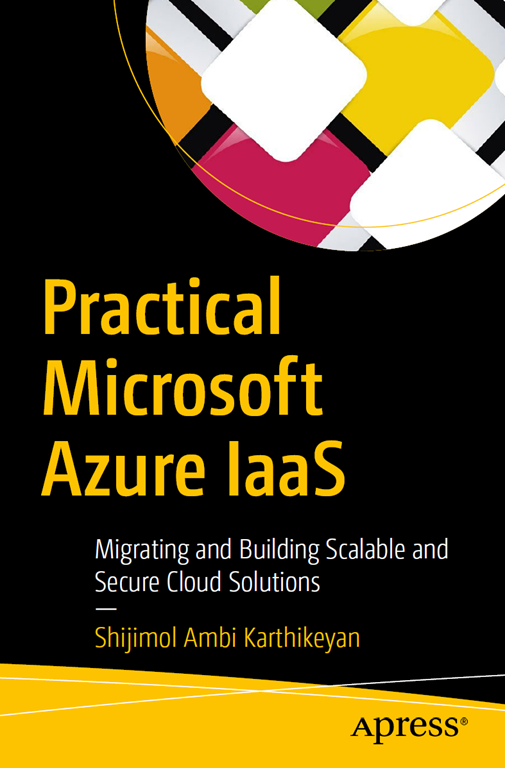
DOWNLOAD: Free eBook, “Practical Microsoft Azure IaaS”

imageLearn how to tap into the vast pools of compute, storage, and networking resources now available in the cloud by migrating your on-premises legacy systems to Azure infrastructure as a service (IaaS).

In this hands-on guide published by Apress, you’ll find a focused and practical approach to IaaS migration. You’ll explore what Azure IaaS has to offer, discover the different migration options available, and get detailed information to help you:

  • Map key Azure components to familiar concepts in infrastructure, including virtualization, storage provisioning, switching and firewalls.
  • Implement Azure IaaS deployment architectures.
  • Design IaaS environments in line with Microsoft-recommended best practices for scalability, resiliency, availability, performance, and security.
  • Manage the operational aspects of hosted environments, use automation, and optimize performance. 

Get the eBook here:

imagePASS Summit 2019 is coming up Nov 5 – 8 in Seattle WA – the best conference available on data skills and innovation.

The conference is three full days of learning with two days of pre-conference deep dive sessions beforehand – training workshops, best practices, hands-on labs and networking with world-class data experts from around the world.

They bring together over 4000 global data professionals and will offer more than 150 sessions. The conference also offers a chance to meet and share knowledge with the best and brightest from the data professional community and Microsoft.

Benefits of PASS Summit 2019:

  • Stay up-to-date with the latest technology advances
  • Get practical training from 150+ expert speakers and technical sessions
  • Network and share learnings with peers from around the world
  • Meet the product experts and Customer Advisory Team from Microsoft

Register today!

image

This October 2nd we’re showing the world what’s next for Surface & Microsoft… and we’re doing it live. Tune in at http://surface.com/microsoftevent at 10am EDT.

Also available live here:
https://t.co/xeMrHHRNwz?amp=1

imageThe demands of today’s business environment are transforming the way decisions are made and increasing the need for process automation.

Discover how to put the Power Platform tools to work for you at the Power Platform World Tour – making a stop in Anaheim-Orange County, California on December 4-5, 2019.

Powered by your local Power Platform User Groups this event will provide unparalleled access to premium Power Platform content and industry leaders. Learn New Ways to Analyze, Act and Automate processes.

What to Expect

Two days of exceptional content designed for the Citizen Developer, Technical, Business and New Users in 32+ breakout sessions. Engage with local users from similar and varying industries to solve daily challenges and increase efficiencies.

Solution Packed Sessions
Whether you are just getting started or consider yourself an expert, the Power Platform World Tour has sessions geared toward all levels. Possible topics include:

  • Getting Started with Power BI    
  • Data Visualization
  • Dataflows
  • Power BI Governance
  • Dive into Power Query
  • Introduction to PowerApps & Flow
  • Process Automation with Flow
  • Data Modeling
  • Automate Approvals
  • Build PowerApps for Your Business
  • Getting Started with Formulas
  • AI and the Power Platform

LOCATION:
Doubletree by Hilton Anaheim – Orange County
100 The City Dr S
Orange, CA 92868
Bing Map

COST:
$499

REGISTRATION:
CONFERENCE: Power Platform World Tour – Anaheim, CA – Dec 4-5, 2019
https://www.powerplatformworldtour.com/ppworldtour/locations/anaheim

« Newer Posts - Older Posts »

Categories