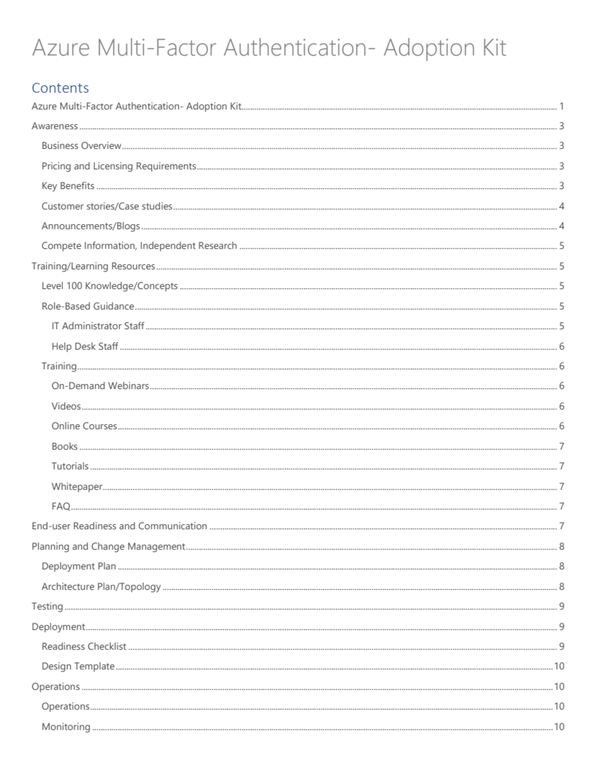
imageUse this all-in-one guide to help you plan, test, and deploy Azure Multi-factor Authentication (MFA) in your organization.

  1. Awareness
  2. Training/Learning Resources
  3. End-user Readiness & Communications
  4. Planning & Change Management
  5. Testing
  6. Deployment
  7. Operations
  8. Support & Feedback

Download the kit here:

imageNeed to brush up on your knowledge around security in Azure?

Get started with our Microsoft Learn security module here:

Discuss the basic concepts for protecting your infrastructure and data when you work in the cloud. Understand what responsibilities are yours and what Azure takes care of for you.

In this module, you will:

  • Learn how security responsibility is shared with Azure
  • Learn how identity management provides protection, even outside your network
  • Learn how encryption capabilities built into Azure can protect your data
  • Learn how to protect your network and virtual networks
  • Learn about advanced services and features Azure provides to keep your services and data secure and safe

Get started here:

imageWe have more than just IT Professional training for Microsoft Teams.

Microsoft is excited to host a series of free, live, online training classes designed to get you up and running with Teams.  Whether you’re a business decision maker, admin, IT pro, or end user, you’ll find a class that’s right for you. Not sure where to begin? Take our Teams knowledge check. Join us to see Teams in action, get your questions answered, and interact with our live instructors. To view our training classes on your own time, visit our on-demand end-user training.

Visit the following to get signed up for everything from “Getting started…” classes to “Running effective meetings…” and get learning!

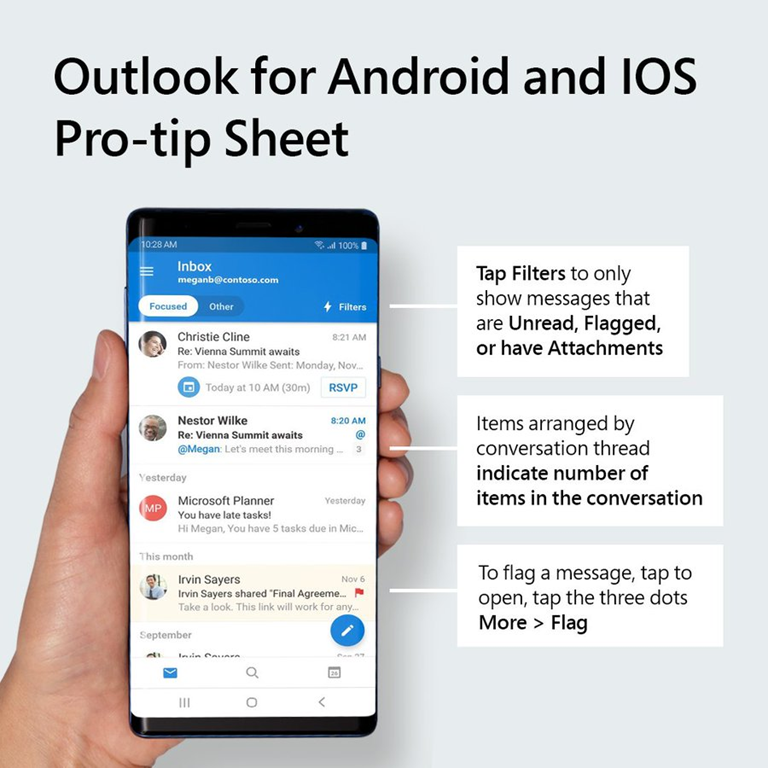
imageWe all love a good cheat sheet.

Here’s one for the Outlook Mobile app lovers.

image<taken from BDO Digital’s site about Power Platform>

The potential to create, edit and duplicate application workflows and functionality with greater speed and agility has put advanced automation – including pre-build AP components – into the hands of organization of all sizes thanks to Power Automate.

But don’t just take our word for it. Look at what the market is saying: According to a recent Forrester Research study, the overall economic impact of Power Platform is hard to ignore.

  • Power Apps and Power Automate can reduce application costs by 70%. Organizations can save on internal development efforts, professional services fees, and/or vendor application purchase costs. 
  • $3.5 million in application development and management costs. Over the life of the study, hundreds of thousands of hours were saved between application builds, as well as the effort to maintain code and manage applications moving forward. 
  • Save $91,454 by reducing vendor license costs. By developing additional applications in-house, organizations can eliminate costly vendor costs associated with third party providers.
  • Power Apps and Power Automate increase process automation and efficiencies. It’s important not to forget the value of digitizing manual, and often paper-based processes. This efficiency gains are equally valuable.

For more details on how to approach innovation in Power Platform, and to watch a real-world demo of how organizations are using Power Platform to innovate today, check out the Microsoft Power Platform demo.

Check out the video at the following URL:

imageThe Microsoft Cybersecurity Reference Architecture (https://aka.ms/MCRA) describes Microsoft’s cybersecurity capabilities and how they integrate with existing security architectures and capabilities.

We have seen this document used for several purposes by our customers and internal teams (beyond a geeky wall decoration to shock and impress your cubicle neighbors 🙂

  • Starting template for a security architecture – The most common use case we see is that organizations use the document to help define a target state for cybersecurity capabilities. Organizations find this architecture useful because it covers capabilities across the modern enterprise estate that now spans on-premise, mobile devices, many clouds, and IoT / Operational Technology.
  • Comparison reference for security capabilities – We know of several organizations that have marked up a printed copy with what capabilities they already own from various Microsoft license suites (many customers don’t know they own quite a bit of this technology), which ones they already have in place (from Microsoft or partner/3rd party), and which ones are new and could fill a need.
  • Learn about Microsoft capabilities – In presentation mode, each capability has a "ScreenTip" with a short description of each capability + a link to documentation on that capability to learn more.
  • Learn about Microsoft’s integration investments – The architecture includes visuals of key integration points with partner capabilities (e.g. SIEM/Log integration, Security Appliances in Azure, DLP integration, and more) and within our own product capabilities among (e.g. Advanced Threat Protection, Conditional Access, and more).
  • Learn about Cybersecurity – We have also heard reports of folks new to cybersecurity using this as a learning tool as they prepare for their first career or a career change.

Download the file here:

imageIf there’s one article you read about “working remotely”, I think it should be this one.

This is the story of how Microsoft’s own IT organization (called CSE) has set up their employees to “work from home” at scale.  They go onto explain how we’ve actually done this before for 30,000 employees all working from home – when a snow storm hit the Pacific Northwest and prevented people from commuting to our Redmond Campus.

There’s lots of links to additional guidance so take a look:

Posted by: kurtsh | March 11, 2020

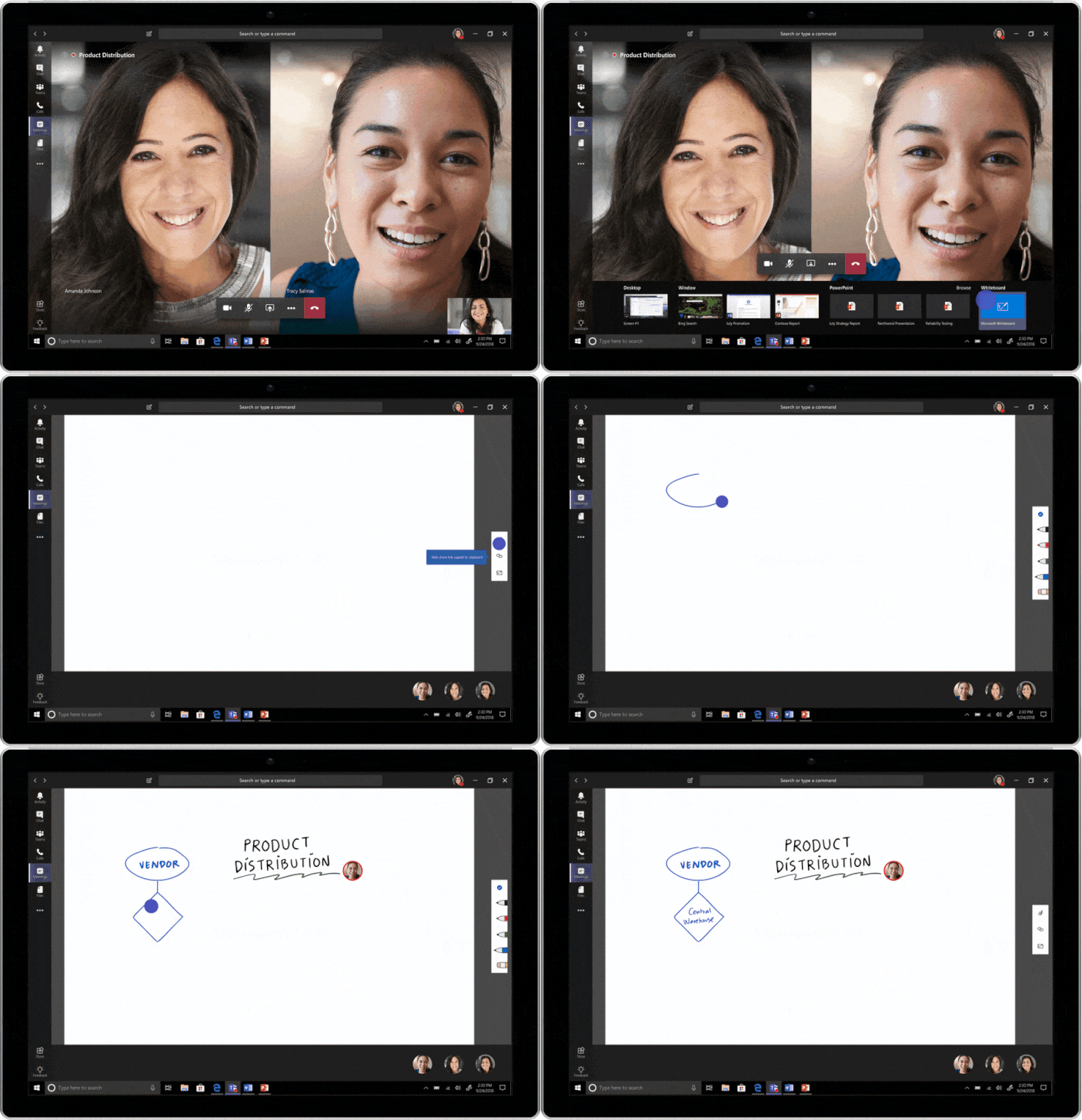
INFO: Microsoft Whiteboard Roadmap

I’ve recently gotten this question twice now:  “What’s the roadmap & commitment to Microsoft Whiteboard?”

104115_WHITEBOARD_IN_TEAMS_V07.gifThis has surprised me a bit considering we just recently released two major features to the public in the last few months:
WHITEBOARD ROADMAP
The public web site shares a Whiteboard FAQ that might be of interest.

Additionally, the Whiteboard team is finishing up Tenant Admin Privacy Controls for Microsoft Whiteboard right now.  The Public Whiteboard roadmap is here:
https://www.microsoft.com/en-us/microsoft-365/roadmap?ms.url=roadmap&rtc=1&filters=&searchterms=whiteboard

USERVOICE FOR WHITEBOARD
Whiteboard has a UserVoice site and if you parse through the UserVoice site for Whiteboard, you can get a glimpse at some of what they’ve confirmed that they’re “working on”.  For example:

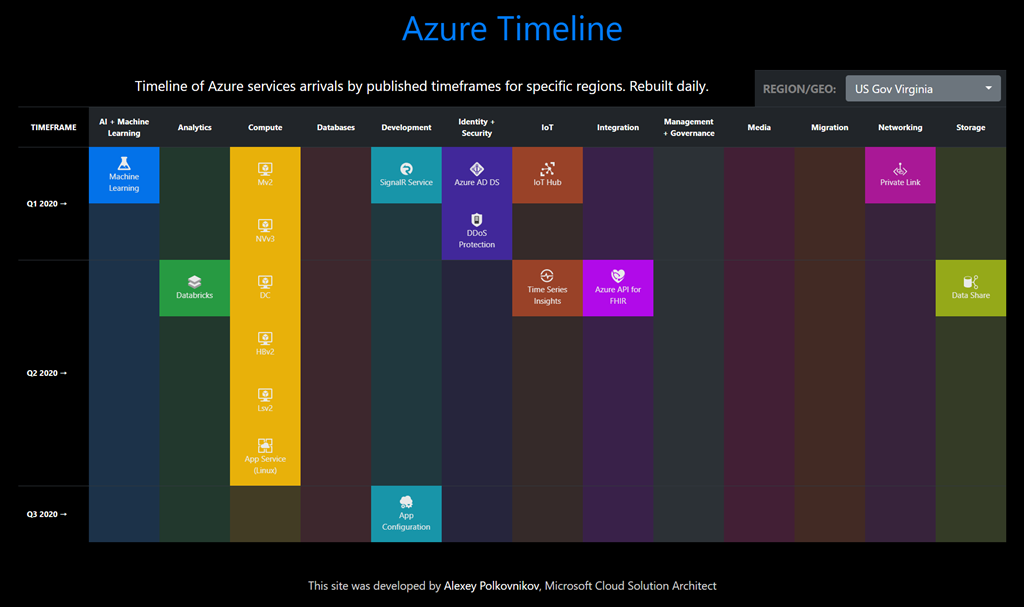
Wouldn’t it be cool to have a chart that showed the published timeline of Azure services expected availability by published timeframes for each Azure region?

“AZURE TIMELINE”
Check this chart out that shows the timeline of availability of services for each region.  You can select views for every region globally, INCLUDING Azure Government regions.

image

View the chart here:
https://azurecharts.com/timeline/?r=usgov-virginia

AZURE CHARTS
This is one chart of many located at http://azurecharts.com

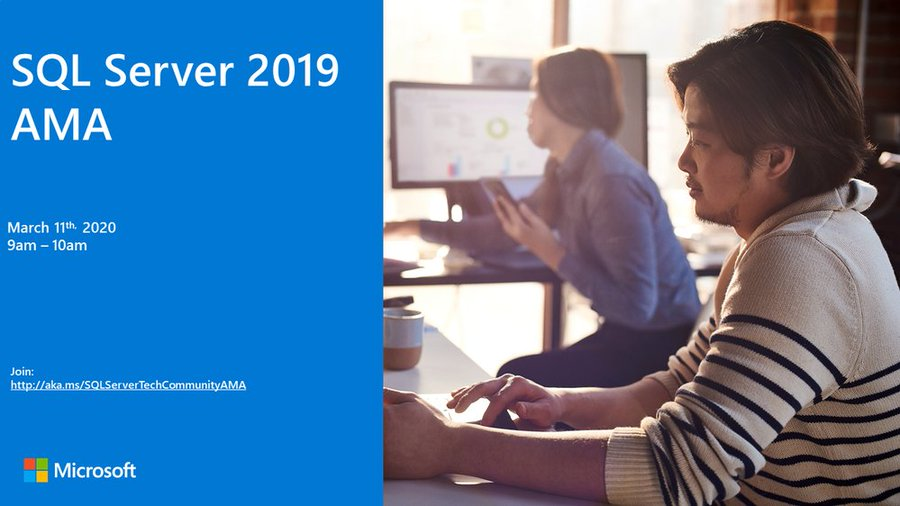
imageWe are very excited to announce a SQL Server 2019 ‘Ask Microsoft Anything’ (AMA) for SQL Server!

The AMA will take place on Wednesday, March 11th, 2020 from 9:00 a.m. to 10:00 a.m. PT in the SQL Server AMA Space in the SQL Server Community. Add the event to your calendar and view in your time zone here.

« Newer Posts - Older Posts »

Categories