Posted by: kurtsh | September 22, 2020

RELEASE: “Compliance Manager” for Microsoft 365

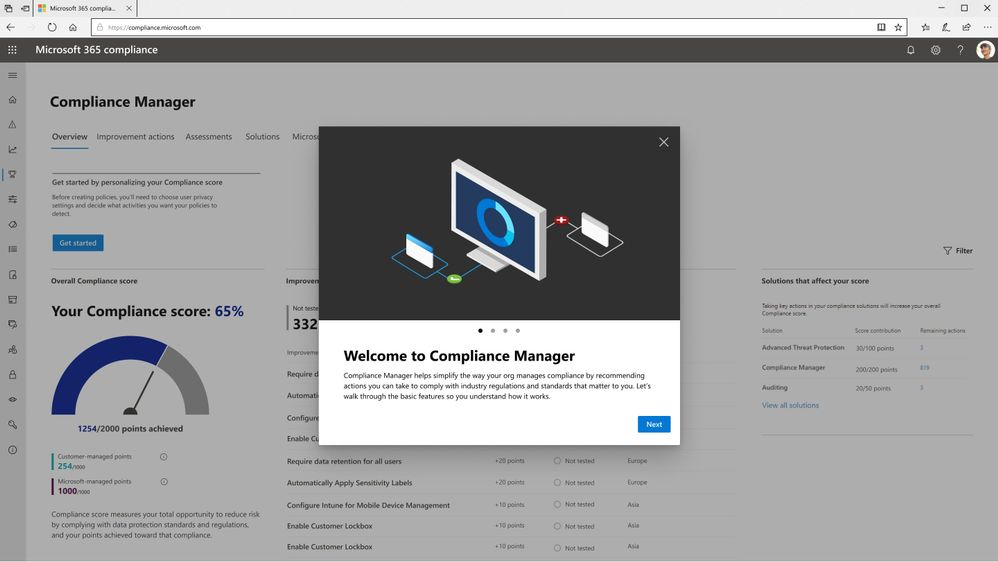
imageCompliance Manager simplifies compliance and helps reduce risk. Compliance Manager translates complex regulatory requirements to specific controls and through compliance score, provides a quantifiable measure of compliance.

Today, we are excited to announce General Availability for Compliance Manager!

Compliance Manager helps simplify the way you manage compliance by recommending actions you can take to comply with industry regulations and standards that matter most to you.

Before you dive in, it’s helpful to understand the key components you’ll see. A control is a requirement of a regulation, standard, or policy. An action is an activity that helps implement a control. An assessment is a grouping of controls from a specific regulation, standard, or policy.

Assess your current compliance posture
Your dashboard reflects real-time data. We’ll provide you with an initial compliance score based on common regulations and standards. Score breakdowns by category help you prioritize areas that need attention.

Take actions to improve your compliance
Quickly see which actions will help you complete assessments. Detailed implementation guidance tells you what steps to take and directs you to the appropriate solution. Your score updates when you complete actions, and we continuously scan your environment to show you what needs attention.

You can start using Compliance Manager by visiting the Microsoft 365 compliance center.

Additional resources:

Compliance Manager is generally available to Microsoft 365 and Office 365 customers today.

Read all about it in our blog:

Would you like to publish your free/busy information from your calendar so other people outside of your organization can see it from Office 365?  You still can – but you’ll need to do it from the Outlook Web experience.

If you have Microsoft 365 or another email service based on Microsoft Exchange Online, use Outlook on the web to share your calendar with people inside or outside your organization. Depending on the permission you give them, they can view your calendar, edit it, or act as your delegate for meeting requests.

In Calendar settings, you can publish your calendar so anyone can view your calendar or subscribe to it.

  1. In Calendar view, select Settings Settings > View all Outlook settings.

  2. Select Shared calendars.

  3. Under Publish a calendar, choose which calendar you want to publish and how much detail people can see.

  4. Select Publish.

  5. If you choose an HTML link, recipients can copy and paste the URL in a browser to view your calendar in a new browser window.

    If you choose an ICS link, recipients can download the ICS file and import it into Outlook. This will add your events into their calendar, but recipients won’t automatically receive any updates to your calendar. Alternatively, recipients can use the ICS link to subscribe to your calendar through Outlook. They’ll see your calendar alongside their own and will automatically receive any updates to your calendar.

Notes:

  • HTML and ICS calendars are read-only, so recipients won’t be able to edit your calendar.
  • How often your ICS calendar syncs depends on the recipient’s email provider.

Taken from:
https://support.microsoft.com/en-us/office/share-your-calendar-in-outlook-on-the-web-7ecef8ae-139c-40d9-bae2-a23977ee58d5

Posted by: kurtsh | September 21, 2020

INFO: Guides to Microsoft Ignite 2020

Here are the published guides for various product groups at Microsoft Ignite 2020 this week.

  • SharePoint, OneNote, Planner, Stream, Visio, Project Cortex, List
  • Outlook
  • Developers
  • Internet of Things
  • Planner & Task Management
  • OneDrive
  • Microsoft 365
  • PowerApps

—————-

SharePoint, OneNote, Planner, Stream, Visio, Project Cortex, imageLists
Find out what’s in store for #SharePoint, OneDrive, MicrosoftPlanner, MicrosoftStream, Visio, ProjectCortex, MicrosoftLists, and more. View the related session catalog here:

Outlook
This post is to highlight all the information specific to Outlook at Ignite 2020.  If you’d like a comprehensive compilation of content across Exchange, Outlook and Bookings you can check out the Exchange Team blog.

Developers
It’s that time of the year again! Are you all ready for Ignite 2020? We are imageabsolutely thrilled to be joining you this year for our all-digital Ignite conference. For those of you who are new, Ignite is our biggest Microsoft conference where – among many other things – you can get the latest updates on Microsoft Teams platform, Microsoft Graph, Windows and cross platform development, SharePoint, Office Add-ins, and more!

Things are going to look a little different this year, so we’re going to walk you through the steps to make the most of the event.

Internet of Things (IoT)
Not only did the IoT teams prepare some cool announcements but we also prepared new learning content and connecting opportunity.  Here is the full list of IoT content and sessions we prepared for you Ignite.

Planner, Tasks in Teams and Task Management
Here’s a quick rundown of sessions to get you started if you’re looking to learn more about Planner, Tasks in Teams, and other task management capabilities across Microsoft 365.

OneDrive
Ignite is just round the corner and we can’t wait to celebrate the product innovations with you. Check out your guide to Microsoft OneDrive sessions at Microsoft Ignite.

Microsoft 365 for Administrators
Microsoft Ignite, our yearly flagship event for Microsoft products and technologies, is a 48-hour digital event experience taking place from September 22-24, 2020. Ignite, of course, is a very different event this year. On the one hand, it is a single global event where everyone gets the same news, information, content, and experience at the same time. But on the other hand, I will miss the many personal connections that take place at our in-person events. I look forward to the day when in-person events resume, but until then, I’m thrilled to have the opportunity to share with you now an amazing collection of video content covering the incredible work being done across Microsoft 365.

PowerApps
Below are a list of the sessions focusing on Power Apps and the Power Platform at this year’s Ignite.  We hope you have a chance to join us for some of these great topics so you can learn more about the Power Platform and how it can enhance the efficiency of your organization.    

Posted by: kurtsh | September 21, 2020

INFO: Guide to Microsoft 365 Government @ Ignite 2020

Are you using Microsoft 365 Government G3 or G5 and attending Microsoft Ignite 2020?

We’ve got some announcements and sessions specifically for you:

imageWe are just a few days away from our first ever digital Microsoft Ignite.

Microsoft 365 Government will be available with in-depth content to pair the all-digital event experience. Specifically, for our government customers we’re diving into two unique conversations about security, compliance, and providing hands on ways you can reduce risk as you accelerate your governments digital transformation. 

Today, more than ever, government organizations are facing increasing challenges associated with remote delivery of public services. We have added enhanced regulatory, legal, and forensic investigation capabilities in the government clouds to help address these challenges.

We are excited to announce Advanced eDiscovery capabilities in Microsoft 365 Government. Advanced eDiscovery provides a broad set of intelligent capabilities to help customers reduce large volumes of data to a relevant set.

For example, an automatically generated query helps filter only for unique content by identifying near duplicates, which can help dramatically reduce data.

You can learn more about this and other Advanced eDiscovery capabilities in this demo at:

Government Sessions
As part of the learning experience we’ve added two on demand sessions specifically targeted to security and compliance professionals and anyone that is looking to learn more about how Microsoft 365 Government can help in protect and navigate the modern digital world. The below sessions will be posted in the
Microsoft Tech Community Video Hub launching on Sept 22nd.

Read about more government-focused  sessions at Microsoft Ignite 2020 at the blog post:

Posted by: kurtsh | September 17, 2020

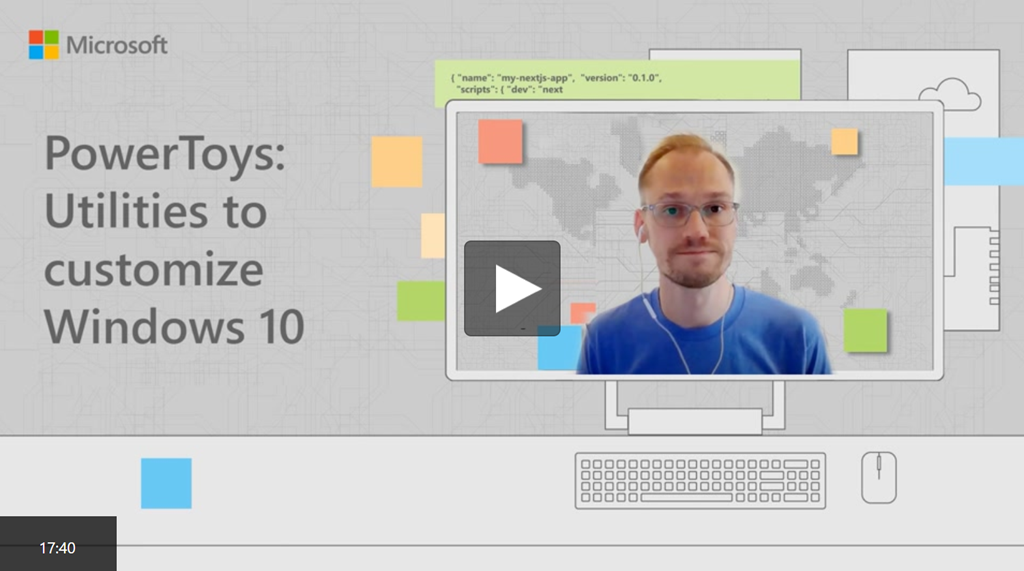
VIDEO: “PowerToys” – Utilities to customize Windows 10

imageLearn about Microsoft PowerToys, a set of utilities for power users to tune and streamline your Windows 10 experience for greater productivity.

Clint Rutkas will show you the current PowerToy utilities, including:

  • ColorPicker (click anywhere to grab a color value)
  • FancyZones (shortcuts to position windows into a grid layout)
  • File Explorer Add-ons (preview SVGs or Markdown files)
  • Image Resizer (resize one or many images with a simple right-click)
  • Keyboard Manager (remap keys or create your own shortcuts)
  • PowerRename (bulk rename using search and replace)
  • PowerToys Run (Alt + Space to launch apps)
  • Shortcut Guide, and more to come.

Watch the 17min overview video here:

Posted by: kurtsh | September 17, 2020

DOWNLOAD: Digital swag for Microsoft Ignite 2020

Buried in the Microsoft Ignite 2020 FAQ, is a little blurb about digital swag and if you’re not careful, you might miss it!

Or you can just grab it here.

imageBelow you can download each swag item or the full digital swag package.

Buzzword Bingo: Listen for buzzwords and share your progress on social

Desktop wallpapers: Show off your desktop with branded wallpapers

Digital badge: Let everyone know you participated by printing your all access badge

Social backgrounds (LinkedIn, twitter): Background images to use on all your social platforms

LinkedIn backgrounds

Twitter backgrounds

Social stickers

Microsoft Teams backgrounds: Become a presenter in your next meeting with branded backgrounds

Full digital swag package (183MB)

Enjoy!

imageDo you want to help shape the future of Microsoft products?

Now is your chance. Learn more about “Expert Connections” after Microsoft Ignite.

Take the lead and join Microsoft engineering teams and your peers in meaningful conversations about the tools you use everyday. Share insights, discover new perspectives and problem-solve in a collaborative environment to shape the future of Microsoft products.

Choose from over 200 topics ranging from 30 to 60 minutes in length. Activities will occur after the Microsoft Ignite conference.

  • Browse Topics
    Microsoft 365, Azure, Power Platform, Security and Dynamics: Discover the topics we’re covering. You’ll have access to topics that match your experience and interest when you sign up.
  • Stay Connected
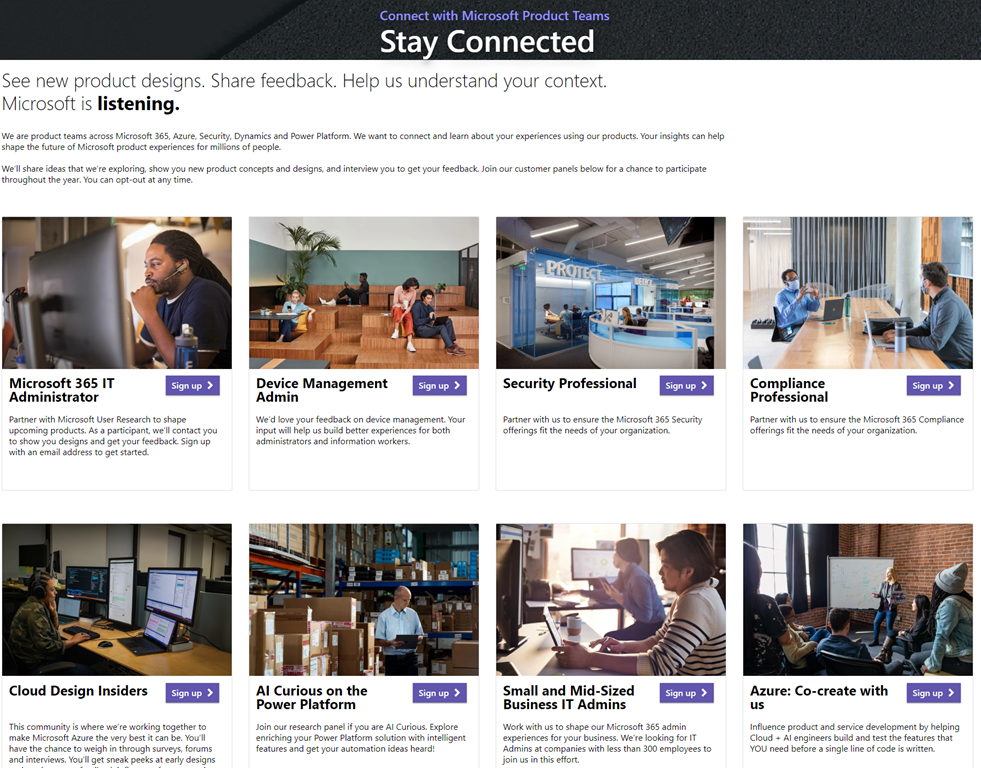
    Enroll in one of our Microsoft customer panels to learn about future opportunities to engage with Microsoft product team experts, see new product concepts, and give your input.
  • Community Events
    Events for the community, by the community. Explore opportunities to learn and connect related to training, certification, and Ask Microsoft Anything (AMA) events.

If you are selected, you will be notified via email of what group(s) you’ll be joining to provide feedback on.

NOTE OF WARNING:
imageThe survey you are required to take is rather long depending on how many topics you’re interested in so be prepared to click through preferences & technology interest for 15 min or so.

You will start out with 5 Microsoft solutions areas that you can express interest in during the sign up – each have dozens of subgroups & subgroups within those subgroups:

  • Azure (Compute, Cognitive Services, Data, etc.)
  • Dynamics 365
  • Microsoft 365
  • Power Platform
  • Security, Compliance, & Identity

…and there are many areas of interest beneath these that will help determine what groups you can provide feedback to.

Sign-up today:

————–

ALSO: MICROSOFT EXPERT CONNECTIONS PANELS

imageIf you’re interested in understanding some of the roles we’re specifically looking for feedback from an on-going basis, check out the Expert Connections Panels page.

For example:  If you’re any of the following, you can sign up directly:

  • Microsoft 365 IT Administrator
  • Device Management Administrator
  • Security Professional
  • Compliance Professional
  • Cloud Designer
  • AI for the Power Platform
  • Developer
  • etc.
  • Expert Connections Panels – Enrollment:
    https://ux.microsoft.com/expertconnections/panels

I wanted to bring an announcement/offer Yubico made with Microsoft last week to your attention:


clip_image002Build your Passwordless offering with Microsoft Azure AD and YubiKeys – Limited Time Offer

Together with Microsoft, we are announcing a Go Passwordless Pilot Program where qualified Services Providers (e.g. systems integrators, consulting services) in Canada, EU, UK and US can nominate their customer to pilot the Azure Active Directory Passwordless flow. For a limited time, Yubico and Microsoft are offering 25 free YubiKeys to up-to 100 qualified customers to pilot the Microsoft Azure AD Passwordless flow and YubiEnterprise Delivery (YED) service.

“I believe this offering is a compelling program. It fits well with our respective missions to help everyone achieve more and make the internet safe for everyone.” – Sue Bohn, Partner Director of Program Management in the Identity Division at Microsoft.

To get started and check qualifications:

1. Services Provider will need to identify a customer (500+ Azure AD Users) that has the technical FIDO2 requirements to go passwordless

2. Enroll your organization into the program. If you have an Azure AD + Yubico Passwordless practice – share the link with us when you sign up!

3. Then, nominate the customer for the pilot

4. If you and your customer are selected for the pilot, we will contact you for shipping details

Pilots requirements: Windows 10 version 1903 or later, Azure Active Directory and Yubico’s YubiKey 5 series, Microsoft Azure AD MFA enabled users, and integrate Azure AD with Microsoft and 3rd party applications; such as Office 365, Salesforce, and ServiceNow.

For more information, read the announcement here:

So you’re gonna expand your Azure Sentinel log data retention?

If you need to keep your logs for compliance reasons for a longer priod

imageOut of the box, Azure Sentinel provides 90 days of data retention for free. In some parts of the world and within certain industries, there are regulations that organizations must adhere to which require data retention up to 7 years or longer. The current challenge is that the max retention for Log Analytics workspaces is 2 years. There has been a need for a solution that will allow for more time and cost saving by moving logs to cold storage. This blog is going to detail how logs from a Log Analytics workspace can easily be moved into long-term cold storage in order to comply with retention standards as well as reduce costs using this Playbook.

imageWe, in GCC or GCC High, finally have a consistent way of tagging & creating, configuring, and applying policies to protect information worker data across all locations.

Workloads that can leverage unified labeling such as Azure Information Protection Unified Labeling client and scanner, Office 365 apps, Office for web, SharePoint, OneDrive, MCAS and many more can apply these policies in a consistent manner.

Only Azure Information Protection Unified Labeling client and Azure Information Protection Unified Labeling scanner is only supported for GCC and GCC-H environments at this time.

Read more here:

« Newer Posts - Older Posts »

Categories