Posted by: kurtsh | October 23, 2026

INFO: “Skills” support in Copilot Agent Builder

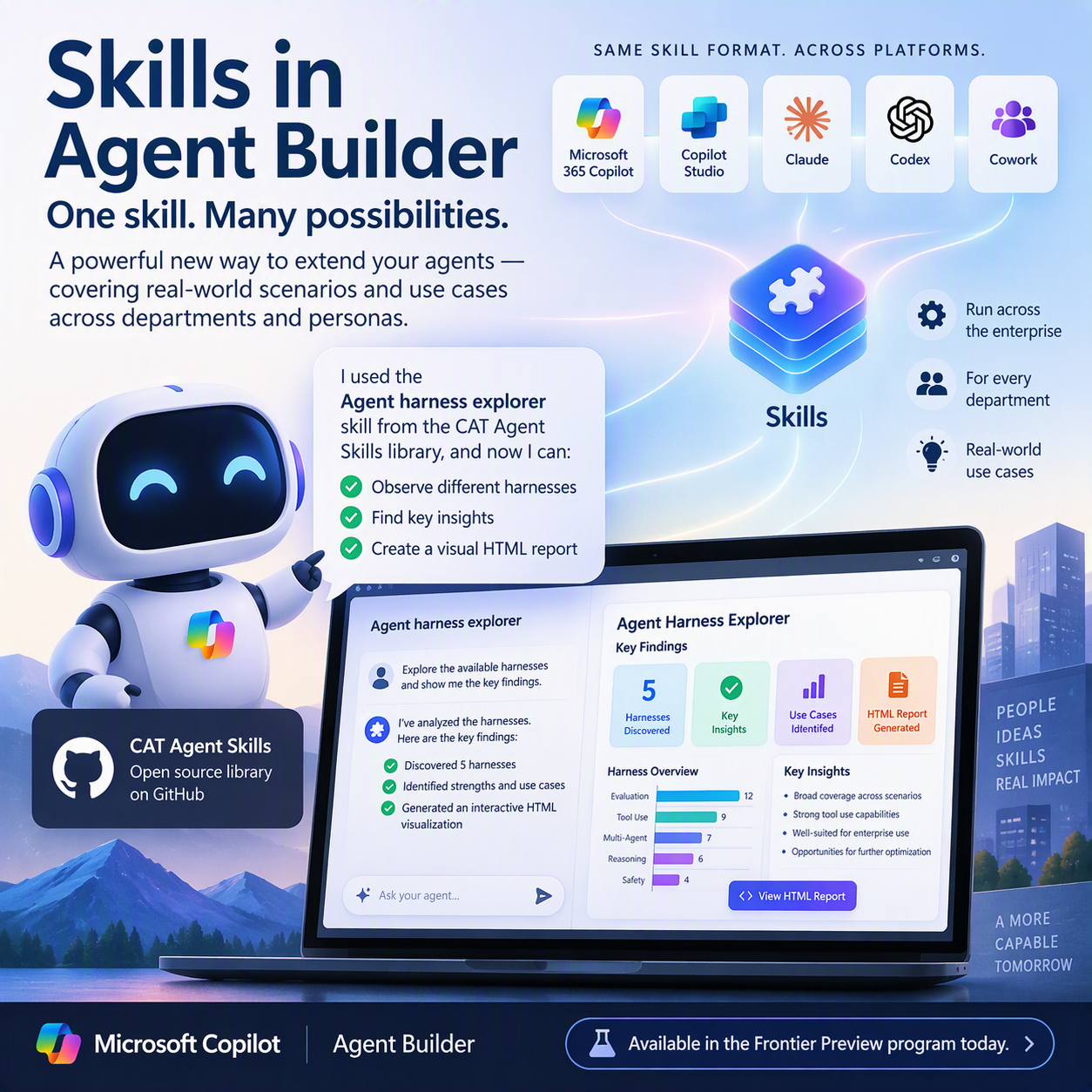
The new “Skills” support in Agent Builder is a powerful new tool, since it can cover various scenarios and use cases across departments and personas.

For example: If you import the “Agent harness explorer” skill from the open source “CAT Agent Skills” library on GitHub, you instantly have an assistant, who can observe the different harnesses and can also create a nice, HTML visual of its key findings.

Also, since skills are using the same format across platforms (Cowork, Copilot Studio, Claude, Codex, etc.), Agent Builder has suddenly become a powerful platform to handle and run skills across the enterprise.

Skills in Agent Builder is available in the Frontier Preview program today.

A new Microsoft compliance webinar is scheduled this November for organizations with Microsoft 365 E5/G5, Purview Suite or licensing for Purview Information Protection P2:

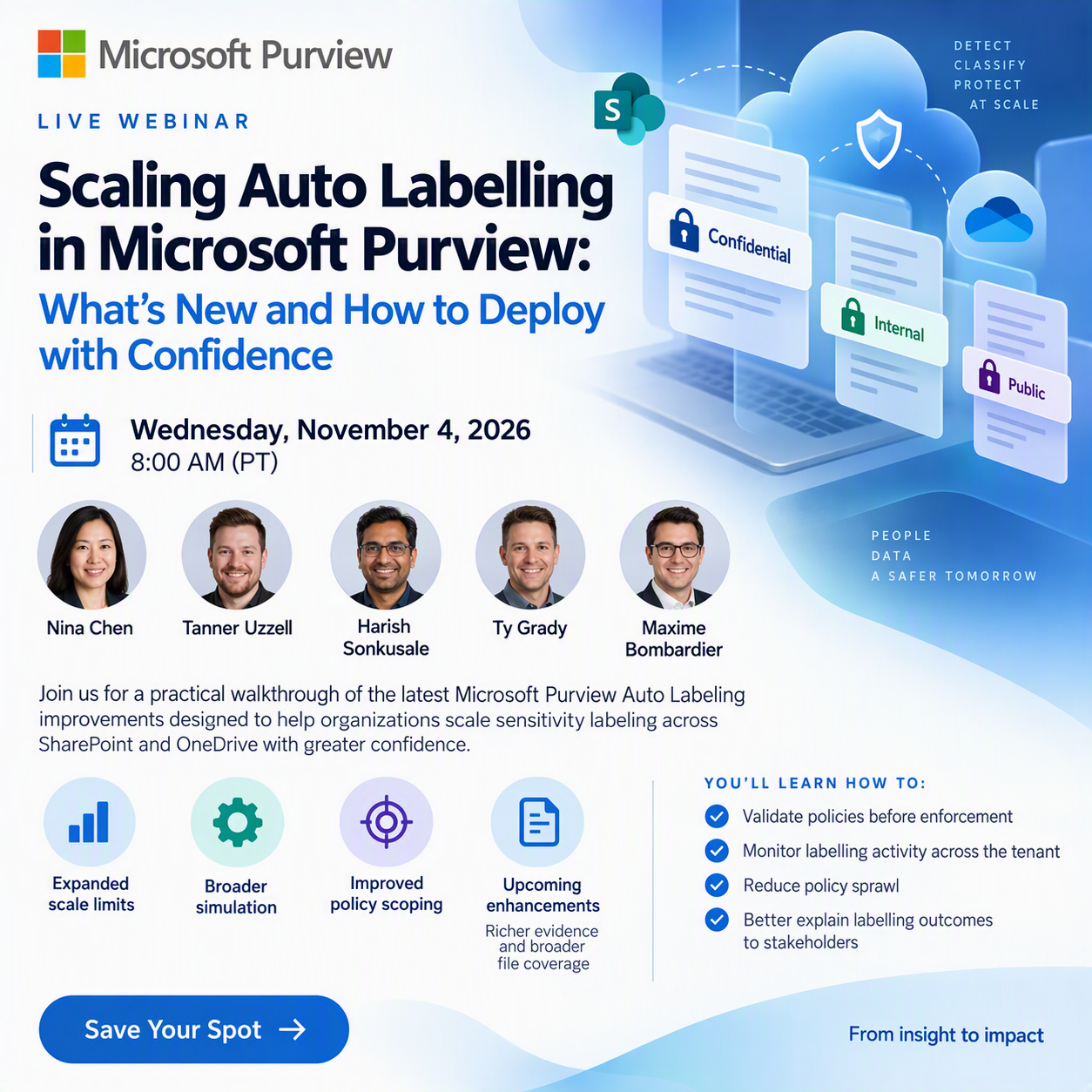
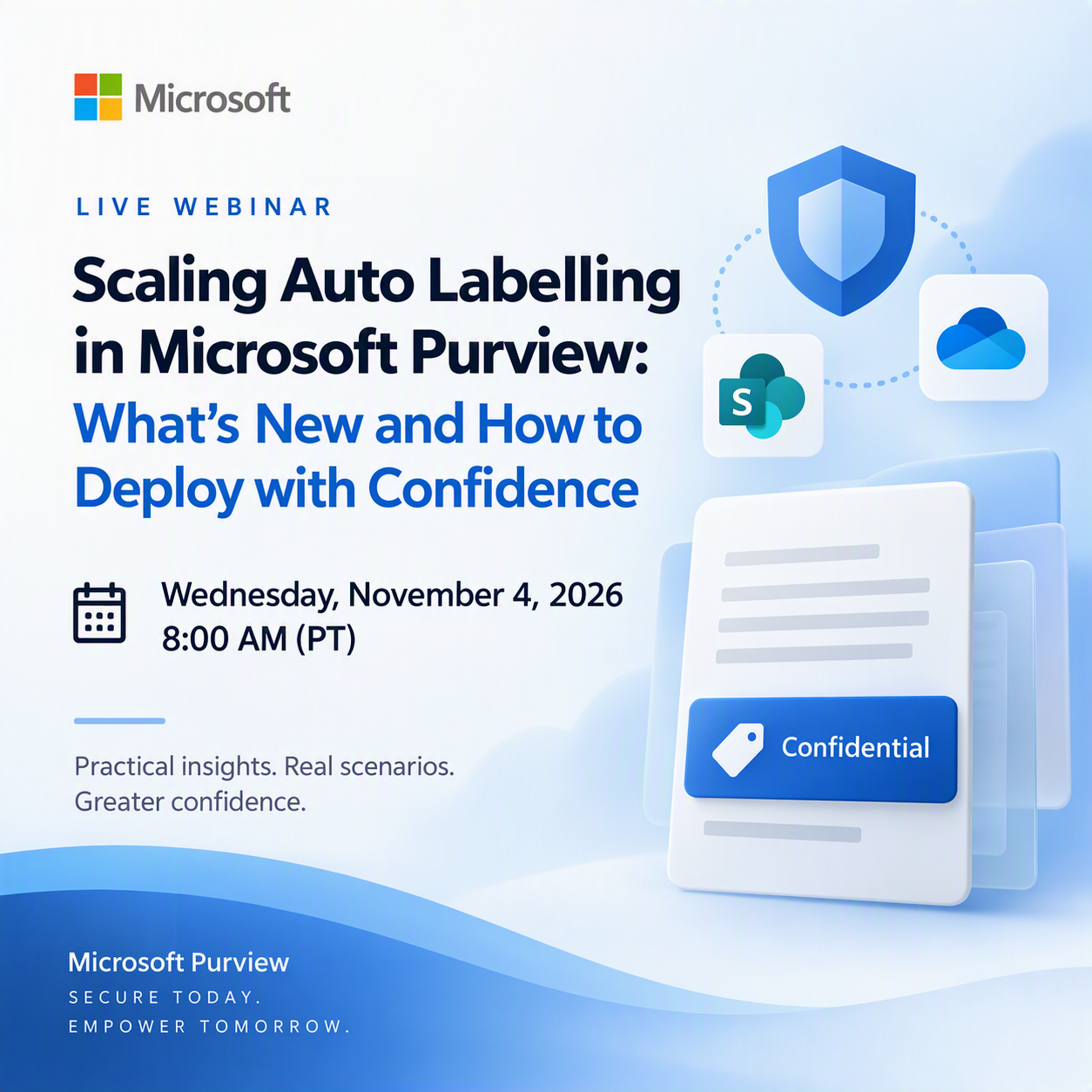
Scaling Auto Labelling in Microsoft Purview: What’s New and How to Deploy with Confidence
Wednesday November 4,
2026 at 8:00 AM
Nina
Chen, Tanner Uzzell, Harish Sonkusale, Ty Grady, Maxime Bombardier
Join us for a practical walkthrough of the latest Microsoft Purview Auto Labeling improvements designed to help organizations scale sensitivity labeling across SharePoint and OneDrive with greater confidence. We’ll cover expanded scale limits, broader simulation, improved policy scoping, and upcoming enhancements for richer evidence and broader file coverage.

You’ll learn how these updates help compliance and security teams validate policies before enforcement, monitor labelling activity across the tenant, reduce policy sprawl, and better explain labelling outcomes to stakeholders. This session is ideal for Purview admins, compliance teams, security architects, and partners helping customers operationalize sensitivity labelling at enterprise scale.

For more details, visit:
https://securitycommunity.microsoft.com/VirtualEvents/webinar-details?id=6b6b18bb-44c7-f111-aaaf-000d3a5b65a0

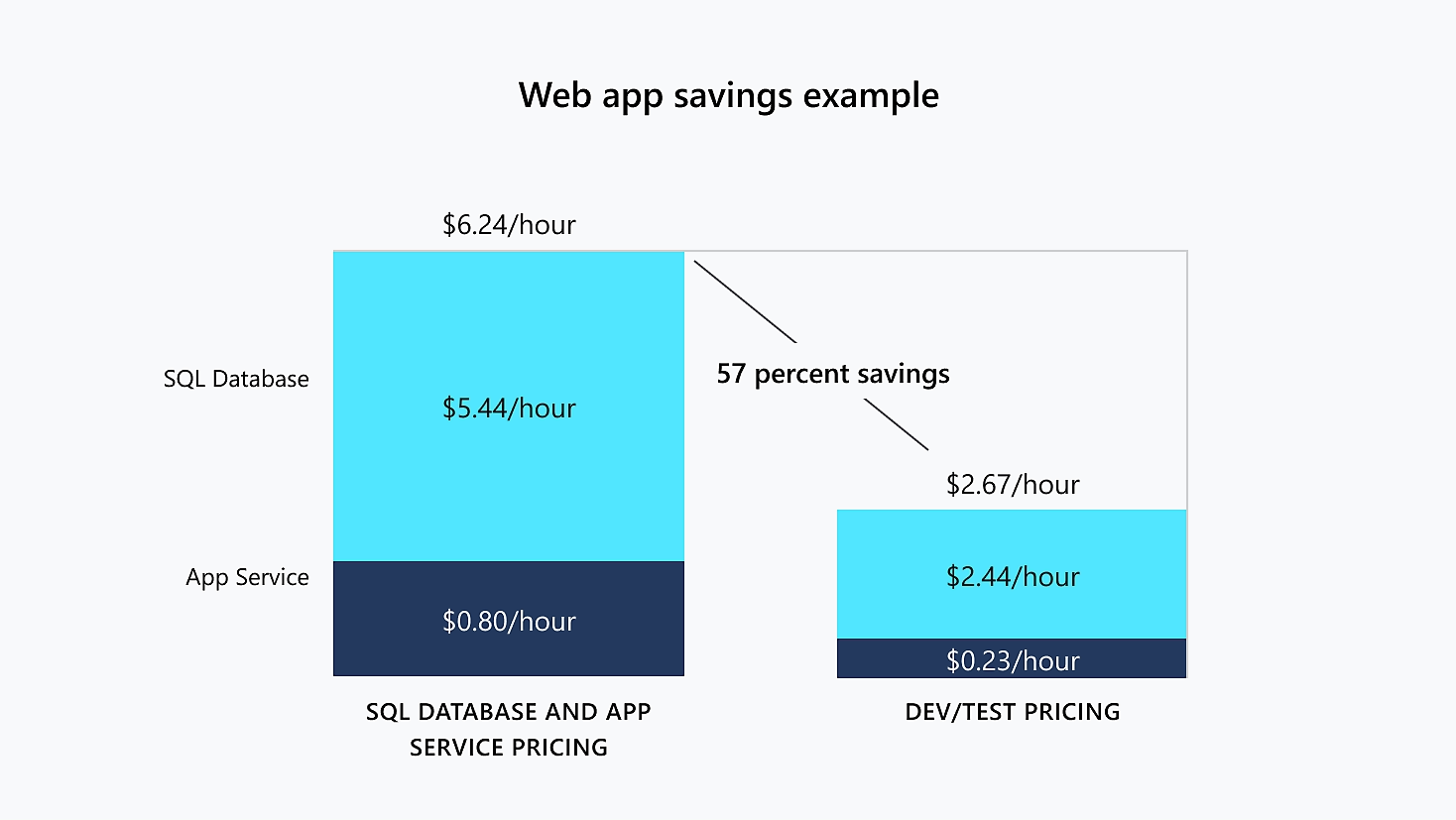
Visual Studio subscribers are entitled to Azure Dev/Test pricing – discounted rates on Azure services in their Azure cloud instance to reduce the costs of operating ongoing dev/test workloads within . For example, typical web app dev/test environments using Azure SQL database services & Azure App Services are discounted up to 57%.

Discounted Azure services for Visual Studio subscribers include:

In addition to discounted Azure use, Visual Studio subscribers using Azure Dev/Test environments are also entitled to:

  • NO MICROSOFT LICENSING: No charge to use Windows Server, SQL Server, and 100s of other software products downloaded through Visual Studio subscriptions for dev/test on Azure Virtual Machines.
  • NO SUBSCRIPTION REQ’D FOR TESTERS: Free access for Testers without Visual Studio subscriptions to Azure dev/test environments for user acceptance testing

GETTING STARTED
For information about configuration & details, depending on how you contract with Microsoft:

Additional notes:

  • Not available through CSPs
    Azure Dev/Test benefits are currently unavailable through the Cloud Solution Provider (CSP) partner-led channel. For those purchasing licenses through a Microsoft partner, Visual Studio subscriptions must be purchased through the alternative options listed below, in order to receive the Azure Dev/Test discounted rates.
  • Not available with monthly (cloud) Visual Studio subscriptions
    Azure Dev/Test pricing is not available with monthly (cloud) subscriptions. To view a comparison of benefits available through standard subscriptions vs cloud subscriptions, go to Visual Studio subscriptions pricing.
  • No Service Level Agreements
    No service-level agreements exist for Azure Dev/Test subscriptions – except for Azure DevOps and Azure Monitor.

Watch this quick summary video of special Azure benefits for Visual Studio subscribers:

Posted by: kurtsh | October 21, 2026

NEWS: Retirement of Microsoft DevBox in Sept 2028

Microsoft Dev Box will retire on September 18, 2028. Beginning on September 14, 2026, Microsoft Dev Box will begin the closing-down process. After retirement, Microsoft Dev Box will no longer be available.

Microsoft Dev Box is currently in maintenance mode, and Microsoft’s investments for developer cloud environments are focused on Windows 365. Existing Microsoft Dev Box usage remains supported during the transition period, and we recommend that you begin planning your migration now to avoid disruption to developer workflows.

What this means for you

  • If you currently use Microsoft Dev Box, you can continue using your existing deployments during the transition period.
  • No new feature development is planned for the service.
  • You should evaluate and begin planning your move to Windows 365, which is the recommended path forward for virtualized developer environments.

Recommended action

  • Review your current Dev Box usage, including dev centers, projects, pools, images, and developer workflows.
  • Identify which scenarios can transition directly to Windows 365 and which require additional planning.
  • Validate identity, device management, networking, image, and licensing requirements for your future-state environment.
  • Begin testing replacement workflows as early as possible to reduce risk before retirement.

If you have questions or need support, please contact your Microsoft representative.

Reference:
https://azure.microsoft.com/en-us/updates?WT.mc_id=AZ-MVP-4039694&id=567933

Every Microsoft Visual Studio subscription comes with a developer Azure subscription & monthly credit allowance. Think of this as a sandbox to learn & work with for independent development & testing workloads.

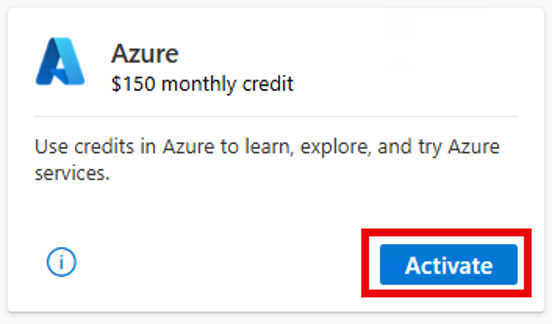
Every subscriber gets their own “personal” Azure subscription with their own monthly credit allocation depending on what edition of Visual Studio they have: “Pro” gets $50/mo & “Enterprise” gets $150/mo.

ACTIVATING AZURE BENEFIT FOR VISUAL STUDIO SUBSCRIBERS

How to activate the Azure benefit:

  1. Sign in at https://my.visualstudio.com.
  2. Go to Benefits.
  3. Find the Azure tile under Tools.
  4. Select Activate.
  5. If an Azure subscription doesn’t already exist, complete the registration and identity verification.
  6. Accept the terms and select Sign up.

(The account used during activation determines the Microsoft Entra tenant associated with the subscription.)

For more details, visit:

WHAT ELSE DOES MY VISUAL STUDIO SUBSCRIPTION PROVIDE?

For more information about your Visual Studio subscription & it’s benefits, including:

  • IDE: Licensed access to download & install the Visual Studio Enterprise IDE
  • SOFTWARE: Download & use Microsoft software for development purposes at no cost
  • AZURE: Azure credits refreshed every month that you can use to explore and try Azure services
  • AZURE DEVOPS: Usage of features in the Azure DevOps service
  • C# DEVKIT: Download the official C# Dev Kit for VS Code
  • DISCOUNTS: Save up to $900 on registration to Visual Studio LIVE! (Next event in Orlando Nov 15-20, 2026)
  • COMMUNITIES: Access the Azure community, Q&A, Tech Community, & Developer Community

Watch the jumpstart video for https://my.visualstudio.com.  Also read the following:

Microsoft is increasing the maximum auto-expanding archive capacity for eligible Exchange Online mailboxes from 1.5 TB to 3 TB. Rollout begins in mid-October 2026 and is expected to complete by late October. The increase applies to mailboxes assigned the following eligible licenses:

  • Office 365 E5, A5, or G5
  • Microsoft 365 E5, A5, or G5
  • Microsoft 365 Purview Suite
  • Microsoft 365 Purview Suite FLW, EDU, or GOV
  • Microsoft Defender + Purview Suite FLW
  • Microsoft 365 F5 Compliance
  • Microsoft 365 F5 Security + Compliance
  • The combination of the eDiscovery & Audit, Insider Risk Management, and Information Protection & Governance mini suites

Qualifying offerings that include Microsoft Purview E5 capabilities, such as E7, also support the increase. For all other licenses, the existing 1.5 TB limit remains unchanged.

For E5 licenses, verify that Records Management is selected and remains enabled in the user’s license settings.

If auto-expanding archiving is already enabled, no additional configuration or per-GB charge applies. Existing archive content, retention policies, and holds are unchanged. Verify license eligibility and monitor archive growth.

As seen in the Microsoft 365 Message Center MC1472592:

MC1472592 – Microsoft Purview: Auto-expanding archive capacity increases to 3 TB for eligible mailboxes

What and why

Microsoft Purview Data Lifecycle Management is increasing the maximum auto-expanding archive capacity for eligible Exchange Online archive mailboxes from 1.5 TB to 3 TB. This enhancement helps organizations retain and manage larger volumes of archived email content without requiring manual archive expansion processes or support requests. Eligible mailboxes with auto-expanding archiving enabled will continue to grow automatically as needed.

Rollout schedule

  • General Availability (Worldwide): Beginning in mid-October 2026 and expected to complete by late October 2026

Impact on your organization

Who is affected

  • Organizations using Exchange Online archive mailboxes with auto-expanding archiving enabled
  • Administrators responsible for Microsoft Purview Data Lifecycle Management and Exchange Online archiving
  • Users assigned eligible licenses that support the increased archive capacity

Platforms and services

  • Microsoft Purview Data Lifecycle Management
  • Exchange Online
  • Exchange Online Archiving

What will happen

  • Eligible archive mailboxes with auto-expanding archiving enabled can automatically expand beyond the current 1.5 TB limit up to a maximum of 3 TB per mailbox.
  • No additional configuration is required for eligible mailboxes that already have auto-expanding archiving enabled.
  • No per-GB consumption charge is introduced as part of this change.
  • Existing archive content, retention configurations, policies, and holds are unchanged.
  • No new administrator workflow, user experience, or user interface is introduced.
  • Mailboxes that do not have an eligible license will continue to be limited to 1.5 TB.

Eligible licensing includes:

  • Office 365 E5, A5, and G5
  • Microsoft 365 E5, A5, and G5
  • Microsoft 365 Purview Suite
  • Microsoft 365 Purview Suite FLW, EDU, and GOV
  • Microsoft Defender + Purview Suite FLW
  • Microsoft 365 F5 Compliance
  • Microsoft 365 F5 Security + Compliance
  • Combination of the eDiscovery & Audit and Insider Risk Management mini suites together with the Information Protection & Governance mini suite

Note:* The maximum auto-expanding archive capacity supported through this feature is 3 TB per mailbox for eligible licenses.

**This feature is available to customers licensed with Microsoft Purview E5 or higher qualifying offerings that include Purview E5 capabilities ex E7.

Action required and recommendations

No action is required if eligible mailboxes already have auto-expanding archiving enabled.

We recommend that administrators:

  • Review license assignments for users with large archive mailboxes to confirm eligibility.
  • Monitor archive mailbox growth using Exchange Online PowerShell.
  • Identify mailboxes approaching their applicable archive capacity limits.
  • Update internal documentation, retention guidance, and help desk materials to reflect the new 3 TB limit.
  • Review licensing and retention strategies for users whose archive mailboxes are not eligible for the expanded capacity.

Learn more

Compliance considerations

No compliance considerations identified. Review as appropriate for your organization.

Join us for a practical walkthrough of the latest Microsoft Purview Auto Labeling improvements designed to help organizations scale sensitivity labeling across SharePoint and OneDrive with greater confidence. We’ll cover expanded scale limits, broader simulation, improved policy scoping, and upcoming enhancements for richer evidence and broader file coverage.

You’ll learn how these updates help compliance and security teams validate policies before enforcement, monitor labelling activity across the tenant, reduce policy sprawl, and better explain labelling outcomes to stakeholders. This session is ideal for Purview admins, compliance teams, security architects, and partners helping customers operationalize sensitivity labelling at enterprise scale.

Starting with the July 14, 2026 Extended Security Update period for SQL Server 2016, migrating a workload to an Azure VM no longer provides free access to Extended Security Updates for SQL Server 2016. See the following documentation:

Retroactive billing for “missed months” of Extended Security Updates
Additionally, customers that enroll in Extended Security Updates after the end of support date for the product, they will be billed a one-time upfront charge for the months they missed after the end of support date, with billing coming in at the end of the month. For example, if a SQL Server 2016 customer enrolls in January 2027, they will receive a one-time back-bill for July, August, September, October, November, and December 2026 during their first month. See the following documentation:

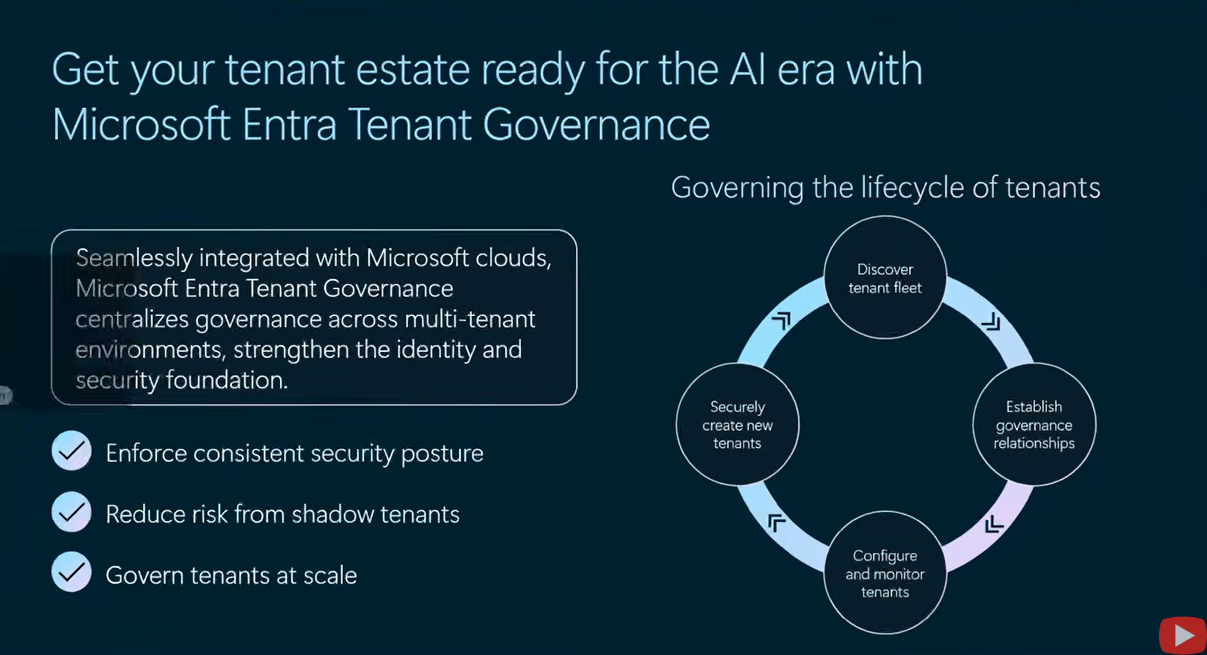
Go deeper into how Microsoft Entra Tenant Governance supports the day-to-day governance of multi-tenant environments. This practitioner-focused session examines how teams can discover related tenants, establish least-privileged governance relationships, define configuration baselines, monitor configuration drift, and govern new tenants from day one. The technical walkthrough and Q&A will explore practical scenarios and how these capabilities can be applied across real-world tenant estates.

Other references for more information:

  • DOCUMENTATION: Microsoft Entra tenant governance documentation – Microsoft Entra ID Governance | Microsoft Learn (Deployment Guide, Licensing, FAQ, etc.)
  • VIDEOS:
    • Overview: Microsoft Entra Tenant Governance | Find Configuration Drift (10min)
      Ensure your tenant configuration doesn’t drift from defined security and compliance requirements with Microsoft Entra Tenant Governance. Capture configuration as code across 200+ resource types in Entra, Intune, Exchange, Teams, Defender, and Purview. Turn that snapshot into a Monitor. It scans for drift every six hours and flags every policy change.
    • Deep Dive: The New Control Plane for Microsoft Entra Tenant Governance (50min)
      Microsoft had 7 million internal tenants and almost lost control of their environment and your org might be facing the same problem at a smaller scale. In this episode, we sit down with Jeff Staiman, PM Area Lead for Tenant Governance at Microsoft, to break down the feature born from the Midnight Blizzard attack. We cover discovery, drift detection, governance relationships, secure tenant creation, licensing, and exactly where admins should start.
    • AMA (Ask Microsoft Anything): Live AMA: Secure multi-tenant environments with Microsoft Entra Tenant Governance (Recorded Sept 15, 2026))
      Learn more about Microsoft Entra Tenant Governance – a built-in solution that helps bring an organization’s tenants under control, reduce shadow-tenant risk, and manage tenant configuration at scale. By enabling centralized policies and cross-tenant delegated administration, it helps strengthen identity foundations for AI-powered operations. Bring your questions and hear directly from product experts about why securing tenants matters.

Posted by: kurtsh | September 17, 2026

INFO: Quick Ways to Reduce Your Azure Costs

If you’re looking to tune the costs of your Azure bill, these are a number of techniques to minimize the monthly usage costs your organization pays. Review the following video:

00:54 – Savings with Azure Hybrid Benefit
02:18 – Constrained vCPU options
03:30 – Commitment-based savings plans
05:03 – Savings plans and reserved instances
06:12 – Microsoft Cost Management
06:44 – Budget limits and automation runbooks
08:57 – Azure VM Scale Sets
11:24 – Storage cost management

References:

Older Posts »

Categories