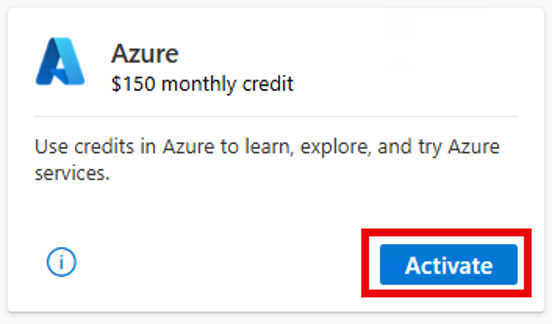
Every Microsoft Visual Studio subscription comes with a developer Azure subscription & monthly credit allowance. Think of this as a sandbox to learn & work with for independent development & testing workloads.
Every subscriber gets their own “personal” Azure subscription with their own monthly credit allocation depending on what edition of Visual Studio they have: “Pro” gets $50/mo & “Enterprise” gets $150/mo.
ACTIVATING AZURE BENEFIT FOR VISUAL STUDIO SUBSCRIBERS
How to activate the Azure benefit:
- Sign in at https://my.visualstudio.com.
- Go to Benefits.
- Find the Azure tile under Tools.
- Select Activate.
- If an Azure subscription doesn’t already exist, complete the registration and identity verification.
- Accept the terms and select Sign up.
(The account used during activation determines the Microsoft Entra tenant associated with the subscription.)
For more details, visit:
WHAT ELSE DOES MY VISUAL STUDIO SUBSCRIPTION PROVIDE?
For more information about your Visual Studio subscription & it’s benefits, including:
- IDE: Licensed access to download & install the Visual Studio Enterprise IDE
- SOFTWARE: Download & use Microsoft software for development purposes at no cost
- AZURE: Azure credits refreshed every month that you can use to explore and try Azure services
- AZURE DEVOPS: Usage of features in the Azure DevOps service
- C# DEVKIT: Download the official C# Dev Kit for VS Code
- DISCOUNTS: Save up to $900 on registration to Visual Studio LIVE! (Next event in Orlando Nov 15-20, 2026)
- COMMUNITIES: Access the Azure community, Q&A, Tech Community, & Developer Community
Watch the jumpstart video for https://my.visualstudio.com. Also read the following:
- Get Started with Your New Subscription – Visual Studio Subscription
- Support & Visual Studio FAQ – Azure Monthly Credit, Visual Studio Subscription Benefits, Using the VS Portal, Opening a Support Case
- Software download availability list – What software is available to download for development use at https://my.visualstudio.com/Downloads
 kurtsh


You must be logged in to post a comment.