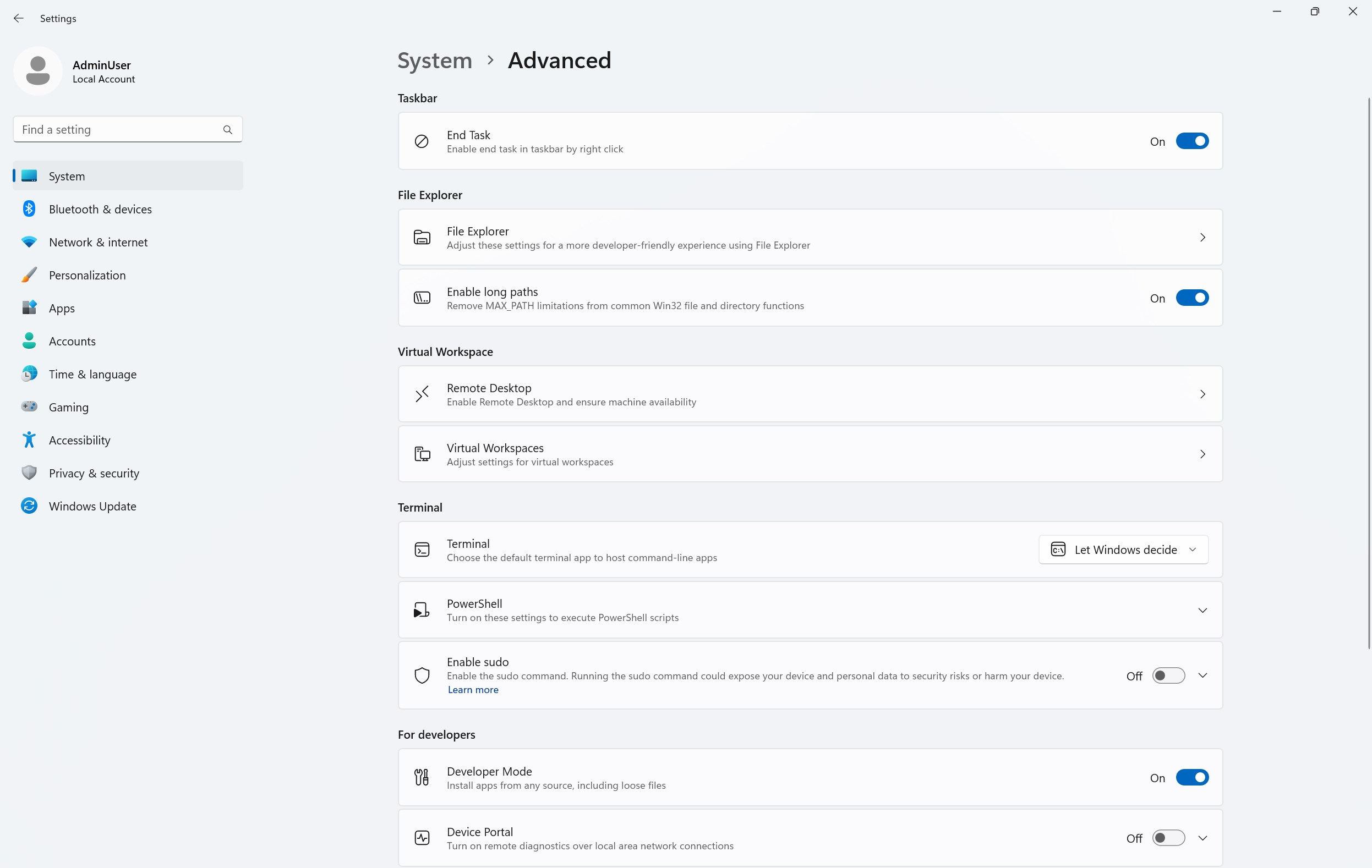
Okay, so you’ve heard of PowerToys. But did you know that there’s a configuration component of Windows 11’s settings called Advanced Windows Settings that, like PowerToys, is independently developed & updated via the Microsoft Store (or GitHub)?
Advanced Windows Settings requires Windows 11 21H2 (build 22000) or later & provides additional functionality to the Advanced page inside Windows settings. The Advanced settings page in Windows (formerly known as For Developers) brings together settings that help developers and power users be more productive. Open it directly via System > Advanced in Windows Settings.
(It includes one of my favorite hidden features of Windows, “End Task”. which enables “end task” menu item from the taskbar by rick clicking on it.)
- DOWNLOAD: Install the Advanced Windows Settings directly from the Microsoft Store:
https://aka.ms/WindowsAdvancedSettings - DOCUMENTATION: Review the documentation for Windows Advanced Settings here:
https://aka.ms/WindowsAdvancedSettingsDocs - CONTRIBUTE: This is an open source project and we welcome community participation. To participate, please visit https://github.com/microsoft/windowsAdvancedSettings
 kurtsh


You must be logged in to post a comment.