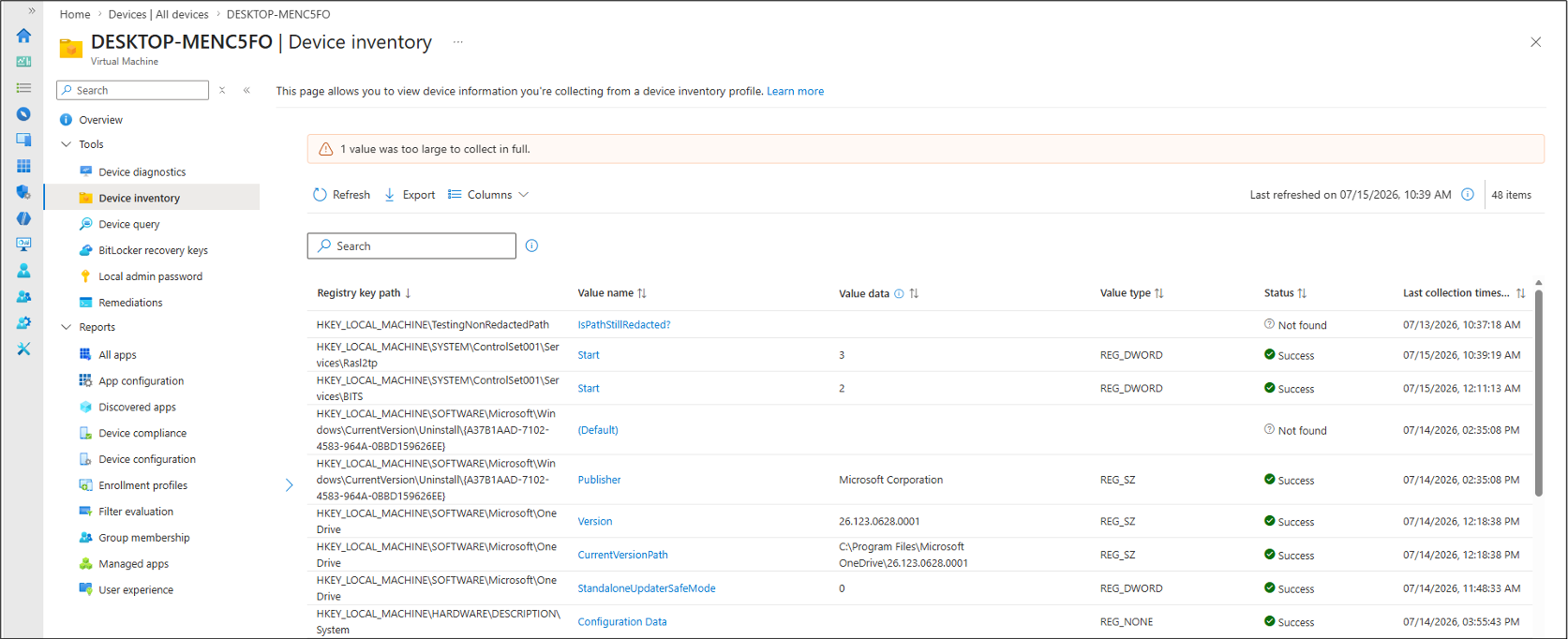
Today, we announced the native support for Registry Inventory with the recent July 2026 update to Microsoft Intune (Service Release 2607), available to all Intune Plan 1 subscribers.
Using Registry Inventory, Intune users & help desk administrators can now troubleshoot Windows computers, verify their compliance with configurations & investigate security issues by reviewing how the endpoints are configured in the registry directly through the Intune database. Registry data is available from the Device inventory page alongside other inventory information. (See image to the right)
- DEVICE REGISTRY ONLY: Registry data collected is deliberately locked to HKEY_LOCAL_MACHINE (HKLM) paths, focusing on DEVICE configuration & not USER configuration to avoid confusion with user-specific keys.
- KEY COLLECTION LIMITS: Each collected registry value is capped at 6 KB, and each device can collect up to 100 registry keys. If a value or device exceeds these limits, collection skips the excess data and reports the applicable result for that device.
- BLOCKING SENSITIVE DATA: Built-in heuristic detection helps identify and prevent ingestion of values that may contain secrets, credentials, authentication tokens, certificates, private keys, connection strings, or other data that could grant access if exposed. If a value is flagged as potentially sensitive, it isn’t collected.
More importantly, it allows Intune administrators to report on registry configuration discrepancies & quickly identify systems with potential issues.
With Microsoft Intune’s July (2607) release, device inventory will include Windows registry data, helping IT admins verify a device’s actual configuration, not just the policy assigned. With a new Device inventory property for registry keys, you define the keys you care about in the properties catalog, and Intune collects them for you. There’s no collection logic to build or keep running.
This makes registry-based configuration checks easier to operationalize across managed Windows devices, so teams can spend less time maintaining scripts and more time acting on the data.
For more information, visit:
- ANNOUNCEMENT: Registry Inventory in Microsoft Intune: Verifying What’s on Your Devices | Microsoft Community Hub
- INTUNE CHANGE LOG: Collect Windows registry data with the properties catalog
- DEVICE INVENTORY DOCS: Collect Device Properties With Intune Properties Catalog – Microsoft Intune
 kurtsh


You must be logged in to post a comment.