The Message Center in Microsoft 365’s Admin Center is EXTREMELY IMPORTANT to pay attention to because Administrator’s receive notifications that are specific to their tenant in this area. This includes:
- System Changes
- New feature/service releases
- Warnings/Issues
I highly recommend that all Microsoft 365 Administrators actively monitor the Message Center. An M365 Admin can monitor the Message Center in 3 ways:
- Regularly check the https://admin.microsoft.com Message Center
(for individuals using the Admin Center frequently this shouldn’t be hard.) - Sync Message Center notices to Microsoft Planner using the “Planner Sync” feature – available from the Message Center
- Have Message Center send an email to the Administrator, for each notice posted using “PREFERENCES à EMAIL”.
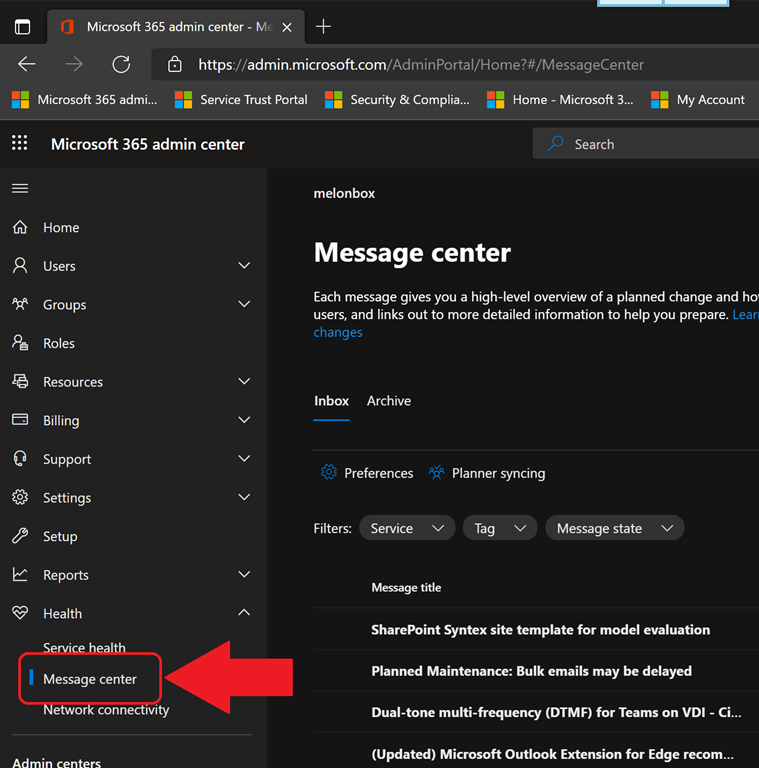 GETTTING EMAILS SENT FOR MESSAGE CENTER NOTIFICATION/POSTS
This last option is the most common I see. Here are the steps to get there:
- Go to the Microsoft 365 Admin Portal.
- Click “Health” in the left side menu
(You may need to click, “… Show all” before you’re able to see Health appear)
- Click “Message Center”
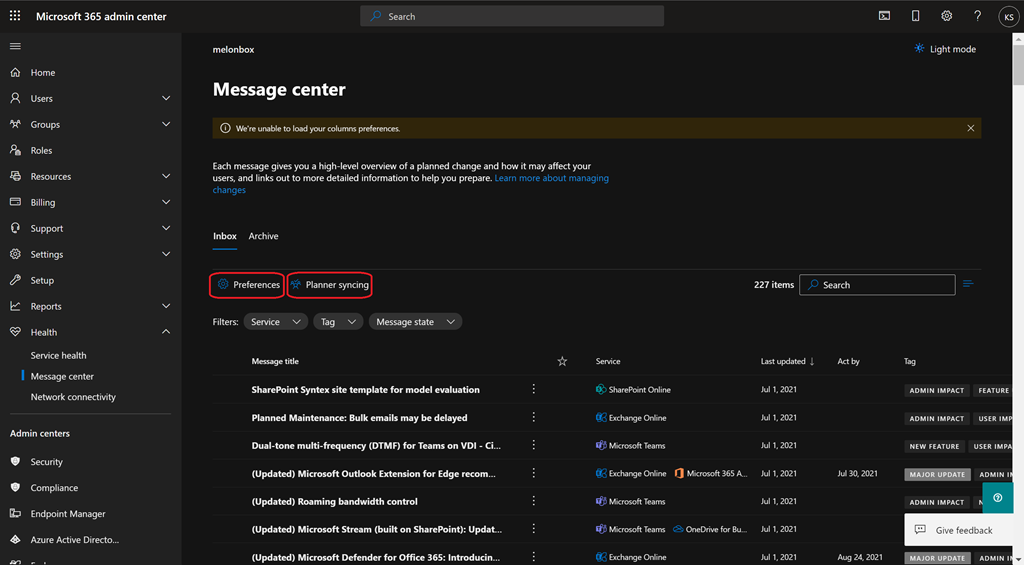
The Message Center console will appear.  Click “Preferences”
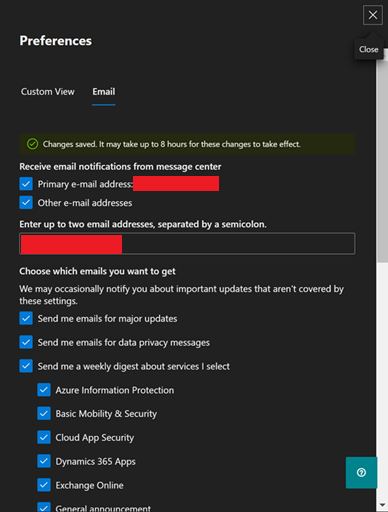
A slideout window for Preference settings will appear.- Click “Email”
- Check “Other email addresses” & enter the desired email.
-
Select the products that you want email notifications from.
-
Click “Save” at the bottom
 kurtsh
 Kurt Shintaku's Blog
You must be logged in to post a comment.