Delve Analytics is wicked cool. It provides end users with the ability to understand how you spend your time & maximize your productivity.
If you have Office 365, “Delve Analytics” can tell you:
- Who you correspond with the most
- How much time you spend on work relative to the rest of your activities
- Who is reading your emails
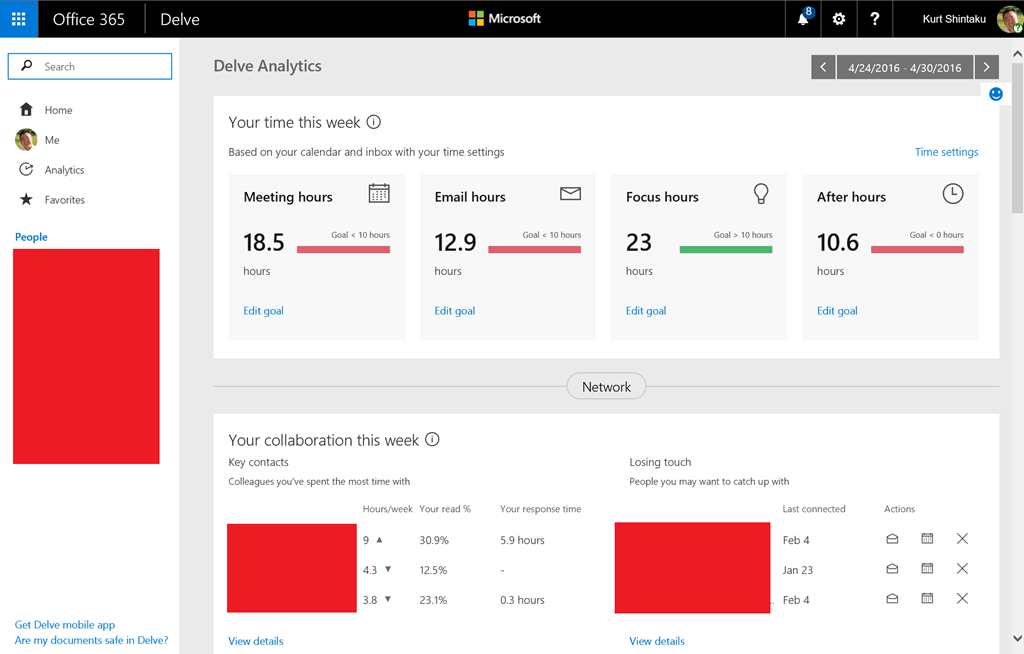
Most analytics are available from an Office 365 web page for your organization, likely ending with something like “/_layouts/15/me.aspx?v=analytics”. See the snapshot above to see a part of my personal analytics page.
Here’s a video that shows how it can help people monitor their usage of time to be more productive:
DELVE ANALYTICS OUTLOOK ADD-IN 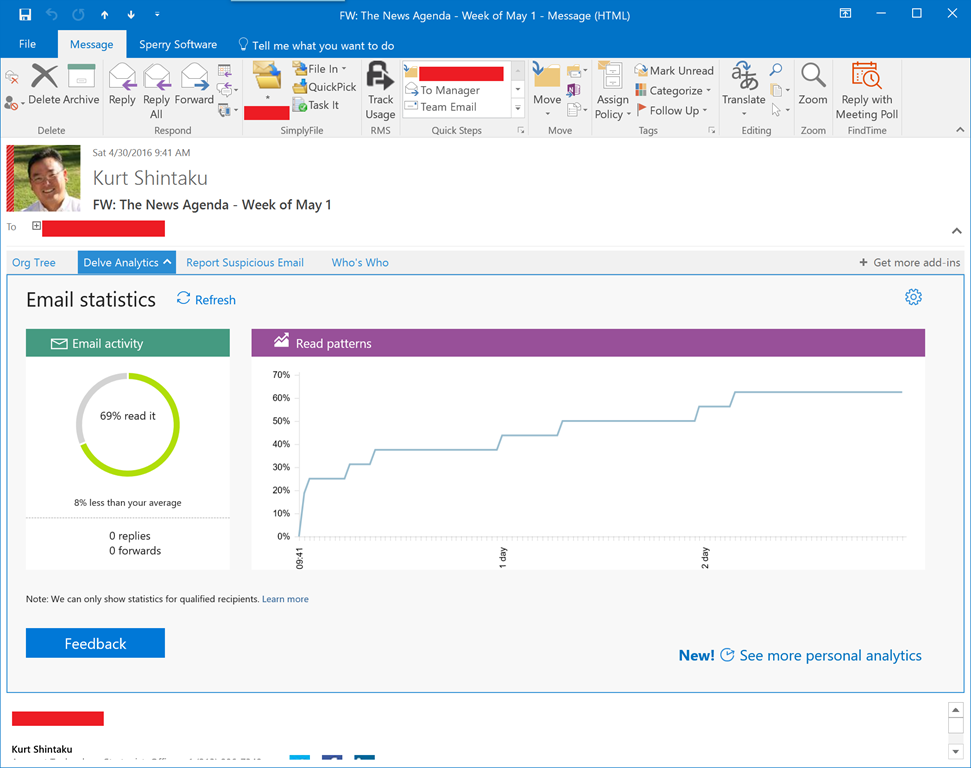 Additionally, here’s an example of the statistics that you can see about email that you’ve sent. As you can see, reporting analytics is available directly within the sent email itself inside of Outlook.
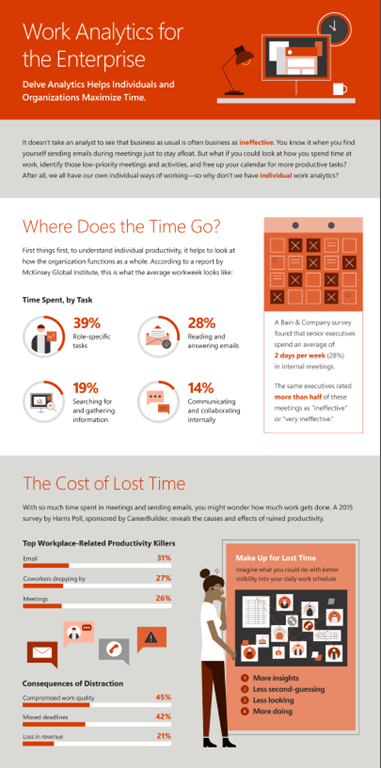
More descriptions of what Delve Analytics can empower the end user with are available in this Delve Analytics Infographic:
- DATASHEET: Work Analytics for the Enterprise
https://resources.office.com/rs/112-YPQ-597/images/Delve-Analytics-Infographic.pdf
 For folks that are Office 365 Admins, here’s documentation on how to manage this feature for your users:
- SUPPORT: Delve Analytics for Office 365 Admins
https://support.office.com/en-us/article/Delve-Analytics-for-Office-365-admins-77590915-6eb0-47a6-a72f-8116cfcfc2c7?ui=en-US&rs=en-US&ad=US
For a nice write up about Delve’s capabilities, check out this article from Windows IT Pro:
- ARTICLE: Windows IT Pro: Delve Analytics
http://windowsitpro.com/office-365/delve-analytics
 kurtsh
 Kurt Shintaku's Blog