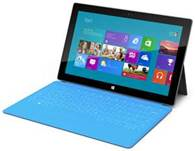
For anyone that’s looking for a quick primer on Surface basics from this blog:
- Windows 8/RT or Surface has a lot of keyboard shortcuts that can be very convenient to remember. Here’s a one-pager with all the shortcuts listed on it.
https://kurtsh.com/2012/10/28/download-windows-8-keyboard-shortcut-quick-reference-sheet/ - If you’re interested in using the Citrix Receiver Preview for Windows 8/RT/Surface, you should read the following post as there are backend requirements to using it. https://kurtsh.com/2012/11/01/info-using-the-citrix-receiver-preview-for-windows-rt8/
- I get this question a lot: "Can I VPN to our Cisco x000 VPN with a Surface?" In the event you do too, here’s a little bit of information.
https://kurtsh.com/2012/10/30/info-cisco-compatible-vpn-solutions-for-windows-rt-surface/ - If you want to bridge the microSD flash card to the Surface internal storage using the MKLINK command, here’s some instructions on how to do it:
https://kurtsh.com/2012/10/29/howto-extend-internal-surface-rt-storage-to-the-microsd-card/ - Here’s how you take screenshots of your Surface screen for your own use/archival:
https://kurtsh.com/2012/10/29/howto-take-screenshots-with-your-microsoft-surface/ - If you want a quick reference card of all the "gestures" that you can do on Windows 8 (and Surface) here’s a document that you can download to read about them.
https://kurtsh.com/2012/10/28/download-windows-8-quick-reference-card/ - And finally… if you want to read about nifty new stuff on the Surface, there’s a blog called Shiny Surface that you’ll want to check out:
http://www.shinysurface.com
 kurtsh
 Kurt Shintaku's Blog