The new =COPILOT() function in #Microsoft #Excel enables users to easily leverage AI directly within their spreadsheets to quickly populate cells with data or analyze columns with #AI.

For a 5min tutorial, visit: youtu.be/hjQitMNzSr0 or read the full blog post here:

Accessing =COPILOT() function for Excel
To access the new =COPILOT() function, you must have a #Microsoft365 #Copilot license (Business/Enterprise) & be a Microsoft 365 Insider Beta Channel participant for access which will be made available over the next month or so. Individuals without a Microsoft 365 Copilot license will see the following:

For those with Microsoft 365 Copilot licenses, visit https://aka.ms/MSFT365InsiderProgram for more information about participating in the Beta channel.

Details: (Gleaned from the above articles)

  • COPILOT function for Excel uses gpt-4.1-mini (2025-04-14)
  • Execution is model-grounded & does not currently leverage web-grounding or work-grounding
  • You can calculate up to 100 COPILOT functions every 10 minutes – up to 300 calls per hour
  • COPILOT function cannot calculate in workbooks labelled Confidential or Highly Confidential
  • The COPILOT function cannot calculate in workbooks labelled Confidential or Highly Confidential
  • Formula results may change over time, even with the same arguments. If you don’t want results to recalculate, consider converting them into values with Copy, Paste Values (select values, Ctrl + C, Ctrl + Shift + V).
  • Your prompts and data supplied as context will not be used to train AI models.

Data from documents processed within Copilot Chat by users that do not have a Microsoft 365 Copilot license are not collected or used for training Microsoft’s artificial intelligence models.  This is covered by our documentation on Copilot Chat & the commitments & controls of Enterprise Data Protection:

File uploads in Microsoft 365 Copilot & Copilot Chat are simply copies made to OneDrive for Business to a special folder called “Microsoft Copilot Chat Files”.

Consequently, as OneDrive for Business stored data, not only do uploaded documents never leave the fully-encrypted boundaries of the organization’s Microsoft 365 cloud instance, these files are not used to train AI models & are also covered by the same privacy & data protections afforded to Copilot Chat conversations through Enterprise Data Protection.

Posted by: kurtsh | July 29, 2025

DOWNLOAD: Power CAT Copilot Studio Kit

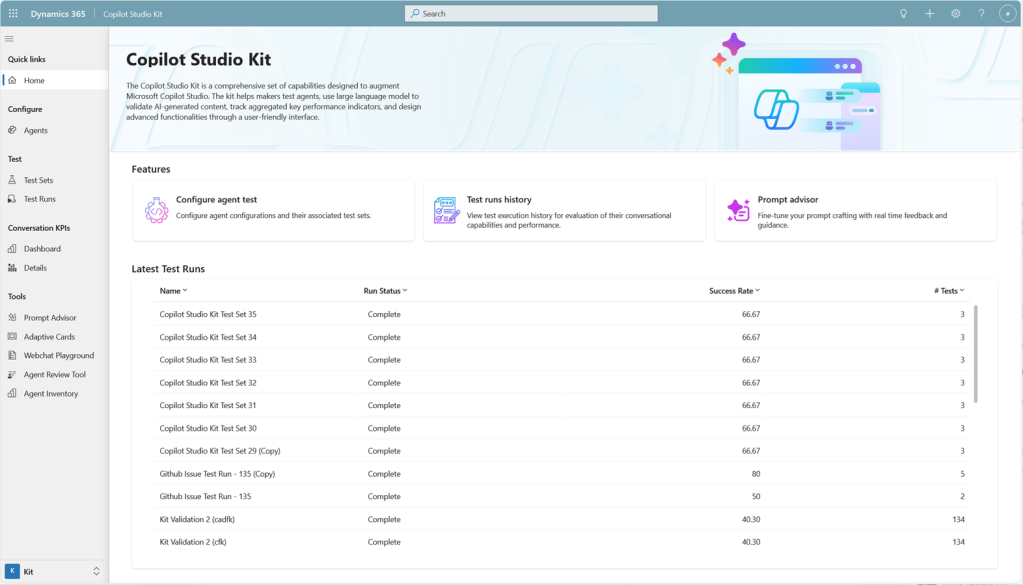
The Power CAT Copilot Studio Kit is a comprehensive set of capabilities designed to augment Microsoft Copilot Studio. The kit helps makers develop and test custom agents, use large language model to validate AI-generated content, optimize prompts, and track aggregated key performance indicators of their custom agents.

The Power CAT Copilot Studio Kit includes the following features:

  • Testing capabilities
  • Conversation KPIs
  • SharePoint synchronization
  • Prompt Advisor
  • Webchat Playground
  • Adaptive Cards Gallery
  • Agent Inventory (New!)
  • Agent Review Tool (New!)
  • Conversation Analyzer (New!) (Preview)
  • Agent Value Summary dashboard (New!) (Preview)
  • Automated testing using Power Platform Pipelines (New!) (Advanced)

Download the Power CAT Copilot Studio Kit here:

There are many resources available to learn about Azure Arc, Microsoft’s service to enable on-premises customers to take advantage of Microsoft’s Azure-based infrastructure management/monitoring services for servers they still keep in their own datacenter.

A secret source of information for me however is the Microsoft’s Global Black Belt “core” blog, a blog that hosts content from Microsoft’s most senior field-facing technology experts about Core Infrastructure topics. Evangelists for their lane of technology, the “GBBs” are famous for sharing insider implementation tips & wisdom you really can’t find anywhere else, in particular about:

  • Azure Virtual Desktop
  • Azure Local
  • Azure VMWare Solution
  • Azure Files & File Sync

Azure Arc from the Global Black Belts
Azure Arc is no different. Global Black Belts Kevin Sullivan & formerly John Kelbley are the GBBs that have written many posts & videos about Azure Arc. And what’s even better is they’re knowledgeable about & write about Azure Government use cases! (<jaw drop> I know, right? 😁)

Here are the Azure Arc articles they’ve posted:

For a list of GBB posts & videos that reference Arc, go to:

I got a question from a customer asking about whether Microsoft’s “Connected Experiences” are used in some way to “train AI models”. Ultimately, individuals that want an official answer from someone authoritative on issues like these that they can’t find in our online documentation, need to open an advisory ticket with Unified Services. (For customers with Unified Enterprise contracts, this is done via 800 936 3100, https://serviceshub.microsoft.com) Configuration impact & design definition is the domain of support engineering. (Note: If you open a ticket, be specific about whether you’re talking about Connected Experiences with Microsoft 365 Apps, Windows or Edge.)

My Thoughts on Connected Experiences and AI
That said, it’s my opinion that this is just an overarching question of ‘privacy’ & ‘compliance’ & Microsoft’s policies around how customer data is handled.  “Machine learning” and model training is a form of data retention/usage & is a cloud service governed by the same privacy rules & restrictions as other services per Microsoft’s commercial agreements. “Machine learning” and AI are not special & do not preclude or make any exception for the requirement to adhere to “Microsoft’s Product Terms” – unless the documentation explicitly states otherwise.

And in some cases, it does “explicitly state otherwise” under a few, select “connected experiences” listed under Connected experiences that analyze your content for the listed services with a superscript [1]. This includes “3D Maps[1]”, “Map Chart[1]”, “Print[1]”, “Research[1]”, “Send to Kindle[1]”, etc. For example, just like all those Google searches people do, when you use “3D Maps”, the “connected experience” is one in which the app function connects to Bing for maps – which does leverage user search requests for improving its map search model.  Now, it does actually normalize the search into fundamental elements and keywords to provide a more generalized, non-specific search request, but yes, there is training of the Bing search model based on the request.  This is discussed in experiences that rely on Bing.

Optional Connected Experiences”
Additionally, our documentation on Optional Connected Experiences explicitly state that the privacy of their use is not governed by Microsoft 365’s Product Terms that commercial users are used to but instead is governed by Microsoft’s Services Agreement which are the terms traditionally used for consumers. Those concerned about this difference may want to review each of these experiences to see whether or not these terms of how data is handled impact your organization. 

Honestly, most of the features placed under Microsoft’s Services Agreement are quite self-explanatory as to why. For example, “Insert Online Video” requires going beyond the Microsoft’s terms, adhering to 3rd party video services “privacy” & “terms of service” policies, such as that of Google & YouTube.

Per the Optional Connected Experiences for Microsoft 365 Apps documentation:

“These are optional connected experiences that aren’t covered by your organization’s commercial agreement with Microsoft but are governed by separate terms and conditions. Optional connected experiences offered by Microsoft directly to your users are governed by the Microsoft Services Agreement instead of the Microsoft Product Terms.”

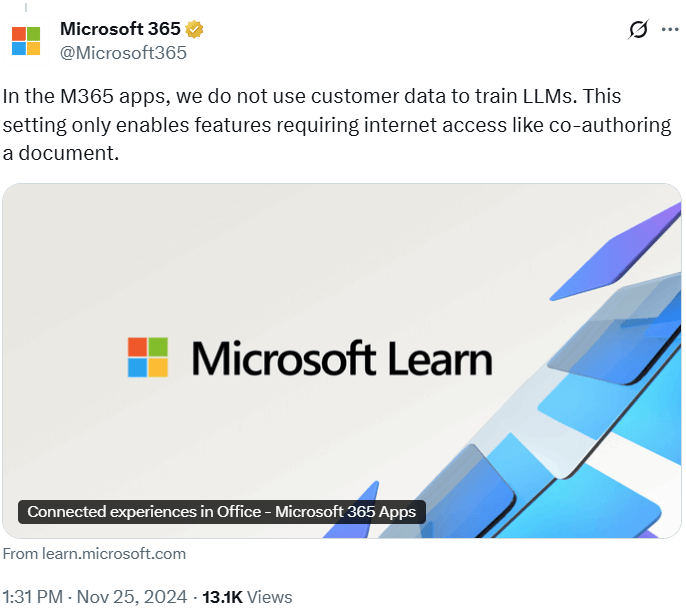
Again, if you would like an official statement, you should open a ticket as I described in the intro to this post. Additionally, there’s this post from the Microsoft account on Twitter:

In the M365 apps, we do not use customer data to train LLMs. This setting only enables features requiring internet access like co-authoring a document.
https://learn.microsoft.com/en-us/microsoft-365-apps/privacy/connected-experiences

Organizations that trust Microsoft 365 Copilot & Azure OpenAI Service can depend on Microsoft to not train any AI models with their data. The following are excerpts from Microsoft’s Data Privacy & Security documentation from both products with written statements addressing this concern.

(Note: The following statements exclusively address “Microsoft 365 Copilot” & “Azure OpenAI Service” & only apply to services obtained from Microsoft. They do not have any bearing on services obtained directly from OpenAI Incorporated.)

AI Security for Microsoft 365 Copilot
https://learn.microsoft.com/en-us/copilot/microsoft-365/microsoft-365-copilot-ai-security

Data, Privacy, and Security for Microsoft 365 Copilot
https://learn.microsoft.com/en-us/copilot/microsoft-365/microsoft-365-copilot-privacy

Data, privacy, and security for Azure OpenAI Service

  • Important:
    “Your prompts (inputs) and completions (outputs), your embeddings, and your training data:
    • are NOT available to other customers.
    • are NOT available to OpenAI.
    • are NOT used to improve OpenAI models.
    • are NOT used to train, retrain, or improve Azure OpenAI Service foundation models.
    • are NOT used to improve any Microsoft or third party products or services without your permission or instruction.
    • Your fine-tuned Azure OpenAI models are available exclusively for your use.
  • The Azure OpenAI Service is operated by Microsoft as an Azure service; Microsoft hosts the OpenAI models in Microsoft’s Azure environment and the Service does NOT interact with any services operated by OpenAI (e.g. ChatGPT, or the OpenAI API).”
    https://learn.microsoft.com/en-us/azure/ai-foundry/responsible-ai/openai/data-privacy

Additionally, Microsoft has always had a documented commitment that not only secures our customer’s private data for their use alone but also ensures that their data is never “used” by Microsoft or any 3rd party in any way. Microsoft does not use your tenant’s data or prompts to train public AI models, and your data is never exposed publicly. These protections are backed by Microsoft’s contractual Data Protection Addendum (DPA) and audited compliance programs.

  • Verification: Independent audit reports and certifications (SOC, ISO) are available in the https://aka.ms/SCPortal.
  • Tenant Isolation: Copilot for Microsoft 365 runs in a private, tenant-scoped environment and respects existing permissions.
  • No Public Model Training: Customer data is used only to deliver services, not for advertising or public AI training.
  • Compliance & Governance: Microsoft Purview DLP and related tools help prevent unauthorized sharing.

While Microsoft’s AI technology in Microsoft 365 Copilot & Azure OpenAI Service is based on the Large Language Models from OpenAI, both solutions have unique & explicit sets of guardrails that are used when generating content for users. Some of this is done through typical “system prompting” that pre-prompt inputs from users that ensure the safety of the content generated, however Microsoft’s approach is much more comprehensive to provide industry-leading content safety.

The following is an important excerpt taken from the Microsoft 365 Copilot documentation:

How does Copilot block harmful content?

Azure OpenAI Service includes a content filtering system that works alongside core models. The content filtering models for the Hate & Fairness, Sexual, Violence, and Self-harm categories have been specifically trained and tested in various languages. This system works by running both the input prompt and the response through classification models that are designed to identify and block the output of harmful content.

Hate and fairness-related harms refer to any content that uses pejorative or discriminatory language based on attributes like race, ethnicity, nationality, gender identity and expression, sexual orientation, religion, immigration status, ability status, personal appearance, and body size. Fairness is concerned with making sure that AI systems treat all groups of people equitably without contributing to existing societal inequities. Sexual content involves discussions about human reproductive organs, romantic relationships, acts portrayed in erotic or affectionate terms, pregnancy, physical sexual acts, including those portrayed as an assault or a forced act of sexual violence, prostitution, pornography, and abuse. Violence describes language related to physical actions that are intended to harm or kill, including actions, weapons, and related entities. Self-harm language refers to deliberate actions that are intended to injure or kill oneself.

Learn more about Azure OpenAI content filtering.

Read the original here along with Microsoft’s statements about other benefits of these controls within Microsoft 365 Copilot & Azure OpenAI Service, such as “Microsoft’s Copilot Copyright Commitment for customers“, “protected material detection”, “blocking prompt injections (jailbreak attacks)”, “a commitment to responsible AI”.

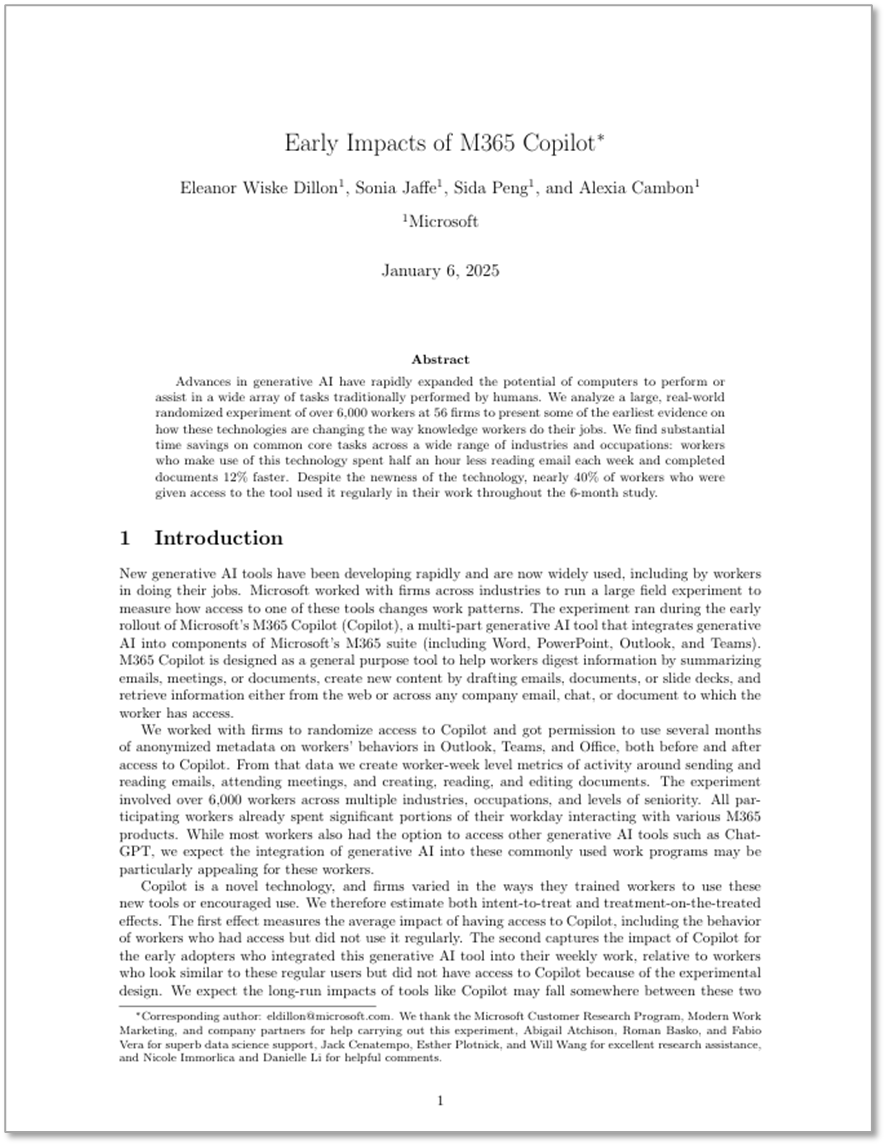
Advances in generative AI have rapidly expanded the potential of computers to perform or assist in a wide array of tasks traditionally performed by humans.

We analyze a large, real-world randomized experiment of over 6,000 workers at 56 firms to present some of the earliest evidence on how these technologies are changing the way knowledge workers do their jobs.

We find substantial time savings on common core tasks across a wide range of industries and occupations: workers who make use of this technology spent half an hour less reading email each week and completed documents 12% faster. Despite the newness of the technology, nearly 40% of workers who were given access to the tool used it regularly in their work throughout the 6-month study.

Party with Power BI’s own Guy in a Cube! Join us on YouTube for a special live celebration to hear about behind-the-scenes stories, product evolution highlights, and a sneak peek at what’s in store for the future.

Don’t miss the interactive Q&A, where you can ask your burning questions or just wish Power BI a happy birthday!

Microsoft is aware of active attacks targeting on-premises SharePoint Server customers by exploiting vulnerabilities partially addressed by the July Security Update.  These vulnerabilities apply to on-premises SharePoint Servers only.  SharePoint Online in Microsoft 365 is not impacted.  Updates for all supported products have been made available.

To fully address the vulnerability, customers should install the out of band update released July 20 (SharePoint 2019 and SharePoint Subscription Edition) and/or July 21 (SharePoint 2016).  In cases where the out of band update can’t be installed, we recommend that customers enable AMSI integration in SharePoint and deploy Defender AV on all SharePoint servers. This will stop unauthenticated attackers from exploiting this vulnerability.  AMSI integration was enabled by default in the September 2023 security update for SharePoint Server 2016/2019 and the Version 23H2 feature update for SharePoint Server Subscription Edition.  For more details on how to enable AMSI integration, see here.  In addition, Microsoft also recommends rotating SharePoint server ASP.NET machine keys and restart IIS on all SharePoint servers.

The Microsoft Security Servicing Criteria for Windows webpage describes the criteria the Microsoft Security Response Center (MSRC) uses to determine whether a reported vulnerability affecting up-to-date and currently supported versions of SharePoint Server may be addressed through servicing or in the next version of SharePoint Server.

We encourage our customers to practice industry-standard best practices for security and data protection, including embracing the Zero Trust Security model and adopting robust strategies to manage security updates, antivirus updates, and passwords. More information on Zero Trust Security is available at https://aka.ms/zerotrust.  Additional information is available at https://www.microsoft.com/en-us/security.

References:

« Newer Posts - Older Posts »

Categories