imageMicrosoft 365 is innovating faster than ever. Leveraging content experiences powered by SharePoint, customer adoption has reached over 200 million monthly active users. Our customers are adding over 100 petabytes of new content each month, scaling to exabytes of data and thousands of new content applications built by developers.

One of the biggest challenges organizations face is scaling and automating business content processes. Many organizations use a patchwork of manual activity and disconnected systems. We aim to bring coherence, intelligence, and automation to your content as you navigate new ways of working.

Today, we unveiled new research and resources to help companies adapt to the new world of hybrid work. We are excited to share that Forrester, a leading global research and advisory firm, has cited Microsoft as a Leader in content platforms in their new report The Forrester Wave™: Content Platforms, Q2 2021. According to Forrester’s rankings, Microsoft is a content platform leader with the highest score in the strategy category and the highest score possible in the market presence category.

Read more here:

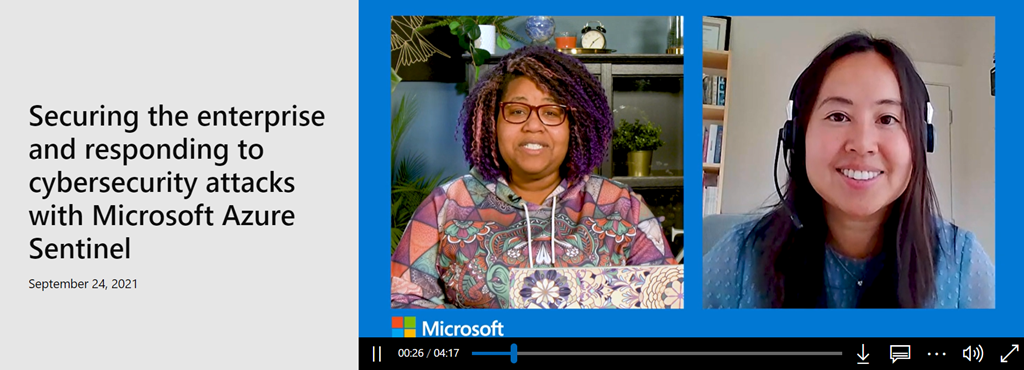
imageMicrosoft has been transitioning all SIEM roles & responsibilities to Azure Sentinel.  This is a video interview with Microsoft IT’s Mei Lau on the transition.

Mei Lau is leading the migration of Microsoft’s legacy Security Information Event Management (SIEM) system to Microsoft Azure Sentinel, which enables security analysts to quickly connect datasets and rapidly investigate or respond to potential security threats.

Microsoft’s new SIEM can ingest 20 billion events daily, which is a 128 percent gain compared to the old SIEM. Ingesting data in our legacy SIEM would take hours but with Azure Sentinel, it takes 10 minutes, which is 18 times faster.

Lau also advocates for testing out your SIEM so you can get feedback early on.

“If you’re interested in leveraging a cloud SIEM, you can start with a proof of concept and explore how easy it is to ingest the data with the out of the box data connectors,” Lau says. “Once you ingest the data, again, you can write hunting queries as well and see how the data works with a graph or investigation effort.”

Watch the video here:

imageWanna get emails about new services, features or changes to Microsoft 365?

Many Microsoft 365/Office 365 administrators I’ve met haven’t enrolled in email notifications of planned changes to the services. 

This is really important if you don’t visit the M365 Admin Console’s Message Center regularly.  Changes to services are often released to end users and the only way administrators are notified preemptively is through the message center.

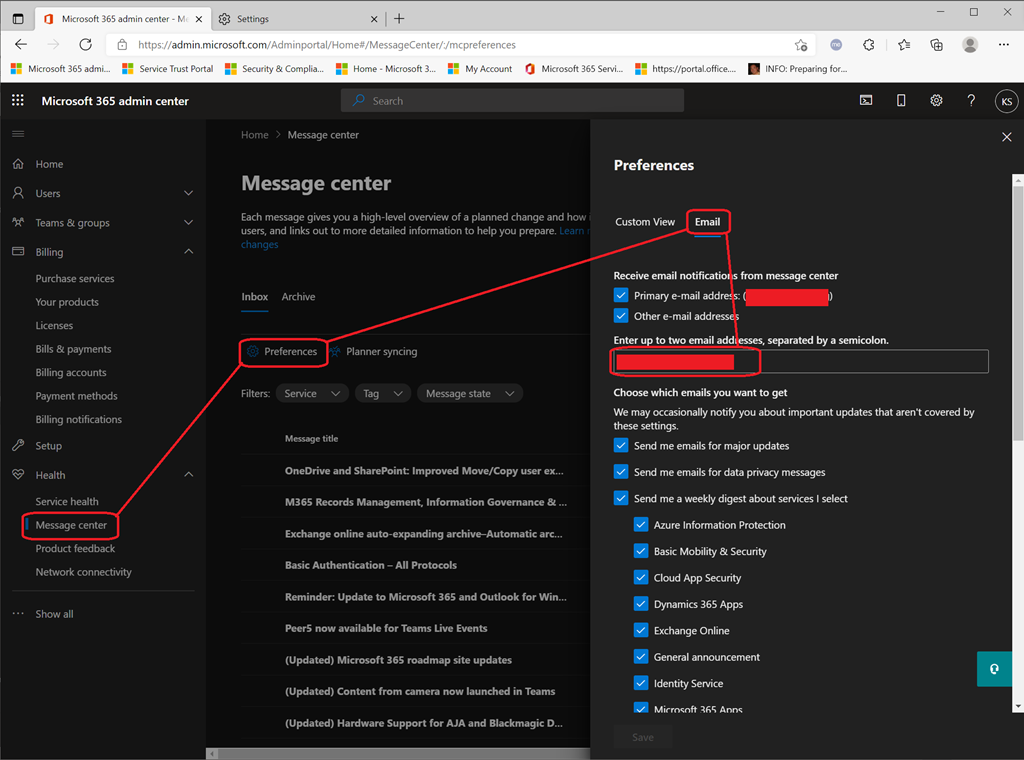
Getting this configured so that you, as an administrator, receive email notifications of changes is easy:

  1. Log in with your administrator account to the Microsoft 365 Administration Console.  (https://admin.microsoft.com)
  2. Click “Health” then ”Message Center” in the left hand menu.  This may require clicking “… Show all”.  This will open the “Message Center” pane.
  3. Click on “Preferences”.  This will open the “Preferences” pane.
  4. Click “Email”.  This will show the “Email Notifications” area.
  5. Be sure “Other e-mail addresses” is checked.
  6. Fill out the “Enter up to two email addresses, separated by a semi-colon” with the email address you want be sent notifications.
  7. Check off the options you want under “Choose which emails you want to get”

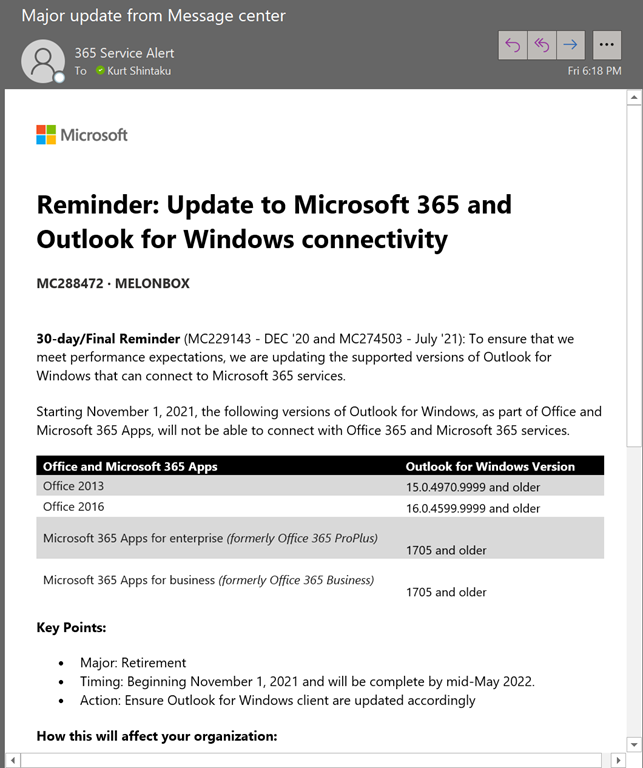
You will receive notifications moving forward that look like this:

image

Posted by: kurtsh | October 1, 2021

EVENT: Microsoft Research Summit – October 19-21, 2021

imageFor 30 years, our research community at Microsoft has worked across disciplines, institutions, and geographies to envision and realize the promise of new technologies for Microsoft and for society.

Today, we’re inviting the global science and technology community to continue this exploration—because ensuring that future advancements benefit everyone is up to all of us.

Join us at the inaugural Microsoft Research Summit, streaming virtually across three time zones. You’ll have the opportunity to hear from science and technology leaders from around the world—people who are driving advances across the sciences and pushing the limits of technology toward achieving a meaningful impact on humanity.

Register here to see the daily agendas and join Ashley Llorens (VP & Distinguished Scientist, Research and Incubations, Microsoft) and Peter Lee (CVP Research & Incubations, Microsoft) for the inaugural Microsoft Research Summit from October 19-21.

Posted by: kurtsh | September 22, 2021

BETA: Viva Connections (Preview)

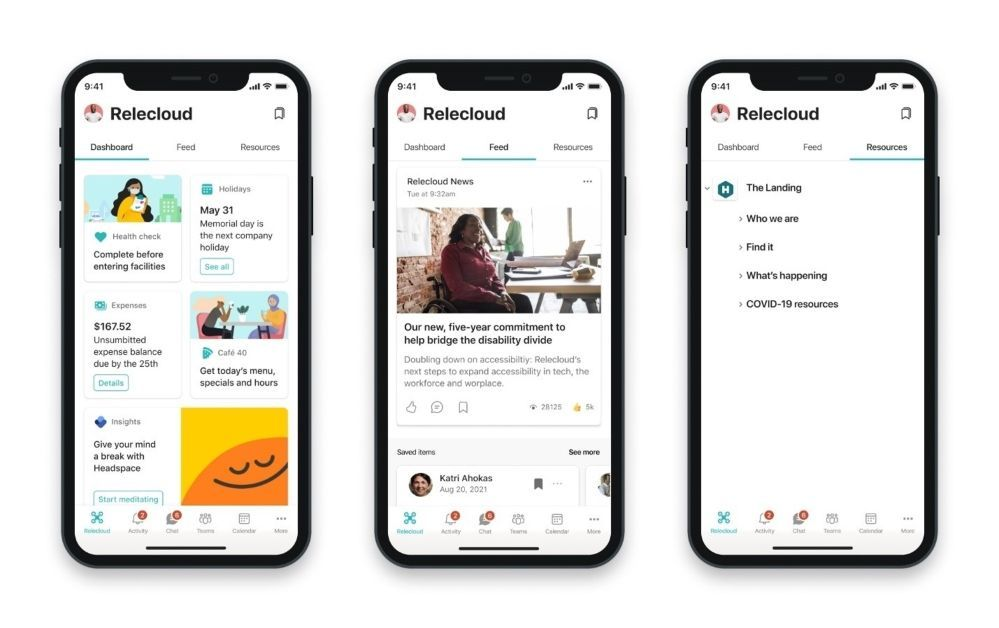
imageModern organizations need ways to connect their employees and bring together the numerous tools and applications they use to keep their businesses moving forward.

Earlier this month, we announced new experiences coming to Viva Connections. Today, these experiences are available for public preview. 

Read more here:

imageYour Executive counts on your administrative leadership as digital information continues to flow at an increasing pace. Help your Executive realize a more rewarding way of working remotely with you, and the entire organization.

Come join an exclusive, digital gathering of high-level Executive Administrators to learn how modern tools can help simplify remote work, and ensure your Executive gets the right information at the right time, no matter where you are.

During this enlightening two hour event, a Senior Executive Admin to a Microsoft Executive will model ‘a day in the working life’ as enabled by Microsoft Teams and its remote capabilities. Below is the agenda for this customized, hands-on experience that’s designed to run like an in-person meeting.

To ensure you experience the full value of this event, be ready to turn on your camera, ask questions and participate in a group dialogue.

Agenda:

  1. Introduction
  2. Discovery session
  3. Setting the scene
  4. Modern Executive Administrator Deep Dive
  5. Immersive demo to help you envision what’s possible
  6. Q&A Closing, recap and next steps

Register below:

Posted by: kurtsh | September 18, 2021

RELEASE: Azure AD-joined VMs support

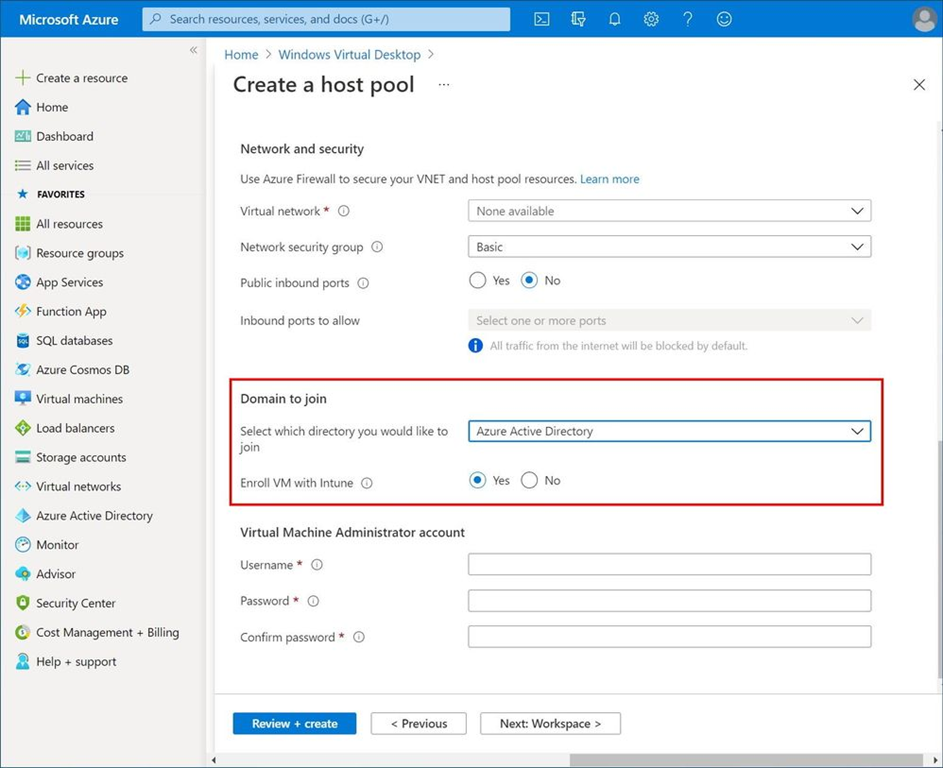
imageWe’re pleased to announce that you can now join your Azure Virtual Desktop virtual machines directly to Azure Active Directory (Azure AD) and connect to the virtual machine from any device with basic credentials. You’ll also be able to automatically enroll the virtual machines with Microsoft Endpoint Manager.

Read more here:

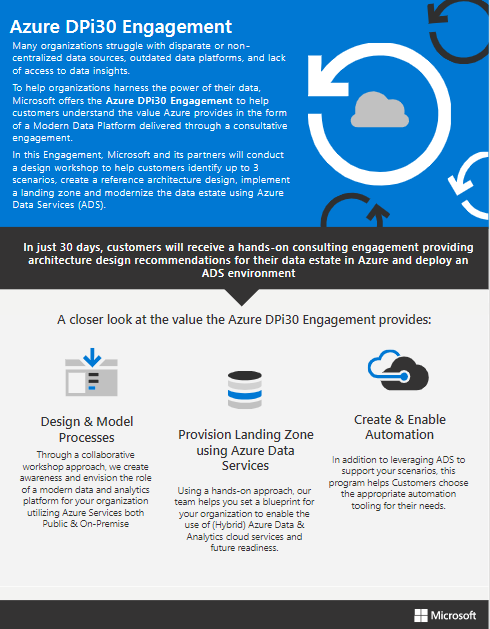
imageJoin the team from Microsoft and Tallan to learn about the funded engagement DPi30 (a (Modern) Data Platform in 30 Days), and how it can benefit state and local government agencies, specifically!

As part of Microsoft’s Solution Assessment program, this data platform pilot is a fantastic way to test a use-case, and ‘try before you buy.’

Funded by Microsoft, taking advantage of DPi30 might just give you the chance to free up $15,000 of your infrastructure budget, or go bigger with your transformation plans!

During this live and engaging session the team will cover the following topics:

  • What this engagement is, and why it matters for state and local government
  • The process and what Microsoft, Tallan and your teams should bring to the table
  • The basic deliverables you can expect, like a live Azure landing zone, consolidated data sources, and Power BI reports to advance analytics capabilities
  • Real world success stories from this year for agencies like employment security departments, water authorities, and departments of health
  • Opportunity for Q&A with the Microsoft and Tallan team

Register below!

imageThis is an episode of the “Azure Security Center in the Field” video series dealing with the Regulatory Compliance Workbook, a

In this episode of Azure Security Center in the Field, Tal Cohen joins Yuri Diogenes to share the new Regulatory Compliance Workbook. Tal explains the intent of the workbook, when to use it, how to load it, and how to use it when you need to dig deeper to understand the changes that are occurring over time. Tal also demonstrate some important functionalities of the workbook and how to customize it.

  • 1:27 – The purpose of the Regulatory Compliance workbook?
  • 2:52 – Requirements to use this workbook
  • 3:37 – What to expect when loading the workbook with recent data
  • 4:19 – Is it possible to customize the workbook?
  • 4:48 – Demonstration
  • 9:48 – Final considerations on the usability of the workbook

Documentation below:

“Azure Security Center continually compares the configuration of your resources with requirements in industry standards, regulations, and benchmarks. Built-in standards include NIST SP 800-53, SWIFT CSP CSCF v2020, Canada Federal PBMM, HIPAA HITRUST, and more. You can select the specific standards relevant to your organization using the regulatory compliance dashboard. Learn more in Customize the set of standards in your regulatory compliance dashboard.

This workbook lets you track your compliance status over time with the various standards you’ve added to your dashboard.”

View this short 11min new episode of Azure Security Center in the Field below:

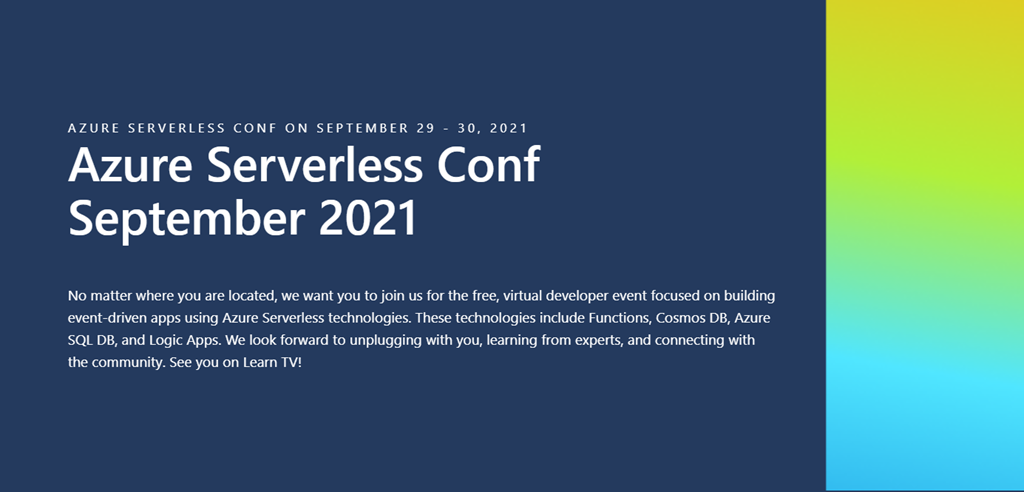
imageRegistration for Azure Serverless Conf is open! Join us on September 29 & 30 for a free, virtual developer event about building event-driven apps!

No matter where you are located, we want you to join us for the free, virtual developer event focused on building event-driven apps using Azure Serverless technologies. These technologies include Functions, Cosmos DB, Azure SQL DB, and Logic Apps. We look forward to unplugging with you, learning from experts, and connecting with the community. See you on Learn TV!

AGENDA:

  • 09:00 AM – 09:30 AM PT
    Keynote: How the .NET Community Team Uses Serverless to Automate All the Things with Jon Galloway and James Montemagno
  • 09:30 AM – 10:00 AM PT
    A Media Processing Workflow with Azure Serverless with Braden Riggs and Jayson DeLancey
  • 10:00 AM – 10:30 AM PT
    Serverless Full-Stack Kickstart with Davide Mauri
  • 10:30 AM – 11:00 AM PT
    Building a Highly Scalable Game with Azure Serverless with LaBrina Loving
  • 11:00 AM – 11:30 AM PT
    Battle Royale: Azure Logic Apps vs. Power Automate (Microsoft Flow) with Prashant G Bhoyar
  • 11:30 AM – 12:00 PM PT
    Surfacing FDA COVID Data Using Serverless Functions and CosmosDB with Charles Chen
  • 12:00 PM – 12:30 PM PT
    Working with Azure SQL DB Serverless with Carlos Lopez

Register below:

« Newer Posts - Older Posts »

Categories