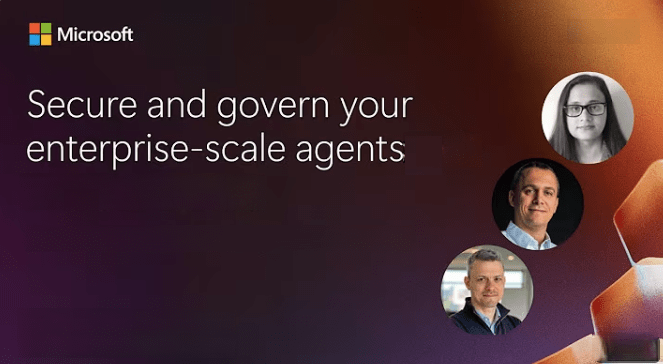
As organizations embrace the transformative power of AI, securing and governing its use becomes mission-critical. Join us for deep dive into how Microsoft empowers IT decision-makers, security leaders, and CISOs to confidently deploy Microsoft 365 Copilot and Agents within their organizations.
In this session, we’ll explore:
Microsoft’s commitments to data privacy, security, and compliance—including encryption, tenant isolation, and regulatory certifications like ISO 27001, GDPR, and HIPAA.
The Copilot Control System: a comprehensive framework for managing data security, agent lifecycle, and measuring business impact.
How to address top concerns such as data oversharing, insider risk, and AI misuse using Microsoft Purview and built-in governance tools.
Real-world customer scenarios and outcomes, including how companies are achieving measurable ROI with Copilot.
Strategies to mitigate Shadow AI risks and enforce lifecycle policies, legal holds, and ethical AI use.
Whether you’re just starting your Copilot journey or scaling enterprise-wide adoption, this session will equip you with the tools and insights to secure your data, govern AI usage, and drive responsible innovation.
Date/Time: Tuesday, October 28, 2025, 9:00 AM – 10:00 AM Pacific Time
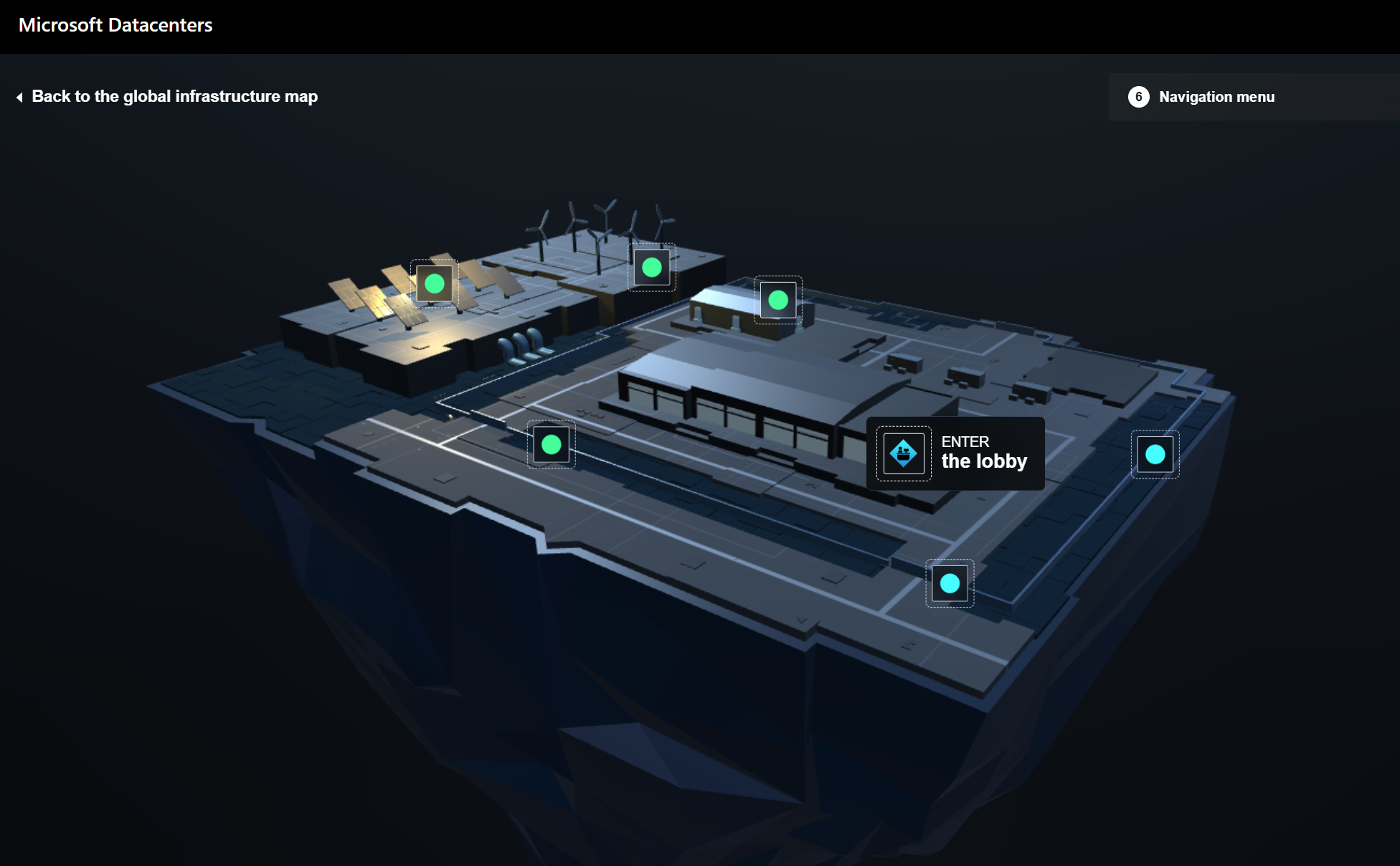
Datacenters are the critical backbone behind modern computing – that help make cloud, AI, gaming, more accessible than ever before.
Microsoft operates secure datacenter facilities spread across the world, creating a distributed infrastructure that supports thousands of online services. This globally distributed infrastructure is designed with sustainability in mind to bring applications closer to users, preserve data residency, offer comprehensive compliance, and resiliency options for customers. In this event:
Go behind the scenes on how Microsoft designs, builds, plans and operates these datacenter facilities around the world
Learn about Microsoft’s approach to ensuring the cloud infrastructure for Microsoft Azure, Microsoft 365, and new AI workloads help meet the varied needs of businesses, while increasing focus on sustainability.
Understand what it takes for Microsoft to constantly improve the performance, efficiency, power consumption, in order to reduce cost of your cloud workloads.
We will also share some of the most promising R&D areas that we are pursuing that will help shape the future of cloud computing, AI and business technology in the years ahead.
Date/Time: Tuesday, October 21, 2025, 9:00 AM – 10:00 AM Pacific Time
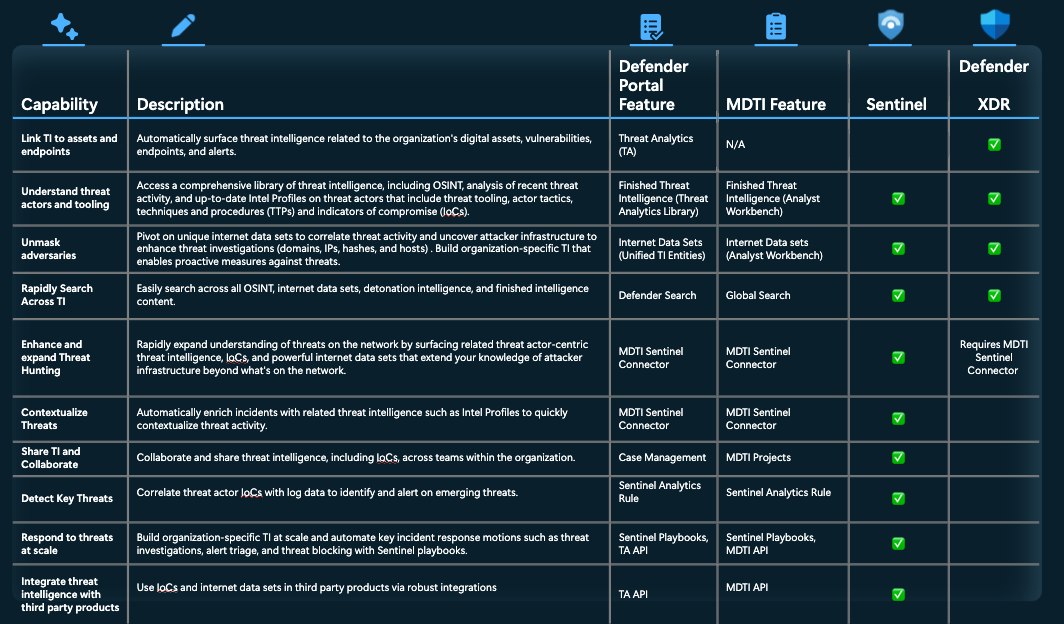
This convergence of MDTI value into Microsoft Sentinel and Defender XDR will take place over the course of several months and be completed by the first half of next year. It will grant customers access to Microsoft’s extensive repository of both raw and finished threat intelligence, developed from 84 trillion daily signals and backed by over 10,000 security professionals, eliminating the need for additional licensing and costly third-party solutions.
The following MDTI features will converge into Defender XDR and Sentinel:
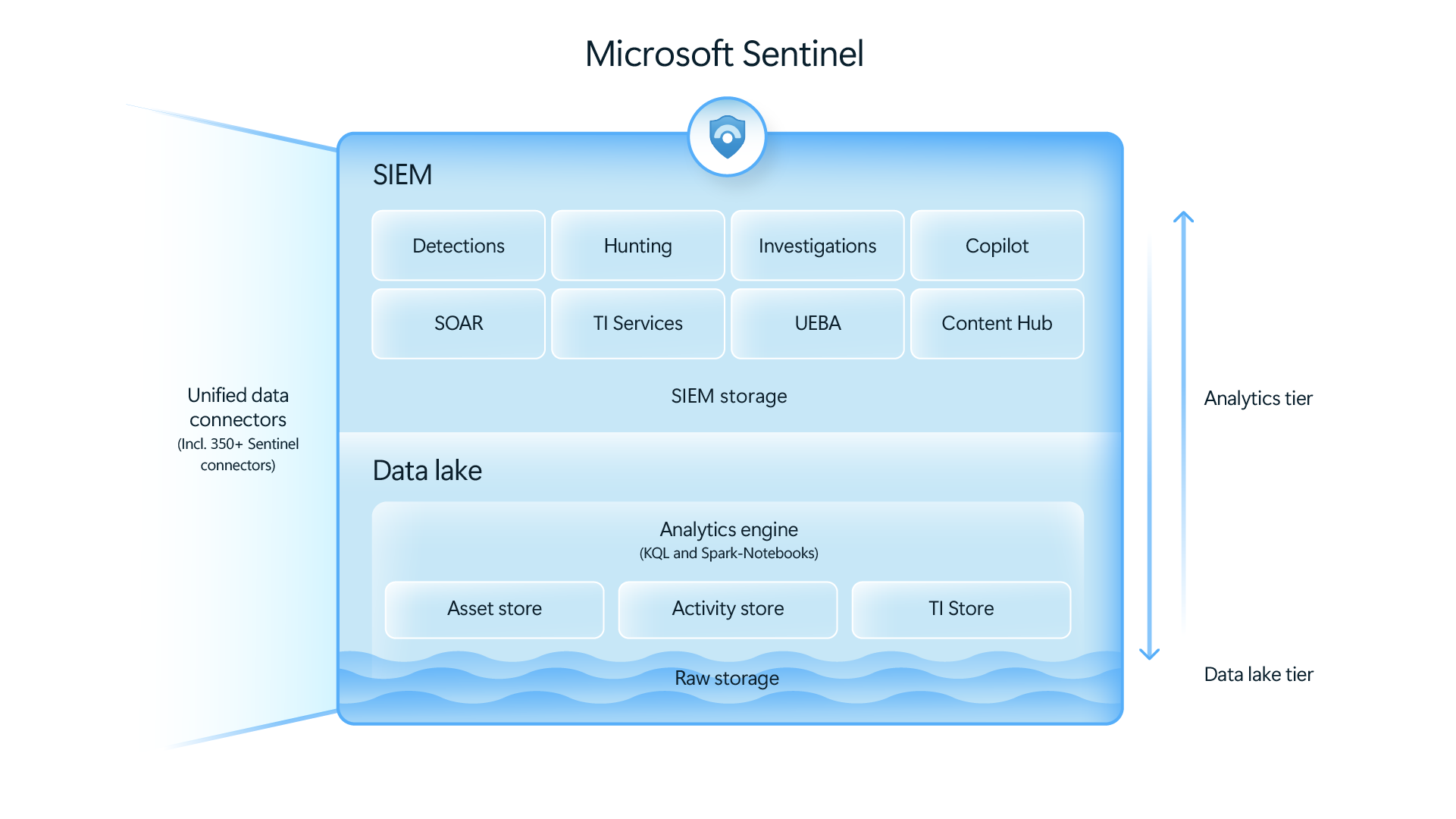
We’re evolving our industry-leading Security Incidents and Event Management solution (SIEM), Microsoft Sentinel, to include a modern, cost-effective data lake. By unifying all your security data, Microsoft Sentinel data lake, now in public preview, accelerates agentic AI adoption and drives unparalleled visibility, empowering teams to detect and respond faster. With Sentinel data lake, you’re no longer forced to choose between retaining critical data and staying within budget.
Microsoft Sentinel Data Lake has a dramatically lower cost of storage, natively integrates with Sentinel querying & works with all existing Sentinel data connectors, including:
All Microsoft Defender and Microsoft Sentinel data sources
Microsoft 365
Microsoft Entra ID
Microsoft Resource Graph
Endpoint Detection and Response (EDR) platforms
Firewall and network logs
Cloud infrastructure and workload telemetry
Identity and access logs (Microsoft Entra, Okta, etc.)
DNS, proxy, and email telemetry
GET STARTED Join us as we redefine what’s possible in security operations:
Explore the latest solutions that can help you protect your data, cloud, and AI investments with an AI-first, end-to-end platform at Microsoft Secure. Learn how to recruit the right Security Copilot agents to harden defenses and boost your team’s efficiency, and how intelligent tools from Microsoft Security enables you to adapt to today’s threat landscape with limited resources.
At Microsoft Secure you’ll learn to:
Stop attacks across clouds and platforms, harden your defenses in a cost-effective way, and secure AI with Microsoft Security Copilot agents, Microsoft Entra, and Microsoft Purview.
Manage the total cost of your security toolset by consolidating with a platform approach.
Understand how a unified SecOps toolset—powered by Microsoft Sentinel and Microsoft Defender—gives you comprehensive, proactive threat protection.
Featuring:
Vasu Jakkal – Corporate Vice President – Microsoft Security Business
Dorothy Li – Corporate Vice President, Security Copilot – Ecosystem and Marketplace, Microsoft
Krishna Kumar Parthasarathy – Corporate Vice President – Sentinel Platform, Microsoft
Herain Oberoi– Vice President – Data and AI – Security Marketing, Microsoft
Scott Woodgate – General Manager – Threat Protection, Microsoft
Jeremy Dallman – Senior Director – Microsoft Threat Intelligence
This event will be broadcasted in multiple time zones, offering opportunities to join engaging conversations with leaders, get questions answered by subject matter experts, and connect at a time that suits you best when you register below.
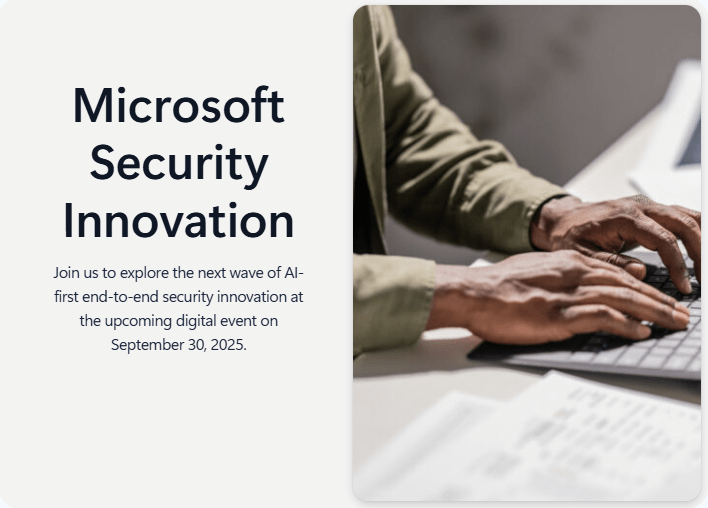
EVENT: “Microsoft Secure” – Security Innovation September 30, 2025 | 9:00 AM – 10:00 AM Pacific Time (UTC-7) https://aka.ms/SecurityInnovationReg
Comments Off on EVENT: “Microsoft Secure” – Security Innovation – September 30, 2025
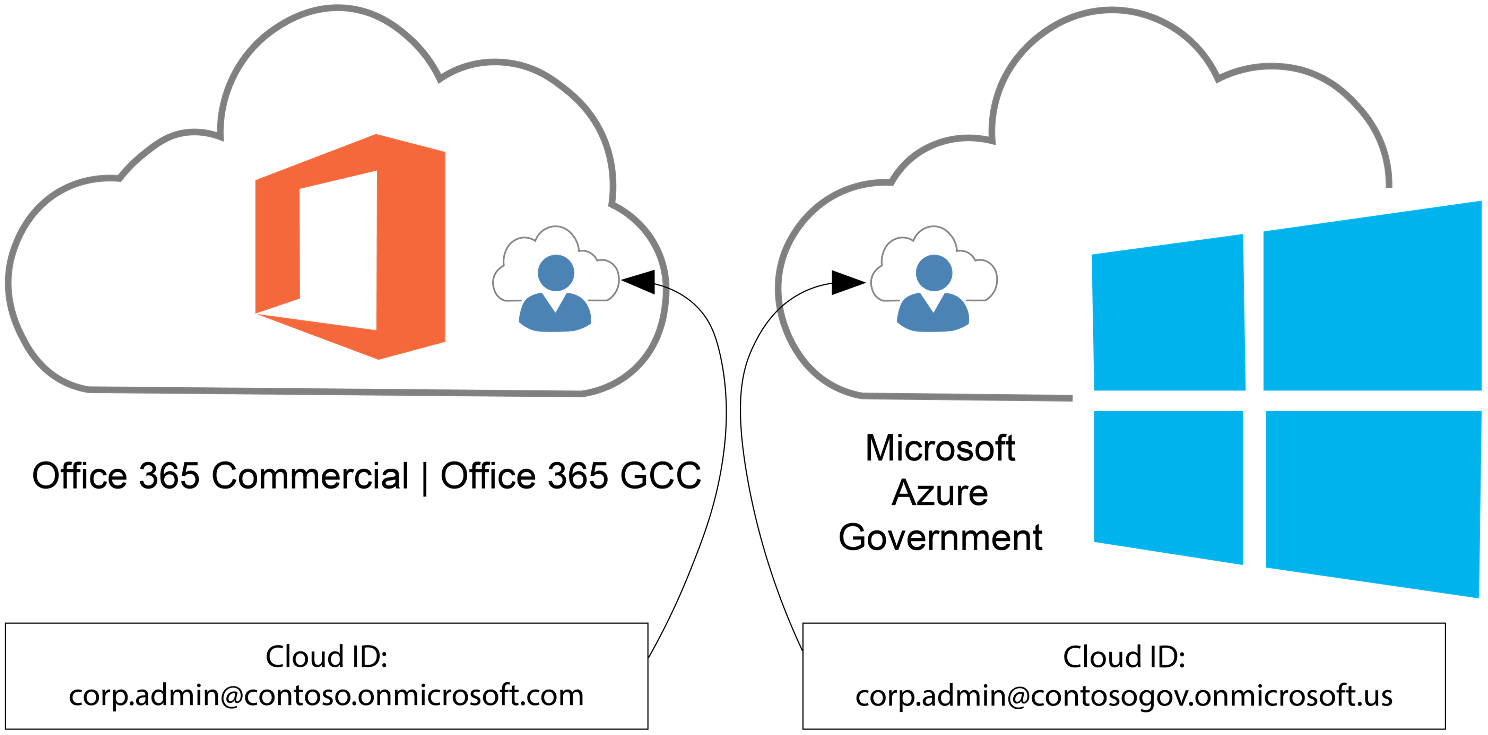
A common misconception is that you can administer & manage Azure Government using Entra ID Public/Commercial tenants/directories. You can’t. Only Entra ID Government tenants can administer & manage Azure Government cloud instances.
However, administering & managing Azure Government is a privileged role, usually isolated to a few administrator accounts: Did you know end users with identities from Entra ID Public/Commercial (M365 GCC) can be authenticated & use applications hosted in Azure Government?
This is how your Microsoft 365 Commercial or GCC users can access applications in Azure Government using their Entra ID Public/Commercial user accounts, if the applications use (Entra ID-based) Modern Authentication.
Applications using modern authentication in Azure Government
Register an application with the Microsoft identity platform shows how you can use Microsoft Entra ID to provide secure sign-in and authorization to your applications. This process is the same for Azure Public and Azure Government once you choose your identity authority.
Choosing your identity authority
Azure Government applications can use Microsoft Entra Government identities, but can you use Microsoft Entra Public identities to authenticate to an application hosted in Azure Government? Yes! Since you can use either identity authority, you need to choose which to use:
Microsoft Entra Public – Commonly used if your organization already has a Microsoft Entra Public tenant to support Office 365 (Public or GCC) or another application.
Microsoft Entra Government – Commonly used if your organization already has a Microsoft Entra Government tenant to support Office 365 (GCC High or DoD) or are creating a new tenant in Microsoft Entra Government.
Once decided, the special consideration is where you perform your app registration. If you choose Microsoft Entra Public identities for your Azure Government application, you must register the application in your Microsoft Entra Public tenant. Otherwise, if you perform the app registration in the directory the subscription trusts (Azure Government) the intended set of users can’t authenticate.
Note: Applications registered with Microsoft Entra-only allow sign-in from users in the Microsoft Entra tenant the application was registered in. If you have multiple Microsoft Entra Public tenants, it’s important to know which is intended to allow sign-ins from. If you intend to allow users to authenticate to the application from multiple Microsoft Entra tenants the application must be registered in each tenant.
The other consideration is the identity authority URL. You need the correct URL based on your chosen authority:
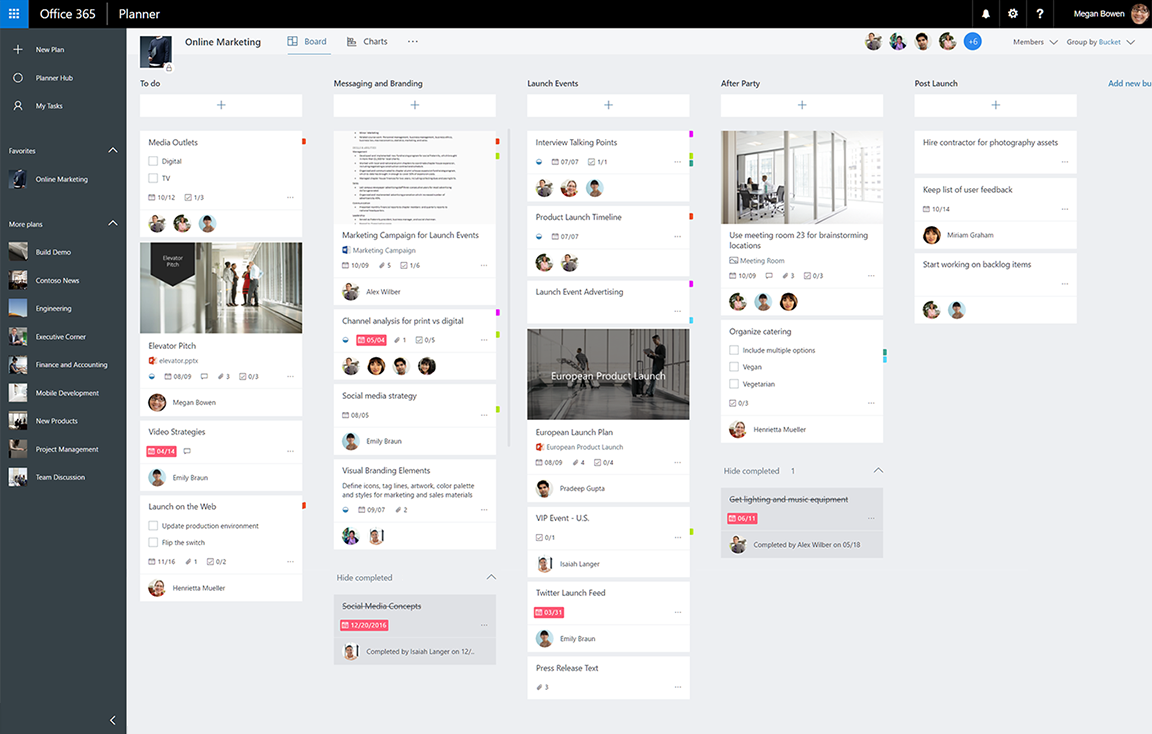
With the retirement of Project Online coming September 30, 2026, I’ve recently gotten a number of questions about Microsoft Planner, the lightweight planning & project management solution that integrates with Microsoft Project, included with Microsoft 365.
Here’s an index of resources to use when investigating the use of Microsoft Planner for your users:
INTRODUCTION: Planner has several introductory resources for it.
SPECIALISTS: Microsoft discussions about Project/Planner are done through “Virtual Specialists”, 3rd parties designated by Microsoft as representatives for specific products. “Projility” & “OnePlan” are Virtual Specialist Partners for Project/Planner in the State & Local Government space. (They are dedicated to Project/Planner & also provide both Project/Planner professional services & training)
TRAINING PARTNERS: Additionally, there are many Microsoft Learning Partners, companies that deliver Planner training for end users and IT. Some examples include:
UNIFIED: There are Unified Services “Cloud Solutions Architects” that deliver Project & Planner “workshops” that use Proactive Credits on your Microsoft Unified Services agreement, however customers need to talk to their Unified Services representative (Customer Success Account Managers or CSAMs) for what is available because this would likely be a custom engagement.
Comments Off on TRAINING: Microsoft Planner & Project
Microsoft’s Attack Simulation ‘training’ service is a Premium Defender security service customers subscribe to as part of the licensing for one of the following:
Microsoft 365 E5
Microsoft 365 E3 + Microsoft 365 E5 Security
Defender for O365 Plan 2
Phishing attacks for government customers are on the rise & organizations with one of the above should prioritize leveraging this service to help prevent phishing compromises. It’s essentially a service that among other things, creates & manages “fake phishing Exchange emails & Teams messages” in campaigns that get sent out to users that test their propensity to ‘click’ on attachments & links likely from bad actors & catalog the individuals the “click” on them – not to embarrass people, but rather to help educate people safely about the dangers of phishing.
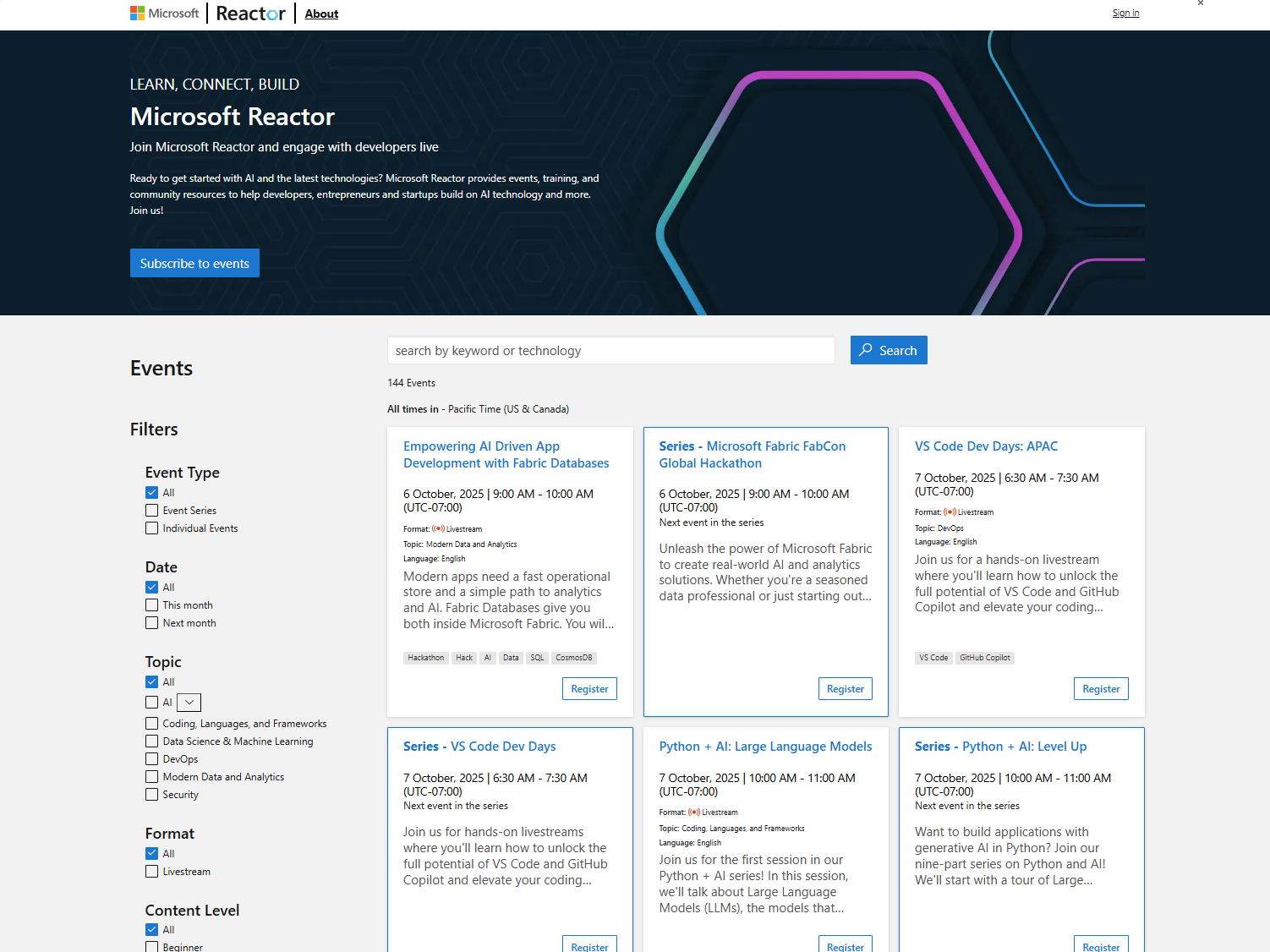
If you’re interested in freely available webinars, trainings & workshops from Microsoft, here’s a list of references I use to identify events relevant to my audiences:
Microsoft Virtual Training Days Technically a subset of Microsoft Events, these are a SPECIFIC classification of over 40+ different IT Professional trainings that run for 8 hours & focus on 1 specific area of technology.
Microsoft 365 Virtual Training Day: Manage Windows Endpoints with Microsoft Intune
Microsoft 365 Virtual Training Day: Manage Your Smart Workplace with Microsoft Teams
Microsoft Security Virtual Training Day: Implement Data Security with Microsoft Purview
Microsoft Security Virtual Training Day: Strengthen Cloud Security with Microsoft Defender for Cloud
Microsoft Azure Virtual Training Day: Migrate and Modernize your Apps for AI-powered…
Microsoft Azure Virtual Training Day: Migrate and Secure Windows Server and SQL Server
Microsoft Azure Virtual Training Day: Implement a Lakehouse with Microsoft Fabric
Microsoft Virtual Training Day: Transform your Everyday Business Processes with Agents
Microsoft Virtual Training Day: Secure and administer Microsoft 365 Copilot and Agents
Microsoft 365 & Power BI End-user Pre-recorded Adoption Training Microsoft has partnered with Microsoft Global Learning Partner Fast Lane to deliver live training sessions across Microsoft Viva, Microsoft Teams, Power Platform, and Microsoft 365 in various languages. Each live session is 1 hour long.
Cloud storage: Microsoft OneDrive for Business, Teams, and SharePoint Online
Customize Microsoft Teams with apps
Discover insights with Microsoft Power BI in Microsoft Teams
Also, for those managed Enterprise & Government customers enrolled in the following:
Microsoft Enterprise Skills Initiative – For Enterprise Agreement customers that meet proper qualifications & have been nominated by their Account team for Microsoft’s professional “skilling” program:
Review the available courses at https://esi.microsoft.com or contact your ESI Training Program Manager for details
Unified WorkshopPLUS – For customers with Unified Enterprise services contracts with Microsoft:
Available as Open Workshops (enroll in classes with other customers participating) pr Closed Workshops (private
Review the proactive workshops available at https://serviceshub.microsoft.com or see your Unified Customer Success Account Manager for details
Comments Off on TRAINING: Online Workshop & Webinar Catalogs for Learning from Microsoft

 kurtsh
 Kurt Shintaku's Blog
You must be logged in to post a comment.