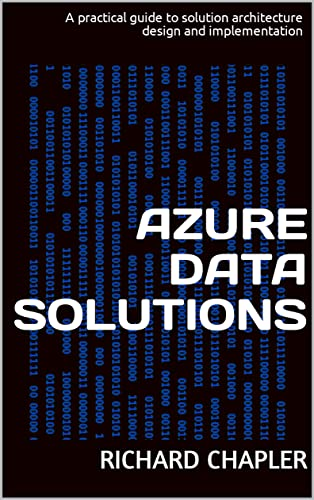
imageMicrosoft Cloud Solutions Architect Richard Chapler wrote an eBook on Azure Data Solutions that’s available for free. 

It’s a colleciton of objectives with step-by-step instructions.  Here’s the table of contents:

  • Foreword
  • Prepare
    • Naming Convention
    • Infrastructure
  • Source
    • Migration from On-Prem
    • External Data
    • Simple Load
    • Incremental Load
    • Mount Data Lake
    • Sourcing from APIs
    • Batch Upsert
    • Synchronize Unstructured Data
  • Surface
    • Query from On-Prem
    • Detect Anomalies
    • Application+ AI
    • Audit Usage
  • Deploy
  • Infrastructure-as-Code
    • Source Control
    • Schema Comparison
    • Data Solution Deployment
    • Additional Templates
  • Govern
    • Discover Data
    • Classify Data
    • Understand Lineage

Get the eBook here:

imageAttention Java Developers! 

  • An amazing lineup of speakers
  • Content from around the world
  • Live, free, and open to all

Join us for the second Microsoft JDConf event on May 4 – 5, 2022. JDConf is a virtual, Java focused conference where developers can come together to share interesting topics and stay engaged. Learn about the latest cloud development trends, best practices, tips, tricks, and more. Our goal with this event is to highlight external speakers and showcase the great work that’s going on across the Java community.

Posted by: kurtsh | April 25, 2022

EVENT: Microsoft Build – Join us May 24-26 2022

imageMicrosoft Build will take place from May 24-26, 2022, as a digital event experience. FREE registration will be available in late April at https://mybuild.microsoft.com/en-US/home.

We will explore the latest innovations in code and application development—and gain insights from peers and experts from around the world. You will meet the engineers behind the Microsoft platforms you use every day and connect with a diverse group of coders who want to hone their skills. Bring your technical questions—and imagination—and leave with new knowledge and skills.

Microsoft Build – Join us May 24-26 2022
Come together and discover the latest innovations in code and application development—and gain insights from peers and experts from around the world.

Posted by: kurtsh | April 18, 2022

INFO: Microsoft DDoS protection response guide

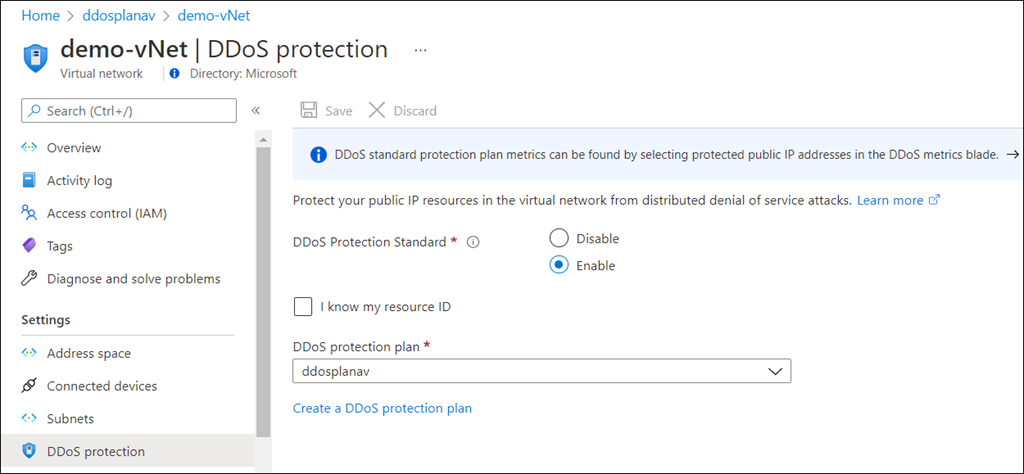
imageDDoS threats have seen a significant rise in frequency lately, and Microsoft stopped numerous large-scale DDoS attacks last year.

This guide provides an overview of what Microsoft provides at the platform level, information on recent mitigations, and best practices.

imageGet a free 3 month trial for PC Game Pass for anyone new to PC Game Pass that played Halo Infinite, Forza Horizon 5 or Age of Empires IV (PC) by Feb 28th, 2022.

Details below.

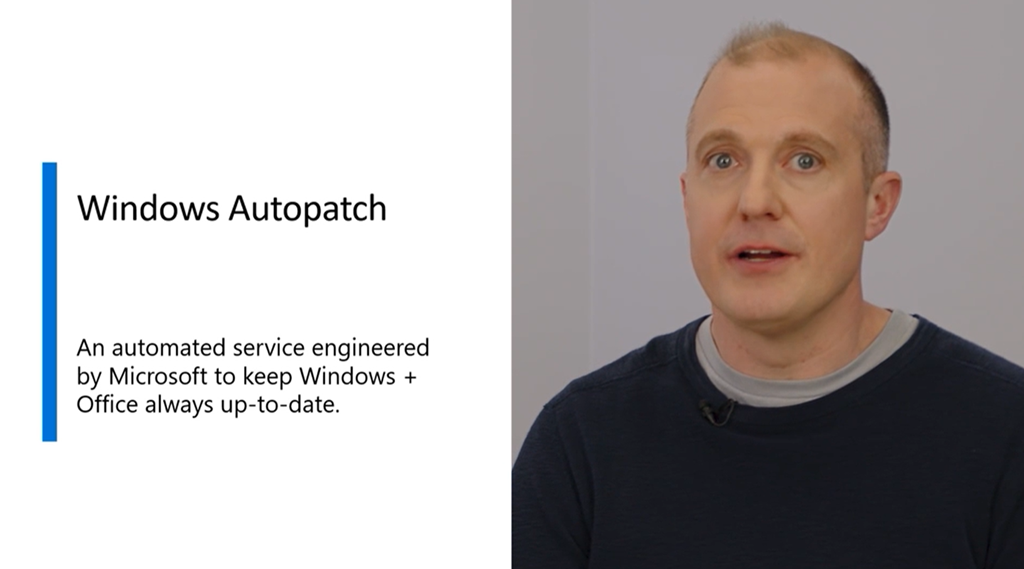
imageMicrosoft is pleased to introduce[1] Windows Autopatch as a feature of Windows Enterprise E3[2], enabling IT pros to do more for less.

This service will keep Windows and Office software on enrolled endpoints up-to-date automatically, at no additional cost. IT admins can gain time and resources to drive value. The second Tuesday of every month will be ‘just another Tuesday’.

HOW DOES IT SELECT ON WHAT DEVICES TO DEPLOY?
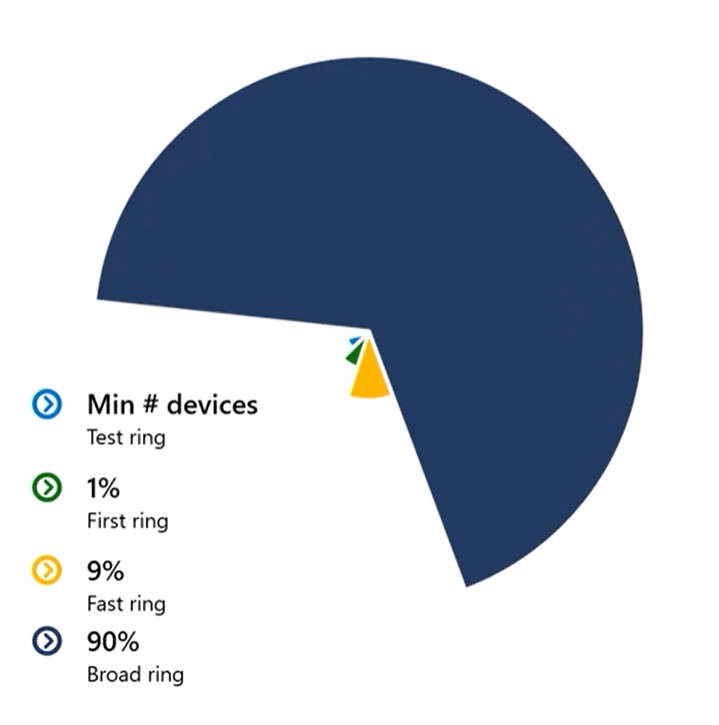
The services gradually deploys patches in 4 distinct “rings” of devices, which you determine:
  • imageTest – Minimum; maybe 5-10 initial workstations
  • First – A pilot group of workstations representing 1% of all devices
  • Fast – A wider group 9%
  • Broad – Every remaining device

HOW DOES IT KNOW WHEN TO MOVE ON TO ANOTHER RING?
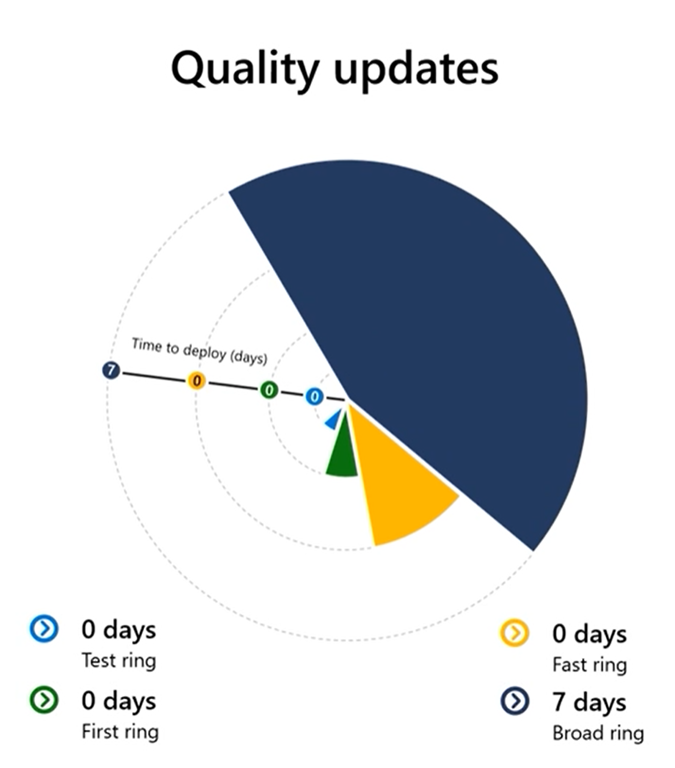
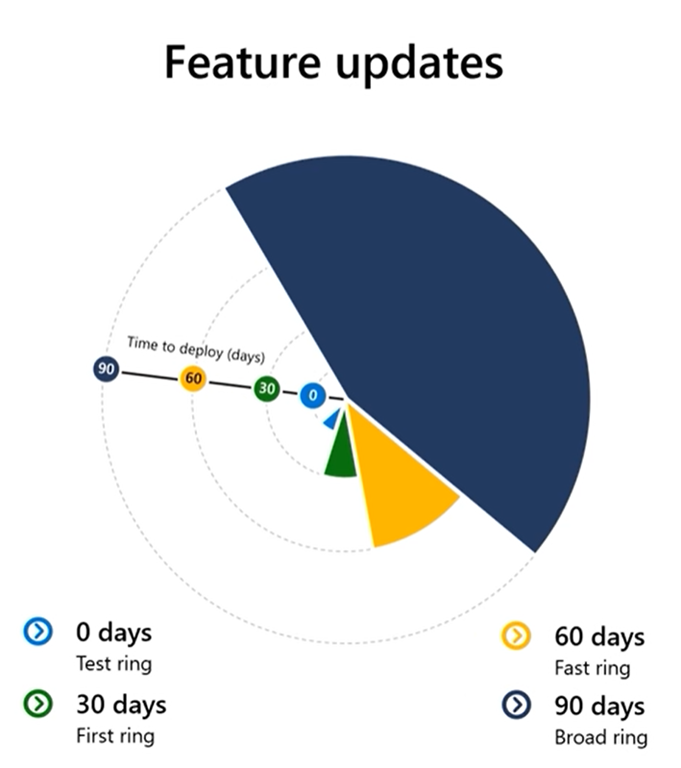
imageThe rate at which deployment progresses depends on the success of the patch deployment on a given ring, which is based on AI & signals we get from each patched system.

The rate of deployment also depends on the type of patch. 
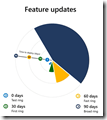
  • image“Quality Updates” (Security, firmward) are deployed quickly. 
  • “Feature Updates” take 30 days per ring at minimum.

WHAT IF THINGS GO WRONG WITH A DEVICE(S)?

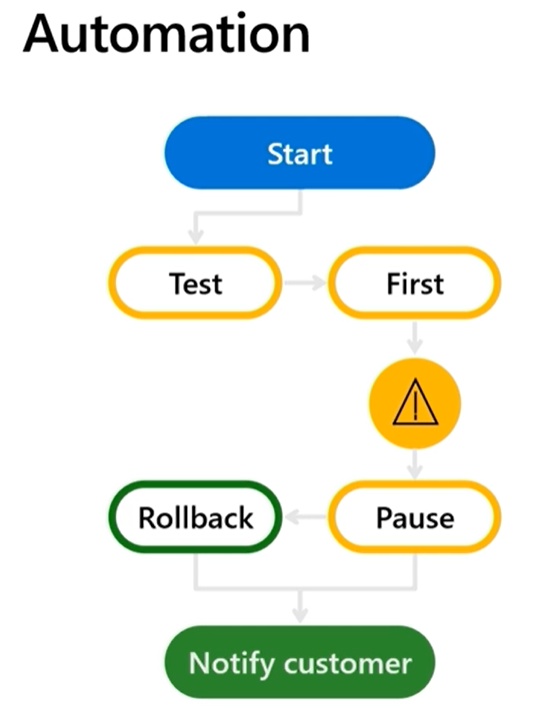
  • HALT
    Autopatch will halt the deployment if devices have issues – and IT administrators can manually halt roll outs as well.
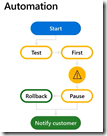
  • imageROLLBACK
    Updates are undone automatically if devices are detected to have problems.
  • SELECTIVITY
    Partial updates are pushed out, problematic parts of updates are left behind.  Portions of an update package will be deployed if parts of an update are unsuccessful to maximize deployment effectiveness.

HOW DO WE KNOW HOW WELL A DEPLOYMENT IS GOING?
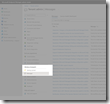
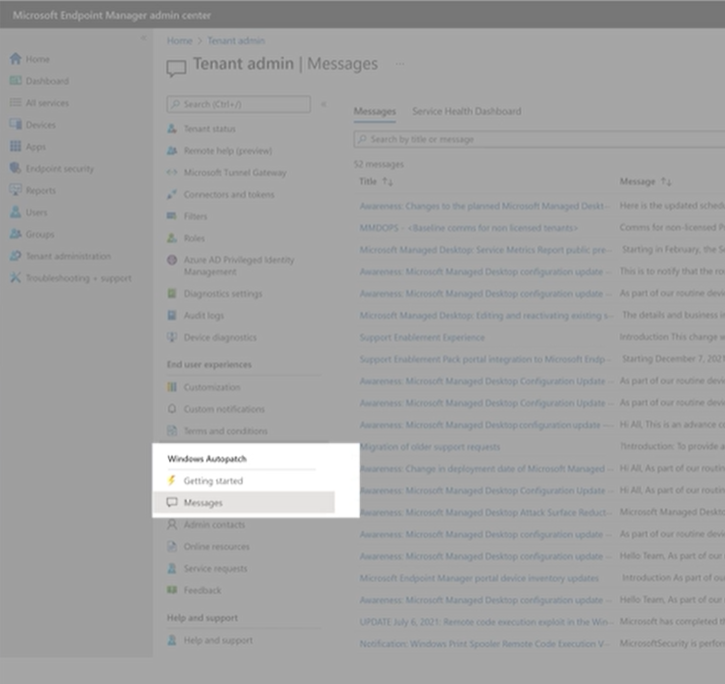
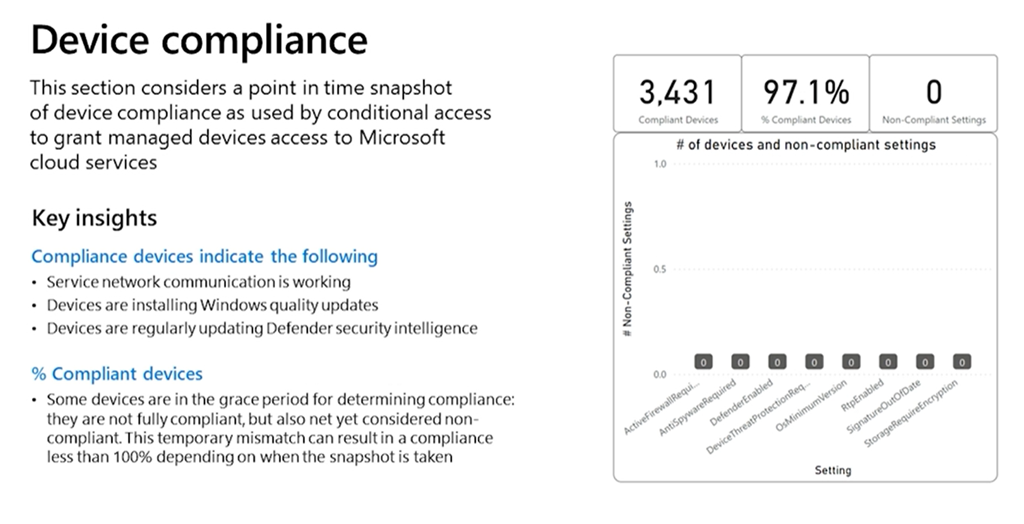
imageWindows Autopatch reports update deployment status, device health, and compliance progress for audit purposes – all through the Endpoint Manager/Intune console.

Autopatch Message Center will provide on-going details of schedules, current status – directly from the Autopatch team.

imageFor applications or devices that have issues with an Update Package, issues are automatically forwarded to the AppAssure team to provide you with the expertise to fix the issue.

WHAT DOES AUTOPATCH REQUIRE?

imageCustomers need to have Windows Enterprise E3, Microsoft Intune or Endpoint Manager Co-management & Azure AD.

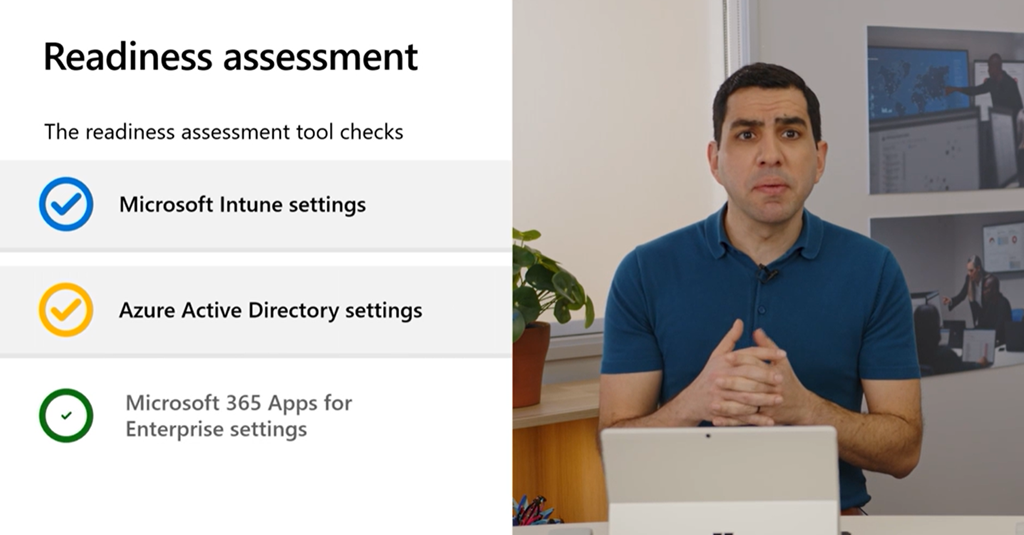
A “readiness assessment” will be run before you can proceed with Windows Autopatch.

Watch the video below for more information:

Posted by: kurtsh | April 17, 2022

INFO: Azure Active Directory Security Operations Guide

The following guide should be the IT administrator’s & Identity Architect’s bible for any organizations using Azure Active Directory to ensure the robustness of their identity security posture 

Timagehe Azure AD SecOps Guide is intended for enterprise IT identity and security operations teams and managed service providers that need to counter threats through better identity security configuration and monitoring profiles. This guide is especially relevant for IT administrators and identity architects advising Security Operations Center (SOC) defensive and penetration testing teams to improve and maintain their identity security posture.

Read the SecOps guide here:

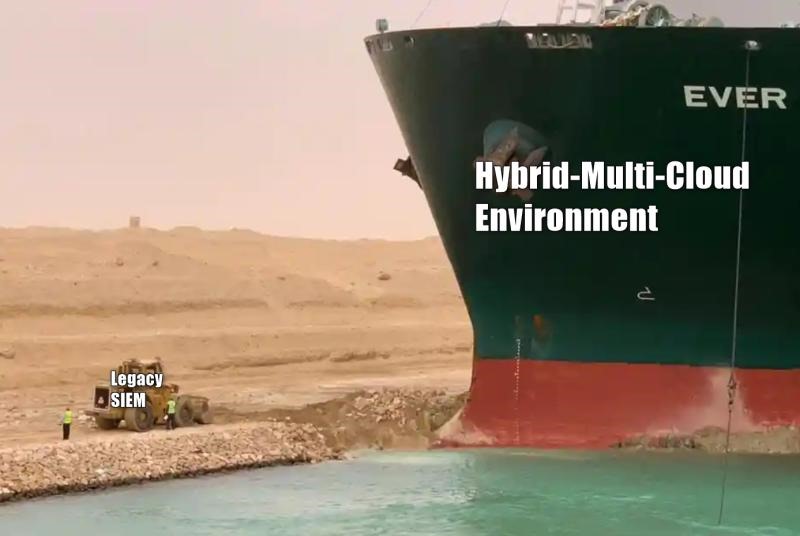
SIEMTrying to prop up your legacy on-prem SIEM for hybrid, multi-cloud environments is a mistake.

Here’s some things to consider when looking at SIEM solutions for your new hybrid infrastructure.

I’ve gotten many requests for MFA for Active Directory on-prem. While Microsoft’s Azure AD MFA can be applied to on-prem solutions, some customers sadly refuse to move forward with cloud based identities.

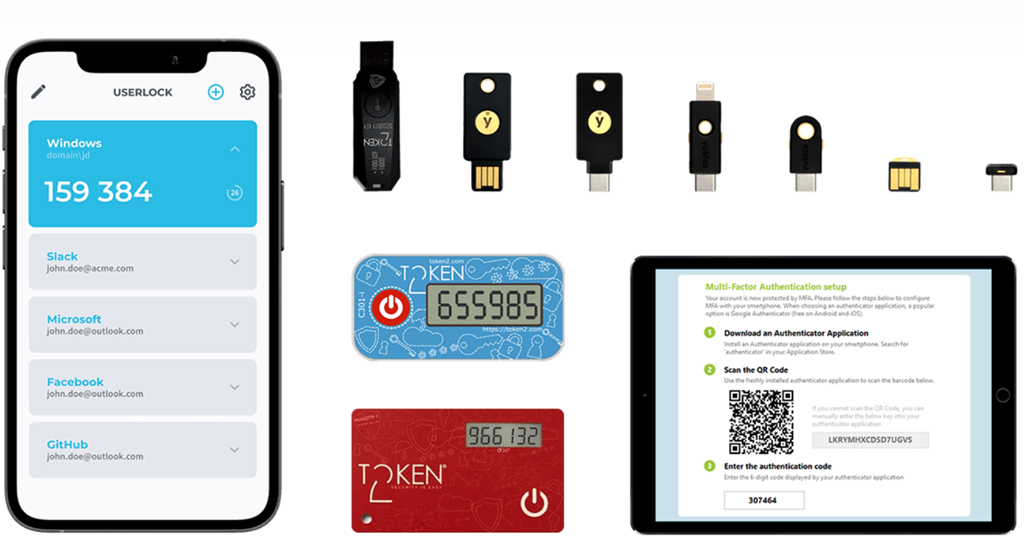
If required, this 3rd party (paid) solution, “UserLock” will provide on-prem MFA for Domain Controller-based authentication.

image“UserLock” supports MFA using authenticator applications which include Google Authenticator, Microsoft Authenticator and LastPass Authenticator, or programmable hardware tokens such as YubiKey and Token2.

Relying on cryptographic algorithms for Time-based and HMAC-based One-Time Passwords (TOTP and HOTP), all options offer strong and simple two-factor authentication to better protect access across an entire organization.

For more information, visit:

image_58890055-1ef9-447d-bcde-efa0741cf95620220317_192504

Building a Zero Trust Security framework with 20+ vendors has zero chance of success. This is why budgeting for Microsoft Defender XDR for Zero Trust Security must be at the forefront of a modern cybersecurity strategy for organizations of any size that are running Microsoft Windows or Office 365.

Microsoft Defender XDR allows you to consolidate over 27 security vendors into one integrated platform. That means one vendor for support calls, one single pane of glass to perform digital forensic analysis, and the entire suite is connected via the Microsoft Intelligent Security Graph. (Not to mention seamlessly built-in to the productivity suite that millions of you use every day.)

Read more at the blog post:

« Newer Posts - Older Posts »

Categories