Posted by: kurtsh | January 16, 2009

NEWS: “Obama switching to Windows phone?”

<taken from link below>image

Barack Obama is a serious BlackBerry addict, quoted as proclaiming "they’re going to [have to] pry it out of my hands." Now, it appears the President-elect might switch to a Windows-powered phone, in order to continue his email habit securely.

In an entertaining article posted earlier this week, CNET reporter Declan McCullagh notes that Obama has proclaimed the BlackBerry his favorite gadget. The President-elect reportedly relied on it to bypass aides during the Presidential campaign, and used it to check his e-mail during his daughter’s football games. But, as The New York Times and other sources have reported, the President-elect will probably have to give up his tech toy when he takes the oath of office next week.

BlackBerry maker Research In Motion claims that e-mail messages flowing from and to its devices are encrypted and would be practically impossible to intercept. But, McCullagh reports, this isn’t good enough for the NSA (National Security Agency) which — though it has refused to comment officially — apparently wants to take Obama’s BlackBerry away.

According to McCullagh, a new, better way to give the "emailer-in-chief" the electronic fix he craves could be General Dymanics Corporation’s Sectera Edge, pictured at the top of our story and below. This Windows-based phone has previously been said to meet Federal standards for both classified phone calls and secure network access. The Sectera Edge meets NSA requirements for Top Secret voice information, and provides access to the SIPRNet (secret Internet procotol router network), according to General Dynamics.

Read more:  http://www.windowsfordevices.com/news/NS7086169660.html based on CNet article.

Posted by: kurtsh | January 15, 2009

BETA: Windows 7 Beta

clip_image001IT’S HERE!

Download Windows 7 Beta TODAY!
http://www.microsoft.com/windows7

Over the past few years, you’ve asked us to make some changes to Windows. We listened closely. Now it’s time to share an early look at how we’ve used your feedback. Windows 7 is faster, more reliable, and makes it easier to do what you want. Want to try the Beta? Come back the afternoon of January 9. And remember—this is just a preview. There’s more to come.

Windows 7 for the Enterprise
Windows 7 is next version of the Windows client operating system and is on track to be available approximately 3 years after the release of Windows Vista. Windows 7 builds on the modern foundation of Windows Vista, and companies that deploy Windows Vista first will find that Windows 7 is highly compatible with their hardware, software, and tools.

The investments in Windows 7 are shaped by the evolving needs of end users and IT professionals in the enterprise. As user needs have changed, the demands on IT professionals have increased. Today, IT professionals must provide more capability and greater flexibility for users while continuing to minimize cost and security risks.

Here’s a preview of the key investments in Windows 7 to help enterprise customers address the evolving needs of their end users and IT professionals:

  • Make users productive anywhere
    Windows 7 enables users to complete their job no matter where they are-at home, in a branch office, or on the road-without reducing productivity.
  • Enhance security and control
    Windows 7 builds on the security foundation of Windows Vista, and delivers increased flexibility in helping secure computers and data.
  • Streamline PC management
    Whether IT professionals manage and deploy desktops, laptops, or virtual environments, Windows 7 makes the job easier while enabling them to leverage the same tools and skills they use with Windows Vista.

Windows 7 Beta Download
The beta version of Windows 7, Microsoft’s next-generation PC operating system, can be downloaded today by MSDN, TechBeta and TechNet customers. Consumers who want to test-drive the beta will be able to download it beginning Jan. 9 at http://www.microsoft.com/windows7.

News and Resources

Digg This

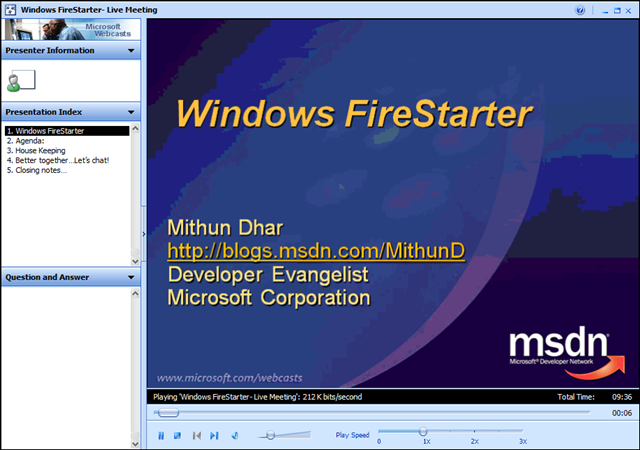
image Did you miss the Windows FireStarter online event? 

If so, you can still see recordings of the archived presentations.  I’ve copied the links to them below.

—————————

Windows FireStarter is coming to a PC near you. We’re broadcasting another FireStarter event live from Redmond! Register to watch and learn all that you ever wanted to know about Windows. Topics covered: Why Vista?, The Case of the Unexplained, Building Differentiated UI Apps using Composite WPF, Best Practices for Developing for Windows; Windows Security Bitlocker, Windows 7 and Windows Server 2008 R2.

This month features Windows Internals Expert, Diagnostics & Recovery Toolset creator & book author, Mark Russinovich.

All the sessions in this event are presented to you by some Excellent Microsoft Speakers who are Subject Matter Experts.

———————–

When: December 12th 2008 8:30 AM- 5:00 PM PACIFIC

The Live Meeting Space won’t be active till 8:00 AM on December 12th

Computer Audio
To use computer audio, you need speakers and microphone, or a headset. Questions can be asked via the Q&A panel in Live Meeting.

First Time Users:
To save time before the meeting, check your system to make sure it is ready to use Microsoft Office Live Meeting.

Agenda:


Session Name

Speaker

8:15 – 8:30

Kick off

Mithun Dhar

8:30 – 9:30

Keynote/Why Vista!

Chris Henley

9:30 – 10:45

The Case of the Unexplained

Mark Russinovich

10:45 – 11:00

Break


11:00 – 12:15

Building Differentiated UI Applications Using Composite WPF

Glenn BlockBob Brumfield & David Hill

12:15 – 1:00

Lunch


1:00 – 2:00

Best Practices for Developing for Windows for Windows Standard User

Crispin Cowan

2:00 – 3:00

Windows Security and Bitlocker

Byron Hynes

3:00 – 3:15

Break


3:15 – 4:00

(Windows 7 + Windows Server 2008 R2) Teaser Session

Byron Hynes

4:00 – 5:00

Windows for everyone!

 
Digg This

Posted by: kurtsh | January 15, 2009

BETA: Microsoft Tag – Using camera-readable barcodes

image

Okay – this is cool. “Mobile Tagging” rules.

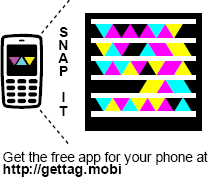
Microsoft has released both a new highly reliable & resilient computer-readable graphical code called “Tags” that are designed for rapid recognition and interpretation to enable people to post graphical objects on web sites, business cards, corporate literature, etc. and enable the average cell phone to:

  1. READ/INTERPRET A TAG
    It will enable the camera on the cell phone to capture the graphic through a viewfinder that is shown on the phone’s screen and interpret it into an Internet URL.
  2. VISIT/SAVE/EMAIL THE URL
    Once interpreted, the URL is then fed into the phone’s Internet browser for immediate resolution.  The URL can also be automatically emailed or stored for future reference. 

The camera pattern recognition technology is actually pluggable meaning that if other vendors wish they can provide modules that the camera can interpret.  For example, if Symbol, the owners of 2-D barcode technology want to provide modules to make it easy to read 2-D bar codes using consumer cameras, it should be possible using the “Tag Reader” software, available.

PHONE SOFTWARE
image The “Tag Reader” software itself is 300k-600k and is available for various platforms including:

  • Windows Mobile
  • Apple iPhone
  • Blackberry
  • Symbian S60
  • J2ME-based phone

All downloads are available simply by visiting the following URL on your phone:
http://gettag.mobi

You can also send the download to your phone over SMS by visiting:
http://www.microsoft.com/tag/content/download/

USES
image There are many conceivable uses for this mobile tagging technology.  A tag can provide end users with information through the URL they are given such as:

  • Restaurant directions
  • Magazine ads
  • Movie trailers
  • Business card information
  • Bus schedules
  • Real estate listings
  • Intro videos

Additionally, the graphical code format is usable on non-paper formats:

  • video displays
  • TV advertisements
  • electronic billboards
  • web sites (the tag above in this post is actually a tag for http://kurtsh.spaces.live.com)

Of course, this technology works beautifully on paper as well in magazines, books, newspapers, and other forms of literature.

image GETTING USAGE INFORMATION
A really interesting concept that’s come of this is that part of the model is providing analytics on the number of people that have used the mobile tag you’ve published.  Every time someone uses that mobile tag, it is noted on the http://tag.microsoft.com central site, providing you with reports of how well visited your site is.

CREATING YOUR OWN TAGS
Creating your own tags is easy.  Simply register your Windows Live ID by going to:

http://tag.microsoft.com/

…and start creating your own tags.  Tags a published using the Adobe Acrobat reader.  You may resize the graphic to whatever view you see fit and then take a snapshot from there.

FREE!
Oh – did we mention it’s free?  The software, the infrastructure, everything?

Visit the following URL for more information:

http://www.microsoft.com/tag/

Digg This

image
Microsoft invites you to an exclusive workshop:

You are invited to attend a 1-day technical introduction designed to deliver practical, hands-on information about managing your infrastructure with Microsoft’s System Center Operations Manager 2007. This workshop will be led by a Microsoft Management Technical Specialist covering the following topics:

  • Introduction to System Center Operations Manager 2007
  • Common Monitoring Scenarios
  • Monitoring more than Microsoft
  • Introduction to System Center Configuration Manager
  • Hands on Labs

Register now and take advantage of the following learning opportunities:

  • Proactively manage business critical IT services, including distributed applications, the supporting infrastructure and hardware, and end-user service delivery.
  • Reduce the complexities of managing your IT environment by providing a monitoring solution that is designed with ease of use in mind.
  • Provide a highly reliable infrastructure by leveraging Windows Server and SQL 2005 clustering for high availability and through agents that automatically failover to a secondary management server if connectivity to the primary server is lost.
  • Include management packs with prescriptive knowledge developed by the application and OS development teams at Microsoft and verified in production deployments to improve monitoring, troubleshooting, and problem resolution for more than 50 Microsoft applications and Windows Server components.

Dates/Times:

  • Thursday February 26, 2009
    Microsoft Irvine Office
    3 Park Plaza., Suite 1800
    Irvine, CA 92614
    949.263.3025
  • Tuesday March 24, 2009
    Microsoft Los Angeles Office
    333 South Grand Ave, Suite 3300
    Los Angeles, CA 90071
    213.806.7300

Time:
9:00 AM – 4:30 PM
Registration begins at 8:30 AM
(Breakfast, lunch and parking included)

Audience:
This hands-on lab is for IT Professionals in job roles like infrastructure specialists, network administrators, directory administrators, management specialists, storage and data administrators and client support. This technical hands-on workshop is limited to 28 attendees.

Registration:
Please contact me if you are a customer of mine interested in attending.  Attendance requires registration and is invitation only.

Digg This

image 
Microsoft Premier Support Series:

“Get Healthy, Stay Healthy”

As a company grows, its information technology infrastructure must also grow, typically becoming more complex, more costly to maintain, and subject to continually increasing demands. Often, the IT infrastructure does not align well with strategic business needs, making it difficult for the organization to realize the full value of its technology investments.

In this edition of the Microsoft Premier Support Get Healthy, Stay Healthy Series, we’ll discuss how Microsoft applies the concept of Infrastructure Optimization to strategically and systematically move our capabilities from a reactive mode to a more mature proactive approach, provide examples of how the Operations Strategic Review leads to a strong continuous service improvement strategy, and how leveraging Microsoft’s Catalog of Proactive Services will help achieve healthy IT operations, lower IT costs, improve systems availability and at the same time help you realize positive business impact.

We invite you join us and talk to other Microsoft customers and the Microsoft Services team to learn more about best practices in the following areas:

  • Microsoft Premier Proactive Services Catalog
  • The value of Proactive Services and Forrester Research Premier Proactive ROI
  • Microsoft’s Infrastructure Optimization Model and two-year roadmap for services improvement
  • Manage costs and execute on service improvement projects
  • Keep your business running – providing Service Level Agreements
  • Deliver new Business Value to your company
  • Accelerate knowledge transfer and growth

Attendees will gain valuable insight as to how Microsoft Premier Support Proactive Services enables customers to move beyond traditional, reactive support to leverage more proactive/preventative support and fully realize the potential of their IT investments.

Time/Date:

  • February 18, 2009
    Microsoft Irvine
    3 Park Plaza
    Suite 1800
    Irvine, CA 92614
  • February 19, 2009
    Microsoft Los Angeles
    333 South Grand Avenue
    Suite 3300
    Los Angeles, CA 90071

Registration:

Please contact me if you are a customer of mine that is interested in registering for this event.  This is invite only.

Digg This

Posted by: kurtsh | January 14, 2009

CES2008: Expo Show Floor – Day 2

Here’s a quick summary of what I saw at CES on day 2.

  • Hitachi –
    • GESTURE-BASED TV REMOTE CONTROL
      • Use hands in 3D to operate TV
      • CNN covering this technology
    • Prototype Home Video Conferencing (built into TVs)
  • NBC Universal –
    • Maria Bartiromo broadcasting from CES expo on show floor
    • Evangelizing NBC Universal properties for advertising and video publications (Hulu)
  • Toshiba –
    • SCiB – Laptop Battery technology
      • 5-cell rechargable batteries
      • 90% recharge in 10 minuntes
      • 6000 recharges with no memory effect vs 500 from LiIon
      • Due Late 2009
    • XDE PICTURE OPTIMIZATION CHIPSET – Chips for DVD players
      • Built into SD-DVD players
      • Enhances existing DVD picture quality
      • Inside Toshiba players… OEMing to other vendors
  • Sony
    • READER – Sony eBook Store only (BAHAHAHAHA!)
    • PLAYSTATION 3 – Two Killzone 2 gamestations with lots of attention.  Not much for Little Big Planet.
    • ULTRAPORTABLE – Atom 1.33Ghz notebook
      • Size of clutch purse
      • $899
      • Solid state drive available for more
    • JEOPARDY! – TV Show
      • Actual gameshow broadcast from CES floor.
      • Parent company – Sony Pictures
  • Fulton Innovation
    • eCOUPLED – Wireless Power standard
      • Partnered with Energizer, Motorola, Texas Instruments, Bosch
      • Magnetic Induction based power delivery
      • 1000Ws!  Wirelessly powered kitchen blender
      • Requires tactile contact – not ranged power
      • Retrofits to Samsung Blackjack 2, Motorola Q, TV remotes, Wiimote
      • Integrated into either battery itself or the device that is battery powered
      • Uses intelligent chip-based I/O to determine how much power is necessary
      • Demo has DirecTV DVR integration… shuts down DVR when remote is being recharged
  • Kodak
    • EASYSHARE – Camera
      • $199 Z1485 – 14Mpxl, 5x Zoom 30fps video at 720p
    • ESP9 All-in-One – Printer
      • Twice the ink longevity of HP
      • $9 for black cartridge $15 for color cartridge… CHEAP!
      • WiFi, Duplex, 32ppm
  • HP
    • Atom-based laptops…. 1.5Mhz 2Gb, 2.2kilos $400 each.
  • Universal Laser Systems
    • ON DEMAND PERSONALIZATION – Laser etcher
      • $10,000 – Software & USB connected laser etcher
      • Dog tags, wine bottles, tiles, skateboards, Xbox, Zunes, iPhones
      • Takes 150sec for dog tag
  • Iomega
    • HOME MEDIA NET HARD DRIVE – Drive that streams content to Xbox
      • Gigabit USB 2.0, 500GB/1TB, $160/$220
    • SHOW DEAL!  15% off discount @ iomega.com promo code CES2009
  • Creative
    • SHOW SPECIALS at us.creative.com/ces
    • GIGAWORKS T20 – $99 for some nice portable speakers for presenters
    • ZII NANOPROCESSING – Dynamicly activating processors using stem cell processing
  • Sandisk
    • 16GB SDFlash = $100
Digg This

clip_image001

YOU’RE INVITED TO LEARN

How To Save Money and Solve Enterprise Search Challenges Using Microsoft Enterprise Search Solutions

In today’s business climate, organizations are seeking solutions that provide immediate economic relief or the opportunity to gain significant competitive advantage with minimal, incremental investment.  Microsoft provides search technology that enables both cost savings as well as greater competitive advantage through more efficient search.

Please join Microsoft for a half-day Enterprise Search Roundtable. Hosted by Microsoft Search Experts, this half-day session will cover the following topics:

  • Microsoft Enterprise Search Roadmap
  • Enabling Microsoft Search in your Enterprise
  • Microsoft’s Advanced Search Solutions
  • Ask the Experts (optional lunch session)

Learn from Microsoft Search Experts how Microsoft Search Solutions can help your organization:

  • Derive increased business value from existing information assets by being able to efficiently and securely find and share content
  • Enable people to easily exchange ideas and information while maintaining necessary security, compliance and information management policies
  • Gain insight and see demonstrations to understand why and how so many companies are using Microsoft® SharePoint® 2007 to turn information into results; and how specialized search technologies like FAST Search & Transfer™ may play a role in your solution
  • Ask the experts about questions, issues, trends related to Enterprise Search

A recent Gartner report published by Whit Andrews and Rita Knox, the Magic Quadrant for Information Access Technology, positions Microsoft as a “Leader” in the Enterprise Search market.

Forrester calls Microsoft “the latest disruptor in Enterprise Search”.

Register for the Enterprise Search Roundtable in Los Angeles on February 18, 2009!
Time: 8:30am – 12:00pm Breakfast and registration begin at 8:00am
Location: Microsoft Office, 333 S. Grand Ave., Suite 3300, Los Angeles, CA 90071
Parking Instructions (please read carefully): Parking will be hosted for this event and is available at Joe’s Auto Parks (Lots 220 & 240) located (220 So. Hope & 240 So. Hope, Los Angeles, CA 90071).  Please park in either lot and Microsoft will validate; you will need to pay a parking fee of $10.00  ($12 after 9:00 a.m.; check or cash only) for the full day. Joe’s Auto Parks will reimburse you at the end of the seminar upon receipt of the validation.

Registration:
Please contact me if you are a customer of mine interested in attending as the event is invite only and has a capacity of only 20 or so people.

Digg This

Posted by: kurtsh | January 13, 2009

CES2009: Expo Show Floor – Day 1

image Here’s a quick summary of the technology I saw as I wandered the show floor.

Central Hall 1 & 2:

  • Microsoft
    • WINDOWS 7 – Demonstrated on every booth PC
      • “TOUCH”: 16 Primary demonstration stations are on 32” touch screen kiosks
      • Live demonstration is PACKED with people watching
    • MICROSOFT AUTO – Installed car systems
      • “SYNC”:  Voice response
      • “CAR DIAGNOSTICS”:  Information about systems, mileage, etc.
    • MEDIAROOM – Set Top Box operating system
      • “AT&T UVERSE”: set top boxes use Microsoft Mediaroom
      • FEATURES:
        • Peer to peer sharing between set top boxes
        • Pulls content from cloud services, like photo file shares, music stores online
    • WINDOWS LIVE – Great
      • “FRAME IT”:  A newly released Microsoft picture frame that pulls it’s photos from the Windows Live Services (Skydrive?)
      • “FACEBOOK INTEGRATION”:  Provides contact sync between Facebook & Hotmail/Windows Live Messenger; HUGE possibilities – (March 2009)
        • Provide file sharing to Facebook contacts easily
        • Map Facebook contacts faces to photos; use Windows Live Photo Gallery to keep names of people aligned with photo metadata; copies to Facebook
      • “LINKED IN INTEGRATION”:  Enables contact sync between LinkedIn.  (Made available Dec 2008)
    • HOME SERVER – New features announced
      • Easy hot pluggable expansion of hard drives; automatic volume expansion for storage
      • Macintosh backup
      • TV Manager provide hierarchical storage for Media Centers
  • Motorola
    • MOTOSURF – New Windows Mobile-based phone
      • GPS, WiFi, Touchscreen
      • Pearl scroll device/trackball
      • iPhone like UI
      • Brushed steel frame
    • FEMTOCELL – Internet connected cell site
      • Microtower for cellular connectivity for “within the home”.  Good for areas without good connectivity
      • Transmits over the Internet; provides VOIP phone from the unit
      • Looks like a picture frame with touch screen capability; hangs on wall
      • Provides 5 bars at home
      • Will be available with different apps as well (??)
  • Intel
    • CORE i7 – New Intel processor for PCs
      • Architecture provides 4 cores/8 hyperthreaded.  Dynamically turns on cores as necessary to save power
    • Remote PC Assist Technology
      • Enables remote control of PC over the Internet without any software running on PC; remotes into consumer PCs over the Internet – provide visibility into BIOS POST and everything
      • Enables system diagnostics remotely when OS won’t load on the machine
      • Very similar to Remote Insight Lights Out (RILO) capability on HP Enterprise Servers
    • CLASSMATE PC
      • Children’s PC now with Tablet PC technology
      • Had full “convertible touch screen” that works with small fingers.
      • Uses XP.  Pricing announced at event. 
    • Core2 Extreme Mobile
      • Provide the most extreme performance now on laptops
      • Dynamic CPU multiplier and clock speed adjustible on the fly  (Overclocking without reboot)
      • Impressive CPU power for a laptop
  • Panasonic
    • 70x Zoom High Definition Camcorder
    • No OLED:  Avoiding until technology is proven.  No commerically available OLEDs yet – the researchers ran into problems
    • Will guarantee life of Plasma 25 years; does NOT have problems with life expectancy
  • Casio
    • Privia Pianos… Watches… Scientific calulators…
    • EXILIM CAMERA LINE – New 30fps photo taking technology
      • Will take photos at 30fps at 5Mpxl
      • Will take phtoos at normal speeds at 9Mpxl
      • Takes SD Flash – has a big buffer installed on camera
      • 8x Optical Zoom
      • Really amazing speed – truly a technological breakthough
  • Pioneer
    • As with every year, I still don’t know what these people are trying to sell.  Spent 10 minutes in booth.
  • Sharp
    • 108” plasma – 8” more than last year
    • Blu-ray is there but nobody seems to care
    • Sidekick – Sharp makes the devices for us.  Very nice designs and UI
  • Powermat
    • Not letting anyone see anything;  complete encased in walls
    • The founder came out to talk to me; would NOT answer the questions I had:
      • “Who are your partners?”
      • “How is this technologically different from ePlugged"/Fulton”
  • Toshiba
    • TRANSFERJET technology –
      • 580Mbps wireless I/O for video or data.
      • Touch devices together to “pair” them
      • For PCs, phones, consoles, etc.
  • Samsung
    • OMNIA
      • Touchscreen smartphone using WM6.1.  Very sexy.  Lots of attention.  Verizon only.
    • Realtime 3D Conversion for Xbox 360, requires 3D ready TV
      • Demonstrating Forza Motorsport in 3D using Samsung 3D ready display and special glasses
    • Lots of crap for recycleables/green computing
Digg This

image TRAINING: Visual Studio Team System for Database Professionals Workshop, Irvine & Los Angeles

Visual Studio Team System 2008 Database Edition provides advanced tools for database change management and testing and offers functionality to enable database developers and administrators to be more productive and increase application quality in the database tier.

Visual Studio Team System 2008 Database Edition delivers a market shifting database development product that provides a foundation for managed database evolution through the use of an offline, Visual Studio project-centered source code control system together with a suite of tools designed to help understand the impact of proposed changes. Schemas, DML and metadata can be versioned, code can be automatically reviewed using static analysis, unit tests can be created and executed to ensure quality, and comparisons can be made with test and production systems prior to deployment. Integration with Visual Studio Team System 2008 Team Foundation Server helps increase the productivity of the database professionals by enabling them to become an integral part of the application team.

Please join Microsoft and Adventos for this one-day course to learn how the Developer and Database editions of Team System work together in the application lifecycle.

Course Outline

I. Core Features of TFS
II. Team Projects
III. Source Control and Team Foundation Build
IV. Managing Databases in a Team Environment

Who Should Attend?
Database Administrators, Database Developers

Location/Dates:

  • Los Angeles:
    Tuesday, March 03, 2009 9:00 AM – Tuesday, March 03, 2009 4:30 PM Pacific Time (US & Canada)
    Welcome Time: 8:30 AM
    Microsoft Los Angeles Office
    333 South Grand Ave
    Suite 3300 Los Angeles California 90071
  • Irvine:
    Wednesday, March 04, 2009 9:00 AM – Wednesday, March 04, 2009 4:30 PM Pacific Time (US & Canada)
    Welcome Time: 8:30 AM
    Microsoft – Irvine
    3 Park Plaza
    Suite 1600 Irvine California 92614

Registration:
If you’re a customer of mine, please contact me for registration links and passwords.  This is an invite only event for Southern California managed accounts.

Digg This

« Newer Posts - Older Posts »

Categories