Yeah.  You read that right.   Nine of out 10 critical bugs reported by Microsoft last year could have been made moot, or at least made less dangerous, if people ran Windows without administrative rights.

And yet, people insist that “we can’t lock down your desktops because your end users would never stand for it.”

<taken from the article below>

The vast majority of critical Microsoft vulnerabilities — 92% of them — could have been mitigated by stripping users of administrative rights, said John Moyer, the CEO of BeyondTrust. "This speaks to what enterprises should be doing," Moyer said. "Clearly, eliminating administrative rights can close the window of opportunity of attack."

Of the 154 bugs published and patched by Microsoft in 2008, critical or not, 69% would have been blocked or their impact reduced by configuring users to run without administrative rights, said the company.

When BeyondTrust looked at the vulnerabilities patched for Microsoft’s browser, Internet Explorer (IE), and its application suite, Office, it found that 89% of the former and 94% of the latter could have been stymied by denying users administrative privileges.

"We were surprised to see how large the number was," said Scott McCarley, the company’s director of marketing. "It really drives home how critical a role [rights] play."

imageNeed help with certain applications that “have to have admin rights to execute”?  Look to BeyondTrust’s Privilege Manager which allows locking down the workstation while still providing the appropriate privileges to select applications. 

Begin planning to eliminate end user Administrative rights:  It’s not an impossibility, folks.

ARTICLE:  http://www.pcworld.idg.com.au/
article/275445/removing_admin_rights_stymies_92_microsoft_bugs?fp=2&fpid=1

Digg This

clip_image001A long time ago, I wrote about the effects of email on the human intellect.  For those that never saw that post, in 2005, a study was commissioned by Hewlett Packard in Cambridge that concluded that email usage on a daily basis over a year’s span can retard one’s intellect as badly as frequent marijuana usage. 

The effect is staggering:  The average worker that attempts to handle incoming email, phone calls, text messages, and instant messages has his or her IQ drop by 10 points, greater than the 4 points that someone loses by smoking cannibis. (http://kurtsh.spaces.live.com/blog/cns!DA410C7F7E038D!753.entry)

Well, not much has changed since then.  People are still constantly checking mail and worse yet, the emergence of desktop instant messaging, SMS text messaging, and mobile phones with the power of computers has scattered people’s attention even worse than before.

MORE EVIDENCE OF THE KEYS TO PEAK PRODUCTIVITY
An interesting paper was written for the IEEE publication that goes deeper into this topic.  Productivity is under attack by the constant stream of interruptions that people have in today’s world.  While this paper is written with a focus on the computer programmer it’s recommendations can ultimately can be applied to any profession.

Several suggestions are made on how to reduce the number of interruptions that one has:

    • Disseminate information. Generate your own FAQ document, and get others to use it. I created an HTML page titled "README_if_SBJ_is_ Away" and placed it on an internal Web server. Given my use of the other techniques I’ve described, people tend to go to that page even when I’m not away.
    • Educate your coworkers. Be sure to let people know not only how harmful interruptions are, but also which times are the best and worst for you to be disturbed.
    • Communicate using e-mail. Rather than using the telephone or talking face to face, encourage people to contact you via e-mail. This lets you choose the best time to read and respond. E-mail also tends to be more succinct and less prone to vague, rambling interactions. Further, the extra work required to write an e-mail will filter out many interruptions; people will opt to read the manual or search the Web instead.
    • Isolate yourself physically. If your office has a door, close it. If you’re not allowed to close it, use a signal of some kind—a sign or a hat over the doorknob—to let people know that they’re not welcome. Door-deprived cubicle occupants still have options such as moving partitions around or changing their orientation relative to the cube opening, especially if doing so reduces the number of passers-by that decide to drop in.
    • Isolate yourself electronically. Get Caller ID and voice mail and use them. Resist the urge to pick up the telephone merely because it’s ringing. Disable e-mail notifiers. Wear headphones—even if you don’t listen to music. Force people to work hard to interrupt you.
    • Deviate from normal work hours. Modifying your hours will let you do the things most sensitive to interruptions when others are not around. I suspect this is one reason so many programmers prefer to work odd hours. While the stereotype is to come in late—at the crack of noon—and leave very late, I personally prefer to arrive at the office early: typically 6:00 a.m.
    • Remonstrate against interruptions. Practice forming a nasty scowl and use it whenever anyone comes into your workspace. Cultivate a reputation as a curmudgeon. If being nasty isn’t in keeping with your character, try a pained, exasperated look accompanied by a heavy sigh. Or, try rolling your eyes toward the heavens while muttering to emphasize your exasperation. If you’re interrupted to deal with something that is in your FAQ, be sure to let the person know, in some unsubtle manner, that you have been bothered needlessly.

This list is taken from an abridged version of the original paper.  The abridged version is available here:
http://www.computer.org/portal/site/computer/menuitem.5d61c1d591162e4b0ef1bd108bcd45f3/index.jsp?&pName=computer_level1_article&TheCat=1015&path=computer/homepage/1106&file=profession.xml&xsl=article.xsl&

If you are interested in the complete article:

Digg This

Layout 1
clip_image002

clip_image003
clip_image004

Digg This

Digg This

image The new Beta of the Microsoft Malware Protection Center has been put up for people to visit and research.

It’s a web site focusing on malware that includes:

  1. Published analyses of Active Threats (Trojabs, Worms, Viruses, Backdoors, etc.)
  2. Access to the Microsoft Security Intelligence Report which gives perspective on software vulnerabilities and threats during the first & second half of the year
  3. Downloads of the latest virus definitions and updates from Microsoft’s malware prevention products such as:
    1. Windows Defender (Anti-spyware)
    2. Windows Live OneCare
    3. Forefront Client Security
    4. Forefornt Server Security
    5. Microsoft DaRT
  4. Online sample submissions of potential threats along with the ability to track a given submission through the eval process

LINK:
http://www.microsoft.com/security/portal/beta/

BLOG:
http://blogs.technet.com/mmpc/

Digg This

image It has been officially announced that support for the VB6 runtime will be extended through the lifecycle of Windows 7. 

For more information you can check out the “Support Statement for Visual Basic 6.0 on Windows Vista, Windows Server 2008 and Windows 7” on MSDN at

(NOTE:  This does not in any way change the fact that extended support for the VB6 development environment has been retired (http://support.microsoft.com/lifecycle/?p1=2971) and that support is now only available through a custom support agreement.)

Digg This

Posted by: kurtsh | February 27, 2009

HOTFIX: Outlook 2007 February Cumulative Update (Feb 24th)

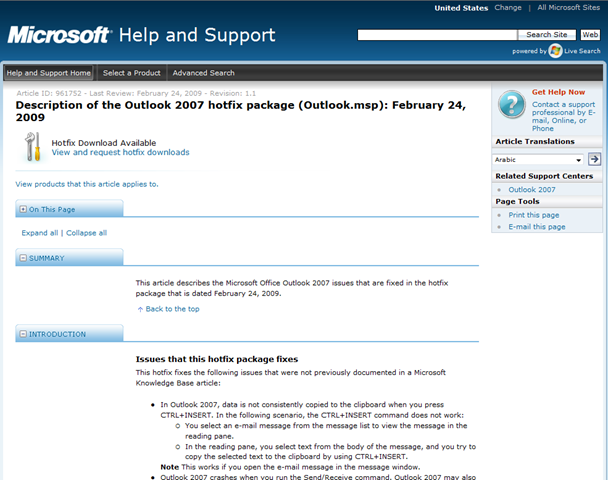
image A cumulative update for Outlook 2007 which covers performance and calendar improvements has been released. The Outlook February Cumulative Update contains a large set of the fixes that release as part of the 2007 Microsoft Office suite Service Pack 2 (SP2), a full description of the Outlook 2007 improvements in the cumulative updates is here:
LINK:  http://support.microsoft.com/?kbid=968009

After reviewing the article click the link at the top of the page, you will need to enter your email address, you will then receive an email with the download link and the password for extracting the update.

Please Note:  After you successfully install the update, the first time you run Outlook there will be a slight one-time delay as Outlook reprocesses your data files. After this initial process, performance will improve as described in this article.

More Information: There is an Outlook Team Blog and the link to the article for this fix is:
http://blogs.msdn.com/outlook/archive/2009/02/25/announcing-the-february-cumulative-update-for-outlook-2007.aspx

Digg This

image Learn how MOSS 2007 with PerformancePoint Services supports a collaborative dashboarding environment while working in teams to utilize the Dashboard Designer to build out a scalable-interactive “Dashboard in a Day”.

By attending this FREE Hands-On Lab, you will:

  • Use what you own:  Learn how your investment in Microsoft SharePoint now also gives you PerformancePoint Services for free.
  • Learn how to build end-to-end dashboard and scorecards that are centrally defined and deployed for the organization to consume corporate data.
  • Become familiar with how PerformancePoint Services can bring together the power of the Microsoft Business Intelligence stack to your corporate portal
  • Leverage your experience and collaborate with your peers to build out an interactive corporate dashboard

Who Should Attend:
This is an hands-on lab provides both hands on learning lab and a team collaboration environment for business analysts, report authors, financial analysts, and financial controllers who are:

  • possess a basic understanding of dashboarding and scorecarding
  • are interested in creating scalable portals in a team environment
  • are considering or planning to deploy KPI’s for scorecarding with contextual analytical reports for an interactive dashboard experience

Prerequisites:
To get the most from this course, you will need an understanding of reporting, dashboarding and scorecarding.

Date/Time:
Monday, March 16, 2009 9:00 AM – Monday, March 16, 2009 3:30 PM Pacific Time (US & Canada)
Welcome Time: 8:30 AM

Location:
Microsoft Office – Irvine
3 Park Plaza
Suite 1600 Irvine California 92614
United States

Registration: 
If you are interested in attending and are a customer of mine, please contact me for registration information – there is a password that is required.  Only registered individuals will be allowed into the lab:  NO WALK INS WILL BE ALLOWED.

Digg This

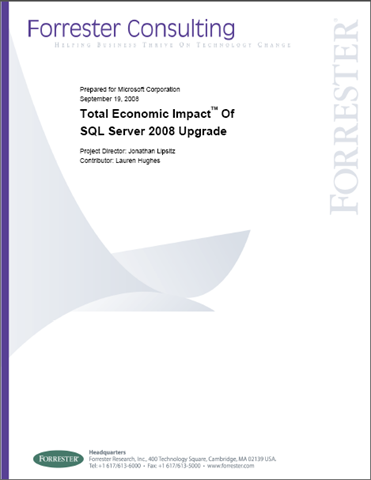
image In August 2008, Microsoft Corporation commissioned Forrester Consulting to examine the total economic impact and potential return on investment (ROI) enterprises might realize by upgrading from SQL Server 2000 or 2005 to SQL Server 2008. SQL Server 2008 offers many features that improve the performance, administration, integration, security and availability of SQL Server databases. In addition, it increases the productivity of Database Administrators (DBA) and developers to better manage and exploit data stored in SQL databases. This study illustrates the financial impact of upgrading from a previous version of SQL Server to SQL Server 2008.

Conducting in-depth interviews with an existing SQL customer that upgraded to SQL Server 2008, Forrester found that the organization achieved benefits, some easily measured for this ROI study and others, equally as valuable, that could not be quantified. Specifically, the benefits fall into the following categories:

  1. avoided adding SQL Server 2008 servers – license and hardware savings;
  2. avoided adding storage;
  3. eliminated third-party software;
  4. avoided hiring additional IT employees;
  5. increased user productivity – business and IT;
  6. improved database performance and provided enhanced features;
  7. improved data security; and
  8. improved working experience

for the database administration team. Only the first five benefits were quantified as part of the ROI analysis. To fully understand the potential effect on their organizations, readers should consider all benefits, whether or not they could be quantified for this study.

This customer provided metrics to quantify components of the first five benefits listed above. For the interviewed customer, Forrester found that upgrading to Microsoft’s SQL Server 2008 delivered an anticipated ROI of between 162% and 181%.

imageThe Forrester study is downloadable below.http://cid-00da410c7f7e038d.skydrive.live.com/embedrowdetail.aspx/ProductMaterial/SQLServer2008/Forrester-TotalEconomicImpactofdeployingSQLServer2008.pdf


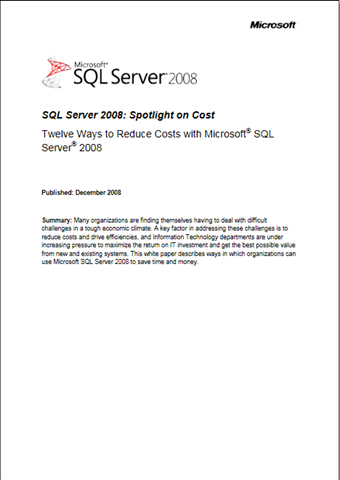
Additionally, a quick summary of SQL Server 2008’s cost cutting capabilities are summarized in the .XPS document below.

http://cid-00da410c7f7e038d.skydrive.live.com/embedrowdetail.aspx/ProductMaterial/SQLServer2008/12WaystoCutCostswithSQLServer2008.xps

Digg This

« Newer Posts - Older Posts »

Categories