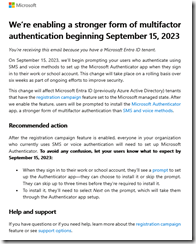
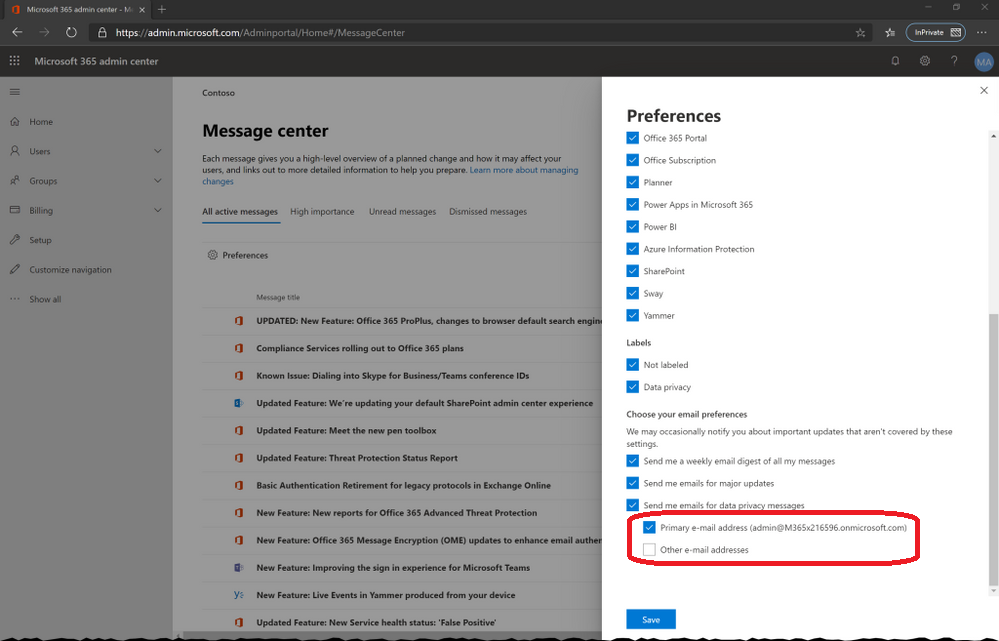
 Recently, folks using Azure AD Multi-factor Authentication (MFA) have started receiving “last chance” emails (like that in the snapshot to the left) about the Authenticator App Registration Campaign that is being launched on all Microsoft-managed Azure AD tenants starting Sept 15th. (Note: This date has since been pushed out to Sept 25th – see below)
WHAT IS THIS?
This is an urgent initiative to drive Azure AD users to transition from SMS/Voice-based Multi-factor Authentication to Microsoft Authenticator app-based MFA.
These telephony-based methods of MFA can be circumvented through SIM-swapping and other techniques bad actors use. The frequency of breaches led by the fallibility of SMS/Voice MFA has been increasing throughout the world and it is considered in trending threat to identities such as those in Azure AD tenants.
WHEN DID THIS GET ANNOUNCED?
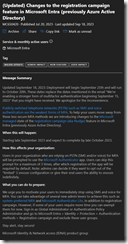 This Microsoft Authenticator “registration campaign” to drive users to move off of SMS/Voice MFA was announced in the Message Center (MC650420) back in July.
It has since been UPDATED on Sept 18th, 2023 to announce that the registration campaign will launch from Sept 25th to Oct 20th. (Changed from Sept 15th)
Here’s the current Message Center message:
(Updated) Changes to the registration campaign feature in Microsoft Entra (previously Azure Active Directory)
MC650420 · Published Jul 20, 2023 · Last updated Sep 18, 2023
MAJOR UPDATE | ADMIN IMPACT | NEW FEATURE | USER IMPACT
Message Summary
Updated September 18, 2023: Deployment will begin September 25th and will run to October 20th. These dates replace the dates mentioned in the email "We’re enabling a stronger form of multifactor authentication beginning September 15, 2023" that you might have received. We apologize for the inconvenience.
Publicly switched telephone networks (PSTN) such as SMS and voice authentication are the weakest forms of MFA. To help your users move away from these less secure MFA methods we are introducing changes to the Microsoft managed state of the registration campaign (aka Nudge) feature in Microsoft Entra (previously Azure Active Directory).
When this will happen:
Starting late September 2023 and expect to complete by late October 2023.
How this affects your organization:
Users in your organization who are relying on PSTN (SMS and/or voice) for MFA will be prompted to use the Microsoft Authenticator app. Users can skip this prompt for a maximum of 3 times, after which registration of the app will be required by default. Note: admins can decide it they want to opt out of the “limited” 3 snooze configuration or give their end users the ability to snooze indefinitely.
What you can do to prepare:
We urge you to motivate your users to immediately stop using SMS and voice for MFA. You can take advantage of several new admin levers to achieve this such as system-preferred MFA and Microsoft Authenticator Lite, in addition to registration campaign. However, if some of your users require more time you can exempt them for now. Sign in as Global Administrator or Authentication Policy Administrator and go to Microsoft Entra > Identity > Protection > Authentication methods > Registration campaign and exclude these user groups.
Stay alert, stay secure!
Microsoft Identity & Network access (IDNA) product group
HOW DO I DISABLE THIS FOR OUR TENANT?
For folks that have situations that prevent the mandated use of Authenticator apps (Union rules, lack of phones, etc.) I wrote up some instructions on how to disable the MFA/Microsoft Authenticator App registration campaign for all users:
- Go to https://entra.microsoft.com/
- Go to Identity –> “Protection”
- Click “Authentication Methods”
- Click “Registration Campaign”
- Click “Edit”
- Set the State drop down from “Microsoft Managed” to “Disabled”
- Click “Save”
ALTERNATIVES TO DEPLOYING THE AUTHENTICATOR APP FOR MFA
Organizations need to transition from SMS/Voice MFA – not just because it puts your organization at risk, but because Microsoft will be pulling the plug on the service in the future.
So what does one do? The answer for many organizations in either Windows Hello for Business or FIDO2 keys – like those from Yubico. These device are durable, portable, and act like the keys to the ignition of your PC.
Comments Off on HOWTO: Disable Azure AD MFA Registration Campaign
Posted in Uncategorized
 For a limited time – September 1, 2023 – November 30, 2023 – you can save up to 50% compared to pay-as-you-go pricing when you purchase one-year Azure Reserved Virtual Machine (VM) Instances for
 ![image_thumb[7]](https://kurtsh.com/wp-content/uploads/2023/09/image_thumb7.png "image_thumb[7]")
![image_thumb[8]](https://kurtsh.com/wp-content/uploads/2023/09/image_thumb8.png "image_thumb[8]")
![image_thumb[9]](https://kurtsh.com/wp-content/uploads/2023/09/image_thumb9.png "image_thumb[9]")
![image_thumb[10]](https://kurtsh.com/wp-content/uploads/2023/09/image_thumb10.png "image_thumb[10]")

 Did you know that in Windows 11 you can hit WIN-ALT-K to MUTE your microphone for any app that leverages the Taskbar Mute button ("Call Mute") like Microsoft Teams. (As of Windows 11 version 22H2)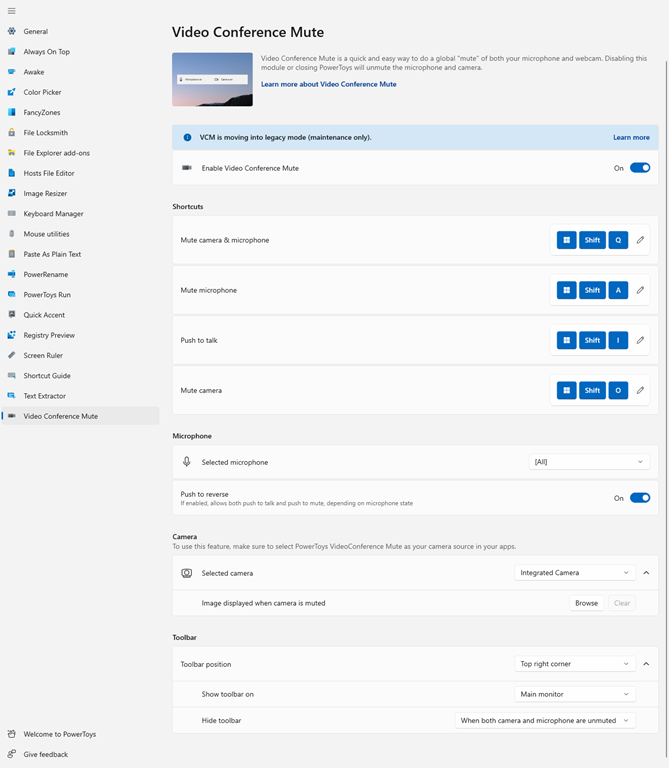



 kurtsh
 Kurt Shintaku's Blog


You must be logged in to post a comment.