image

Today, Microsoft and HiSoftware are pleased to announce the release of the Accessibility Kit for SharePoint (AKS) v2.0.  The AKS v2.0 provides an accessible development framework and significantly reduces the level of effort and knowledge needed by customers and partners to improve the accessibility of SharePoint based sites and applications.

The AKS v2.0 follows on from the success of the AKS v1.0 and v1.1 which have been downloaded by more than 4000 organizations in fifty countries.  The AKS v2.0 is intended to be a community based project which other individuals and organizations can contribute to and is released today under the Microsoft Public License.

Key Features in the AKS v2.0
The AKS v2.0 introduces the following:

  • Smart Control adapters which greatly reduce the amount of custom configuration previously required for AKS control adapters.
  • The Web Part Zone Control Adapter, a special Smart Adapter that modifies the output of SharePoint so that it does not use tables for layout of the Web parts.
  • HiSoftware’s Compliant Code Engine (HCCE) to assist organizations in creating code that is compliant to standards-based HTML or XHTML.
  • Additional requirements under Canadian Common Look and Feel 2.0 (CLF 2.0) guidelines.
  • Examples of remediation to comply with WCAG 2.0 Level AA.
  • French language version of AKS 1.0 components.

DOWNLOAD:
https://aks.hisoftware.com/downloads/AKS2.0Agreement.aspx

Digg This

image This post is too awesome not to re-direct people to.

John Jansen, Test Lead for Sharepoint Designer just had his book published by Microsoft Press, “Building Web Applications with Microsoft Office Sharepoint Designer 2008”.

Just as importantly, the team directs people to these two links where you can view John’s free training videos on SharePoint Designer 2007 on Office Online:

  • A six-part series on getting the most out of SharePoint Designer 2007
  • SharePoint Designer 2007 Business Administrator Training


    LINK:
    http://sharepoint.microsoft.com/blogs/GetThePoint/Lists/Posts/Post.aspx?List=8d9e2a99%2Df288%2D47c2%2D916b%2D2f32864f7b82&ID=179

    Digg This

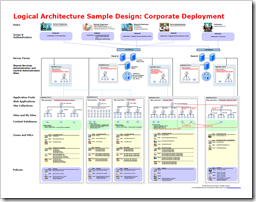
  • imageThe Sharepoint Product Team released the set of Sharepoint Architecture Diagram stencils that they used with Visio 2007 to create the diagrams from the posters they created around sample designs.

    To create your own diagrams for models of server deployments, just download the stencil pack below. For examples of how the IT pro content publishing team for Microsoft Office used these shapes, see these pages:

    DOWNLOAD:
    http://www.microsoft.com/downloads/details.aspx?displaylang=en&FamilyID=08105458-1d92-44ad-b7e0-744aa853a7bf

    Digg This

    Posted by: kurtsh | March 22, 2009

    MEDIA: Internet Explorer 8.0 performance… the video!

    image The IE team created a video that demonstrates the performance testing that was done against the new Internet Explorer 8.0 release in order to prove it’s performance improvements.  It would appear they’ve done a VERY good job.

    • VIDEO:  IE8 Performance
      In the absence of effective benchmarking tools, the Internet Explorer Team created a real world test which took in several key factors into consideration and created a level playing field for all browsers tested. The results when comparing Internet Explorer 8 page load times to Firefox and Chrome were captured on this video.
      http://www.microsoft.com/video/en/
      us/details/cffddf93-14cf-4047-9b25-b4e07cdf6bf6

    If you’re interested in raw benchmarking scores, take a look at my previous post on Internet Explorer 8.0 benchmarking and the documentation that was written

    Digg This

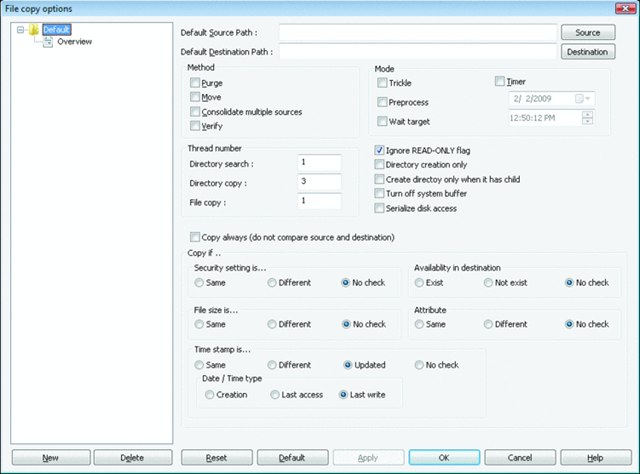
    image RichCopy is a multi-threaded extremely robust utility to copy files between locations.  In particular this tool is fantastic when copying many files at a time especially across a slow link. 

    We’ve had RichCopy internally at Microsoft since before the turn of the century and it’s reached almost legendary status as a must-have tool for us field folk, however after version 3.0, the tool required a direct connection to Microsoft’s internal network to use.  (For some reason, the author prohibited usage by anyone other than MS employees.  In fact, to this day have version 2.34 which was one of the last versions of RichCopy that didn’t have this requirement.)  Well, looks like the tool’s been released into the wild care of Technet.  Release the hounds!

    So why do you care – besides the fact that it’s free?

    MULTI-THREADED
    One of the key capabilities is RichCopy’s ability to open multiple threads simultaneously, allowing many files to be copied in parallel and cutting the total time required to complete the operation several times over.  If you’re doing network-based copies, this is definitely a tool you want to use.  (Personally, I find that for large scale large file based disk-to-disk copies, Teracopy does a better job because it’s approach is entirely serial based and it’s integrated into the Windows UI.)

    ROBUST RETRY
    If you get cut off from the network, or you decide to pause the transfer, checkpoint restart is available, meaning that you can reinitiate the file copy and it will continue where you last left off.  A lifesaver if you’re copying a big ol’ Virtual Machine or an .ISO file and you get disconnected from the wireless or something.

    DOWNLOAD:
    http://technet.microsoft.com/en-us/magazine/2009.04.utilityspotlight.aspx?pr=blog

    Digg This

    Posted by: kurtsh | March 21, 2009

    INFO: “What console has the best games?”

    This is an interesting article on “what console has the best games?”
    http://www.siliconera.com/2009/03/19/critic-comparison-which-console-has-the-most-acclaimed-games/

    clip_image002They look at the statistics in two dimensions:

    1. Which console has the most  great games?
    2. Of the games that the console has total, which has the highest ratio of “great” games as a percentage?

    The end results are that if you’re buying a random game from the PS3’s library, it has a 60% chance of being either “great” or “good”, versus Xbox 360’s chances of 50%. 

    At first glance one might think this implies that PS3 has the “best games”.  However, there are 294 games for the Xbox 360 that make up that 50% “great or good”, whereas there are only 171 games that make up the PS3’s 60%. 

    The important takeaways are:

    • There are 123 more high quality games for the Xbox 360 than there are for the PS3. 
    • And the total number of high quality games on Xbox 360 is TWICE that of the Wii.

    (Interestingly, in sort of a humorous statistic, there are so many bad games for the Nintendo Wii that they approach the same number of bad games available for the Xbox 360 despite the fact that the Xbox 360’s library is THREE TIMES the size of the Wii’s.)

    Digg This

    Posted by: kurtsh | March 20, 2009

    RELEASE: Internet Explorer 8.0

    image Today, Internet Explorer 8.0 was released to the public.

    Weighing in at 13.2MB, this download is available for Windows XP as well as Windows Vista, but not for Windows 7 Beta.  (The Win7 Beta’s RTM release is coming with Release Candidate 1… it’s just taking longer because of some of core dependencies the browser has on the underlying OS.)

    We’re obviously very excited about today’s launch of Internet Explorer 8; it’s safer, easier, faster, and more secure than any other browser on the market!   IE8 is the modern browser, providing superior features, toolkits and robust security for IT pros to configure, deploy, and manage the browser as part of their corporate environment.

    • Safer.  Built-in phishing and malware protection along with click-jacking and cross-site scripting prevention protects from threats on the Internet. InPrivate browsing & filters let you maintain confidentiality when needed.  See Whitepaper here.
    • Easier. With Web Slices, content updates from your favorite website are now accessible right from your favorites bar no matter where you are on the web.  We already have 41 Web Slices developed in the US.
    • Faster. IE8 is faster than IE7 by 80% in common micro-benchmarks.  In side-by-side measures of speed in opening the top 25 websites worldwide, IE8 was as fast or faster than Firefox and Chrome.  See the video here.

    Here are the 6 reasons to load up IE8.0:

    1. PERFORMANCE – Surf using the fastest browser on the Internet.
    2. STANDARDS-BASED – Leverage industry standards to ensure uniform browsing experience. 
      & COMPATIBILITY-MODE  – Ensure that you can always view legacy web pages that are not industry standards based.
    3. SMARTSCREEN – Identify and make apparent fake web sites and illicit links.
    4. IN-PRIVATE – Surf without fear of content being tracked or traces left behind on the computer you’re working on.  Surf with complete privacy.
    5. WEBSLICES – Ensure that common information of value is always available with the simple hover over a button.  Keep in touch with changes to internet content that may me something to you.
    6. ACCELERATORS – Act on content that you highlight by selecting text and immediately processing that text using a web service such as a mapping service or a auction site.

    For videos on these features:
    http://www.microsoft.com/windows/internet-explorer/videos.aspx

    How to ensure your web site is compatible with IE8.0:

    DOWNLOAD:
    http://www.microsoft.com/ie8

    Digg This

    Wow.  Check out this article:

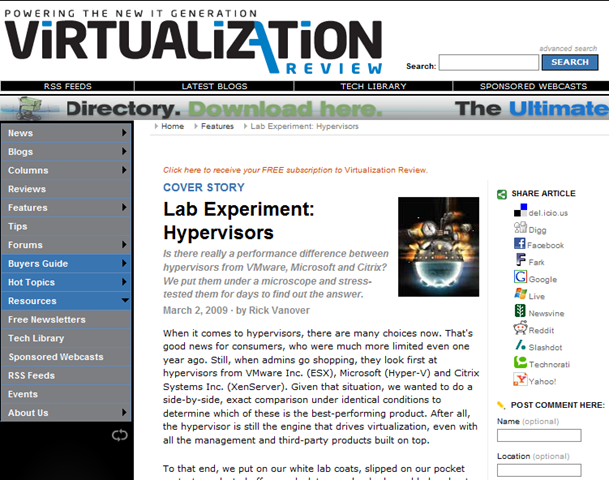
    image Lab Experiment: Hypervisors
    http://virtualizationreview.com/features/article.aspx?editorialsid=2641

    There was no overall winner here; no way to say, "This is the best hypervisor for every situation." But some general conclusions can be drawn. For CPU- and memory-intensive applications, XenServer and Hyper-V are attractive and have proven their mettle. For a large number of light to moderate workloads-or if you decide that memory over commit, for example, is important-ESX may be the answer. What is entirely clear, however, is that all three hypervisors are legitimate virtualization platforms, and that no single company has a monopoly on virtualization any longer.

    So if I read this correctly, the most expensive hypervisor appears to also be the slowest in most cases.

    Hyper-V won 4 of the 11 tests (the others going to XenServer by a less than a horse length). For example, test 2 focused on a large number of heavy workload systems: 1 database server running one midsize database and 12 VMs with a heavy workload of CPU, memory and disk operations.  In the test, Hyper-V completed SQLjob 52% faster than ESX, was 2.3 times faster than VMware ESX in CPU for Virtualization Review’s hypervisor test operations, and was 3 times faster than VMware ESX in test for average RAM operations.

    Note:  I’ve recently heard a rumor that there’s a possibility a certain vendor may attempt to get this article pulled from the web site so if you want to read it, I suggest you take a look at it ASAP.

    Digg This

    image This document explains the various browser and network components and how each piece can impact performance when benchmarking. The document also compares the capabilities and limitations of various benchmarking tools, as well as ways to design tests to avoid these issues. Also included is an overview of instructions on how to set up a benchmarking environment to conduct some of the testing processes discussed in the document. See the performance analysis in action: http://go.microsoft.com/fwlink/?LinkID=144386

    Here’s a quote from part of an article written by Arstechnica on the whitepaper:

    “Just before announcing that Internet Explorer 8 has been finalized, Microsoft has released a new report titled "Measuring Browser Performance: Understanding issues in benchmarking and performance analysis." The document explains the various browser and network components and how each piece can impact performance when benchmarking, capabilities and limitations of various benchmarking tools, as well as ways to design tests to avoid these issues. What makes this report extremely dubious is the chart that is buried at the bottom. It shows IE8 outperforming Firefox 3.05 and Chrome 1.0, something that no other test on the Internet has ever shown before.”

    The chart mentioned is a summary of browser load times of the top-25 websites according to comScore, where IE8 wins out most of the time.

    DOWNLOAD:
    http://www.microsoft.com/downloads/details.aspx?displaylang=en&FamilyID=cd8932f3-b4be-4e0e-a73b-4a373d85146d

    Digg This

    image Microsoft Virtual Machine Manager 2008 R2 Beta is a comprehensive management solution for virtualized infrastructure that takes advantage of many of the great new features of Windows Server 2008 R2 Beta including:

    • Live Migration: Enables the movement of running virtual machines from one virtual host to another with no downtime.
    • Clustered Shared Volumes: Helps enable Live Migration and eliminates the previous one LUN per virtual machine requirement thus simplifying SAN administration.
    • Hot addition/removal of storage: Allows the addition and removal of new virtual hard disks (VHDs) and iSCSI pass-through disks running on virtual infrastructure.
    • Networking optimizations: two new technologies — Virtual Machine Queue (VMQ) and Chimney – provide increased network throughput while reducing CPU load.

    LINK FOR PRE-REGISTRATION:
    https://connect.microsoft.com/SelfNomination.aspx?ProgramID=3021&pageType=1&SiteID=799

    Digg This

    « Newer Posts - Older Posts »

    Categories