Posted by: kurtsh | April 23, 2009

RELEASE: Network Monitor 3.3 releases to the web

image Network Monitor 3.3 is now available
Please download Network Monitor 3.3 from Microsoft.com. Visit the Network Monitor 3.3 Release Blog to get more information about this release.

To provide feedback, go to our scenario voting page, and let your opinion be heard.

What’s New in Network Monitor 3.3?

  • Ability to capture on WWAN and Tunnel interfaces on Win7.
  • Critical fixes to NM3.3 to operate correctly with Hyper-V.
  • Right-click-add-to-alias.   Right-click a frame in the Frame Summary window with an IPv4, IPv6, or MAC address to add that address as a new alias.

    clip_image003

  • Right-click-go-to-definition:  Right-click a field in the Frame Details windows and select Go To Data Field Definition or Go To Data Type Definition to see where the field is defined in the NPL parsers.
  • Auto-scroll.   See the most recent traffic as it comes in.  In a live capture, click the Autoscroll button on the main toolbar to have the Frame Summary window automatically scroll down to display the most recent frames as they come in.  Click Auto-scroll again to freeze the view in its present location.
  • Experts available online:  Experts are stand-alone applications that analyze Network Monitor capture data.   Various experts are available online at http://go.microsoft.com/fwlink/?LinkID=133950.
  • Frame Comments:  Attach comments to frames in a saved capture file.  Select the Frame Comments tab in the lower-right window to add, view, edit, or delete comments.

    clip_image004

  • API Extensions:   API methods have been added to enable access to conversation information, properties, field display strings, and comments.
  • Ability to open ETL files and correlate information by Network Tracing scenario.
  • Set of core parsers to improve parsing performance.  These can be accessed by changing the Common and Windows set of parsers to stubs:

From the Tools menu, select Options

  • · Go to the Parsers Tab
  • · Select the folder you want to stub out (Common or Windows)
  • · Click on the Stubs button on toolbar
  • · See our Release Notes for a complete list of new features and known issues.
  • Experts: Experts are stand-alone applications that analyze Network Monitor capture data.  Network Monitor 3.3 provides a simple interface for registering experts with the product and invoking them on a saved capture file.  We have made some initial experts available online.  Do you have a network troubleshooting need that is not currently met by Network Monitor or our available experts?  Why not suggest your own expert?   Please use the feedback link on the left to submit a description of the analysis task you want to solve (you must first join our connection) and we will work with you to create an expert for the community to enjoy.

DOWNLOAD:
http://www.microsoft.com/downloads/details.aspx?displaylang=en&FamilyID=983b941d-06cb-4658-b7f6-3088333d062f

Digg This

Posted by: kurtsh | April 22, 2009

WEB: Local Microsoft Bloggers in Southern California

image I started thinking to myself… I’ve been doing this customer-focused blogging thing for like 6 years now.  I’ve never once listed out the other Microsoft bloggers in my territory that I know that write at least partially for customers, as opposed to just their own personal life blogs.

As I remember more, I’ll post their blogs here.  Right now these are the only ones that I can remember off the top of my head.

Digg This

Posted by: kurtsh | April 22, 2009

HOWTO: Get rid of Comment SPAM in Windows Live Spaces

image Have you ever wanted to review all the comments in your Windows Live Space to help eliminate unwanted entries or SPAM?  It’s actually pretty easy but many people don’t know how to do it.

Simply do the following:

  1. Go to http://home.spaces.live.com
  2. Login to you Windows Live Account.
    This should put you into a screen similar to that on the left.  If it doesn’t click on the “More” menu item at the top of the screen and click “Spaces”.
  3. image Click on “Recent Comments”.
    This will list out all the recent comments on your blog.  To delete undesirable SPAM, simply click the “DELETE” hyperlink next to each entry you don’t want on there.

Done!

Digg This

Event:  “How to Tame Your Inbox” with Microsoft Outlook 2007 & McGhee Solutions
image Date:  Thursday, May 21, 2009
Time:  10:00am
Duration: 40 minutes

In most organizations today, email plays a key role in the day to day operations of the business. However, managing, organizing and responding to emails can take up so much time and energy you start wondering,

outlook1"How do I manage my inbox so it doesn’t manage me?"

Join us for this webcast by productivity experts McGhee Solutions to learn how to become more efficient in managing your inbox. This complimentary training will show how to leverage the features in Microsoft Outlook 2007 to decide how to handle emails and take back hours in your work day.

REGISTER:
Please contact me for details on how to register if you are a customer of mine.

Digg This

And we’re giving away yet another Microsoft eBook. 
Interested in doing some development as a beginner?

BuildaProgramVisualBasic2008Microsoft® Visual Basic® 2008 Express Edition: Build a Program Now!
February 27, 2008
Patrice Pelland
256 Pages

Make building new programming skills fun and fast with a quick-start, project-based approach!

In this lively, eye-opening, hands-on book, all you need is a computer and the desire to learn how to program with Visual Basic 2008 Express Edition. Featuring a full edition of the software, this fun and highly visual guide walks you through a complete programming project—a desktop weather-reporting application—from start to finish.

You’ll get an introduction to the Microsoft Visual Studio® development environment and learn how to put the lightweight, easy-to-use tools in Visual Basic Express Edition to work right away—creating, compiling, testing, and delivering your first ready-to-use program.  Let’s see if this post gets copied without a trackback.  You’ll get expert tips, coaching, and visual examples at each step of the way, along with pointers to additional learning resources.

REGISTER FOR FREE DOWNLOAD:
http://csna01.libredigital.com/?urrs4gt63d

Digg This

imageIna Fried wrote an article in CNet entitled “Windows 7 will allow downgrades too”, mentioning how people will be able to purchase Windows 7 and downgrade all the way down to Windows XP.

Here’s some of the “Q&A” we have on this topic to clear the air and clarify a few rather important points on why we’re doing this:

So does Microsoft have downgrade rights for Windows XP planned as part of Windows 7?
Yes. OEM Downgrade rights will be available for 6 months post Windows 7 General Availability (aka Launch). This is not the first time that Microsoft has offered downgrade rights to a version other than its immediate predecessor and our Volume Licensing customers can always downgrade to any previous version of Windows. 

Why is Microsoft allowing customers to downgrade to Windows XP from Windows 7, is it because of the poor reception of the marketplace to Windows Vista?
This is not the first time that Microsoft has offered downgrade rights to a version other than its immediate predecessor.  In fact, our Volume Licensing customers can ALWAYS downgrade to any previous version of Windows. 

What is this about Windows 7? Why are you already taking about downgrades of Windows 7 when it hasn’t even been released yet?
During the development process, we communicate to OEMs the roadmap for End User downgrade rights in OEM versions of the next OS. 

What about Windows 7, when will that be available?
We’re not making any new announcements about Windows 7 availability at this time.  As we have said, we are currently in the development stages for Windows 7 and expect it will take approximately 3 years from Windows Vista Consumer GA to develop. The specific release date will be determined once Microsoft meets its quality bar for release.

What are downgrade rights, and why does Microsoft offer them?
The product License Terms (formerly known as the end-user license agreement [EULA]
http://www.microsoft.com/downloads/details.aspx?FamilyID=4f4b3cfd-7f4e-46cb-8117-8275f7683d3f&DisplayLang=en), for Windows Vista Ultimate and Windows Vista Business products, grant customers end-user downgrade rights, which allow customers to uninstall the software that is preinstalled on their PC and to install a legally licensed copy of an older version of Windows software.  The customer also retains the right to use the newer version of Windows Vista that came installed on their PC when they chose to, making a future upgrade back to the original version of Windows Vista easy!

My organization isn’t ready to move to Windows Vista software. What should we do?
Microsoft recommends customers complete their testing and evaluation of Windows Vista software and determine the right time to migrate existing and new PCs to Windows Vista software.  For many customers and businesses, the most simple migration plan is to move to Windows Vista software as new PCs are acquired. If however, your business requires use of Windows XP Professional on new PCs and if you are running Windows Vista Business or Windows Vista Ultimate you have the automatic right to run a previous version of Windows on your PC for the life of your PC.

What is the downgrade rights policy?
OEM versions of Windows Vista Ultimate and Windows Vista Business provide the customer with downgrade rights, as outlined in the product license terms (formerly the end user license agreement [EULA]
http://www.microsoft.com/downloads/details.aspx?FamilyID=4f4b3cfd-7f4e-46cb-8117-8275f7683d3f&DisplayLang=en).  Under these rights, the customer user has the right to downgrade from Windows Vista Business or Windows Vista Ultimate to a previous version of Windows, such as:

  • Microsoft Windows XP Professional
  • Microsoft Windows Professional x64 Edition
  • Microsoft Windows XP Tablet PC Edition

PC manufacturers (OEMs) shipping Windows Vista Business or Windows Vista Ultimate are able to order Windows XP media to help support their customers’ needs for a previous version of Windows software.

How long will I be able to obtain downgrade media from my PC maker?
For new PCs that come pre-installed with Windows Vista Business and Windows Vista Ultimate, downgrade media may be provided by an OEM for Windows XP. Customers should check with their OEM directly to see if downgrade media is offered. Once installed on your PC, you can continue to use a previous version of Windows for the service life of that PC, or until you are ready to upgrade back to your originally-installed copy of Windows Vista.

Digg This

Balesio, the makers of one of my favorite utilities, “PPTminimizer”, released a new version of their product.

AN imageODE TO “PPT MINIMIZER 4.0”
One of my favorite tools in my arsenal of utilities is Balesio PPTminimizer.  It allows you to compress Office Powerpoint files (2007 and prior) by reducing the size and fidelity of graphics objects embedded within the document.

The premise behind this is that graphics objects are generally much larger than they need to be once they are embedded within the Powerpoint and sized to fit the slide.  A graphics object that’s 1024×768 and is 1.1MB in size might be resized to 160×120 in a slide but it remains 1.1MB within the file.

PPTminimizer resizes the 1.1MB graphics object so that it might take only 100k but still look the same on the slide.

PPTminimizer was always very flexible.  It allowed people to:

  • Compress graphics at different compression levels (for example, high compression is great for sending people “drafts” of Powerpoints over email, whereas “standard” is better for archival once the document is completed.
  • Automatically compress PPTs (or at least ask you if you want to) every time you send an email in Outlook with a PPT attached to it.
  • Right-mouse click any Powerpoint file and compress it.  (It makes a 2nd copy of the file and appends the word, “Optimized” to the file name)

At the end of the day, you were always able to send Powerpoints over email without filling someone’s mailbox.  Compression ratios are usually around 50%-95%… i.e. a 10MB Powerpoint drops down to as little as <1MB in size.

imageENTER FILE MINIMIZER OFFICE 5.0
Well, they finally went and extended that PPT functionality to .DOC and .XLS files.  Files that are part of the rest of the Office family of products can now have embedded objects shrunk just like PPTs.

In addition to shrinking graphics files down to sizes that are more appropriate for the fidelity that is necessary within the document, FILEminimizer also “flattens” OLE objects.  If you have an Excel table embedded within a Word .DOC, FILEminimizer can convert the Excel table into a graphics object, greatly reducing the size of the object.

And like PPTminimizer, it will intercept every message you mail with Outlook that contains an Office attachment in it… but now it will compress every .DOC, .XLS, and .PPT (or .DOCX, .XLSX, or PPTX) you have attached to the mail and batch process these documents all at once.

At $45, this is a very worthwhile investment if you send and receive Office documents over the mail or store many documents on server shares.

Digg This

Posted by: kurtsh | April 21, 2009

INFO: Office 2007 Service Pack 2 coming April 28th

image Besides announcing a release date of April 28th, the Office Sustained Engineering folks published a write up that described the new general fixes in Service Pack 2.

—————–

We’ll start with updates that pertain to multiple products, highlight fixes to the individual desktop applications, and then discuss fixes to the server products.

Changes that impact desktop applications

  • Service Pack 2 adds the ability to open, edit and save documents in version 1.1 of the OpenDocument Format for Word, Excel, and PowerPoint. These applications now let users save, open, and edit files as OpenDocument Text (*.odt), OpenDocument Spreadsheet (*.ods), and OpenDocument Presentations (*.odp).
  • The 2007 Microsoft Office Service Pack 2 is the first service pack to support uninstall of client updates through the Microsoft Service Pack Uninstall Tool for the 2007 Microsoft Office Suite as well as via Windows Installer command line. The Service Pack Uninstall Tool will be available as a separate download.
  • The Microsoft Save As PDF or XPS add-in has been built into Office applications in SP2. Users no longer have to download and install the add-in separately.
  • When many graphic objects are present performance has been improved.
  • In many scenarios, expect increased print fidelity of graphical objects.
  • Improved interoperability using standard DrawingML markup to describe the visual properties of the SmartArt graphic. 

The 2007 Office Suite SP2 has been tested and is supported for Internet Explorer 8. Windows Vista SP2, Windows Server 2008 SP2, Windows 7 and Windows Server R2 will all be supported upon their release.

Access

  • The ability to export reports to Excel has been added.
  • Fixes for issues with the import data wizards, report printing and previewing, macros, Excel integration, and date filters.
    Updates to Access Developer Extensions are now included in SP2.

Excel

  • The charting mechanism has improved robustness and targeted performance improvements.
  • A chart object model has been added to Word and PowerPoint.
  • Improved printing of graphical content, especially on PCL printers.

Groove

  • Improved form tools.
  • Synchronization reliability has been improved.

InfoPath

  • Increased compatibility between InfoPath forms and other Microsoft products, such as Groove and Outlook.

OneNote

  • SharePoint synchronization has been improved which helps reduce the load on SharePoint servers and produce fewer errors.

Outlook

  • Performance in startup, shutdown, view rendering, and folder switch has been improved.
  • Calendar updates, search, and RSS are more reliable.
  • The object model has been improved.

PowerPoint

  • Resaving of files is faster. Several printer-specific problems have been fixed.
  • The Microsoft Office Excel Chart Object Model has been more fully integrated.

Project

  • The scheduling engine, Active Cache, and Gantt charts all have improvements.
  • There is additional reliability with earlier versions of the .mpp format.

Publisher

  • Fixes have been made in the following areas: print preview, compatibility with Internet Explorer 8, e-mail on Windows Vista, and saving to the Content library. 

Visio

  • Improved compatibility with other Microsoft products in several key scenarios, such as inserting Visio drawings as linked objects in PowerPoint or Word, exporting reports to Excel, and saving drawings as Web pages for browsing in Internet Explorer 8.

Word

  • Fidelity of PDF and XPS output has been enhanced compared to the output created through the use of the download. 
  • Better integration of the Microsoft Office Excel Chart Object Model.

Changes that impact the server products

Windows SharePoint Services 3.0 SP2 and Microsoft Office SharePoint Server SP2 include fixes and enhancements designed to improve performance, availability, and stability in your server farms. SP2 provides the groundwork for future major releases of SharePoint Products and Technologies.

  • An STSADM command line that scans your server farm to establish whether it is ready for upgrade to the next version of SharePoint and provides feedback and best practice recommendations on your current environment.
  • SP2 offers support for a broader range of Web browsers.
  • Substantial improvements to Forms-based authentication.

Windows Server 2008 SP2 and Windows Server R2 will be supported on their release.

Enterprise Content Management (ECM)

  • The performance and stability of content deployment and variations feature has been improved.
  • A new tool has been added to the STSADM command-line utility that enables a SharePoint administrator to scan sites that use the variations feature for errors.

Excel Services

  • SP2 makes it easier to configure Excel Web Access Web Parts on new sites.
  • Several rendering, calculation, and security issues have been resolved.
  • Some display issues have been addressed.
  • Improved compatibility with Mozilla Firefox browsers.

Groove Server

  • Improved  synchronization reliability.
  • Groove Server 2007 Manager will install and run with SQL 2008.
  • Groove’s LDAP connectivity and auto-activation functionality have been improved.
  • Error reporting in the Groove Relay Server has improved significantly.
  • Groove Relay Server has improved robustness.

Forms Server

  • Memory requirements and the page load times for large browser-rendered forms have been reduced.
  • Browser rendering of various controls, such as the ‘cannot be blank’ asterisk and the rich text field has been improved.

Project Server

  • Better memory management in the queue service.
  • Performance to certain database table indexes is improved.
  • Resource plans, build team, cost resources, and the server scheduling engine have improved.

Search Server

  • Improvements to the reliability and stability of very large corpus crawls.
  • Backup-restore has been improved.
  • A new command has been introduced to the stsadm.exe tool that lets a SharePoint Administrator to tune the Query processor multiplier parameter.
  • Improved accuracy in searches involving numbers.

http://blogs.technet.com/office_sustained_engineering/archive/2009/04/16/service-pack-2-for-the-2007-microsoft-office-system-due-to-ship-april-28th.aspx

Digg This

image Check this deal out for $138:

  1. Xbox 360 Pro (Refurbished)
  2. 20GB Hard Drive
  3. 1 Wireless Controller
  4. 1 Xbox Live Headset
  5. 1 Ethernet cable
  6. Component HD cable
  7. HDMI port
  8. FREE Shipping

…and it comes with the “Red-ring-of-death” resistance “Falcon” chipset design.  In case you don’t know what that is, the Falcon chipset has:

  • Cooler, less power consuming CPU (65nm instead of 90nm from the original “Xenon” Xbox 360 design)
  • Cooler, less power consuming GPU (80nm instead of 90nm from the original “Xenon” Xbox 360 design)
  • Cooler, less power consuming RAM (80nm eDRAM instead of 90nm from the original “Xenon” Xbox 360 design)
  • Improved, larger, heat sinks and cooling ducts
  • Power utilization of 175W (instead of 205W from the original “Xenon” Xbox 360 design)

The only “better” units you’ll find are the “Jasper” chipsets that are shipping (since Sept 2008) in the NEW Xbox 360 Pro with 60GB hard drives.  These of course are sold new at $299 and nowhere near the price of $138.

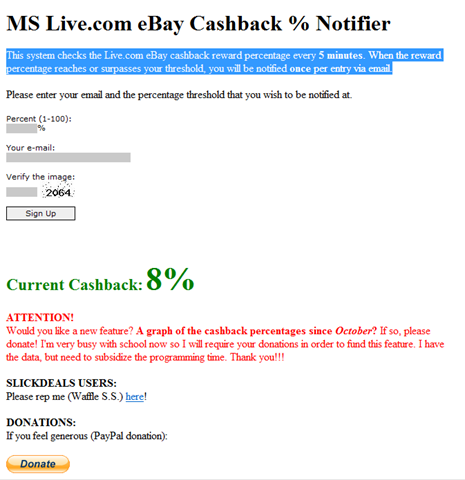
The trick is that this unit is normally $149 on eBay, but with Live Cashback on eBay with 8% Live Cashback available on it if you BuyItNow using PayPal.  (Search for “Xbox 360 HDMI 20GB” from http://search.live.com/cashback and click on the eBay sponsored site on the right that says “get 8% off eBay BuyItNow purchases”)

Here’s a direct link to the eBay store selling the units:

Digg This

In case it wasn’t clear, based on the confusion created by some folks in the media, Windows 7’s Release Candidate is not available on either MSDN or Technet Plus yet.

(BTW:  All it would have taken to check one’s sources, would be to find one of the millions of Technet Plus or MSDN subscribers to see whether or not the RC had posted.  As you can see below, it hasn’t.  The only posted as a of Friday was the public Beta.)

image

Digg This

« Newer Posts - Older Posts »

Categories