Totino's xgames flyerI have to admit, this is really super cool.

General Mills, as part of their Brand Marketing Strategy, is leveraging Microsoft Tag, to reach out to their customer base and encourage more interaction with consumers beyond just “reading an advertisement”.

By integrating Microsoft Tag, they actively engage their customers at a richer level by bridging them from static advertisements to immersive ones online that provide stronger context, interactivity, and optimally, greater consumer value.

Microsoft Tag provides:

  1. Pillsbury FSI CreativeClient Software:
    The client software runs on virtually any camera phone on the market, including Apple’s iPhone, RIM’s Blackberry series, Nokia’s Symbian phones, and of course Windows Mobile devices.  The software captures and interprets the tags and sends the user to a mobile web site.
  2. Tag Format:
    The “Microsoft Tag” itself is a Microsoft-developed format that distinguishes itself from other camera-consumable 2D coding systems by being very versatile in it’s usage.  It’s EXTREMELY “durable” and readable even if blurred from motion, distance, or lighting.  It can be placed on magazine ads, product boxes, and traditional surface mediums as usual, but it can also be used on:
    1. Billboards, bus ads, and other “distance” advertising mediums
    2. Computer screens & TV ads
      (For example, the Microsoft Tag images in this blog post are VERY small… but they’ll still work with a 640×480 camera using the tag reader despite being blurred or of poor visibility)
  3. Service Backend:
    The Microsoft Tag software not only sends the consumer to the appropriate mobile web site, it also tracks the users hit centrally on the Tag Services’ backend so companies advertising with it can see how effective they are and potentially when, where (based on ad placement), and how often people are responding to their ads in REAL TIME – metrics that have to date been unavailable to marketers.

Finally – there’s a way to reach out the the customer and provide immediate gratification and additionally make the ad “sticky” by enabling an ad to have a purpose other than being informative or to increase brand awareness. 

Now advertisements are DIRECTIONAL.  They funnel customers to where you need them to go online.

(And by the way… Microsoft Tag is currently free!)

Digg This

image Microsoft SQL Server 2008 Reporting Services Add-in for SharePoint Technologies (Reporting Services Add-in v10.00.2531) enables you to take advantage of SQL Server 2008 report processing and management capabilities within Windows SharePoint Services (WSS) 3.0 or Microsoft Office SharePoint Server 2007. The download provides the following functionality:

  • A Report Viewer Web Part that provides report viewing capability, export to other rendering formats, page navigation, search, print, and zoom.
  • Web application pages so that you can create subscriptions and schedules, and manage reports, models, and data sources.
  • Support for using standard Windows SharePoint Services features including document management, collaboration, security, and deployment with report server content types.

This Reporting Services Add-in works together with SQL Server 2008 Reporting Services, which is required for the report server instance. SQL Server 2008 Reporting Services provides the following functionality for a report server that runs in SharePoint integrated mode:

  • Synchronization from the SharePoint content database to the report server database.
  • A custom security extension that uses SharePoint permissions to control access to report server operations.
  • A delivery extension that you can use in subscriptions to deliver reports to SharePoint libraries.
  • A revised Reporting Services Configuration tool that you can use to configure a report server for SharePoint integrated operations.
  • A SOAP endpoint for managing report server content in SharePoint integrated mode.
  • Support for new data-driven subscriptions and URL parameters.
  • In-place upgrade of the Reporting Services Add-in.

Report Builder 2.0 ClickOnce update for the RS SharePoint add-in
Microsoft SQL Server 2008 Report Builder 2.0 provides an intuitive report authoring environment for business and power users. It supports the full capabilities of SQL Server 2008 Reporting Services. This download provides a ClickOnce update for the RS SharePoint add-in.

Warning:
The Microsoft SQL Server 2008 Reporting Services Add-in for SharePoint Technologies requires a SQL Server 2008 Reporting Services (SSRS) instance. This add-in is not supported with earlier versions of SSRS.

DOWNLOAD:
http://www.microsoft.com/downloads/details.aspx?displaylang=en&FamilyID=58edd0e4-255b-4361-bd1e-e530d5aab78f (197MB)

Digg This

image Microsoft Office Visio 2007 Professional Add-In for Rack Server Virtualization (Virtual Rack) – Version 1.2

This amazing Add-in from Microsoft® Office Visio® 2007 Professional helps you plan virtualization.
With over 70% of server hardware being under-utilized, this very valuable tool can draw a clear picture of your hardware utilization. This tool auto-generates the diagram of your rack and provides clear server details from a linked Excel template. Analyze your racks and servers using WMI or get the utilization data over time using the Operations Manager connection.

Use the virtualization button to see the before and after detailed diagram of your racks. See clearly where you have the opportunity to save on space and power.

See the power of Data Visualization at work with this Add-in For Visio 2007

DOWNLOAD:
http://www.microsoft.com/downloads/details.aspx?displaylang=en&FamilyID=3250331a-0116-4064-92d1-50b9b0727b75 (6.1MB)

—————————

Videos:

Requires:

Digg This

image_thumb[5] Microsoft Office Visio 2007 Professional – System Center Operations Manager & System Center Configuration Manager Add-In – Version 1.5

In Microsoft Visio 2007® diagrams, appropriate data can be attached to the shapes depending on the nature and domain of the diagrams. Visio Add-In for System Center allows IT professionals to visualize data from the System Center Operations Manager (SCOM) and System Center Configuration Manager (SCCM) by generating the diagrams for each machine configured for it. The Add-In allows filtering of data, automatic generation of diagrams and an automatic refresh of the associated data.

DOWNLOAD:
http://www.microsoft.com/downloads/details.aspx?displaylang=en&FamilyID=33a8efde-d72f-4bbb-a353-a1f2833fd2d5 (9.0MB)

——————

Videos:

Requires:

http://www.visiotoolbox.com

Digg This

Posted by: kurtsh | April 23, 2009

RELEASE: Network Monitor 3.3 releases to the web

image Network Monitor 3.3 is now available
Please download Network Monitor 3.3 from Microsoft.com. Visit the Network Monitor 3.3 Release Blog to get more information about this release.

To provide feedback, go to our scenario voting page, and let your opinion be heard.

What’s New in Network Monitor 3.3?

  • Ability to capture on WWAN and Tunnel interfaces on Win7.
  • Critical fixes to NM3.3 to operate correctly with Hyper-V.
  • Right-click-add-to-alias.   Right-click a frame in the Frame Summary window with an IPv4, IPv6, or MAC address to add that address as a new alias.

    clip_image003

  • Right-click-go-to-definition:  Right-click a field in the Frame Details windows and select Go To Data Field Definition or Go To Data Type Definition to see where the field is defined in the NPL parsers.
  • Auto-scroll.   See the most recent traffic as it comes in.  In a live capture, click the Autoscroll button on the main toolbar to have the Frame Summary window automatically scroll down to display the most recent frames as they come in.  Click Auto-scroll again to freeze the view in its present location.
  • Experts available online:  Experts are stand-alone applications that analyze Network Monitor capture data.   Various experts are available online at http://go.microsoft.com/fwlink/?LinkID=133950.
  • Frame Comments:  Attach comments to frames in a saved capture file.  Select the Frame Comments tab in the lower-right window to add, view, edit, or delete comments.

    clip_image004

  • API Extensions:   API methods have been added to enable access to conversation information, properties, field display strings, and comments.
  • Ability to open ETL files and correlate information by Network Tracing scenario.
  • Set of core parsers to improve parsing performance.  These can be accessed by changing the Common and Windows set of parsers to stubs:

From the Tools menu, select Options

  • · Go to the Parsers Tab
  • · Select the folder you want to stub out (Common or Windows)
  • · Click on the Stubs button on toolbar
  • · See our Release Notes for a complete list of new features and known issues.
  • Experts: Experts are stand-alone applications that analyze Network Monitor capture data.  Network Monitor 3.3 provides a simple interface for registering experts with the product and invoking them on a saved capture file.  We have made some initial experts available online.  Do you have a network troubleshooting need that is not currently met by Network Monitor or our available experts?  Why not suggest your own expert?   Please use the feedback link on the left to submit a description of the analysis task you want to solve (you must first join our connection) and we will work with you to create an expert for the community to enjoy.

DOWNLOAD:
http://www.microsoft.com/downloads/details.aspx?displaylang=en&FamilyID=983b941d-06cb-4658-b7f6-3088333d062f

Digg This

Posted by: kurtsh | April 22, 2009

WEB: Local Microsoft Bloggers in Southern California

image I started thinking to myself… I’ve been doing this customer-focused blogging thing for like 6 years now.  I’ve never once listed out the other Microsoft bloggers in my territory that I know that write at least partially for customers, as opposed to just their own personal life blogs.

As I remember more, I’ll post their blogs here.  Right now these are the only ones that I can remember off the top of my head.

Digg This

Posted by: kurtsh | April 22, 2009

HOWTO: Get rid of Comment SPAM in Windows Live Spaces

image Have you ever wanted to review all the comments in your Windows Live Space to help eliminate unwanted entries or SPAM?  It’s actually pretty easy but many people don’t know how to do it.

Simply do the following:

  1. Go to http://home.spaces.live.com
  2. Login to you Windows Live Account.
    This should put you into a screen similar to that on the left.  If it doesn’t click on the “More” menu item at the top of the screen and click “Spaces”.
  3. image Click on “Recent Comments”.
    This will list out all the recent comments on your blog.  To delete undesirable SPAM, simply click the “DELETE” hyperlink next to each entry you don’t want on there.

Done!

Digg This

Event:  “How to Tame Your Inbox” with Microsoft Outlook 2007 & McGhee Solutions
image Date:  Thursday, May 21, 2009
Time:  10:00am
Duration: 40 minutes

In most organizations today, email plays a key role in the day to day operations of the business. However, managing, organizing and responding to emails can take up so much time and energy you start wondering,

outlook1"How do I manage my inbox so it doesn’t manage me?"

Join us for this webcast by productivity experts McGhee Solutions to learn how to become more efficient in managing your inbox. This complimentary training will show how to leverage the features in Microsoft Outlook 2007 to decide how to handle emails and take back hours in your work day.

REGISTER:
Please contact me for details on how to register if you are a customer of mine.

Digg This

And we’re giving away yet another Microsoft eBook. 
Interested in doing some development as a beginner?

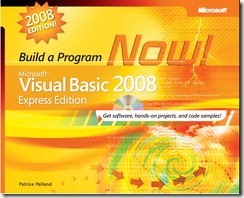
BuildaProgramVisualBasic2008Microsoft® Visual Basic® 2008 Express Edition: Build a Program Now!
February 27, 2008
Patrice Pelland
256 Pages

Make building new programming skills fun and fast with a quick-start, project-based approach!

In this lively, eye-opening, hands-on book, all you need is a computer and the desire to learn how to program with Visual Basic 2008 Express Edition. Featuring a full edition of the software, this fun and highly visual guide walks you through a complete programming project—a desktop weather-reporting application—from start to finish.

You’ll get an introduction to the Microsoft Visual Studio® development environment and learn how to put the lightweight, easy-to-use tools in Visual Basic Express Edition to work right away—creating, compiling, testing, and delivering your first ready-to-use program.  Let’s see if this post gets copied without a trackback.  You’ll get expert tips, coaching, and visual examples at each step of the way, along with pointers to additional learning resources.

REGISTER FOR FREE DOWNLOAD:
http://csna01.libredigital.com/?urrs4gt63d

Digg This

imageIna Fried wrote an article in CNet entitled “Windows 7 will allow downgrades too”, mentioning how people will be able to purchase Windows 7 and downgrade all the way down to Windows XP.

Here’s some of the “Q&A” we have on this topic to clear the air and clarify a few rather important points on why we’re doing this:

So does Microsoft have downgrade rights for Windows XP planned as part of Windows 7?
Yes. OEM Downgrade rights will be available for 6 months post Windows 7 General Availability (aka Launch). This is not the first time that Microsoft has offered downgrade rights to a version other than its immediate predecessor and our Volume Licensing customers can always downgrade to any previous version of Windows. 

Why is Microsoft allowing customers to downgrade to Windows XP from Windows 7, is it because of the poor reception of the marketplace to Windows Vista?
This is not the first time that Microsoft has offered downgrade rights to a version other than its immediate predecessor.  In fact, our Volume Licensing customers can ALWAYS downgrade to any previous version of Windows. 

What is this about Windows 7? Why are you already taking about downgrades of Windows 7 when it hasn’t even been released yet?
During the development process, we communicate to OEMs the roadmap for End User downgrade rights in OEM versions of the next OS. 

What about Windows 7, when will that be available?
We’re not making any new announcements about Windows 7 availability at this time.  As we have said, we are currently in the development stages for Windows 7 and expect it will take approximately 3 years from Windows Vista Consumer GA to develop. The specific release date will be determined once Microsoft meets its quality bar for release.

What are downgrade rights, and why does Microsoft offer them?
The product License Terms (formerly known as the end-user license agreement [EULA]
http://www.microsoft.com/downloads/details.aspx?FamilyID=4f4b3cfd-7f4e-46cb-8117-8275f7683d3f&DisplayLang=en), for Windows Vista Ultimate and Windows Vista Business products, grant customers end-user downgrade rights, which allow customers to uninstall the software that is preinstalled on their PC and to install a legally licensed copy of an older version of Windows software.  The customer also retains the right to use the newer version of Windows Vista that came installed on their PC when they chose to, making a future upgrade back to the original version of Windows Vista easy!

My organization isn’t ready to move to Windows Vista software. What should we do?
Microsoft recommends customers complete their testing and evaluation of Windows Vista software and determine the right time to migrate existing and new PCs to Windows Vista software.  For many customers and businesses, the most simple migration plan is to move to Windows Vista software as new PCs are acquired. If however, your business requires use of Windows XP Professional on new PCs and if you are running Windows Vista Business or Windows Vista Ultimate you have the automatic right to run a previous version of Windows on your PC for the life of your PC.

What is the downgrade rights policy?
OEM versions of Windows Vista Ultimate and Windows Vista Business provide the customer with downgrade rights, as outlined in the product license terms (formerly the end user license agreement [EULA]
http://www.microsoft.com/downloads/details.aspx?FamilyID=4f4b3cfd-7f4e-46cb-8117-8275f7683d3f&DisplayLang=en).  Under these rights, the customer user has the right to downgrade from Windows Vista Business or Windows Vista Ultimate to a previous version of Windows, such as:

  • Microsoft Windows XP Professional
  • Microsoft Windows Professional x64 Edition
  • Microsoft Windows XP Tablet PC Edition

PC manufacturers (OEMs) shipping Windows Vista Business or Windows Vista Ultimate are able to order Windows XP media to help support their customers’ needs for a previous version of Windows software.

How long will I be able to obtain downgrade media from my PC maker?
For new PCs that come pre-installed with Windows Vista Business and Windows Vista Ultimate, downgrade media may be provided by an OEM for Windows XP. Customers should check with their OEM directly to see if downgrade media is offered. Once installed on your PC, you can continue to use a previous version of Windows for the service life of that PC, or until you are ready to upgrade back to your originally-installed copy of Windows Vista.

Digg This

« Newer Posts - Older Posts »

Categories