#Azure Boost is one of #Microsoft Azure’s latest #infrastructure  #innovations that can provide:

✅ Up to 100% greater network performance with 200 Gbps networking throughput

✅ Industry-leading remote storage throughput and IOPS performance of 10 GBps and 400K IOPS

✅ Security isolation by running storage and networking processes separately on Azure Boost’s purpose-built hardware instead of on the host server

✅ Reduced downtime needed for Azure host infrastructure updates which get executed directly onto the Azure Boost hardware with minimal impact to VMs on the host servers.

Azure Boost is a new system that offloads #virtualization processes traditionally performed by the hypervisor and host OS onto purpose-built hardware and software, such as networking, storage, and host management.

By separating hypervisor and host OS functions from the host infrastructure, Azure Boost enables greater network and storage #performance at scale, improves #security by adding another layer of logical isolation, and reduces the maintenance impact for future Azure software and hardware upgrades.

▫️AZURE PREVIEW UPDATE: https://azure.microsoft.com/en-us/updates/preview-azure-boost/

▫️BLOG ANNOUNCEMENT: https://techcommunity.microsoft.com/t5/azure-infrastructure-blog/introducing-microsoft-azure-boost-preview/ba-p/3876742

Posted by: kurtsh | August 8, 2023

HOWTO: Using GitHub Copilot with Microsoft Teams

If you’re a Teams user, it’s fairly easy to build extensions to do just about anything.

Boost productivity and collaboration by building your first app for Microsoft Teams with GitHub Copilot.

If you want to learn how to use GitHub Copilot, the AI pair programmer that helps you write code faster and better, then this video is for you.

Here’s @aycabs building an npm search app in ~5 minutes.

👉 Install & start your free trial: https://aka.ms/get-copilot

More info: https://github.com/features/copilot Quick startup guide: https://docs.github.com/en/copilot/qu… Blog: Use AI pair programming to build a Microsoft Teams app https://aka.ms/AIPairProgramming/Blog Getting started with GitHub Copilot https://aka.ms/GetStarted_GitHubCopilot Teams tooklit https://aka.ms/ttk-codespaces-me

imageInterested in developing your own private OpenAI solutions in the security & privacy of your own cloud enclave?

We have a training available called, “Develop Generative AI solutions with Azure OpenAI Service” that has 7 modules in it (about an hour each) that goes over everything you need to get started with designing & implementing an Azure AI solution… and preparing for AI-102, our Azure certification exam for AI design & implementation.

Module list:

  1. Get started with Azure OpenAI Service
  2. Build natural language solutions with Azure OpenAI Service
  3. Apply prompt engineering with Azure OpenAI Service
  4. Generate code with Azure OpenAI Service
  5. Generate images with Azure OpenAI Service
  6. Use your own data with Azure OpenAI Service
  7. Responsible Generative AI

And yes, it’s free.

Course description:

Azure OpenAI Service provides access to OpenAI’s powerful large language models such as ChatGPT, GPT, Codex, and Embeddings models. These models enable various natural language processing (NLP) solutions to understand, converse, and generate content. Users can access the service through REST APIs, SDKs, and Azure OpenAI Studio.

This learning path helps prepare you for Exam AI-102: Designing and Implementing a Microsoft Azure AI Solution.

Prerequisites

Before starting this learning path, you should already have:

Start the training here:

Posted by: kurtsh | August 2, 2023

INFO: Tools for the Azure Administrator

Our architects here at Microsoft have shared some useful tools for Azure for the Azure Administrator that I’ve found useful & thought I’d share here:
imageAzure VM Comparison
(https://azureprice.net)

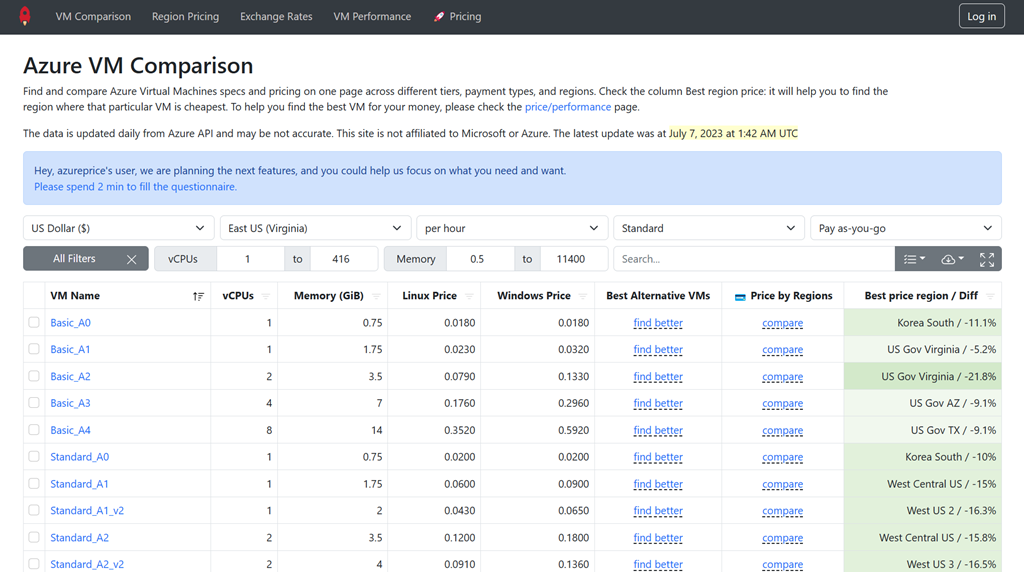
Find and compare Azure Virtual Machines specs and pricing on one page across different tiers, payment types, and regions. Check the column Best region price: it will help you to find the region where that particular VM is cheapest. To help you find the best VM for your money, please check the price/performance page.
imageAzure VM Selector 
(https://aka.ms/VM-selector)
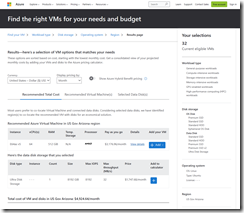
The Azure VM selector is a web-based tool that helps you identify the right virtual machine (VM) based on your needs and budget. It is localized in 26 languages and available worldwide.  Using the VM selector, you can specify your requirements, such as the category of workload you plan to run in Azure, and the technical specifications of your VM (e.g., OS disks storage options, data disks storage performance, Operating System, deployment region, etc.).  After a few simple steps, the tool identifies the best VM and disk storage combination based on the information you enter. You will then be able to view the details of the recommended VMs and their prices.
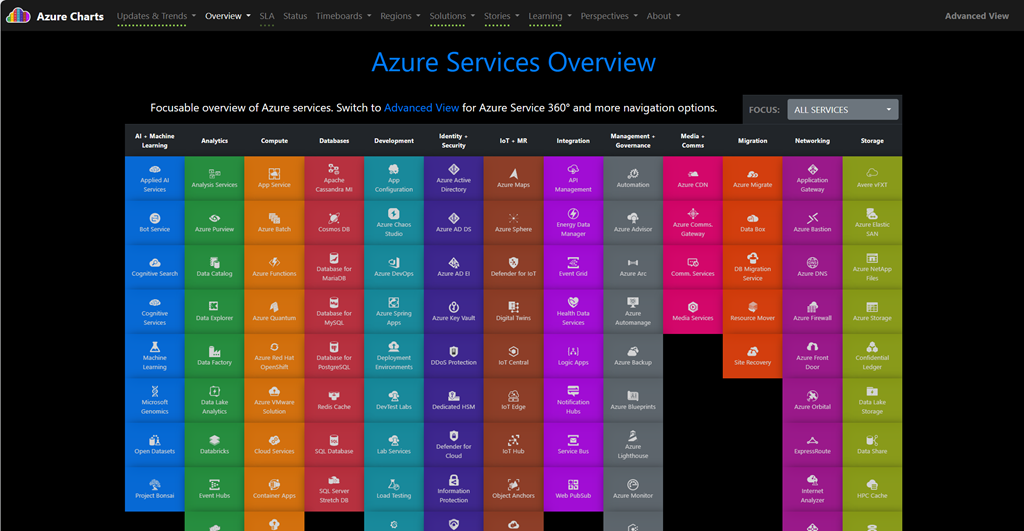
imageAzure Charts 
(https://azurecharts.com/)
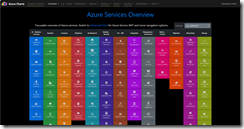
Azure Charts is a web-based application that helps you visualize and explore the Azure cloud and its ecosystem. You can use Azure Charts to see the live status, metrics, and trends of Azure services, regions, solutions, and topics. You can also compare different scenarios and options, and learn more about Azure features and best practices. (Azure Charts is a side project created by a Microsoft employee, Alexey Polkovnikov, using public data sources)
imageAzure Pricing Calculator
(https://aka.ms/pricing)
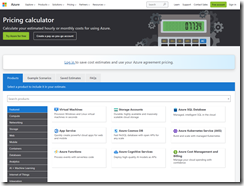
The Azure Price Calculator is a tool that helps you estimate the cost of using various Azure services. You can select the services you want to use, specify the configuration and usage details, and then see the estimated cost based on the current prices for those services. You can also compare different scenarios and options to find the best fit for your needs and budget.
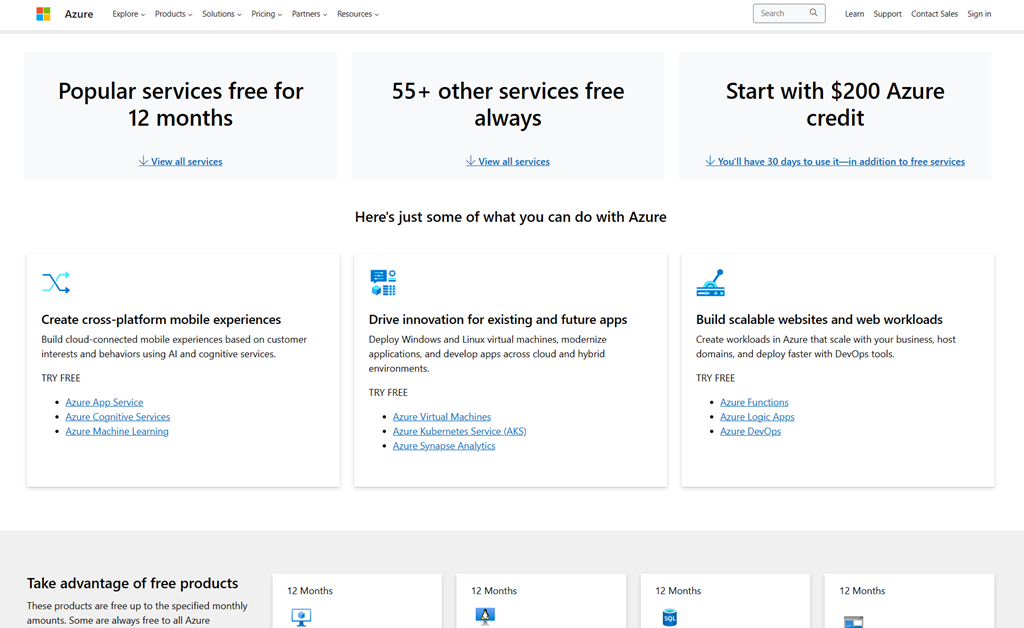
imageAzure Free
(https://aka.ms/freeazure)
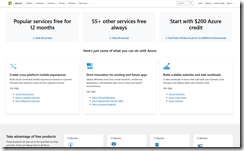
Azure Free is a way to get started with Azure without paying anything. You can create a free account and get $200 in Azure credits for the first 30 days, as well as some services that are always free or free for 12 months. You can use these free services to learn about Azure, build your skills, and test your ideas. Some of the free services you can use are:

  • Azure Virtual Machines: Create Windows or Linux virtual machines in the cloud.
  • Azure SQL Database: Manage relational data with a fully managed database service.
  • Azure Cosmos DB: Build scalable applications with a fast and flexible NoSQL database service.
  • Azure App Service: Host web, mobile, or API apps with a fully managed platform.
  • Azure Functions: Run code on demand without managing servers or infrastructure.
  • Azure Cognitive Services: Add AI capabilities to your apps with smart APIs.
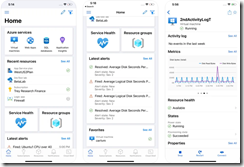
imageAzure Mobile App
(Android | iOS)
Azure has a mobile app available on both Android and iOS. The official app is a handy tool to have on hand when away from your PC or office that helps you keep track of your resources while on-the-go:

  • Stay connected to the cloud and check status and critical metrics anytime, anywhere
  • Stay informed with notifications and alerts about important health issues
  • Stay in control of your resources and take corrective actions, like starting and stopping VMs and web apps
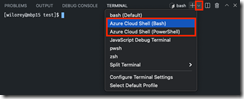
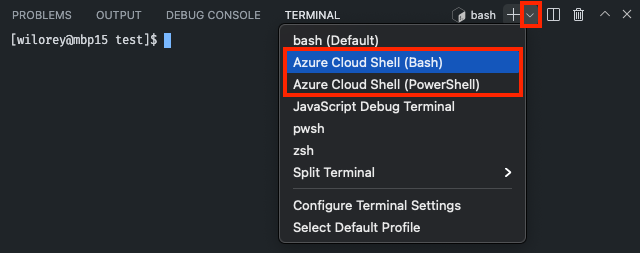
imageAzure Cloud Shell & Visual Studio Code Azure Account Extension
The Azure Account extension provides a single Azure sign in & subscription filtering experience for all other Azure extensions. It makes Azure’s Cloud Shell service available in VS Code’s integrated terminal.

Azure Cloud Shell itself is an interactive, authenticated, browser-accessible terminal for managing Azure resources. It provides the flexibility of choosing the shell experience that best suits the way you work, either Bash or PowerShell.

Cloud Shell runs on a temporary host provided on a per-session, per-user basis. Your Cloud Shell session times out after 20 minutes without interactive activity. Cloud Shell persists your files in your $HOME location using a 5-GB file share.

(https://marketplace.visualstudio.com/items?itemName=ms-vscode.azure-account)
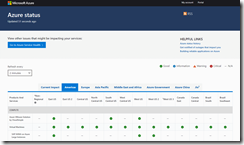
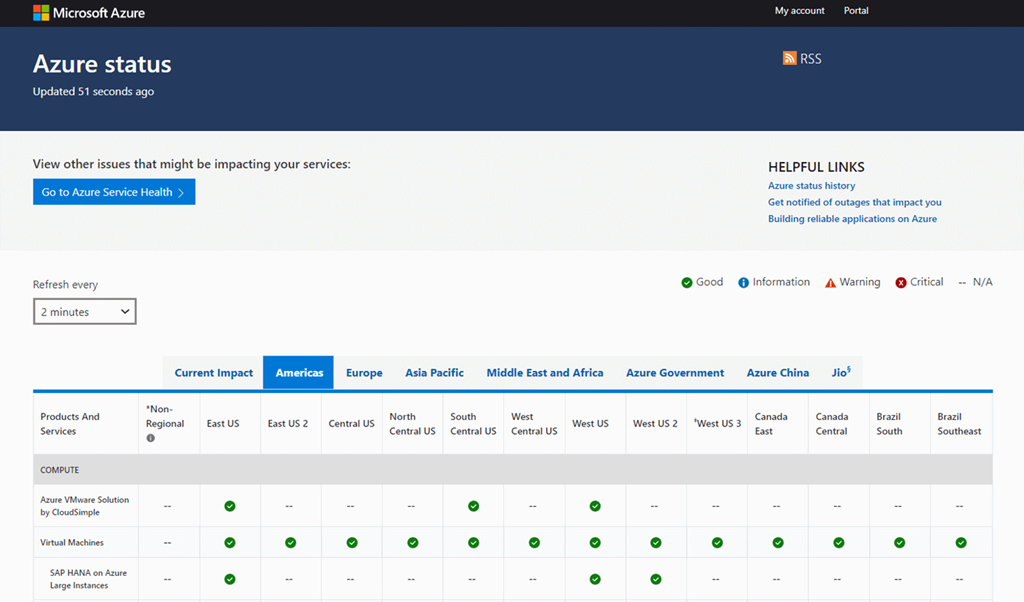
imageAzure Status & Azure Service Health
(https://azure.status.
microsoft/
)
(https://aka.ms/
azureservicehealth
)
Azure Status provides you with a global view of the health of Azure services and regions. With Azure status, you can get information on service availability. Azure status is available to everyone to view all services that report their service health, as well as incidents with wide-ranging impact.

Azure Service Health provides a personalized experience that includes all outages, upcoming planned maintenance activities, and service advisories.
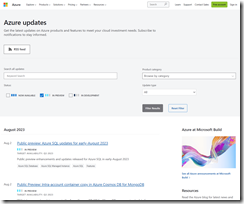
imageAzure Updates
(https://azure.microsoft.
com/en-us/updates/
)
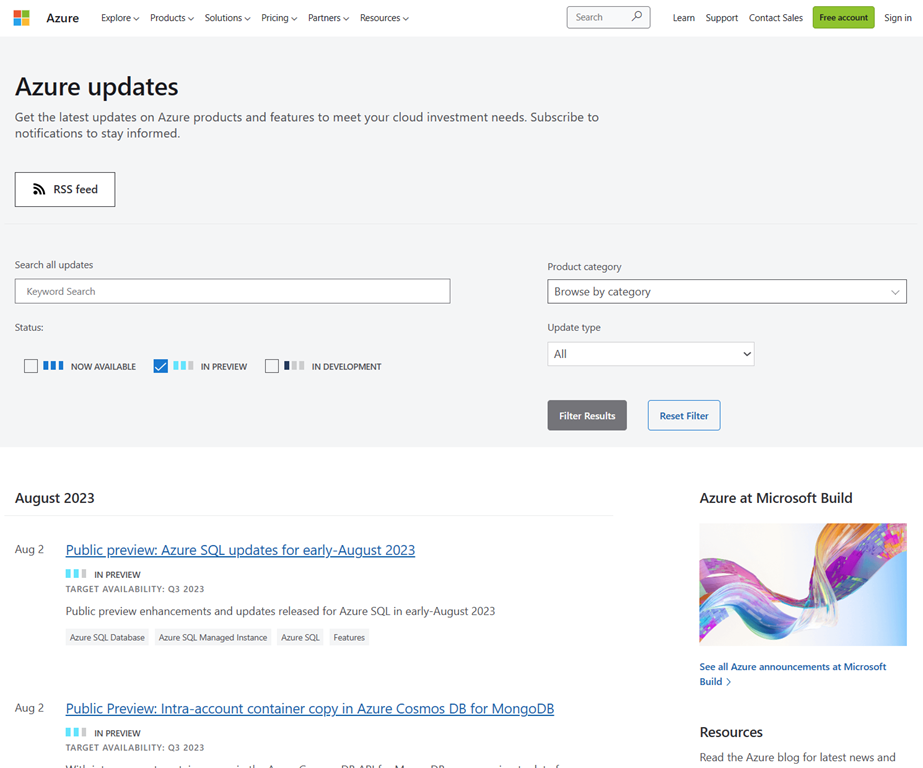
Get the latest updates on Azure products and features to meet your cloud investment needs. Subscribe to notifications to stay informed.

Note: Our Principal Azure Architect, Jay Thakkar, advises users to filter on the “in-preview” & skip the “in-dev” or “now-avail” updates then subscribe to the list via RSS feed to receive daily updates, which is available prominently on the site.
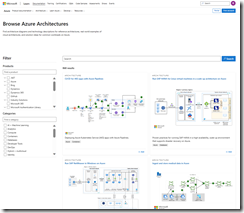
imageAzure Architectures
(https://learn.microsoft.com/en-us/azure/architecture/browse/)
Find architecture diagrams and technology descriptions for reference architectures, real world examples of cloud architectures, and solution ideas for common workloads on Azure.

Select from over 800+ pre-created diagrams for various scenarios including:

  • Ingest & store medical data in Azure
  • Prevent IPv4 exhaustion in Azure
  • WordPress on virtual machines, Azure, App Service, AKS
  • Deploy Autodesk Maya on a virtual machine
  • etc.

imageAzure Icons (Official)
(https://learn.microsoft.
com/en-us/azure/architecture/
icons/
)
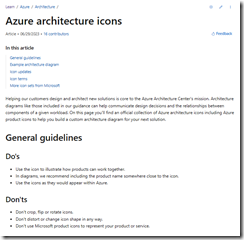
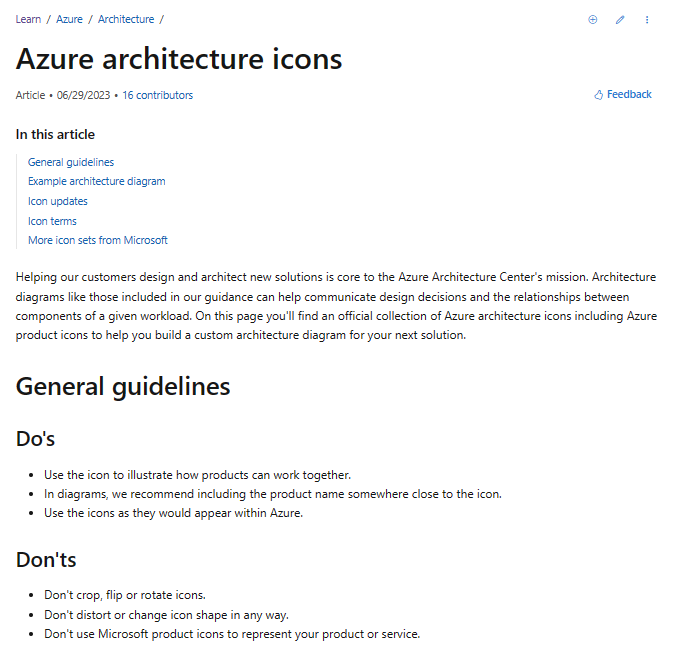
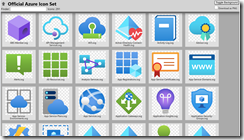
Helping our customers design and architect new solutions is core to the Azure Architecture Center’s mission. Architecture diagrams like those included in our guidance can help communicate design decisions and the relationships between components of a given workload.

On this page you’ll find an official collection of Azure architecture icons including Azure product icons to help you build a custom architecture diagram for your next solution.

Incidentally, we have icon sets for other Microsoft cloud solutions:
imageAzure Icons (Unofficial)
https://code.benco.io/icon-collection/azure-icons/
This is a regularly updated set of icons that, according to Principal Azure Architect Jay Thakkar, scrapes all of the PNGs from Azure so you tend to find a lot of the missing icons/services in this collection.  He uses this when something is missing from the official icon set.
imageAzure Storage Explorer
https://azure.microsoft.
com/en-us/products/storage/
storage-explorer/

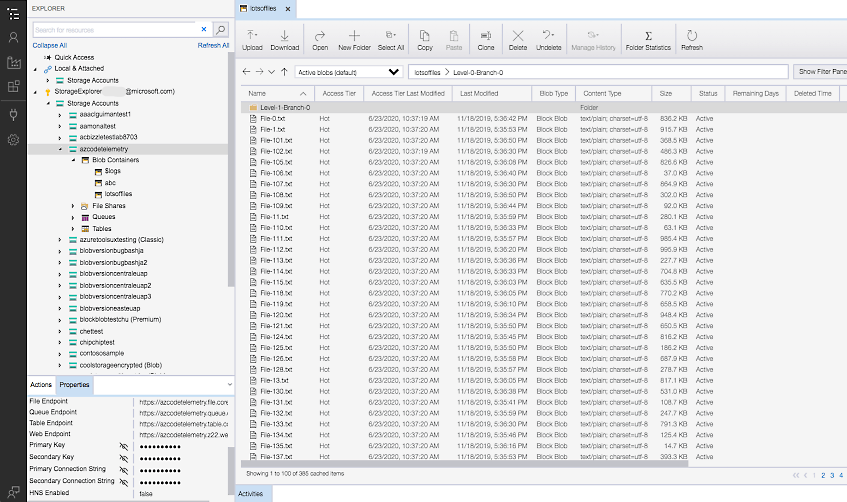
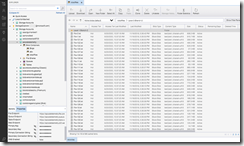
Azure Storage Explorer is a free tool that allows you to easily manage your Azure cloud storage resources from your desktop. You can upload, download, and manage Azure Storage blobs, files, queues, and tables, as well as Azure Data Lake Storage entities and Azure managed disks. You can also connect to individual resources using various authentication methods, such as connection strings, access keys, or Azure Active Directory. Azure Storage Explorer is available for Windows, macOS, and Linux operating systems.
imageOrganizations have many reasons to respond to a legal case involving certain executives or other employees in your organization. This might involve quickly finding and retaining for further investigation-specific information in email, documents, instant messaging conversations, and other content locations used by people in their day-to-day work tasks.

You can perform these and many other similar activities by using the Microsoft 365 eDiscovery case tools in the Microsoft Purview compliance portal.

Want to know how Microsoft manages its eDiscovery investigations?
Here’s a
technical white paper you can download that explains how we use the same search and investigation tools to manage our internal eDiscovery workflow.

The following article goes over:

  • how to pursue legal investigations using Microsoft 365 eDiscovery (Basic)
  • how to deliver faster, more efficient investigation & end-to-end delivery through Microsoft 365 eDiscovery (Premium)

Read the article here:

imageI was recently asked what the differences are between:

  • Microsoft 365 E3 + Microsoft 365 E5 Security
  • Microsoft 365 E5

FEATURE MATRIX
Here’s a pre-configured Feature Matrix from M365Maps that shows the differences between E3+E5Sec vs E5:

LIST OF DIFFERENCES
For an outline of what all of these differences are, I’ve written them up for convenience sake:

Posted by: kurtsh | July 26, 2023

HOWTO: Prepare for Microsoft 365 Copilot

imageMicrosoft 365 Copilot promises to provide a revolutionary accelerator for work productivity. Artificial intelligence will minimize the “drudgery” of the work day.

  • Questions will be answered quicker.
  • Content will be created faster.
  • Production documentation will minimize errors.
  • Time saved will provide a business advantage.

Microsoft 365 Copilot & the NEW “Copilot System” service will be the core for the following AI solutions:

  • Copilot for Word
  • Copilot for Excel
  • Copilot for PowerPoint
  • Copilot for Outlook
  • Copilot for Teams

If you’re a Microsoft 365 E3/E5 subscriber, visit the following sites to learn more on how to prepare & plan to adopt Microsoft 365 Copilot to provide your organization with the productivity advantage that artificial intelligence brings.

  1. Microsoft 365 Copilot Early Access Program
  2. Microsoft 365 Copilot Adoption
  3. How to prepare for Microsoft 365 Copilot
  4. Microsoft 365 Copilot Community

If you have MailTips enabled for Office 365 on external recipients and receive the following notifications:

image

EXTERNAL EMAIL : This email originated from outside of organization. Do not click links or open attachments unless you recognize the sender and know the content is safe.

… and would like to add an exception to remove this notification/MailTip for a specific domain so that the “EXTERNAL EMAIL” warning doesn’t display for those domain senders, follow the instructions below using PowerShell to identify an external domain as “internal”:

You can add the specific domain to a remote domain and set it as internal.

New-RemoteDomain -Name <name> -DomainName <domain name>
Set-RemoteDomain -Identity <domain name> -IsInternal $true

And then enable MailTips for external recipients.

Set-Organizationconfig -MailTipsExternalRecipientsTipsEnabled $true

imageAre you concerned about your team’s application development skills?

Are you short of staff – much development staff?

Do you need to integrate with legacy systems or 3rd party online services?

Are you looking to deliver immediate impact & minimize the amount of time required to deliver business solutions?

The way forward? Low-code. Edelman Assembly, on behalf of Microsoft, surveyed more than 2,000 IT CIOs and IT pros to understand the benefits they derive from low-code platforms. The research is clear: low-code empowers IT departments to rapidly build technical solutions and streamline data insights all while lowering costs.

According to a 2021 Microsoft-commissioned Forrester Consulting Total Economic Impact™ study of Microsoft Power Platform and Microsoft Azure for Corporate IT, professional developer efficiency with low-code platforms significantly increases over time, averaging 62 percent over three years. These efficiency gains are necessary as 45 percent of IT pros say they first adopted low-code platforms to make up for staff shortages.

Read the entire report here:

How can low-code help your IT department?
For IT departments and organizations looking to reduce costs, reduce their application backlog, and rapidly turn data insights into actions in 2023, low-code should be a key part of your development strategy. To learn how your organization can start, grow, and develop an expert level low-code practice, take the Microsoft Power Platform Adoption Assessment.

This assessment is designed to help you get started quickly by identifying opportunities to optimize and streamline efforts, and sharing best practices on how organizations can better use Microsoft Power Platform to achieve their business objectives.

imageAzure AI Document Intelligence is the latest release of Azure Forms Recognizer with a series of new capabilities:

  • Document classification and splitting
      • Document classification model can route documents for specific workflows
      • Multi-document folios in a single file can be split
      • Multi-instance folios with multiple invoices in the same document can be spilot
  • New prebuilt models for contracts and tax forms
      • Extract common fields from any legal contract automatically
      • Use prebuilt models for 1098 tax, 1098-E, 1098-T, W2, etc.
  • Content and structure extraction
      • Support for extracting bar codes
      • High resolution document extraction (Engineering)
      • Formulas can be extracts for scientific research
      • Fonts can be extracted as part of the structure
  • Custom model updates
      • Support for 47 languages including Chinese, Japanese, Korean and Arabic. You can train a custom neural model for documents in any of the supported languages to extract the fields needed.
      • Models can be trained with only a single-labeled document
  • “Studio” – Document classification model training & test environment
      • End user friendly model training tool
      • Human-in-the-loop model training to maximize accuracy
      • Auto-labeling of documents

With its enhanced capabilities and expanded scope, Azure AI Document Intelligence is set to empower organizations across all industries to harness the full potential of document information.

Document Intelligence is designed to help organizations streamline their operations and boost productivity. it enables efficient extraction of data from diverse document formats. From invoices and receipts to contracts and reports, Document Intelligence is capable of swiftly and accurately capturing information, eliminating the need for manual data entry. This time-saving automation allows employees to focus on more strategic tasks, resulting in increased productivity across the board.

Visit the blog for more information, documentation on the new Azure AI Document Intelligence service & details on how to get started today:

« Newer Posts - Older Posts »

Categories