Posted by: kurtsh | April 4, 2010

DOWNLOAD: BizTalk ESB Toolkit Architecture Poster

This poster depicts the architecture of the BizTalk ESB Toolkit. It shows the toolkit’s core components, and how these integrate with BizTalk Server. The poster is intended to be printed, and measures 26"x28".

image

image

A new version of the Productivity Hub SharePoint Server site collection and two new content packs are now available for download! The new content covers Windows 7, Internet Explorer 8, and various Office products.

The v2 Productivity Hub does not have any new functionality, so if you have already installed the Hub there is no reason to download the v2. The new version removes the orange and blue branding colors to make it easier to customize for your intranet, and adds all the products in a fly-out navigation. The v2 Hub has all content up to date added, with the exception of the new March content.

So regardless of whether you upgrade the core Hub or not, you should install the new March content packs (also available as part of the Productivity Hub download).

Windows7_IE8_Mar10_HubContent.EXE 19.6 MB

  • Windows 7 (140 Quick Reference Tutorials)
  • Internet Explorer 8 (16 Quick Reference Tutorials)

ProductivityHub_Mar10Content.EXE 157.9 MB

  • 80 Quick Reference Tutorials for the following products:
    • Access
    • Excel
    • Powerpoint
    • Project
    • Publisher
    • Visio
    • Word
  • image8 Videos for the following products:
    • Project
    • Excel
    • Publisher
    • Visio

DOWNLOAD:  Productivity Hub Update & Windows 7/Internet Explorer 8.0 – March 2010 Content Packs
http://www.microsoft.com/downloads/details.aspx?displaylang=en&FamilyID=277fefca-d62f-41bc-943d-79002254cfee

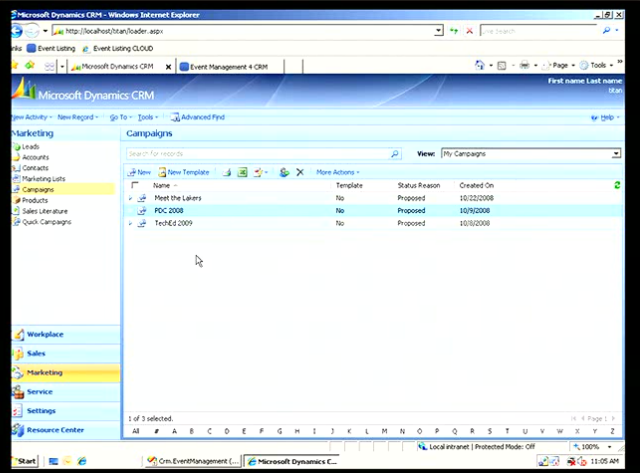
image Microsoft Corp. announced the Community Technical Preview 3 (CTP3) for the next generation of Microsoft Dynamics CRM, code-named “CRM5.” This CTP is primarily aimed at software developers within the broad partner base of Microsoft Dynamics CRM, including independent software vendors (ISVs), global system integrators (GSIs), hosting partners and value-added resellers (VARs), giving them an opportunity to start early development and testing of their solutions for this new release.

The CTP software is available as on-premises software, as well as through pre-release versions of Microsoft Dynamics CRM Online running in datacenters in North America; Europe, the Middle East and Africa (EMEA); and Asia Pacific (APAC). The availability in international datacenters is in preparation for the global expansion of the Microsoft Dynamics CRM Online service beyond the U.S. and Canada today and into EMEA, APAC and Latin America. The next generation of Microsoft Dynamics CRM will support more than 40 languages, and will be offered as an online service, as on-premises software and via partner-hosted offerings. Availability of the new product will begin in the second half of 2010.

More information about “CRM5” is available at the Microsoft Dynamics CRM team blog. For more information on partner opportunities with Microsoft Dynamics CRM go to the Microsoft Partner Network Web site.

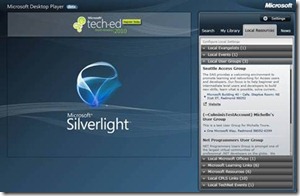
clip_image002Quietly, we released the beta of the “Microsoft Desktop Player” the other day.

The player delivers contextual technical content (webcasts, podcasts, whitepapers) aggregated across Microsoft assets that are relevant to the IT Pro adoption lifecycle. In addition, it also provides links to  local resources and news for the Developers and IT Pros based on their local settings.

Simply enter in your ZIP code and look to see what sort of Microsoft events, Microsoft Technology user groups, and Microsoft Training Centers are local to you.

Some interesting features include:

  • Offline and Online Player
  • Contextual relevant content surfaced  depending on IT Adoption Lifecycle by selecting the right filters.
  • Local IT Evangelist and Developer Evangelist connection – The player surfaces your local IT Evangelist or Developer Evangelist based on the user profile
  • MSDN and TechNet Events integration www.msdnevents.com, www.technetevents.com
  • Local Community events integration
  • Local CPLS integration to find the best place to get your Microsoft Training


horizontal

image

Wow.  We announced just this week that customers will be able to host Virtual Machines within Windows Azure.  And of all places, this was announced/posted on the Microsoft ISV Developer Blog.  Here’s the relevant content:

—————————————————–

VM Support in Windows Azure

Microsoft has committed to enabling customers to purchase Windows Azure through a combination of existing and new licensing agreements. Additionally they will also ensure that they support a centralized seamless and consistent purchasing experience that existing multi-year commercial customers enjoy. Microsoft will have more specific details on this process later in the year.

Below you will find the FAQ for questions related to the pilot program. If you have additional questions please let feel free to comment on this post. I can answer those individually.

1. Will Windows Azure offer VM support?

Yes, Microsoft will add Virtual Machine functionality to Windows Azure to expand the set of existing applications that can be run on it. This Virtual Machine deployment functionality will enable developers to run a wide range of Windows applications in Windows Azure, while taking full advantage of the built in automated service management.

2. What is the pricing for this proposed VM functionality in Windows Azure?

We are not announcing pricing for the proposed Windows Azure VM functionality right now. However, this pricing will be consistent with our current Windows Azure pricing model.

3. How does this proposed VM functionality in Windows Azure differ from Amazon hosting Windows Server VMs?

While Windows Azure is a cloud service that uses (and charges via) computation resources that are analogous to physical computers, it differs in important ways from platforms such as AWS that offer VMs on demand. With a purely VM-based platform, the situation is much like hosting: You bear full responsibility for configuring and managing the VMs and the software they contain. With the proposed VM functionality in Windows Azure, while developers have the flexibility to customize the Windows Azure VM and incorporate it in service models, the platform itself takes care of everything else.

4. When will Windows Azure offer VM capability/support?

We are still engaged in the planning and prioritization for additional functionality in Windows Azure based on customer feedback. As we announced at PDC we will enable customers to migrate existing Windows Server applications through the managed virtual machine (VM) functionality in 2010.

5. Will Windows Azure enable similar Windows Server-license mobility in the future?

The Windows Azure team regularly evaluates new licensing models that could better serve customer needs. We look forward to customer and partner feedback on the Windows Server License Mobility pilot. We will take this feedback into consideration as we structure future licensing models.

6. When will Windows Azure be available in the Enterprise customer programs like the Enterprise Agreement & Select?

In the future, Microsoft will provide the ability for Windows Azure licensing agreements to be integrated into Enterprise customer programs such as Enterprise Agreement and Select.  We will provide specifics about the licensing model and pricing details in calendar year 2010. 

7. When will Windows Azure platform volume licensing pricing details be available?

We will provide volume licensing details in calendar year 2010.  We don’t have specifics to share at this time. 

[taken from the Microsoft ISV Developer Blog]

image

Hyper-V™ in Windows Server® 2008 R2 is a powerful virtualization technology that corporations can use to consolidate servers and thus lower total cost of ownership (TCO). An RD Session Host server-based deployment consists of several role services: RD Session Host, RD Licensing, RD Gateway, RD Connection Broker, and RD Web Access.

For a small to medium scale deployment, there are many advantages in deploying the Remote Desktop Services role services on virtual machines. This document presents the advantages and recommendations for deploying Remote Desktop role services on virtual machines. It also presents scalability data for a given hardware and virtual machine configuration by using Knowledge Worker scenario.

RD Session Host server-based deployment
A Windows Server 2008 R2 RD Session Host server-based deployment provides session-based desktops and RemoteApp programs to client computers. An RD Session Host server-based deployment consists of the following:

  • An RD Session Host server
  • An RD Licensing server
  • An RD Gateway server
  • An RD Connection Broker server
  • An RD Web Access server
  • Roaming profiles

This document provides guidance on deploying Remote Desktop Session Host (RD Session Host) and other Remote Desktop Services role services in a virtualized environment with minimal hardware resources. The document also provides scalability information for a virtualized Remote Desktop Services role configuration by using the Knowledge Worker scenario to help size hardware for similar workloads.

image Development environments are typically complex and dynamic. Systems are built and torn down, software is installed and uninstalled, and systems may be isolated from other organizational IT services and resources.  

In this webcast we provide insights and recommendations to infrastructure architects and decision makers that should help minimize the impact of Windows operating system activation in a development environment.

Join us as we walk through a high-level view of relevant Windows activation policies, including the relationship between Windows activation and Windows licensing; introduce five principles that should guide Windows activation planning, including a discussion of activation methods; and share recommendations for activating Windows operating systems in common development environment scenarios.

image[taken from the MSPress blog]
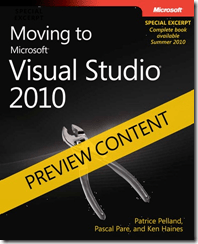
We’re pleased to announce another free offering (following Charles Petzold’s Programming Windows Phone 7 Series (DRAFT Preview), which we released on March 15): Moving to Microsoft Visual Studio 2010 (DRAFT Preview).

This DRAFT Preview contains three chapters from what will be a ten-chapter ebook when it’s released this summer. The three chapters make up Part II, “Moving from Microsoft Visual Studio 2005 to Visual Studio 2010.”

You can download the DRAFT Preview of this ebook in XPS format here.

Introduction
Every time we get close to a new release of Microsoft Visual Studio we can feel the excitement in the developer community. This release of Visual Studio is certainly no different, but at the same time we can feel a different vibe. In November 2009, at Microsoft Professional Developer Conference in Los Angeles, participants had the chance to get their hands on the latest beta of this Visual Studio incarnation. The developer community started to see how different this release is compared to any of its predecessors. This might sound familiar, but Visual Studio 2010 constitutes, in our opinion, a big leap and is a true game changer in that it has been designed and developed from the core up.

Looking at posts in the MSDN forums and many other popular developer communities also reveals that many of you—professional developers—are still working in previous versions of Visual Studio. This book will show you how to move to Visual Studio 2010 and will try to explain why it’s a great time to make this move.

Posted by: kurtsh | April 1, 2010

RELEASE: Bing Maps “March 2010” release with

image Bing Maps got revved in March with 5 new/improved features to check out!

  • Walking Directions
  • Draggable Routing Flags
  • Expanded Streetside Mini-maps
  • Application Gallery Redesign
  • Local Search Enhancements

Read about them on the Bing Maps blog:

image
Streetside Mini-maps to tell you where you are!

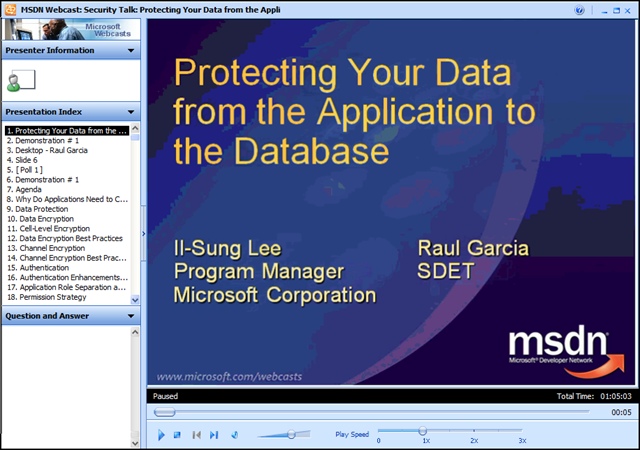
image Ooh.  Cool presentation:  “Security Talk: Protecting Your Data from the Application to the Database”

The SQL Security Team’s Raul Garcia and Il- Sung Lee presented on SQL Security in this online webcast.  It’s a good 300-level discussion on how to secure SQL Server. Among other things, Raul has a nice demo of SQL injection and some discussion on how to mitigate it.

MSDN Webcast: Security Talk: Protecting Your Data from the Application to the Database (Level 300)

Event Overview
Securing a database is a difficult task and most efforts typically focus on locking down the server while still allowing authorized connections to occur. Application developers need to be security conscious also, not only because applications can be a target of attack, but also because applications can facilitate the further lockdown of the server.  

In this webcast, Il-Sung Lee and Raul Garcia discuss some of the considerations that both the application developer and the database administrator should consider to help increase data security. Topics they discuss include securing the network channel, using proper authentication, new authorization features introduced in Microsoft SQL Server 2005, execution contexts, database encryption, and common errors and problems related to Microsoft SQL Server security.

(The recorded presentation video as well as the Powerpoint deck (as a .PDF file) is available for download  from the on-demand site)

« Newer Posts - Older Posts »

Categories