image Microsoft Certification is simpler and more cost-efficient than ever. Purchase a specially priced exam pack and take advantage of special savings. Distribute vouchers individually to get team members up-to-speed, or provide vouchers to groups that are preparing a deployment.

Note This offer is valid only in Australia, France, Germany, Indonesia, Malaysia, the Netherlands, North America, Singapore, South Africa, United Kingdom, and New Zealand.

Buy more, save more
  • Exam 5-pack:
    Save 20 percent when you purchase an exam pack: Get 5 exams for the price of 4

  • Exam 10-pack:
    Save 40 percent when you purchase an exam pack: Get 10 exams for the price of 6

LINK:  Save up to 40 percent on Microsoft Certification exams
http://www.microsoft.com/learning/en/us/start/start-career-it-manager.aspx#offers

Posted by: kurtsh | May 6, 2010

BETA: Microsoft Surface Toolkit for Windows Touch

image

The Microsoft® Surface® Toolkit for Windows Touch Beta is a collection of resources that enable you to use Windows Presentation Foundation (WPF) to create multitouch-enabled applications on a computer.  It is a set of controls, APIs, templates, sample applications and documentation currently available for Surface developers.

With the .NET Framework 4.0, Windows Presentation Framework 4.0 (WPF), and this toolkit, Windows Touch developers can quickly and consistently create advanced multi-touch applications for Windows Touch PCs. This toolkit also provides a jump-start for Surface application developers to prepare for the next version of Microsoft Surface. Use it to take advantage of the innovative Surface technology and user interface to develop your own rich and intuitive multi-touch experiences for a variety of Windows Touch devices.

Note: For complete documentation about the Surface Toolkit, see the Microsoft Surface Tookit for Windows Touch Beta Help file after you install Surface Toolkit. To access this Help file, click Start, click All Programs, click Microsoft Surface Toolkit for Windows Touch Beta, and then click Surface Toolkit Documentation.

DOWNLOAD:  Microsoft Surface Toolkit for Windows Touch Beta
http://www.microsoft.com/downloads/details.aspx?displaylang=en&FamilyID=801907a7-b2dd-4e63-9ff3-8a2e63932a74

WEB SITE:  Microsoft Surface
http://www.microsoft.com/surface/en/us/default.aspx

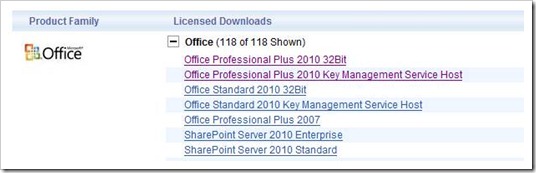
image For those of you wondering where the x64 version is of Office Professional Plus 2010 on the Microsoft Volume Licensing Web site… fear not.

This was apparently always the schedule but no one told me and I have no explanation as to why it was delayed.  Just thought everyone would like to know.clip_image002

image Out of the hundreds of case studies that we’ve published, here’s some of the ‘bigger name’ examples I’ve picked out of our case study vault of the customers that have already made the move to Windows 7 that I’m excited about.

Hope I get to submit one of you for a Windows 7 case study some day.  It’s a cool way to get your name in lights, and a nice clip to attach to the ol’ career file.

clip_image002pptPlex uses Plex technology to give you the power to zoom in and out of slide sections and move directly between slides that are not sequential in your presentation. 

pptPlex was recently updated for Powerpoint 2010 & Windows 7.

OFFICE LABS BLOG:  pptPlex now supports PowerPoint 2010!

Today’s update fixes a few compatibility bugs with PowerPoint 2010, but it also includes an important user experience change with regard to sections.

Powerpoint 2010 “Sections”

In PowerPoint 2007, there was no concept of sections, thus pptPlex added the concept.  In PowerPoint 2010, there is a concept of sections, thus pptPlex takes advantage of that concept.  What this means is that when you’re using pptPlex in PowerPoint 2010, to create, remove, or rename a section, you’ll need to use the PowerPoint user experience, not the pptPlex experience.  There will be no “Insert New Section” button in the pptPlex ribbon, and the section divider slides won’t be necessary.  Read more about sections in PowerPoint 2010.

Note that the above changes relate to PowerPoint 2010 only.  pptPlex in PowerPoint 2007 is not affected.

Multi-touch in Windows 7
The second major change in today’s update is support for multi-touch in Windows 7.  If you are running Windows 7 on a computer that supports multi-touch, pptPlex will support several gestures when presenting, including:

  • Pinch to zoom
  • Swipe to go to next/previous slide
  • Tap to zoom
  • Two-fingered tap to zoom out

[taken from the OfficeLabs blog]

DOWNLOAD:  pptPlex add-in for Powerpoint
http://www.officelabs.com/projects/pptPlex/Pages/default.aspx

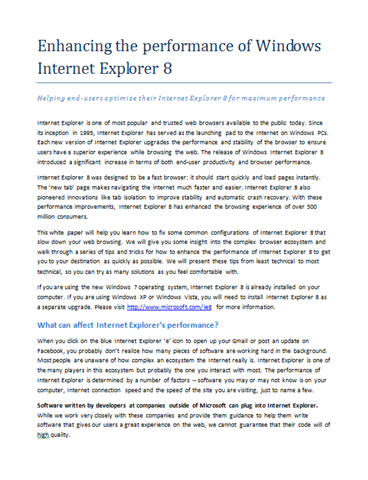
image Internet Explorer 8 was designed to be a fast browser: it should start quickly and load pages instantly. The ‘new tab’ page makes navigating the internet much faster and easier. Internet Explorer 8 also pioneered innovations like tab isolation to improve stability and automatic crash recovery. With these performance improvements, Internet Explorer 8 has enhanced the browsing experience of over 300 million consumers.

This white paper will help you learn how to fix some common configurations of Internet Explorer 8 that slow down your web browsing. We will give you some insight into the complex browser ecosystem and walk through a series of tips and tricks for how to enhance the performance of Internet Explorer 8 to get you to your destination as quickly as possible. We will present these tips from least technical to most technical, so you can try as many solutions as you feel comfortable with.

Here’s a sample:

  1. Add-ons cause most browser crashes, accounting for over 70% of Internet Explorer 8’s crashes. Slowdowns in Internet Explorer 8 are very often caused by add-ons – especially when you open a new browser window or tab.
  2. If Internet Explorer 8 has an abnormally long load time, it may be because you have a large number of sites listed in your Restricted or Trusted sites zone. Some security programs like SpyBot Search & Destroy will place thousands of sites in these zones to try and prevent you from accessing unsafe websites. Although this is not the recommended implementation, you may have unknowingly applied this setting if you have ever used their “Immunize” feature.
  3. …it is widely known that older versions of Adobe Flash may result in browser crashes or hangs. If you have Google Desktop or other toolbars and extensions installed, please visit their home pages to make sure you have updated to the latest version.
  4. If a user agent string gets too long, the web site that is trying to read it may refuse your browser’s request for site content. This may result in an unnecessary slowdown as the web site and your browser communicate back and forth requesting information.
  5. Internet Explorer 8 allows the browser to make up to 6 connections per server to retrieve information to display your web page. This means that when downloading multiple files at the same time, you can have a maximum of 6 concurrent downloads at any time from a particular server. Sometimes, increasing the maximum number of connections Internet Explorer 8 can make with a server at any given time can increase the performance of your browsing and downloading experience.

image The Configuration Manager 2007 Toolkit V2 contains 11 downloadable tools to help you manage and troubleshoot Configuration Manager 2007.

The following list provides specific information about each tool in the toolkit.

  • Client Spy – A tool that helps you troubleshoot issues related to software distribution, inventory, and software metering on Configuration Manager 2007 clients.
  • Delete Group Class Tool – A tool used to remove inventory group definitions along with history data, tables, views and stored procedures for the group.
  • Desired Configuration Management Migration Tool – A tool used to migrate from the DCM Solution for SMS 2003 to DCM in ConfigMgr 2007.
  • Desired Configuration Management Model Verification Tool – A tool used by desired configuration management content administrators for the validation and testing of configuration items and baselines authored externally from the Configuration Manager console.
  • Desired Configuration Management Substitution Variable Tool – A tool used by desired configuration management content administrators for authoring desired configuration management configuration items that use chained setting and object discovery.
  • Management Point Troubleshooter Tool – A tool that checks a computer system before and after a management point installation to ensure that the installation meets the requirements for management points.
  • Policy Spy – A policy viewer that helps you review and troubleshoot the policy system on Configuration Manager 2007 clients.
  • Preload Package Tool – A tool used to manually install compressed copies of package source files on Configuration Manager 2007 sites.
  • Security Configuration Wizard Template for Configuration Manager 2007 – The Security Configuration Wizard (SCW) is an attack-surface reduction tool for the Microsoft Windows Server 2008 R2 operating system. Security Configuration Wizard determines the minimum functionality required for a server’s role or roles, and disables functionality that is not required. The Configuration Manager 2007 Service Pack 2 Security Configuration Wizard template supports new site system definitions and enables the required services and ports.
  • Send Schedule Tool – A tool used to trigger a schedule on a Client or trigger the evaluation of a specified DCM Baseline. You can trigger a schedule either locally or remotely.
  • Trace32 – A log viewer that provides a way to easily view and monitor log files created and updated by Configuration Manager 2007 clients and servers.

Get the tools here:

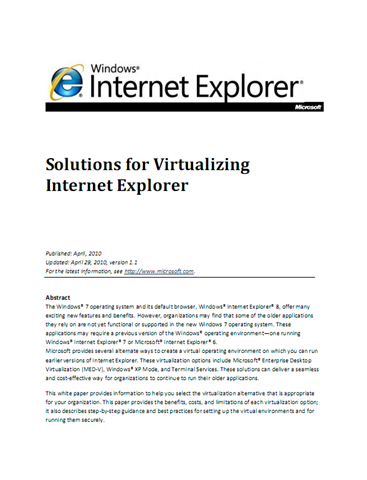
imageThe Windows® 7 operating system and its default browser, Windows® Internet Explorer® 8, offer many exciting new features and benefits. However, organizations may find that some of the older applications they rely on are not yet functional or supported in the new Windows 7 operating system. These applications may require a previous version of the Windows® operating environment—one running Windows® Internet Explorer® 7 or Microsoft® Internet Explorer® 6. 

Microsoft provides several alternate ways to create a virtual operating environment on which you can run earlier versions of Internet Explorer. These virtualization options include:

  • Microsoft® Enterprise Desktop Virtualization (MED-V)
  • Windows® XP Mode
  • Terminal Services

These solutions can deliver a seamless and cost-effective way for organizations to continue to run their older applications.  This white paper provides information to help you select the virtualization alternative that is appropriate for your organization. This paper provides the benefits, costs, and limitations of each virtualization option; it also describes step-by-step guidance and best practices for setting up the virtual environments and for running them securely.  

Posted by: kurtsh | May 3, 2010

DOWNLOAD: Windows PowerShell Quick Reference

Quick reference guide to commonly-used Windows PowerShell commands. For best results, open the file in Microsoft Word, print the contents to legal-sized paper (8 inches by 14 inches), and fold the resulting printout in half, making a four-page booklet.

image

kitchen_sink We’ve officially released the next wave of Microsoft Office and related products. Designed to deliver a unified experience across the PC, phone and browser, this wave includes Microsoft Office 2010, Microsoft SharePoint Server 2010, Microsoft Visio 2010 and Microsoft Project 2010.

Join us for the virtual launch event on May 12th. Check out the presskit materials here for release announcements, see also the following new/updated resources and downloads.  This is pretty much the kitchen sink for anyone in IT involved with desktop productivity:

« Newer Posts - Older Posts »

Categories