Posted by: kurtsh | May 7, 2010

BETA: Virtual Machine Servicing Tool 3.0

clip_image001We are excited to announce the beta release of the Virtual Machine Servicing Tool v3.0. 

If you’ve used version 2.1, you know that it offers free, tested guidance and automated tools that let you safely service offline virtual machines in your SCVMM library. VMST 3.0 builds on this functionality, adding powerful new features designed to streamline the process of keeping your offline virtual machines, templates and VHDs up-to-date with the latest operating system and application updates, without introducing vulnerabilities into your IT infrastructure. 

VMST 3.0 helps you effectively manage the workflow of updating your offline virtual machines according to their individual needs. Using VMST 3.0, customers can also keep users productive during updates and maintenance of physical hosts: VMST 3.0 now automates the servicing of Windows Server 2008 R2 Hyper-V host clusters, leveraging live migration.

Using new features in VMST 3.0, customers can now service:

  • Offline virtual machines in a SCVMM library
  • Stopped and saved state virtual machines on a host
  • Virtual machine templates
  • Offline virtual hard disks in a SCVMM library by injecting update packages
  • Windows Server 2008 R2 failover clusters running Hyper-V

You can access the Beta Program download on Connect here.
http://go.microsoft.com/fwlink/?LinkId=190209

image Key Recovery Tool for Bitlocker® was created to address the issue that while Active Directory can be configured to backup Bitlocker Recovery information from computers when they connect to the network, Active Directory is generally purged on a regular interval to remove non-active computers. But just because a computer may not have connected to the network in a particular time period does not necessarily mean that its data no longer needs to be accessed and retrieved.

Key Recovery Tool for Bitlocker® harvests the Bitlocker Recovery information in a single database for long term storage. 

Posted by: kurtsh | May 7, 2010

RELEASE: Producer for Powerpoint 2010

clip_image002Microsoft Producer for PowerPoint provides users with many powerful new features that make it easier to synchronize audio, video, slides, and images to create engaging and effective rich-media presentations. Producer gives content and media professionals, as well as everyday PowerPoint users a host of new content authoring features.

Refer to the Microsoft Producer for Microsoft Office PowerPoint Privacy Statement for important privacy information.

DOWNLOAD:  Producer for Powerpoint 2010
http://www.microsoft.com/downloads/details.aspx?displaylang=en&FamilyID=1b3c76d5-fc75-4f99-94bc-784919468e73

—————–

NOTE:  Powerpoint 2010 requires the installation of PowerPoint 2003/2002 Add-in: Office Animation Runtime
http://www.microsoft.com/downloads/details.aspx?familyid=4033a84a-24c7-40b2-8783-d80ada33cff8&displaylang=en

image Start with the free download, review your website, and make changes fast. The SEO Toolkit with its detailed analysis and search engine friendly suggestions helps improve the relevance of your website in search results right away.

Search Engine Optimization (SEO) Just Got Easy. Optimize for Bing, Google, Yahoo and more!

  • Increase Website Traffic and Revenue
    Analyze your website and find ways to boost your number of hits. Use SEO recommendations to improve traffic and increase your revenue stream.
  • Influence and Update Search Engines
    Control the access and display of your content in search results. Keep search engines current with the latest information from your website.
  • Improve Customer Experience
    Discover and solve common problems in your website content and design to enhance your end user experience. Make it easy for your customers to find what they’re looking for.

SEO Toolkit Tutorials
This collection of tutorials will get you up and running with the SEO Toolkit.

DOWNLOAD:  Microsoft Search Engine Optimization Toolkit
http://www.microsoft.com/web/seo

Posted by: kurtsh | May 7, 2010

INFO: Office 2010 App-V “Recipe Guide” (RTM)

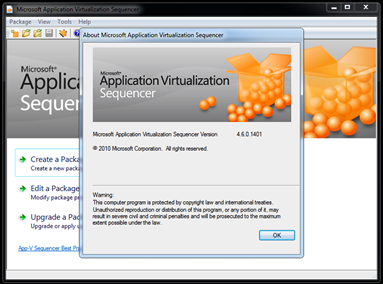
image Yesterday we released, “Prescriptive guidance for sequencing Office 2010 in Microsoft App-V 4.6” a.k.a. the Office 2010 App-V Recipe Guide.

The release describes one method that you can use to successfully sequence Microsoft Office 2010 for use with Microsoft Application Virtualization (App-V) 4.6. The method that is described in the article is not the only method that is available. You may have to change the information in the article as appropriate for your particular environment.

Microsoft Office 2010 uses the Office Software Protection Platform (SPP) service that basically is the same activation technology that is used to activate volume editions of Windows Vista and Windows 7. This service in contained in the Microsoft Office 2010 Deployment Kit for App-V. Before you sequence Office 2010, this service must be installed and configured on the sequencing server. It must also be installed on any client computers that you want to stream Office 2010 to.

Read more at:

Posted by: kurtsh | May 6, 2010

RELEASE: Office 2010 App-V Deployment Kit (RTM)

image The Microsoft Office 2010 Deployment Kit for App-V is required for sequencing and deploying Office 2010 client products with Microsoft Application Virtualization (App-V). This kit includes the components required for Office license activation.

This product must be installed on the App-V sequencing station prior to monitoring the Office 2010 client installation.

This product must also be installed on the client machines to which virtualized Office 2010 client packages will be deployed. It can be configured to enable certain system components to interact with virtualized Office 2010, including:

  • Fast search in virtualized Outlook 2010 using Windows Desktop Search
  • Ability for virtualized Office 2010 applications to open, edit, and save Office files hosted with Windows SharePoint
  • Search indexing support for Office file types
  • URL protocol redirection to virtualized Outlook 2010
  • Print to virtualized OneNote 2010
  • Mail control panel applet for virtualized Outlook 2010

image This is kinda big news for a couple of reasons.  Internet Explorer 9.0 is not only shortening the User Agent String, it is doing so as the default offering to pages that one visits during an IE9 browsing session. 

Here is an example of what the User Agent String looks like from a IE8 browser vs. and IE9 browser:

  1. IE8 User Agent String:
    Mozilla/4.0 (compatible; MSIE 8.0; Windows NT 6.1; WOW64; Trident/4.0; SLCC2; .NET CLR 2.0.50727; .NET CLR 3.5.30729; .NET CLR 3.0.30729; Media Center PC 6.0; InfoPath.2; Zune 4.0; OfficeLiveConnector.1.4; OfficeLivePatch.1.3; MS-RTC LM 8)
  2. IE9 User Agent String:
    Mozilla/5.0 (compatibile; MSIE 9.0; Windows NT 6.1; Trident/5.0)

This is particularly interesting because this change improves overall performance by sending a shorter string to visiting end points that the browser connects to by transmitting less information for processing but additionally, many sites can’t digest long UA Strings so the information sent may be bounced by the destination causing a delayed response.  It also is claimed to improve interoperability and compatibility by eliminating version conflicts because IE9 will no longer send additions to the UA string made by other software installed on the machine such as .NET and many others.

What no one seems to have mentioned is how the User Agent String is used to identify you as a unique individual on the Internet.

image HOW THE USER AGENT YOU SUBMIT IS USED TO IDENTIFY YOU ON THE INTERNET
If you visit the web site http://panopticlick.eff.org/, you can very easily see how the user agent string from your computer identifies you on the Internet to web sites.  The IE8 User Agent String above for example is effectively my fingerprint on the Internet:  It’s actually EXTREMELY RARE.  So rare, that out of the 826030 users that have tried Panopticlick, I’m the only person with that exact string.

This is obviously disconcerting that something so simple as the browser capabilities of your machine can be used to identify you to web sites and effectively track you across things like advertising networks, such as Google’s "DoubleClick” which resides on millions upon millions of web sites, or “Google Ads” which is leverages by many blogs & information sources on the Internet.  Having a "unique user agent string” effectively allows people to track where you go, what you do, and collect all that information.

However the simplification of the User Agent String changes all of this – nullifying IE9 User Agent strings as a means of tracking users.

image The book is not a language primer, a language reference, or a single technology book.

It’s a book that will help professional developers move from previous versions of Visual Studio (starting with 2003 and on up). It will cover the features of Visual Studio 2010 through an application. It will go through a lot of the exciting new language features and new versions of the most popular technologies without putting the emphasis on the technologies themselves. It will instead put the emphasis on how you would get to those new tools and features from Visual Studio 2010.

If you are expecting this book to thoroughly cover the new Entity Framework or ASP.NET MVC 2, this is not the book for you.  If you want to read a book where the focus is on Visual Studio 2010 and on the reasons for moving to Visual Studio 2010, this is the book for you.

Posted by: kurtsh | May 6, 2010

DOWNLOAD: Visual Studio 2010 Keybinding Cards

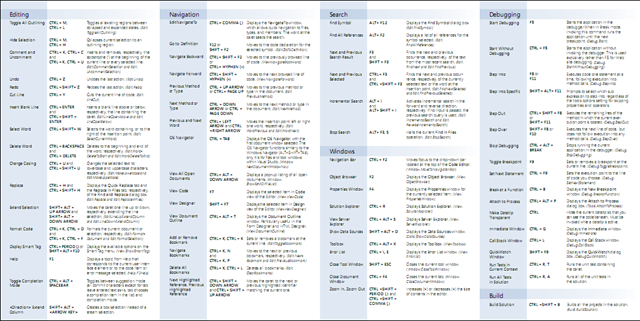
imageWhat are Keybinding Cards?  They’re quick reference pages that show what the keyboard shortcuts are for executing actions within the Visual Studio 2010 Integrated Development Environment (IDE). 

These are high quality, print-ready PDFs containing the default keybindings in Visual Studio 2010 for:

  • Visual Basic
  • Visual C#
  • Visual C++
  • Visual F#

Download, print, laminate.

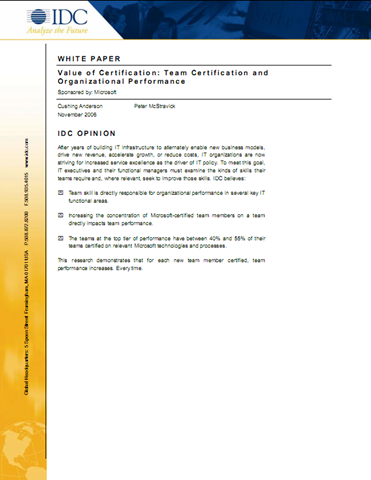
imageWhen you hire a Microsoft Certified Professional (MCP), your company benefits from a technically proficient professional who has hands-on experience and in-depth knowledge. A November 2006 IDC white paper indicates that team performance improves for each new team member who becomes certified.

IDC’s Findings on the Value of Certification:

  1. Team skill is directly responsible for organizational performance in several key IT functional areas.
  2. Increasing the concentration of Microsoft-certified team members on a team directly impacts team performance.
  3. The teams at the top tier of performance have between 40% and 55% of their teams certified on relevant Microsoft technologies and processes.

LINK:  The MCP Advantage
http://www.microsoft.com/learning/en/us/certification/cert-benefits-emp.aspx

« Newer Posts - Older Posts »

Categories