imageThe recordings of the presentations given at the Service Industries Virtual Summit have been posted for the Architecture, Engineering, and Construction space.

  • The State of the AEC Industry and How it Will Impact Your Business Over the Next Two Years
    Construction economists agree that things will get better, but when and what does that really mean. Optimists are hoping healthy markets will return in 2013, the pessimists are hoping for 2014 or even 2015. Join us to learn where opportunities exist today and what you can really expect over the next two years.
    – Steve Jones – Senior Director, McGraw-Hill Construction
  • Utilizing CFMA’s Construction Industry Annual Financial Survey to Make Strategic Decisions
    Each year, CFMA publishes its Construction Industry Annual Financial Survey, a highly anticipated tool construction CFOs and Controllers across the U.S. use to benchmark their companies against their peers. But, the Survey is so much more than that. Please join us as two CFMA veterans discuss the ins and outs of the Survey, its applications for construction finance industry professionals, and how to use the Survey to drive strategic decisions in your construction company.
    – Joe Burkett and Tom Emison, CFMA
  • It’s 2022: Where Does Your Company Stand?
    Being aware of current global trends will help leaders navigate the volatile market in the short-term. What about the long-term? It is critical that leaders focus on their long-term organizational vision amidst the chaotic markets that currently surround us. Join Rusty Sherwood to see why your organization can’t afford to be complacent between now and 2022. He’ll show you how to prepare your organization for a future of sustainable growth.
    – Mark ‘Rusty’ Sherwood – Senior Consultant, FMI
  • Forces of Change: Technology Deployment Is Gaining Momentum
    The pace of technological innovation in the capital projects industry is gaining momentum. Ray Topping, Director of Fiatech – a recognized global leader for advancement of technology and innovative practices in the capital projects industry, hosts candid conversations with the Alaska Native Rival Health Consortium and Infrastructure Corporation of America who tell their stories about technology deployment. Find out what major pain points are driving the need for new solutions; what was the forcing function to make panelists say "that’s enough;" and how did they apply technology to deliver the highest business value.
    – Ray Topping – Director, Fiatech
  • Microsoft Point of View on Architecture/Engineering/Construction
    AEC today is focused on Business Development, Documentation & Resources, Financial Control, and Projects/Job Sites.  From another dimension, motivating factors include Client Pull, a changing workforce, agile adaptation, and collaborative execution.  How do we best approach these challenges with today’s technology?
    – Ted Kempf, Services Industries Solutions Specialist

Register for these recordings here:
http://www.microsoft.com/en-us/dynamics/service-industries-virtual-summit.aspx

I’ve recently seen some discussion around the limitations in core usage for SQL Server 2012.  There is an explanation of what scenarios this applies to on MSDN which presents the following table: 

SQL Server Edition

Maximum Compute Capacity Used by a Single Instance (SQL Server Database Engine)

Maximum Compute Capacity Used by a Single Instance (AS, RS)

Enterprise Edition: Core-based Licensing 1

Operating system maximum

Operating system maximum

Developer

Operating system maximum

Operating system maximum

Evaluation

Operating system maximum

Operating system maximum

Business Intelligence

Limited to lesser of 4 Sockets or 16 cores

Operating system maximum

Standard

Limited to lesser of 4 Sockets or 16 cores

Limited to lesser of 4 Sockets or 16 cores

Web

Limited to lesser of 4 Sockets or 16 cores

Limited to lesser of 4 Sockets or 16 cores

Express

Limited to lesser of 1 Socket or 4 cores

Limited to lesser of 1 Socket or 4 cores

Express with Tools

Limited to lesser of 1 Socket or 4 cores

Limited to lesser of 1 Socket or 4 cores

Express with Advanced Services

Limited to lesser of 1 Socket or 4 cores

Limited to lesser of 1 Socket or 4 cores

1 Enterprise Edition with Server + Client Access License (CAL) based licensing is limited to a maximum of 20 cores per SQL Server instance.
(Taken from: http://msdn.microsoft.com/en-us/library/ms143760(v=sql.110).aspx)

You may also want to look at the Licensing guide found at http://www.microsoft.com/sqlserver/en/us/get-sql-server/licensing.aspx On page 16 it clearly states:

Software Upgrade Path for SQL Server 2008 R2
SQL Server 2008 R2 Upgrade to SQL Server 2012 Enterprise Edition processor licenses

Datacenter Edition processor licenses Enterprise Edition core licenses (No CPU limitation)
Enterprise Edition server licenses Enterprise Edition server licenses (subject to 20-core limit)
Standard Edition processor licenses Standard Edition core licenses
Standard Edition server licenses Standard Edition server licenses

This table shows upgrade options available to customers with SQL Server licenses. SQL Server 2012 use rights apply.

Posted by: kurtsh | May 7, 2012

INFO: Web Analytics for SharePoint Server 2010

imageDid you know that SharePoint Server 2010 has built in Web Analytics?

Check this out:

Introducing Web Analytics in SharePoint 2010

As part of SharePoint Server 2010, we have created a new set of features to help you collect, report, and analyze the usage and effectiveness of your SharePoint 2010 deployment – whether it’s used as an internal or external web portal, a collaboration tool or a document and records management repository. These features are part of the Web Analytics capabilities of SharePoint 2010.

This blog post is the first of several that will give you more insight into the enhanced Web Analytics features that we have built into SharePoint 2010. This first post will provide an overview of the new Web Analytics features and we’ll take a deep dive in to specific scenarios in future posts.

Read more about SharePoint 2010’s Web Analytics & Reporting here:
http://blogs.msdn.com/b/ecm/archive/2010/03/21/introducing-web-analytics-in-sharepoint-2010.aspx

Two new updates for our Macintosh products:

imageMicrosoft Office for Mac 2011 Service Pack 2 Now Available
The Office for Mac 2011 14.2 update includes the following improvements for all Microsoft Office for Mac 2011 applications:

  • Document Connection support for SkyDrive documents are improved: This update enables users to view and access documents that are located in the root level of a SkyDrive folder.
  • The drag-and-drop feature in Document Connection is added in Mac OS X 10.7 (Lion): This update adds a drag-and-drop feature for files in Document Connection in Mac OS X 10.7.
  • Upload functionality for SharePoint sites is improved: This update fixes an issue in which you receive the following error message when you upload a file to a SharePoint site: “Upload Failed You must sign in to save your changes to the server.”
  • The Italian grammar checker is improved: This update fixes an issue in which the Italian grammar checker does not check a complete document.
  • The German grammar checker is improved: This update fixes an issue in which the German grammar checker does not check a complete document when the document contains certain German sentences.

See KB article 2685940 for further details on improvements included in this update. NOTE: On April 19th, Microsoft withheld the Office for Mac 2011 SP2 update through Microsoft AutoUpdate while investigating issues that affected a small percentage of users. As of April 25th, Microsoft posted a 14.2.1 update that fixes a number of issues, including the Outlook for Mac database issue, and you can read more about the update in KB article 2705358.

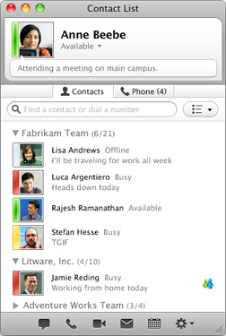
imageMicrosoft Lync for Mac 2011 14.0.2 Update Released
This update resolves the following issues for Microsoft Lync for Mac 2011:

  • Several issues with Cisco and Juniper VPN clients
  • An issue that causes an Active Directory lockout when the Kerberos protocol is used
  • Several issues that cause Lync for Mac 2011 to sign out unexpectedly or to crash

We recommend that all users install this update. Before you install the Lync 2011 14.0.2 update, make sure that you have Lync 2011 14.0.0 installed on your computer. Also, make sure that the computer is running Mac OS X v10.5.8, or a later version of the Mac OS X operating system. For further details, see KB article 2690036.

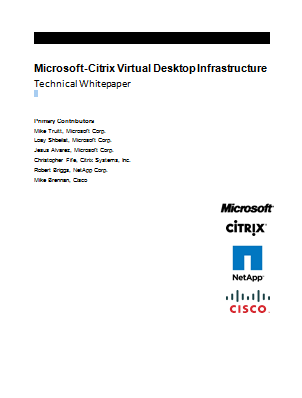
imageThis Microsoft-Citrix virtual desktop infrastructure (VDI) technical whitepaper describes the results of a study conducted at the Microsoft Enterprise Engineering Center (EEC) to evaluate the scalability of the Citrix XenDesktop 5.6 and Provisioning Services 6.1 (PVS) environment on Cisco UCS B-Series Blade Servers running Windows Server 2008 R2 Service Pack 1 (SP1) with the Microsoft Hyper-V role connected to a NetApp storage array.

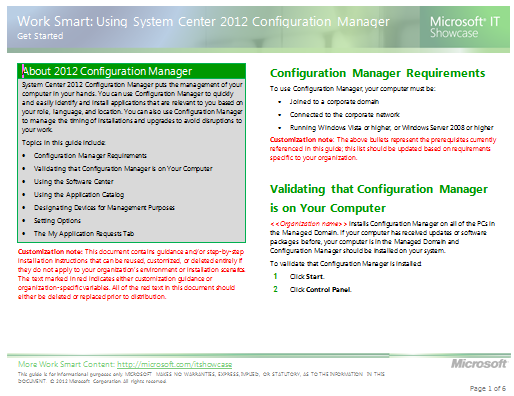
imageSystem Center 2012 Configuration Manager puts the management of your computer in your hands. You can use Configuration Manager to quickly and easily identify and install applications that are relevant to you based on your role, language, and location. You can also use Configuration Manager to manage the timing of installations and upgrades to avoid disruptions to your work.

The System Center 2012 Service Manager – Exchange Connector 3.0 connects System Center 2012 – Service Manager to Exchange for processing incoming emails related to incidents and change requests. The emails can update the incident action log or change the status of an incident to resolved or closed. Incoming emails with special keywords allow a change request reviewer to approve or reject a review activity and activity implementers can mark activities assigned to them as completed. The SendEmail solution allows analysts to send messages to users via email from the console.

Feature Summary: The Exchange Connector 3.0 release is compatible only with System Center 2012 – Service Manager. It contains the bug fixes and still contains the original set of features including:

  • Create incident from email
  • Update incident action log from email
  • Resolve or close incidents from email
  • Approve/reject change requests from email
  • Update change request “action log” from email
  • Mark manual activities completed from email
  • Add email file attachment to work items as attachments
  • Send notifications to users from the console

New features include:

  • Support for impersonation so you can now have multiple Exchange connectors monitoring different mailboxes each with their own unique configuration
  • Each user in the To/CC of each email is added as a Related configuration item to the work item
  • Works with Office 365
  • The Exchange Web Service URL to connect to can be configured instead of relying on auto discovery
  • Works with service requests
  • Any kind of work item can be created from a template – incident, service request, etc.
  • Update problem records
  • Much more detailed logging
  • Detailed event log logging is turned off by default
  • The email itself can be optionally added as an attachment to the work item

DOWNLOAD: System Center 2012 Service Manager – Exchange Connector 3.0 Release Candidate
http://www.microsoft.com/en-us/download/details.aspx?id=29423

Check out all the new Management Packs for System Center 2012 that released!

The Microsoft SQL Server 2012 BPA is a diagnostic tool that performs the following functions:

  • Gathers information about a Server and a Microsoft SQL Server 2012 instance installed on that Server
  • Determines if the configurations are set according to the recommended best practices
  • Reports on all configurations, indicating settings that differ from recommendations
  • Indicates potential problems in the installed instance of SQL Server
  • Recommends solutions to potential problems

DOWNLOAD: Microsoft® SQL Server® 2012 Best Practices Analyzer (April 2012)
http://www.microsoft.com/en-us/download/details.aspx?id=29302

image

The latest TechNet Magazine March 2012 edition is out and available for download as a .PDF.

Here’s a few articles in there:

ONLINE EDITION:
http://technet.microsoft.com/en-us/magazine/hh859744.aspx

DIGITAL DOWNLOAD:
http://download.microsoft.com/download/D/E/7/DE792766-E46A-428D-A037-66F5EEE54ED6/March2012.pdf

« Newer Posts - Older Posts »

Categories