Posted by: kurtsh | July 3, 2012

NEWS: Microsoft to acquire Yammer for $1.2B

image

Well, this took a while but it’s finally public.  Microsoft is officially acquiring Yammer for $1.2B.

TL;DR
For the folks with short attention spans, here’s the quick version of some of the interesting distinctive features of Yammer that differentiate it from SharePoint:

  1. ONLINE SERVICE
    It’s a shared service that runs in the cloud.  It is delivered to customers from Yammer’s datacenter and accessed over the Internet, wherever they happen to be and can be stood up at a moments notice.  This is not SharePoint – there are no holes to punch in the firewall, and no reverse proxy to set up.  It is not SharePoint Online either.  There is definitely a huge amount of investment going into SharePoint Wave 15 in the social networking space but SharePoint is a MASSIVE platform for collaboration.  Social networking is just one piece of that platform & it shouldn’t at all be confused with what Yammer provides which is a social networking “pure play” that adds, among other things, the two elements below:
  2. CLIENTS
    There are numerous software-based clients for Yammer beyond the typical web browser interaction that enriches the experience for other platforms by reformatting the screen for different dimensions (phone, tablet, laptop, etc.), enabling device specific views & input interfaces (GPS for phones, interfaces that make room for softkeyboards on tablets) etc. to make the
  3. INTEGRATIONS
    The Yammer service has been provisioned to provide integration with some of the biggest products on the market – Microsoft or otherwise – that businesses use either in house or in the cloud.  Yes, this means that Yammer can be integrated with services on their local network, within a company’s Intranet like SharePoint, as well as with secured 3rd party cloud services such as Salesforce.com, SAP, and Microsoft Dynamics Online.
  4. CUSTOMER BASE
    Yammer is the single fastest growing social networking platform for business and part of this is definitely it’s cross-platform availability as well as it’s out-of-box integrations with the software & services customers want.  But because it’s so easy & uncomplicated to stand up for any given customer, I believe it has very broad use in customer segments that Microsoft traditionally hasn’t had a large user base in with regard to SharePoint on premise, SharePoint Online, & our current social networking technologies.

WHAT IS YAMMER?
Yammer is a hosted online service that provides social networking customized specifically for Enterprise companies.  Often called the “Facebook for the Enterprise”, Yammer delivers turnkey social networking capabilities for companies looking to rapidly bring their organization online with social network functions like microblogging, grouping, notifications, content sharing, discussions, commentary, etc. and it does so securely & without the hassle of managing the infrastructure.

CAN YOU GIVE ME AN EXAMPLE?
Sure.  Below is the URL for Microsoft’s own Yammer site.  You won’t be able to get into it without a Microsoft account, of course, but I thought I’d show the URL at least to drive home the point that it’s an ONLINE SERVICE.

What you see below is a snapshot of Microsoft’s own corporate Yammer social networking site in it’s early stages. (Highly redacted for obvious reasons)  Look familiar?  It should.  Yammer’s not called the “Facebook for the Enterprise” for nothing.

image

OKAY.  SO IT’S FACEBOOK-ISH.  SO WHAT?
And like Facebook, there’s a lot of ecosystem elements that are developed for it that save companies interested in social networking time & effort in implementation & support.  For example:

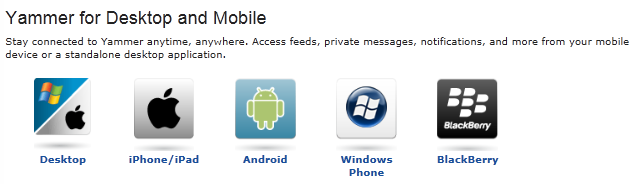
CLIENTS
There’s Yammer clients available for Windows Desktop, iPhone/iPad, Android, Windows Phone, & Blackberry.
image

INTEGRATIONS
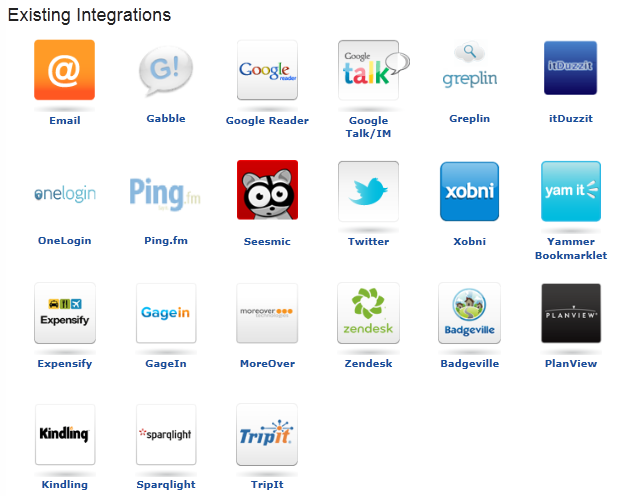
There’s Yammer integration technology that’s engineered & provisioned for more than 50+ applications – both online services & on-premise applications.  Here’s just a few of the more famous services integrations exist for:

  • Microsoft SharePoint®This collaboration software helps simplify business intelligence, content management, and search for intranets. Integrate Yammer feeds, notifications, activity streams, and more to get the most out of SharePoint.
  • Freeborders/SAPThis Enterprise Resource Planning (ERP) solution helps improve processes for finance, HR, sales, and other departments. Surface SAP activity in Yammer, where employees can easily discover and discuss it.
  • Directory SyncStreamline provisioning and de-provisioning of Yammer accounts. Directory Sync automatically synchronizes user additions and deletions with your existing company directory.
  • Salesforce.comThis Customer Relationship Management (CRM) tool helps sales organizations find and keep customers. Deliver updates on accounts, opportunities, campaigns, and more from Salesforce.com to Yammer.
  • Microsoft DynamicsThis line of ERP and CSM software applications helps improve business processes across departments. Aggregate Dynamics activity in Yammer for employees to track and share.
  • SpigitThis social innovation and crowdsourcing software helps organizations identify and manage good ideas from employees, customers, partners, and fans. Surface ideas from the SPIGITENGAGE premium product or the free ICON product in Yammer.
image

Posted by: kurtsh | June 21, 2012

DOWNLOAD: Audible for Windows Phone

6 of 8The long awaited Audible for Windows Phone is now available on the marketplace.  So go get it.  It’s free.  Go.  Now.  Why are you still reading this?
Audible.com, the internet’s premier provider of digital audiobooks and more, is now available for Windows Phone! This free app features the most comprehensive audiobook experience ever, including the ability to download from your Audible library, detailed listening stats, access to the Audible mobile store, and much more. Not an Audible member yet? We’ve included 8 excerpts from some of our favorite authors to get you started. Audible for Windows Phone features the best audio book listening experience and more:

  • Bookmarking, Sleep Mode, Button Free Mode, and Play as you Download
  • Earn badges and track your personal listening habits
  • Browse and discover 100,000+ digital audiobooks and more in the Audible mobile store; from best sellers to timeless classics, and everything between
  • Connect to Facebook and Twitter to let your friends know what you’re listening to
  • Get insider information about author events and more with the Audible Newsfeed

The best listening experience for audio books Supports Audible.com, Audible.co.uk, Audible.de

imageHere’s one config change that I forgot to do on my new Windows 7 laptop and just thought about documenting on the blog.

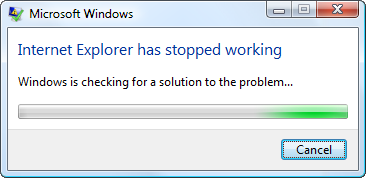
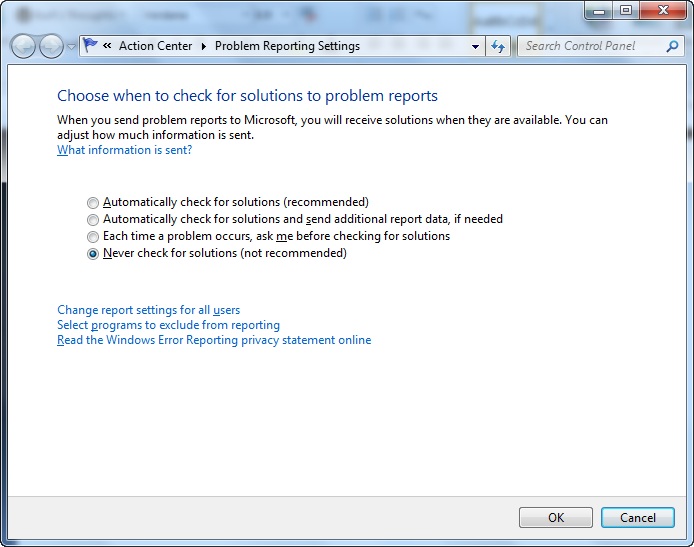
Are you tired of the phrase, “Windows is checking for a solution to the problem…”?

I never get anything out of this any more.  I always hit cancel so why not just disable it? 

It’s actually quite easy.  All you have to do is:

  1. Click on the Action Center icon on your taskbar (white flag) -> Change Action Center settings -> Problem reporting settings –> Select the “Never check for solutions” radio button
  2. Or, you can use the Windows search box by clicking START & typing “Choose how to report problems” into the search box.  This will take you directly to the screen below and allow you to select the “Never check for solutions” radio button.

image

Posted by: kurtsh | June 18, 2012

INFO: Searching Twitter & its search operators

imageTwitter has been something of a nightmare for me to search.  Maybe I’m just not very good at it but I rarely get good results when trying.  It’s one of the reasons I decided archive everything I ever get in my feed & everything I tweet into an Outlook 2010 .PST using TwInbox -  just to get some decent search indexing on Twitter content that’s important to me.

One thing I did find useful was when searching Twitter, there are a list of operators that you can use to provide better search targeting.  This list is below:

Posted by: kurtsh | June 18, 2012

RELEASE: Forefont Identity Manager 2010 R2

<stolen from the Microsoft Server & Cloud blog>

imageForefront Identity Manager (FIM) 2010 R2 is now generally available! FIM 2010 R2 adds many new capabilities to help organizations handle the growing complexity of managing identity and permissions across heterogeneous systems. We feel that 2010 R2 is the best FIM release yet – and wanted to review just a few of the new capabilities you’ll find inside.

Improved Self-service Password Reset
A cornerstone of the FIM 2010 experience has always been enabling end users to manage their own identity – a key part of which is making it possible to reset passwords. Password resets can be an incredibly expensive burden for helpdesks – with some studies showing the cost as high as $10 per reset! They also bring their share of user frustration, with password policies that vary across systems and delays in helpdesk response. First introduced as part of FIM 2010, Self Service Password Reset (SSPR) has been significantly improved for FIM 2010 R2. Now with an improved enrollment process, deploying SSPR is easier than ever. We’ve also extended the password reset portal to work with many of the most popular web browsers available (including Internet Explorer, of course!), and now support extranet-based reset experiences as well. Together, the browser-based reset and extranet support mean that your users can resolve password issues wherever they are, from nearly any device.

Role Based Access Control
Microsoft acquired BHOLD Software in 2011 as part of our ongoing commitment to deliver the comprehensive set of tools our customers need to tackle their identity challenges. As part of the FIM 2010 R2 release, the BHOLD software is extended to all FIM 2012 R2 customers. Any customer purchasing FIM 2010 R2, or currently under Software Assurance is now licensed to take advantage of the many capabilities within the Microsoft BHOLD Suite.
The Microsoft BHOLD Suite allows customers to easily define and manage access based on user roles. Roles are mapped to multiple permissions across many systems, simplifying access privileges from the user perspective. This capability also helps ensure that access rights are maintained over time – even during position, location, and responsibility changes. Once in place, the BHOLD Suite can be used to help demonstrate compliance with organizational and industry/governmental regulations, saving valuable time.

But Wait, There’s More!
In case that wasn’t enough, there are many other areas in which FIM 2010 R2 offers improved functionality.

  • In response to popular demand, we’re happy to say that we’ve made significant improvements to the reporting engine. FIM 2012 R2 now leverages the System Center Service Manager Data Warehouse to store and display reports. Since the System Center Service Manager Data Warehouse is built around SQL Server Reporting Services (SSRS), reports may be run through that interface as well.
  • To more easily connect your third-party business applications, we’ve made the new WebServices Connector available on the Microsoft Download Center. The WebServices Connector is used to connect to SAP ECC 5/6, Oracle PeopleSoft, and Oracle eBusiness. It is an optional component for FIM 2010 Update 2 and FIM 2010 R2 and can be used on either version.
  • You’ll also see lots of improvements in the areas of performance, simplified deployment and troubleshooting, better documentation, and more language support.

Hopefully I’ve conveyed just a bit about how excited we are about this latest release of FIM 2010 R2. Now that we’ve given you a snapshot of what to expect, please check out http://www.microsoft.com/fim for more information — and download an evaluation version of FIM 2010 R2!

WHOA.  So, if you’ve been reading my blog, you know that I recently had some serious surgery done on my Samsung Series 9 1st gen laptop.  The entire front plate (the keyboard side) was replaced which is almost a 1/3rd of the actual laptop hardware.  It contained the following:

  1. Power supply jack
  2. Antenna
  3. Keyboard
  4. Touchpad
  5. Power switch

And more.  Our office tech did the surgery.  Meanwhile I went to the E3 Expo.  Yeah.  I live a charmed life.

THE SYNAPTICS DRIVER/CTRL-PANEL APPLET STOPPED WORKING
When I got back, the work was done.  I was surprised to find that all my mouse optimizations had disappeared.  If it even breathed on the touchpad, the mouse pointer moved as if I’d left clicked the mouse.  This of course made it virtually unusable again.

I investigated myself and discovered that when I looked at the SETTINGS for the Synaptics mouse in CTRLPANEL-MOUSE, there was nothing there – nothing specific to the Synaptics touchpad.  There were no configuration items to change.  It was as if all the settings checkboxes, sliders, etc. had just disappeared. 

I downloaded the Samsung touchpad drivers from the web site, ran the default driver setup, & rebooted.  No luck.  I talked to our tech and he didn’t know what to do but he mentioned that others had reported something about “ELAN drivers”.  This rang a bell because when I unpacked the Samsung touchpad drivers I saw a directory called “ELAN”.

image

DIFFERENT TOUCHPAD HARDWARE!

I navigated to the ELAN subfolder and explicitly installed JUST the ELAN drivers just to make sure and lo-and-behold:  It worked!

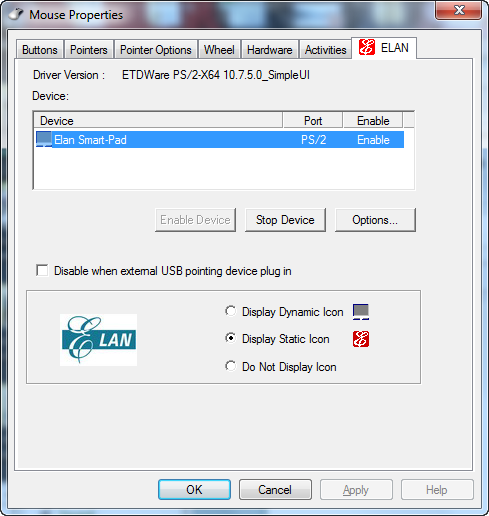
In other words, the Touchpad used to be a Synaptics TouchPad – but since it physically wasn’t there any more, the driver failed to install, as did the control panel applet.  Now, with the new ELAN Touchpad, it rejected the Synaptics driver.  Totally different manufacturer requiring a totally different TouchPad mouse driver.  Once I installed the ELAN drivers a completely new control panel applet appeared.  See to the snapshot to the right.

Again. the configuration screen is totally different and frankly, has a less configurable interface than the Synaptics… but the main optimizations are there:

  1. imageI recommend that folks Disable TAPPING altogether for One Finger & Two Figure usage.  If you want to ‘select’ an object, click on the bottom left corner which will act like a left mouse button as you’d expect.  If you do this, you’ll never accidentally left mouse click which is what most people do with One/Two Finger tapping enabled.
  2. I also recommend you disable Inertial Scroll for Two-Finger scrolling.  Inertial scrolling IMHO may fly for touch screen devices but not for touchpads were we have an expectation of precision.
  3. And I recommend Unchecking Drag and Drop from One-Finger controls.  Personally, if I want to drag & drop something, I want to CLICK-&-HOLD on the left mouse button, drag the item using the touchpad, then RELEASE the left mouse button to drop.  I have no use for any other type of drag & drop, personally.

I also adjusted the pointer speed & scroll speed to my liking.  And I quickened the double click speed but that’s all really personal preference stuff.

To download the driver package for the Samsung Series 9 with BOTH the Synaptics drivers & the ELAN drivers in them, visit the Samsung support web site at:

Posted by: kurtsh | June 17, 2012

INFO: Why the heck is my Outlook .OST so big?

No, seriously.  Why’s my Outlook 2010 offline store file so massive?  I have 2.1GB in my mailbox – including calendar, email, contacts, yadayadayada… and the .OST file is a monstrous 7.5GB

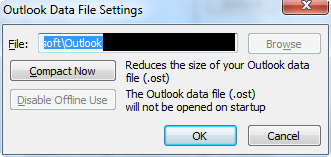
imageYES, I ALREADY COMPRESSED THE DAMNED THING
7.5GB – 2.1GB = 5.4GB. Why do I have an extra 5.4GB in my .OST?  That’s the question I asked last night.  So I searched the Internet as you would expect and came up with basically nothing.  The typical, “you have whitespace in your .OST and need to compress it manually” is really the only thing I read – which I of course already did.

imageCULPRIT #1: OUTLOOK IS CACHING OTHER PEOPLE’S CALENDARS
One thing I did know however was that, in the corporate world, we open other people’s Exchange calendars to check their availability for meetings & conference calls.  And we do this a LOT. 

Some might ask, “why don’t you just use the data picker (free/busy)”, but to really get a sense of what people are doing, you kinda have to have their calendar open fully & visually.  For example:  Someone might be blocked at 1PM-2PM… but if the appointment is an hour away, they’re going to need time to drive to the location before and after and won’t be able to be present for meeting.  This is feasible in the Outlook meeting date picker however it’s less clear & easy to miss.

Well, it turns out that by default, when you open a person’s calendar, it syncs the calendar to your .OST.  It stores itself as a ‘checkbox’ on the left hand column of the calendar view and will remain there, continuing to sync in the background.  How much it syncs, I don’t know, but what I DO know is that if you open up 50 people’s calendars over the span of say 6 months, you may have 50 people listed on the left column of the calendar… and all these calendars are being cached & taking up space in your .OST.

The answer is to right mouse click each calendar and REMOVE them… then compress the .OST again and watch the file shrink dramatically. 

In my case, I deleted all the other people’s calendars in my list that I’d looked at once but never really looked at again… and easily cleared out about 2.1GB of space in my .OST resulting in a more reasonable 5.4GB file size.  I’m not kidding.

imageCULPRIT #2:  OUTLOOK IS CACHING OTHER PEOPLE’S SHARED FOLDERS
Keep in mind that even if you only keep the calendars of the people you frequently to look up, these calendars will be cached.  This can be a huge amount of storage.  Also if you have been delegated access to another mailbox – say an executive’s inbox/contacts/calendar/tasks – and at one point you access each of these ‘shared folders’, you’ll be caching ALL of that email, contacts, calendar & tasks data into your .OST by default. (This was a change made as of Outlook 2010)

To halt this behavior: (And get the 3rd party’s inbox information only when you’re online & not offline)

  1. Go to FILE – ACCOUNT SETTINGS –ACCOUNT SETTINGS.  The Account Settings dialog box will appear.
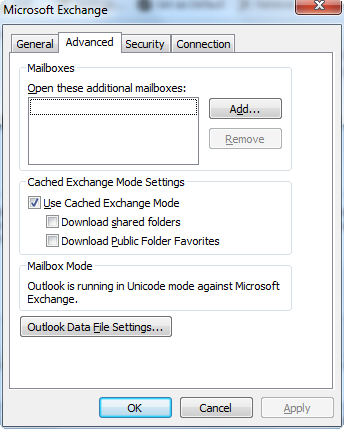
  2. Click the “Data Files” tab and DOUBLE-click your .OST file for cached content.  A “Microsoft Exchange” dialog box will appear.
  3. Click the “Advanced” tab.  You will see a checkbox group called “Cached Exchange Mode Settings”.
  4. Uncheck “Download shared folders”.  Click OK button. You’ll return to the Account Settings dialog box. (In the photo to the right, I’ve already unchecked the box.  Normally by default, it’s checked.)
  5. Click Close button.

By unselecting this check box, you effectively stop syncing the data from the other people’s mailboxes that you once viewed.  For example, if you ever open anyone else’s calendar, it won’t cache it to your machine.  If you are delegated access to another mailbox – like a shared mailbox that multiple people have access to – the mail won’t sync to your PC and you’ll only be able to view it while online.

This reduced my .OST’s size by 3GB to a reasonable 2.7GB.  I still haven’t figured out the remaining 600MB difference which could be anything from RSS feed content, to Windows Live Messenger contacts to anything else that may not be counted by my Exchange Mailbox folder size total, but I’m sort of satisfied with the above modifications (and the 4.9GB file size reduction) I made so I’m not going to spend any more time on this.

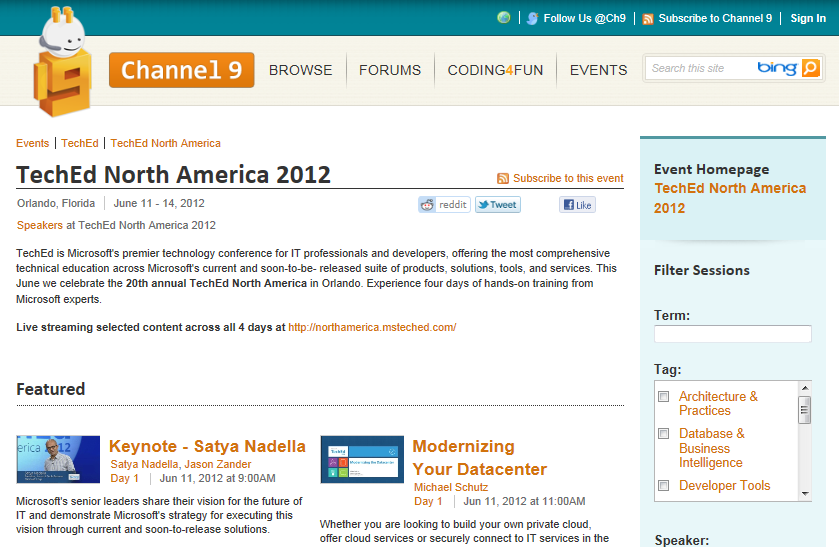
imageWell, that’s a wrap.  Microsoft TechEd North America 2012 is over and most of the 400+ recorded sessions are posted to Channel 9 – which I thought was interesting considering we normally host these via a separate site.

Taken from the Channel 9 blog:

Hey folks,

Tech Ed North America 2012 just took place in Orlando, Florida on June 11-14th and you can view all 427 Tech Ed North America sessions now! They are published on Channel 9 under the events section. We also have all Channel 9 Live sessions up and on demand.

If you missed Tech Ed North America it’s not too late to book your trip to Tech Ed Europe 2012 in Amsterdam for June 26-29th. See you all there!

Best,

C9 Team

As written in Forbes Magazine, Morgan Stanley analyst Kathryn Huberty upped her sales projections for the tablet computer market.  Huberty and the tech team at Morgan Stanley are now estimating shipments of 133 million tablets in 2012, up 57% from their original estimates; and 216 million tablets in 2013, up 112%.

The bold call: Microsoft will grab a substantial chunk of the market.  She argues that Microsoft will grab the number two spot in the market, after Apple iPad and ahead of tablets running Google‘s Android software, with the launch of Windows 8 later this year.

Read more at:
http://www.forbes.com/sites/briancaulfield/2012/06/01/bold-call-microsoft-to-pass-android-grab-no-2-spot-in-tablets-behind-apple/

[Normally, I write about this sort of thing on my other blog.  But this was sort of company-related so I thought… meh.  It’s my blog, and I’ll do with it as a I please.]

The other day, I saw something at E3 (the Video Game History Museum) that made me think about what computing was like when I was kid.  When I was growing up, I didn’t have much money.  Other kids I knew had computers that their fathers owned & meanwhile, I didn’t even have a handheld Mattel Football game.  So I’d go over to their houses and use theirs for hours.  And of course the computer everyone had was the Apple II.  Some had the II+ & later the IIe, but it was always the Apple.  (I lived in Apple’s backyard so it’s not that surprising)

I’d carry my one 5 1/4” Verbatim DS/DD floppy disk. (Hey, they were expensive for a 10 year old)  I punched a notch on the other side to use the flip side of the disk and stored everything I’d ever gotten on it.  SirTech’s Wizardry, Electronic Art’s Archon, Accolade’s Hardball, and who could forget Broderbund’s Lode Runner?  My favorite game however was, and remains, “Olympic Decathlon”, because of all the good memories my friends and I had playing it “multiplayer”.

imageLOADING UP “APPLEWIN EMULATOR”
So I looked into my stash of software on my PC (which I’ve kept for years on my hard drive in a single directory), and I dug up Tom Charlesworth’s “AppleWin”, the renown Apple II emulator for Windows.  It’s in its 1.20 revision today and still working like a champ.

I ran the ol’ AppleVision demo on the DOS 3.3 disk and had a thrill looking at something I hadn’t seen since the 6th grade.

OLYMPIC DECATHLON
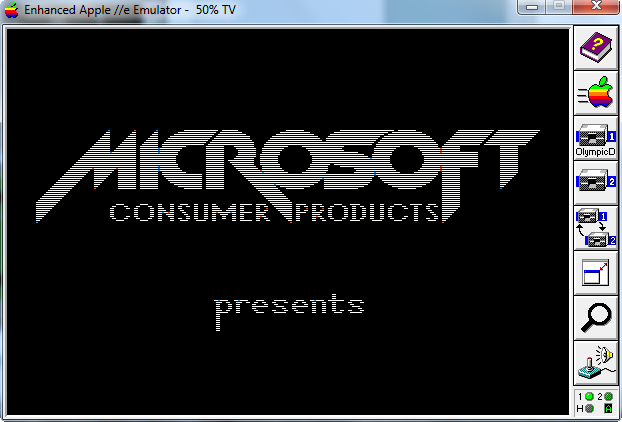
What does this have to do with Microsoft, you ask?  Well, I don’t know if you remember but Olympic Decathlon was a Microsoft product.  Here’s a snap shot of the boot up screen for “Microsoft Consumer Product’s Olympic Decathlon”:

image

There it is:  Our old logo.  I played the game on my Windows 7 x64 machine after having not touched Olympic Decathlon for more than probably 30 years.  And it plays like a champ in the AppleWin emulator.  I highly recommend it!

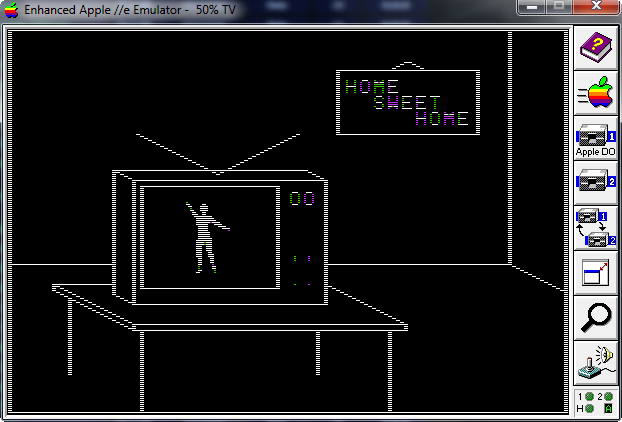
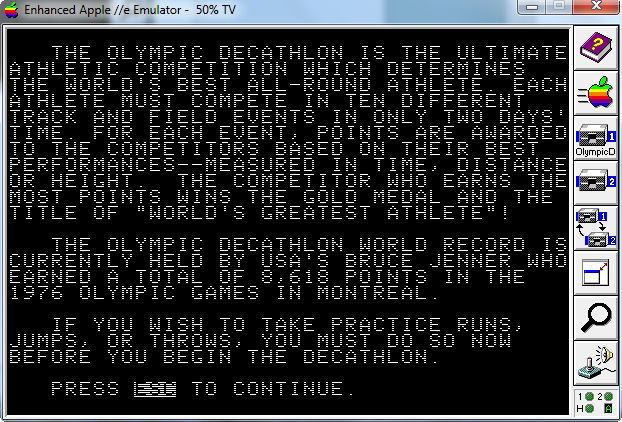
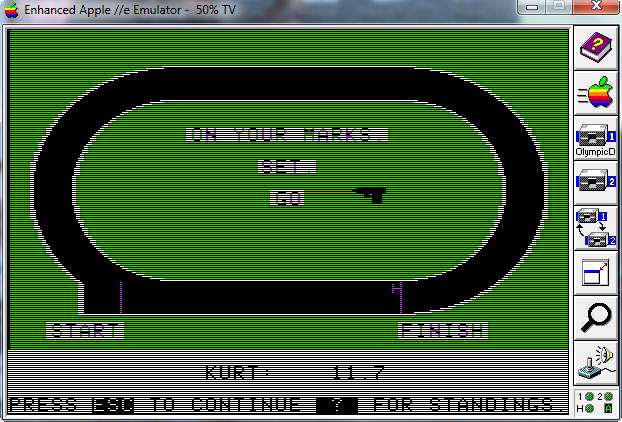
Here are some snapshots of the game as I played it.  And yes, hitting 1, 2, 1, 2, 1, 2… makes the dude go every bit as fast as it did when you used to hammer on the keyboard with your siblings.

imageimageimage

GETTING OLD APPLE II SOFTWARE
Here are some repositories & archives for old Apple II software kept for historical purposes (and let geeks like us swoon in reflection), including Apple DOS and ProDOS and all kinds of fun games & tools like Night Mission Pinball, Bank Street Writer, Visicalc, and Locksmith 5.0.

——————————-

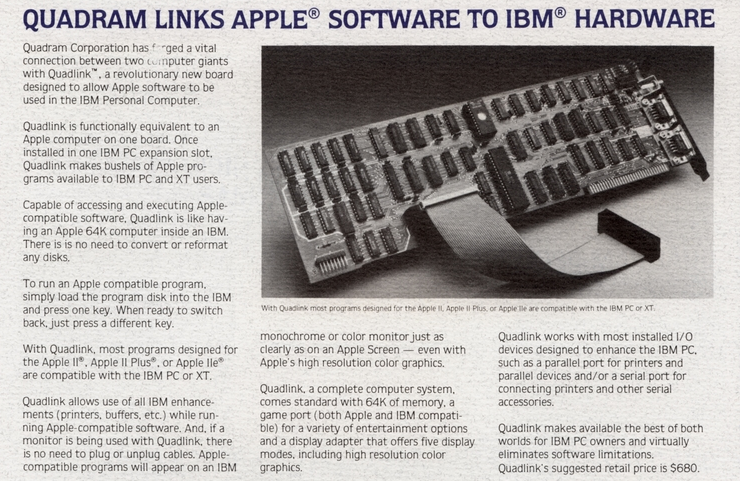
imageAFTERTHOUGHT: THE FABLED QUADLINK
Back around 1984, I longed for something called the Quadram Quadlink, which was essentially an Apple II+ on a 16-bit ISA slot card for an IBM PC.  You’d hit a ctrl-key and it’d literally BOOT an Apple computer on your IBM.  It had the ROMs and all. 

The problem was the expansion card was $680 and I couldn’t afford it because it’s primary target was business looking to move from the Apple II to the IBM PC.  That’s why these emulators tickle me so.  I finally sort of got my Quadlink… but in a software format with AppleWin.  The only thing missing is the tell tale sound of that Apple disk drive booting…

BEEP!SHNICKrattatatatatatatataboosh…thuckthuckthuckthuckthuck.

« Newer Posts - Older Posts »

Categories