Posted by: kurtsh | November 3, 2012

VIDEO: Halo 4: “Forward Unto Dawn"–Mini Series

If you’ve been living in a cave, you may not know about the live action mini-series that sets up the launch of Halo 4 (coming this November 6th) called “Halo 4: Forward Unto Dawn”. 

These episodes were released on a weekly basis until the launch.  Here is episode 1:

Halo 4: Forward Unto Dawn (Part 1)

Here are all 5 episodes of the series – each are roughly 20 minutes long, making the series in its entirety, the equivalent of a full length motion picture:

  • EPISODE 1: https://www.youtube.com/watch?v=BfJVgXBfSH8
    Hastati Squad, the newest batch of freshman cadets at the UNSC’s Corbulo Academy of Military Science, pays the price for cadet Thomas Lasky’s tactics.
  • EPISODE 2: https://www.youtube.com/watch?v=K56gSEJ6IGc
    Cadet Michael "Sully" Sullivan continues to decode the hidden ONI combat video as Lasky’s struggle with his place in the UNSC ignites with fellow cadet Walter Vickers. After a classroom confrontation with Captain Mehaffey and a challenge from Chyler, Lasky pulls Hastati Squad back from the brink…at a terrible physical cost to himself.
  • EPISODE 3: https://www.youtube.com/watch?v=WbBYG77VeCE
    Just as Hastati Squad is confronted by a video of secret ONI super-soldiers, their war and their whole universe are changed forever by a much more deadly surprise.
  • EPISODE 4: https://www.youtube.com/watch?v=FZ_xn889cSk
    While Corbulo Academy is being destroyed by the Covenant invasion, the surviving cadets fight bravely alongside their only hope: The Master Chief.
  • EPISODE 5: https://www.youtube.com/watch?v=gULQ5GFIkcA
    After a terrifying night of combat and loss, Lasky makes a life-or-death decision to help the Master Chief… but will it be enough to save them all from the Covenant?
imagePRE-ORDER NOW.  SERIOUSLY.
If you haven’t already preordered, I’d encourage you to visit your local Microsoft Store to pre-order NOW – not just because I’m a homer but – because if you do, you receive a $25 GIFT CARD with your final purchase.

The pre-order is $10 which goes to your final purchase of Halo 4.  When you pick it up, you’ll get the $10 as credit toward the purchase of the game PLUS, you’ll receive the $25 gift card, good on anything else in the store.  It’s one of the best deals you’ll find.

Here’s the Microsoft Press Announcement about Halo 4:
http://www.microsoft.com/en-us/news/features/2012/nov12/11-01HaloLiechtenstein.aspx

“MIDNIGHT MADNESS” LAUNCH FOR HALO 4 – NOV 5th, 10:00PM
Also, there’s a midnight launch party at the Microsoft Store in Century City. 

Microsoft Store Los Angeles
(Westfield Century City)

10250 Santa Monica Blvd
Los Angeles, CA 90067
Phone: (310) 228-3550

Want free drinks, free pizza, a Halo 4 tournament with prizes to the victors, the chance to game against other Halo fanatics, a DJ mixing up some great music, & all kinds of swag & surprises…?  Come to the midnight launch!  See you there!
Posted by: kurtsh | November 2, 2012

RELEASE: Microsoft Lync 2010 Adoption and Training Kit

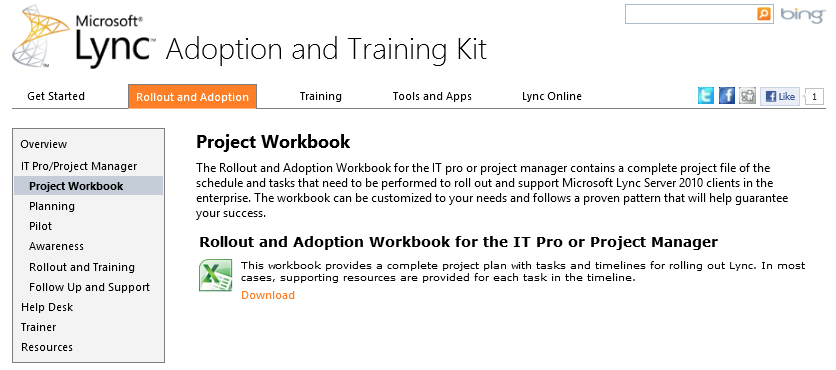
    imageThe Microsoft Lync 2010 Adoption and Training Kit provides a one-stop shop for resources for IT pros, project managers, help desk agents, and trainers.

    The kit provides:

    • A workbook that provides step-by-step guidance for each phase of the rollout and adoption process

    • Adoption and training resources, such as primers, email templates, and templates for a custom Lync 2010 intranet site to help organizations successfully roll out Lync
    • Modular, reusable, rebrandable, and in most cases, customizable user education and training materials, including frequently asked questions, Quick Start guides, how-to videos, Work Smart guides, and training videos
    • Buzzworthy applications such as IM an Expert and learning tools such as the Lync How-to that you can use to generate user excitement and drive the adoption of Lync

    LINK: Microsoft Lync 2010 Adoption and Training Kit
    http://lync.microsoft.com/adoption-and-training-kit/Pages/default.aspx

    Posted by: kurtsh | November 2, 2012

    RELEASE: Introducing the Lync Pilot Success Kit

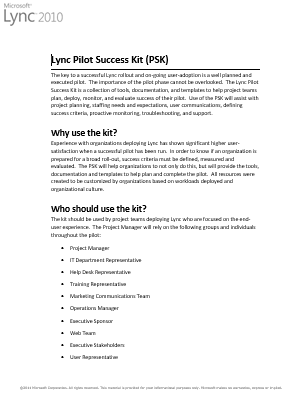
    imageNeed something to help you with Planning, Operations, Communications, & Training/Readiness around your upcoming Microsoft Lync rollout?

    Introducing the the Lync Pilot Success Kit.

    The key to a successful Lync rollout and on-going user-adoption is a well planned and executed pilot. The importance of the pilot phase cannot be overlooked. The Lync Pilot Success Kit is a collection of tools, documentation, and templates that helps project teams plan, deploy, monitor, and evaluate the success of their pilot. The Lync Pilot Success Kit assists with project planning, staffing needs and expectations, user communications, defining success criteria, and proactive monitoring, troubleshooting, and support.

    Author: Nick Smith, Microsoft Senior Program Manager and Laurie Pottmeyer, Microsoft Program Manager

    Publication date: October 22, 2012

    Product version: Lync Server 2010

    We are excited to announce the release of the Lync Pilot Success Kit (PSK).

    Experience with organizations deploying Lync has shown significant higher user-satisfaction when a successful pilot has been run. In order to know if an organization is prepared for a broad roll-out, success criteria must be defined, measured and evaluated. The PSK will help organizations to not only do this, but will provide the tools, documentation and templates to help plan and complete the pilot. All resources were created to be customized by organizations based on workloads deployed and organizational culture.

    [taken from the Next Hop blog]

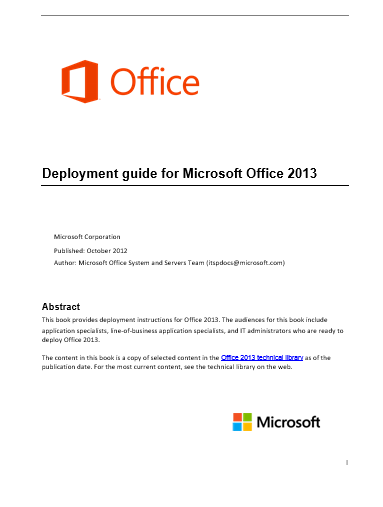
    imageThis is a newly released FREE Microsoft eBook: “Deployment Guide for Microsoft Office 2013”

    This eBook comes to you from the Microsoft Office System and Servers Team and is available in Microsoft Word (.doc), .epub, .mobi, and .pdf file formats. You can download it through the links below:

    To give you a quick view into the fantastic information inside this eBook, here is a rundown of the table of contents:

    • Getting help
    • Volume activation of Office 2013
    • Plan volume activation of Office 2013
    • Volume activation methods in Office 2013
    • Deploy volume activation of Office 2013
    • Use tools to configure client computers in Office 2013
    • Customize installations of Office 2013
    • Customize Setup before installing Office 2013
    • Configure a silent installation of Office 2013
    • Create custom configurations of Office 2013
    • Office Customization Tool (OCT) in Office 2013
    • Config.xml file in Office 2013
    • Setup command-line options for Office 2013
    • Setup properties in Office 2013
    • Setup architecture overview for Office 2013
    • Customize the Accessibility Checker for Office 2013
    • Outlook 2013
    • Planning overview for Outlook 2013
    • Choose between Cached Exchange Mode and Online Mode for Outlook 2013
    • Plan a Cached Exchange Mode deployment in Outlook 2013
    • Plan feature customizations in Outlook 2013
    • Choose security and protection settings for Outlook 2013
    • Configure multiple Exchange accounts for Outlook 2013
    • Configure Cached Exchange Mode in Outlook 2013
    • Configure Outlook Anywhere in Outlook 2013
    • Configure junk email settings in Outlook 2013
    • Roll out Office 2013
    • Install Office 2013 from the local installation source
    • Deploy Office 2013 from a network installation point
    • Deploy Office 2013 by using Group Policy computer startup scripts
    • Language in Office 2013
    • Plan for multi-language deployment of Office 2013
    • Customize language setup and settings for Office 2013
    • Add or remove language packs after deployment of Office 2013
    • Mixed language versions of Office 2013
    • Companion proofing languages for Office 2013
    • Language identifiers and OptionState Id values in Office 2013
    • Security in Office 2013
    • Security overview for Office 2013
    • Authentication in Office 2013
    • Plan for Information Rights Management in Office 2013
    • Group Policy for Office 2013
    • Planning for Group Policy in Office 2013

    [taken from the Microsoft Small Biz Blog]

    image[taken from the SCSM Engineering blog]

    Problem: The interest level in Service Manager is through the roof since we released System Center 2012.  I’ve had so many customers lately through various channels asking to speak with other customers that have deployed SCSM.  They want to understand if SCSM will meet their requirements.  They want to know how to do certain things.  They want to connect with other people that are deploying SCSM so they can learn best practices and what mistakes to avoid.

    We produce case studies on how customers use System Center, but that’s not quite as good as talking directly with a customer that is trying to do what you are doing right?

    I was thinking about how to solve this problem, but I didn’t really want to be in the business of customer connection brokering.  It’s just challenging to find a customer in a similar industry doing similar things that would be willing to take time out of their day to answer questions from another customer.  Trying to coordinate that for lots of different customers would be pretty time consuming.  Further – a 1:1 discussion is sort of limited – you only get one person’s perspective.  Ideally, you would get multiple because people have different ideas, experiences, skills, and ways of doing things.  There had to be a better way!

    Solution: I was interviewing somebody today for a community PM position. I asked her to come up with some creative ways to engage with the community.  After a few suggestions, I asked her to dig deeper to see how creative she could be.  She came up with this idea to host Lync meet ups (a “LyncUp”, sort of like a TweetUp – you heard it hear first!) with the community and let people just have an open discussion about whatever they want.  Brilliant!

    So – I’m going to start a regular LyncUp for SCSM customers to get together and just talk to each other about whatever they want.  It won’t be like a user group meeting or a web cast because there won’t be a predetermined speaker or agenda.  I’ll be there and I’m sure some of the MVPs and product team members will be there too.  It will be a way for customers to meet each other and potentially have side conversations following the LyncUps to go deeper on topics or potentially collaborate with each other.

    We’ll start with 1/month, but I’m open to feedback on how often we should have them as well as what time of day etc.  Anybody that wants to is welcome to join.  All you need is a phone and/or Lync!

    If you are going to use Lync remember to download and install the Lync Attendee client or Lync client ahead of time!

    Attached to this blog post is a .ics meeting invite you can add to your calendar. The meeting invite contains the hyperlink to click on if you are going to join the meeting using the installed Lync client, phone numbers if you are in the U.S., and a hyperlink to look up other regional phone numbers.

    The first meeting will be Nov. 6th at 9:00 AM Redmond time. See you then!

    image

    Wow.  If you’re at all interested in runbook automation or help desk systems leveraging the System Center family of products, you’re in serious luck.

    Acceleres, a highly proficient solution provider, that focuses on Service Manager and Orchestrator are doing a long series of webcasts that explain a variety of topics to the audience:

    IF YOU WANT TO PARTICIPATE:

    Posted by: kurtsh | November 2, 2012

    HOWTO: Reanimate your Windows 8 Login Screen

    Windows 8 metro

    UPDATE 11/15/12:
    I’ve gotten a report that this registry key may be the cause of the the destabilization of my Surface as was documented here:
    https://kurtsh.com/2012/11/11/info-i-have-an-windows-8rt-app-that-just-disappearscrashes-drops-me-into-the-desktop-or-a-blue-background-dude-wtf/

    A coworker that was experiencing the exact same symptoms that I was removed the key and has had no problems since, so as a result, I can’t recommend that folks do this hack moving forward.  Nothing is worth destabilizing your desktop experience.

    ORIGINAL POST:
    [stolen from Maximum PC Magazine]

    The first time you boot into the Start Screen after you log in, Windows 8 fills your colored background with your icons with a pretty left-to-right kind of a “fill” animation. We like that. We like it so much, that we want to see it all the time – Windows just makes your Start Screen boringly “appear” when you open and close it after this first login animation.

    Open up the registry (type “regedit” on the Windows 8 Start Screen) and navigate over to this key:

    • HKEY_CURRENT_USER\Software\Microsoft\Windows\
      CurrentVersion\ImmersiveShell\Grid

    Right-click on the right-most window pane, hover over “New,” and select the “DWORD” option. Right-click on your new DWORD and rename it to “Launcher_SessionLoginAnimation_OnShow,” and then double-click on it and set its Value data to 1. Voila: Pretty Windows 8 icon animation forevermore! To revert this modification, just delete the DWORD you created.

    Posted by: kurtsh | November 1, 2012

    RELEASE: Microsoft Desktop Optimization Pack 2012

    image

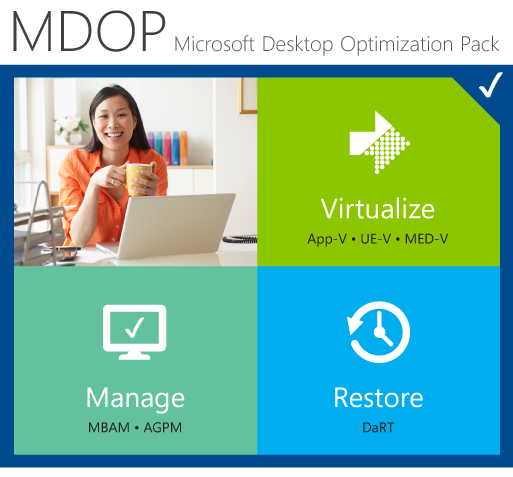
    The Microsoft Desktop Optimization Pack (MDOP) is a suite of technologies available as a subscription for Software Assurance customers.

    MDOP virtualization technologies help personalize the user experience, simplify application deployment, and improve application compatibility with the Windows operating system (UE-V/App-V/MED-V).

    Additionally, MDOP helps manage, monitor, and deploy key Windows features (MBAM/AGPM). Using MDOP shifts desktop repair from reactive to proactive, saving time and removing challenges associated with troubleshooting and repairing system failures (DaRT).

    NEWS: MDOP 2012 Now Available
    http://blogs.windows.com/windows/b/business/archive/2012/11/01/mdop-2012-now-available.aspx 

    DOWNLOAD:

    image

    UPDATE 11/11/12:
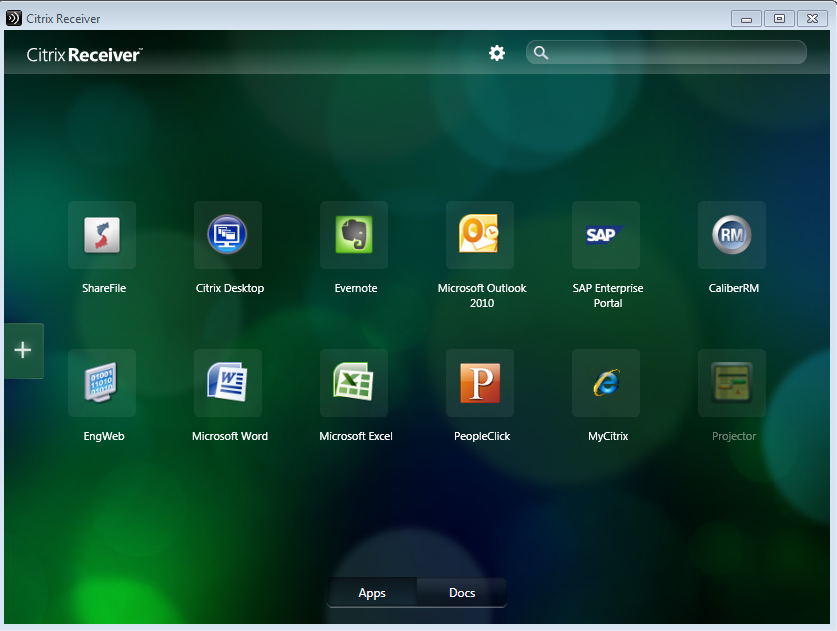
    Citrix Receiver (RELEASE) hit the Windows Store on Friday.  This replaces the "Preview" that Citrix originally posted 2 weeks ago. (4.53MB)  http://apps.microsoft.com/webpdp/en-us/app/citrix-receiver/dcbba44a-a3fd-41f4-951d-1117998c583d 

    Support for Citrix Receiver for Windows RT is available here: http://forums.citrix.com/category.jspa?categoryID=335 

    ————————–

    ORIGINAL POST:
    There’s been a lot of discussion about the Citrix Receiver Preview that was posted to the Windows Store for Windows 8/RT-based devices recently. 

    I got to talk with my counterpart at Citrix to ask him to help me understand what sort of requirements the Citrix Receiver Preview has & here’s a quick summary of my Q&A with him:

    1. Will older versions of XenApp or XenDesktop work with the Citrix Receiver Preview posted to the Windows Store?
      — No.  Only newer versions will work.  Minimum of XenApp 6 & XenDesktop 5.5.  This is unfortunately not documented.
    2. Is there additional infrastructure required to use the Citrix Receiver Preview?
      — Yes.  Customers must have a Citrix StoreFront to connect to their backend.  There are also explicit setup procedures & system requirements to use the Windows 8/RT version of the Receiver.  This documented in the blog post below.
    3. Is there a place where one can read more information about the Citrix Receiver?
      — Yes.  Interested users should go to the following blog which is the personal blog of the Product Manager responsible for the Preview.
      http://blogs.citrix.com/2012/10/25/microsoft-launches-windows-8/
    4. Is there a Support forum for users interested in using the Citrix Receiver for Windows 8/RT?
      — Yes.  http://forums.citrix.com/category.jspa?categoryID=335
    5. Will my Citrix Secure Gateway work with Citrix Receiver for Windows 8 / RT?
      — No.  If external access is a requirement, a Citrix Netscalar solution must replace the Citrix Secure Gateway.  The Netscalar solution incidentally may be virtualized in Hyper-V for convenience.
    Posted by: kurtsh | November 1, 2012

    RELEASE: Team Foundation Service now available

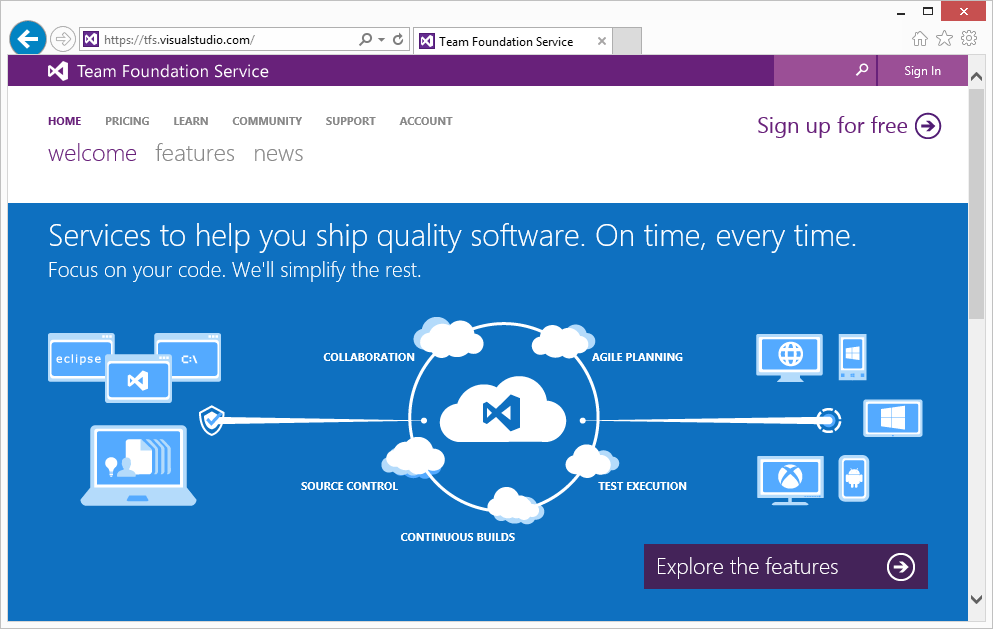
    imageCloud-based Software Development?  Yeah, we got that!

    Introducing ‘Team Foundation SERVICE’ – the Windows Azure-based RCS & collaboration platform for developers.

    Team Foundation Server is a mainstay of Microsoft’s collaboration platform for software development teams. It provides modern application lifecycle support for modern app development, including agile project planning and management tools, version control, build automation, and the continuous deployment automation needed to effectively and efficiently manage software development projects.

    In addition to the value TFS provides to development teams targeting Windows, more and more we’re seeing it used in heterogeneous environments as well, whether developers are using Visual Studio or Eclipse or Xcode; whether developers are building apps with .NET or Java or C++ or JavaScript or any number of other languages; and whether developers are building apps for Windows, Windows Phone, Windows Azure, Android, iOS, MacOS, or Linux.  We’re also seeing the cloud become a key enabler across the lifecycle of applications.

    Last year at the Build conference, we announced Team Foundation Service, a version of Team Foundation Server hosted on Windows Azure, accessible from anywhere using existing and familiar tools, and welcoming all languages and platforms.  Over the last year, we’ve run the service as a preview, and during this time we’ve continued to build out the breadth and depth of functionality included. Today, I’m very excited to share that Team Foundation Service is now released, out of preview and available for full production use.  Check it out for yourself at https://tfs.visualstudio.com.

    And what’s even cooler, is that it’s TOTALLY FREE for development groups up to 5 users!  And MSDN subscribers will get the service absolutely no charge!

    Free Plan
    A plan for up to 5 users is now available!

    What it includes

    • Up to 5 users
    • Unlimited number of projects
    • Version control
    • Work item tracking
    • Agile planning tools
    • Feedback management
    • Build (still in preview)

    Read more at:

    « Newer Posts - Older Posts »

    Categories