Posted by: kurtsh | March 21, 2024

DOWNLOAD: Copilot app for Mobile

Copilot is a pioneering chat assistant from Microsoft powered by the latest OpenAI models, GPT-4 and DALL·E 3. These advanced AI technologies provide fast, complex, and precise responses, as well as the ability to create breathtaking visuals from simple text descriptions.

  • Enterprise Mode also provides extra protection of personal and company data for Enterprise chat.
  • You can also integrate plugins or use custom Copilot GPTs for expanded functionality.
  • Upgrade to Copilot Pro* and unleash your productivity and creativity. Enjoy exclusive experiences and priority access for faster performance during peak hours.
  • Chat and create all in one place!

Key features
A versatile AI assistant to boost productivity

By harnessing the power of GPT-4, Copilot quickly provides creative, personalized answers. With this amazing AI assistant at your side, you can accomplish work, school, or personal tasks even faster, including:

  1. Drafting emails
  2. Summarizing complex texts
  3. Creating personalized travel itineraries
  4. Writing and updating job resumes
  5. Composing stories or scripts
  6. Multilingual content translation, proofreading, and optimization

Boost design efficiency with DALL·E 3
DALL·E 3 can transform your design process by quickly creating high quality visuals from text prompts, rendering your concepts into stunning visuals, from the abstract to the photorealistic. Explore an array of design capabilities:

  • Generate logo designs
  • Quickly explore new styles and ideas
  • Develop brand motifs
  • Create custom backgrounds
  • Build and update a portfolio
  • Create illustrations for children’s books
  • Curate social media content
  • Visualize film and video storyboards

Supercharge your productivity and creativity with Copilot Pro*
The ultimate AI companion.

  • Faster performance and priority access to GPT-4 during peak times
  • Use Copilot in select Microsoft 365 apps (Microsoft 365 Personal or Family subscription required)
  • Faster AI image creation with 100 boosts per day with Designer (formerly Bing Image Creator)

By combining the power of GPT-4 with the imaginative capabilities of DALL·E 3, Copilot not only enhances your design workflow, but can also bring your creativity to inspiring new heights. Experience the future of AI interaction–download Copilot today!

*Functions mentioned above not available in all markets, actual features and display contents may vary.

SITE: Copilot app for Mobile

DOWNLOAD: Copilit app for Mobile

Did you know there’s a rate limit for the speed at which you may use Azure OpenAI Services in “tokens per minute”? Did you know there’s a maximum quota for Azure OpenAI Service usage as well?

And did you know there’s a way around all that? (Psst. It’s called PTUs. Read about it in the post below.)

The FastTrack for Azure team has written a great, easy to understand, write up about the ways people can use Azure OpenAI Services and how to deal with rate limitations & quotas.

This blog focuses on good practices for monitoring Azure Open AI limits and quotas. With the growing interest and application of Generative AI, Open AI models have emerged as pioneers in this transformative era. To maintain consistent and predictable performance for all users, these models impose certain limits and quotas. For Independent Software Vendors (ISVs) and Digital Natives utilizing these models, understanding these limits and establishing efficient monitoring strategies is paramount to ensures a good customer experience to the end-users of their products and services. This blog seeks to provide a comprehensive understanding of these monitoring strategies, thereby enabling ISVs and Digital Natives to optimally leverage AI technologies for their respective customer bases.

Covered topics:

  • Understanding Limits and Quotas
  • Choosing between tokens-per-minute and provisioned throughput models
  • Effective Monitoring Techniques
  • Optimization Recommendations
  • Prevention and Response Strategies for Limit Exceeding

Read the full post here:

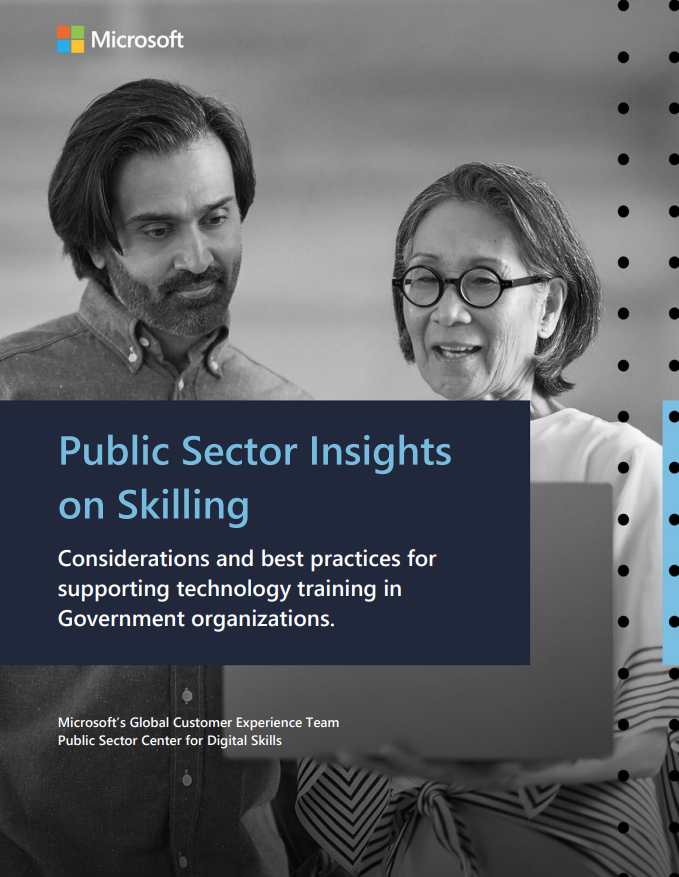
As published this week on the Microsoft Public Sector Center of Expertise, this research paper “Public Sector Insights on Skilling” outlines considerations and best practices for supporting technology training in government organizations.

We interviewed Microsoft government customers to understand the challenges public sector organizations face when it comes to skilling their employees. The report, Public Sector Insights on Skilling, reveals skilling leads to heightened employee engagement, improved performance, and bolstered talent retention. I encourage you to read this report to help showcase the indispensable role of skilling and how it empowers governments to deliver superior outcomes to citizens and communities.

The Power Platform Conference 2024 is an in-person conference that will feature pre-conference workshops, keynotes, sessions, breakouts, and more—all dedicated to Microsoft Power Platform products:

  • Power Automate
  • Power Apps
  • Power BI
  • Power Pages
  • Copilot Studio

Kicking off on September 18 with pre-conference workshops (16, 17, 21), the Power Platform Conferenence 2024 runs September 18-20, 2024. Come and get inspired by Microsoft’s senior thought leaders, software engineers, and community experts who are focused on uniting humanity and technology. You’ll also have the chance to hear from users that solve real business problems daily. Our fantastic speakers are ready to share their insights on how to accelerate and transform your business with Power Platform.

For a datasheet about the upcoming event, download:
https://powerplatformconf.com/content/documents/MPPC-WhyAttend-Flyer_2024.pdf

For background on last year’s MPPC2023, visit:
https://powerplatformconf.com/#!/news

  • Location:
    MGM Grand Conference Center
    Las Vegas, NV
  • Registration:
    https://powerplatformconf.com/#!/register
    $1699 until March 12th
    • Full conference passes include 3 continental breakfasts, 3 lunches, a T-shirt and backpack
    • Workshops are an additional $699 per day for either pre or post
    • (Note: This event will be in-person only.)

New for Public Sector entities:

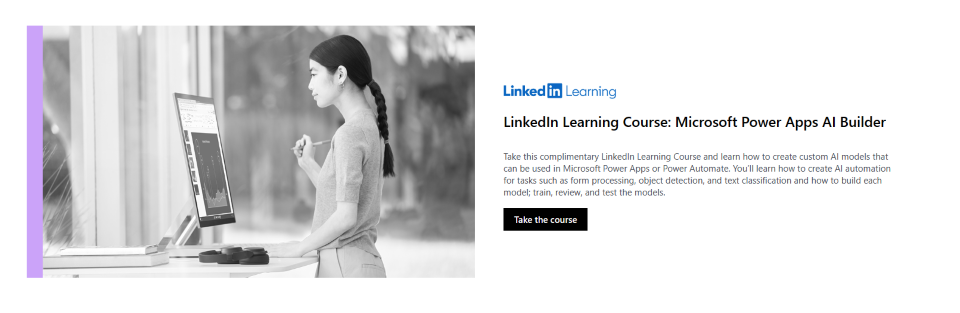
LinkedIn Learning Course Available: “Microsoft Power Apps AI Builder”

A new LinkedIn Learning course exclusively available on the Public Sector Center for Digital SkillsMicrosoft Power Apps AI Builder.   Take this complimentary LinkedIn Learning Course and learn how to create custom AI models that can be used in Microsoft Power Apps or Power Automate. You’ll learn how to create AI automation for tasks such as form processing, object detection, and text classification and how to build each model; train, review, and test the models.

Learn how to:

  • Create custom AI models that can be used in Microsoft Power Apps or Power Automate.
  • Create AI automation for tasks such as form processing, object detection, and text classification.
  • Build each model, including training, reviewing, and testing the models.

Available here:

imageA new post was published on the Microsoft Public Sector Blog that Microsoft Teams administrators should read ASAP. 

In summary:

  • As of May 2024, we will end the ability to suspend the automatic deployment of the new Teams client via the Teams Admin Center to GCC tenant users.
  • Late May 2024, all GCC users will receive an upgrade to the new Teams client – however users will still be able to toggle back to the classic Teams client.
  • Mid June 2024, all remaining classic Teams users in GCC tenants will be updated to the new Teams client, and the toggle switch will be removed.
  • End of June 2024, the classic Teams client will be removed from all GCC tenant devices.

There will be a Government Community Teams call to discuss this. Register and attend either::

Read more about this in the full post:

imageAlso view the GCC-only Message Center notice MC718238 entitled, “New Teams rollout schedule for GCC and GCC High customers” at:

Here are 7 free Microsoft courses to master Artificial Intelligence:
(Updated December 2023)

We’re thrilled to announce the 1.0 release of the ’Information Assistant’, built with Azure OpenAI Service! Our Industry Accelerator provides an end-to-end baseline custom RAG (Retrieval Augmentation Generation) pattern for public sector customers and partners, to get started with Generative AI. 🧠💡

You can access the “Information Assistant” via Microsoft’s public GitHub repository and deploy it using GitHub Codespaces within your own tenant in under an hour.

What’s an Industry Accelerator from Microsoft?
It’s a combination of components, provided as sample code and documentation, that can provide a foundational capability aligned to an industry need. They make it easier to use and deploy our software and are provided to customers and partners at no charge. 💼🌐

Got questions or interested in a discussion/demo? We’re here to help!
Click on the link below and let’s get the conversation started. 📝💬

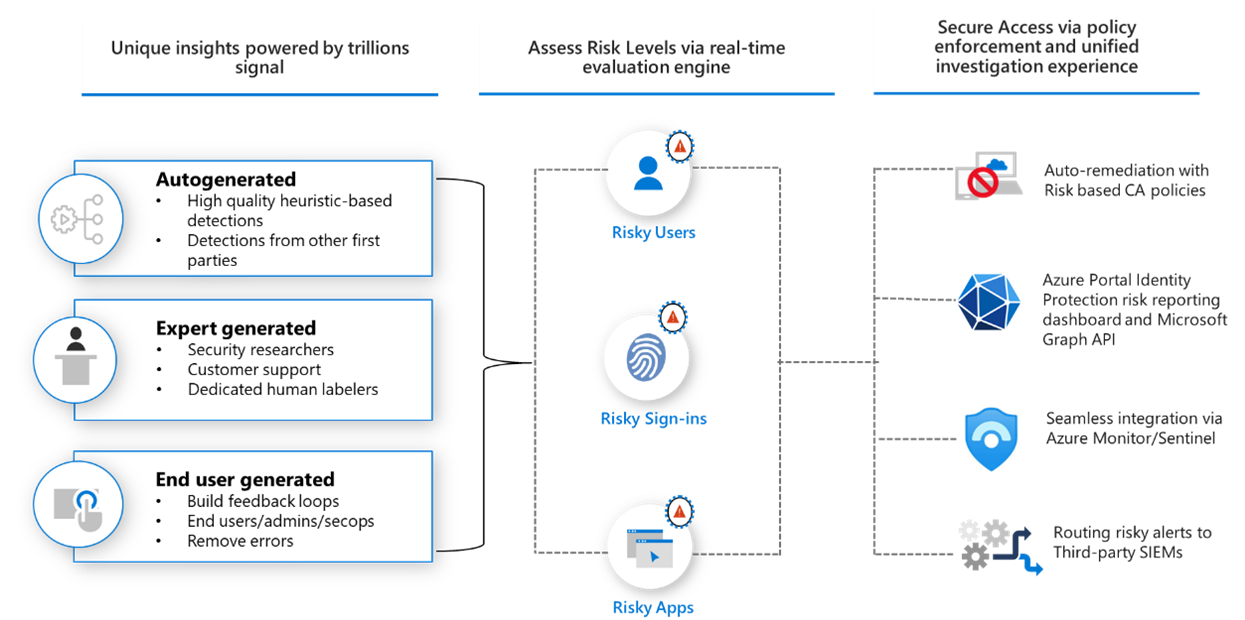
Are you using Office 365, Microsoft 365, Azure or Power Platform?  If so, you’re using “Entra ID”, formerly Azure Active Directory.

So how are you protecting your organization’s identities?  No, not “multi-factor authentication” & “strong passwords”.  Think about:

If this is unfamiliar to you, you should investigate Entra ID Protection.

What is Entra ID Protection?
“Microsoft Entra ID Protection helps organizations detect, investigate, and remediate identity-based risks.” https://learn.microsoft.com/en-us/entra/id-protection/overview-identity-protection

  • Detect risks
    ➡ Anonymous IP address usage
    ➡ Password spray attacks
    ➡ Leaked credentials
  • Investigate
    ➡ Risk detections
    ➡ Risky sign-ins
    ➡ Risky users
  • Remediate risks
    ➡ Automatic remediation
    ➡ Manual remediation

Documentation:

Is there training or deployment planning?
Entra ID Protection has self-paced training available here:
https://learn.microsoft.com/en-us/training/modules/protect-identities-with-aad-idp/

It also has instructor-led training available in the SC-300 Identity & Access Administrator course:
https://learn.microsoft.com/en-us/credentials/certifications/identity-and-access-administrator/?source=recommendations

If you would like guidance around deployment planning:
https://learn.microsoft.com/en-us/entra/id-protection/how-to-deploy-identity-protection

How do I license Entra ID Protection?
Entra ID Protection is available to license (subscribe to) in several ways. Technically, a small amount of Entra ID Protection’s security reporting is available via “Entra ID Premium P1” licenses (which you can see here) however the only way to get full functionality is by obtaining “Entra ID Premium P2” licenses for all your users in Entra ID:

  1. Entra ID Premium P2
  2. Enterprise Mobility & Security E5/G5 (which includes Entra ID Premium P2)
  3. Microsoft 365 E5/G5 (which includes Enterprise Mobility & Security E5/G5)

#microsoft #security #identityprotection #entraid

As a governance leader, your role in the incident response process is pivotal. Gain a comprehensive understanding of your responsibilities and the crucial steps to guide your team effectively.

From the introduction of “Navigating the Maze of Incident Response“:

Cyber security incidents are an inevitability. It’s important to start an incident response (IR) the right way, with a thorough understanding of what to do, when to do it, and who needs to be involved. Beyond the obvious questions about the scope of the compromise and how to regain control, it’s important to preserve evidence, as well as understand your compliance and regulatory obligations.

This guide explains how to structure an incident response, with recommendations and best practices to help navigate those crucial initial hours after a breach is detected.

While a wealth of material on IR best practices already exists, this document focuses first and foremost on the people and processes involved in effectively responding to an incident—the roles required to respond to incidents, how to manage your response in way that is efficient and people-centric, how to avoid burnout and ensure all requirements and obligations are met at every level, and how to ensure everyone’s roles and responsibilities are clear, so the incident response is effective overall.

Get the complete interactive guide here: 

« Newer Posts - Older Posts »

Categories