Posted by: kurtsh | January 30, 2014

NEWS: Microsoft to shield foreign users’ data

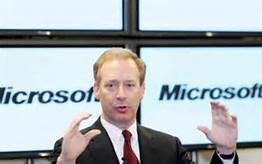
A major announcement was made by our General Counsel, Brad Smith, regarding where customer data can reside in Microsoft’s cloud.  We are going to empower customers to have their data reside outside of the United States, even if the service is subscribed to within the US.

Here’s the article from the Financial Times/CNBC:

imageMicrosoft will allow foreign customers to have their personal data stored on servers outside the U.S., breaking ranks with other big technology groups that until now have shown a united front in response to the American surveillance scandal.

Brad Smith, general counsel of Microsoft, said that although many tech companies were opposed to the idea, it had become necessary following leaks that showed the U.S. National Security Agency had been monitoring the data of foreign citizens from Brazil to across the EU.

"People should have the ability to know whether their data are being subjected to the laws and access of governments in some other country and should have the ability to make an informed choice of where their data resides," he told the FT.

Mr Smith added that customers could choose where to store their data from a variety of existing Microsoft data centers. For example, a European client could choose to have their data stored in the group’s Irish data center.

Posted by: kurtsh | January 28, 2014

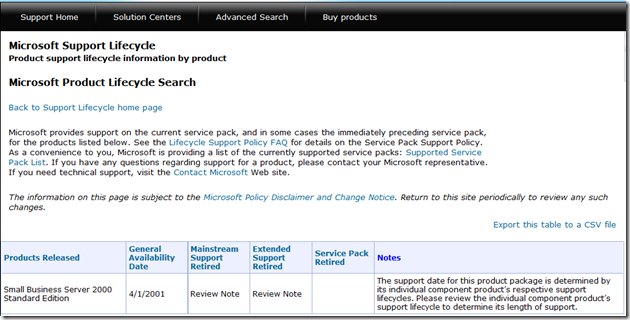
INFO: Exchange Server 2003 – End of Life in April 2014

imageQuick reminder:  After 4/8/2014, Exchange Server 2003 will no longer be supported under the normal support channels or receive security and non-security updates.

This is the same date that both Office 2003 and of course, Windows XP is going ‘end of life’ as well.

Posted by: kurtsh | January 27, 2014

NEWS: SkyDrive being renamed to OneDrive

imageSkyDrive is being renamed to OneDrive.  High five to the branding folks for not coming out with something out of left field.

But it’ll be more than just a rename.  How much more?  Well, join the notification list for the preview of OneDrive and find out.

Introducing OneDrive

imageBill Gates stops in on “Late Night with Jimmy Fallon” and talks about the elimination of polio in India for the past 3 years and the projection that polio will be eradicated in the next 5 years.

He also talks about the future of computing and what the next big thing is.  He specifically talks about how handwriting on tablets is still to come.

He talks about the Giving Pledge and his drive to get folks to give back, including the philanthropy he encouraged amongst employees while at Microsoft.

This is a good one.  I won’t spoil the surprise.

imageThe Project Portfolio Management Solutions Guide describes tools in Project Online and Project Server that provide solutions to everyday work, and enable you to effectively execute and achieve your strategic priorities.

It talks about how these tools help to provide a PPM solution that help organizations to reduce costs, drive efficiency, and help set the seeds to grow their business.

imageIf you work with Hyper-V, you very well also use System Center to manage it.  If you do not use System Center, you should download this free ebook and give it a review.

We’re happy to announce a new free ebook – Introducing Microsoft System Center 2012 R2 by Mitch Tulloch with Symon Perriman and the System Center Team.

Microsoft System Center is one of the three pillars of Microsoft’s Cloud OS vision that will transform the traditional datacenter environment, help businesses unlock insights in data stored anywhere, enable the development of a wide range of modern business applications, and empower IT to support users who work anywhere while being able to manage any device in a secure and consistent way. The other two pillars of the Cloud OS are, of course, Windows Server 2012 R2 and Windows Azure, and Microsoft Press has recently released free Introducing books on these platforms as well.

Whether you are new to System Center or are already using it in your business, this book has something that should interest you. The capabilities of each component of System Center 2012 R2 are first described and then demonstrated chapter by chapter. Real-world and under-the-hood insights are also provided by insiders at Microsoft who live and breathe System Center, and those of you who are experienced with the platform will benefit from the wisdom and experience of these experts. We also included a list of additional resources at the end of each chapter where you can learn more about each System Center component.

Posted by: kurtsh | January 17, 2014

RELEASE: System Center 2012 R2 Configuration Analyzer

The System Center 2012 R2 Configuration Analyzer is your first line of defense in troubleshooting issues with System Center 2012 R2 server-side components.

The System Center 2012 R2 Configuration Analyzer is a diagnostic tool that you can use to evaluate important configuration settings for computers that are running any of the following System Center 2012 R2 components:

  • Operations Manager
  • Virtual Machine Manager (VMM)
  • Service Manager
  • Orchestrator (plus Service Provider Foundation)
  • Configuration Manager
  • Data Protection Manager (DPM)
  • App Controller

DOWNLOAD: System Center 2012 R2 Configuration Analyzer
http://www.microsoft.com/en-us/download/details.aspx?id=41555

image

REDMOND, Wash. — Dec. 20, 2013 — Microsoft Corp. announced Friday the appointment of Jim DuBois as corporate vice president and chief information officer (CIO), responsible for delivering a broad range of IT initiatives in support of the company’s billions of customers and more than 90,000 employees in 190 countries worldwide.

DuBois, who had served as interim CIO for the past six months, will lead a team of employees overseeing Microsoft IT applications, infrastructure, solution delivery and process excellence. A tech leader with a unique view of IT innovation and deep understanding of technical strategy, DuBois has been at Microsoft for more than 20 years, during which time he has held several key leadership positions, including general manager of IT and vice president of Microsoft Products and Services IT.

Read more here:

All day training on optimizing Windows client performance.  Nuff said?

imageWindows Performance Jump Start
Starts: Thursday, Jan 23, 2014 7:00 AM – 3:00 PM Time zone: (GMT-08:00) Pacific Time (US & Canada)
Duration: 8 hour(s)

Learn about the tools used by Microsoft Global Business Support Premier Field Engineers when they need to make a CEO’s computer run faster. Want to improve performance for computers that are starting slowly? Need to diagnose and fix problems caused by resource-hogging apps? Join us for a deep dive on the free Windows Performance Toolkit (WPT), part of the Assessment and Deployment Toolkit (ADK), developed to help you troubleshoot and resolve these issues.

Download the toolkit, and get ready to tackle real-world Windows performance issues.

Posted by: kurtsh | January 16, 2014

Sorry. Been on vacation/sick/CES. And a bit grumpy.

imageI’m sorry I’ve been a ghost.  I’ve been on a combination of vacation, sick leave, and CES.  And yes, the stupid CES bug got me like it did everyone else.

I have a post that I’m writing about the “Top 5 Things I Saw At CES That Aren’t In The Mainstream Media” that I’ll have posted this weekend.  I’m writing this because honestly, I have no interest in “curved TVs”, “bluetooth watches”, or “Steam boxes” and I doubt many of you do as well.

See?  I told you I was grumpy.  Until then, please cut me some slack.  I either have a head cold or the Ebola virus or something in between and my cranium’s gonna explode.

« Newer Posts - Older Posts »

Categories