Posted by: kurtsh | February 25, 2014

NEWS: Dell Venue 11 Pro 4G LTE edition now available!

imageLooking for a lightweight business class Windows tablet with built-in cellular connectivity in it?

Dell has available for sale the “Dell Venue 11 Pro 4G LTE edition” as of today.  It is available for use with Verizon Wireless, AT&T, or Sprint for $999.

Check out the link for more information:
http://www.dell.com/us/business/p/dell-venue-11-pro/fs

Posted by: kurtsh | February 25, 2014

RELEASE: Microsoft Products Portfolio 3.3 as of 1/17/14

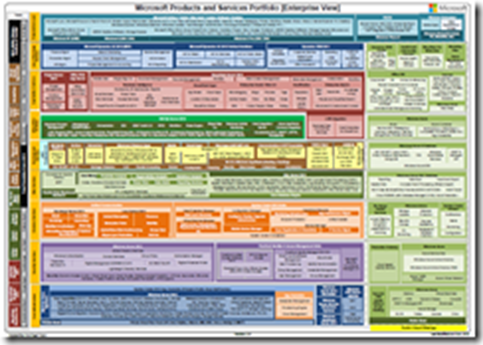
Ever wanted a visual that shows all the different products & services Microsoft offers in a single view?

imageHere’s the most recent release of the Microsoft Products Portfolio, the Microsoft Technology “Stack” Visual in Acrobat as released 1/17/14.

What’s New

  • New Services/features in Azure like Disk Shipping, ‘Apiphany’ API Management, Auto scaling, MFA, Scheduler. TFS Service renamed to Visual Studio Online
  • Office 365 – new features – Power BI Data Management Gateway
  • System Center Global Service Monitor

Download

There’s going to be a webcast on how the 2014 Winter Olympics were successfully streamed live worldwide over the Internet using Windows Azure, Microsoft’s cloud services platform.

imageThe live streaming of NBC’s coverage of the 2014 Olympics represented an important milestone in the automation and virtualization of the live video workflow. The cloud-based solution created by Microsoft, iStreamPlanet, Adobe and NBC powered 41 live streaming channels running continuously for 18 days, ultimately delivering over 3000 hours of high definition, adaptive bitrate, multi format live content to a broad spectrum of devices on the iOS, Android and Windows platforms.

Join Microsoft and iStreamPlanet for a live, in depth discussion of the 2014 Olympics live video workflow and the advantages of moving media processing to the cloud. In this session you will learn how the solution was implemented with Windows Azure Media Services, and iStreamPlanet’s Aventus live video workflow to help NBC expand their digital audience while simultaneously reducing the cost and complexity involved in delivering a first rate viewing experience to all connected devices.

Streaming the Olympics: A case study in moving media processing to the cloud
TUESDAY, MARCH 4, 2014
11:00am PT / 2:00pm ET

REGISTRATION:

Just released: Forrester Consulting “Lync 2013 Total Economic Impact” study, February 2014.

imageTo better understand the benefits, costs, and risks associated with a Lync implementation, Forrester interviewed five customers and received survey responses from an additional seven organizations that have deployed Lync 2013. Lync is a unified communications platform that provides webconferencing, instant messaging, collaboration, VoIP, video, private branch exchange (PBX) replacements, and other services.

Prior to Lync 2013, customers reported that they had various solutions in place, including previous versions of Lync, competing products, or no unified communications solution at all. The customers were looking for a solution to improve employee collaboration and efficiency as well as lower the total cost of ownership (TCO). With Lync, customers were able to achieve incremental benefits over their previous solutions, including the elimination of other technologies, increasing business and IT efficiency, and lower telephony costs. Said one IT director, “We achieved many additional benefits above and beyond what we realized with our previous unified communications tools. The service quality was also much better.”

Get the whitepaper here:

Posted by: kurtsh | February 20, 2014

BETA: Visual Studio 2013 Update 2 CTP1

imageVisual Studio 2013 Updates provide continuous value to customers, adding new capabilities year-round to features in the main product release. These releases will be aligned with the core software development trends in the market, ensuring developers and development teams always have access to the best solution for building modern applications.

This is a Community Technology Preview (CTP) for Visual Studio 2013 Update 2. These cumulative updates to Visual Studio 2013 include a variety of bug fixes and capability improvements. More details can be found here.

Posted by: kurtsh | February 19, 2014

RELEASE: Introducing Visual Studio Online

Visual Studio Online released and is available to basically anyone with an MSDN subscription, (there are different levels of functionality depending on the edition of MSDN subscribed to) providing in some sense Team Foundation Server in the cloud.

image

Introducing Visual Studio Online

Whether you’re part of a team or you’re a team of one, with Visual Studio Online you can easily plan, create, construct, build, test, and monitor seriously demanding applications, from anywhere. You don’t need a large infrastructure team, and you don’t need to touch a single server. As someone who has performed hundreds of Team Foundation Server (TFS) installations and upgrades as a consultant, I love how the drudgery of that kind of routine maintenance is now a thing of the past. Visual Studio Online is updated with the newest features automatically and continuously, so you can focus on what you need to do most: construct your applications!

What’s New?

I’m often asked, “Isn’t Visual Studio Online just TFS in the cloud?” The answer is yes and no.

TFS was introduced eight years ago, and began the move to a cloud-hosted application lifecycle management (ALM) service in 2012 with the launch of Team Foundation Service. There has been great adoption from day one, with individual development teams starting up and even midsize companies choosing to leave their on-premises infrastructure behind. The big deal is this: every few weeks, new features appear to your team as the TFS product group wraps them up in their internal development iterations. Account holders can find out what’s new by watching the Features Timeline at bit.ly/17DV8Yl or by following social media like VSOnline on Twitter (twitter.com/vsonline).

So, yes, Visual Studio Online is the next evolution of TFS and Team Foundation Service, bringing you the fundamentals of ALM in the cloud. And no, it’s not exactly the same thing.

As Microsoft transforms to a devices and services company, many of you have asked, “What does this mean to me as a developer?” With Visual Studio Online, Microsoft now has a platform of services you can take advantage of whether you’re moonlighting on your own personal projects or working on larger systems with your team. I’ll explore a few of those services.

read more here

For more information on Visual Studio Online, visit:

Posted by: kurtsh | February 19, 2014

RELEASE: Microsoft Power Query for Excel

imageMicrosoft Power Query for Excel, is a new add-in that provides a seamless experience for data discovery, data transformation and enrichment for Information Workers, BI professionals and other Excel users.
With Power Query you can:

  • Identify the data you care about from the sources you work with (e.g. relational databases, Excel, text and XML files, OData feeds, web pages, Hadoop HDFS, etc.).
  • Discover relevant data from inside(*) and outside your organization using the search capabilities within Excel.
  • Combine data from multiple, disparate data sources and shape it in order to prepare the data for further analysis in tools like Excel and Power Pivot, or visualization in tools like Power View and Power Map.
  • Share the queries that you created with others within your organization, so they can be easily found via Search. (*)

(*) This capability requires Power BI for Office 365. You can learn more at Power BI for Office 365.

Posted by: kurtsh | February 19, 2014

RELEASE: PowerBI for Office 365

Power BI for Office 365: Self-service analytics for all your data. Learn how Power BI can help you discover, analyze and visualize your data while it empowers you to share your insights and collaborate with your colleagues. Ask questions with Q&A, schedule refreshes from on-prem or cloud data sources and access your reports anytime, anywhere.

Power BI for Office 365 Overview

For more information on PowerBI, visit:

Posted by: kurtsh | February 19, 2014

TRAINING: Windows Performance Jump Start (On-demand)

imageLearn about the tools used by Microsoft Global Business Support Premier Field Engineers when they need to make a CEO’s computer run faster. Want to improve performance for computers that are starting slowly? Need to diagnose and fix problems caused by resource-hogging apps?

Join us for a deep dive on the free Windows Performance Toolkit (WPT), part of the Assessment and Deployment Toolkit (ADK), developed to help you troubleshoot and resolve these issues. Download the toolkit, and get ready to tackle real-world Windows performance issues that can impact organizations of all sizes running Windows Vista, Windows 7, and Windows 8. We’ll show you real-time event tracing and live troubleshooting demos, starting with the basics and getting more advanced throughout the day.

Agenda:

  • About the Performance Lifecycle
  • Windows Internals Basics (User/Kernel Mode, Threads, Pr…
  • Windows Performance Toolkit
  • Windows Store App Analysis
  • Surface Performance
  • Legacy Apps
  • On/Off Transition Experience
  • Analysis at Scale

Take the course here:

Apple & Blackberry falling, Android & Windows Phone rising.  Windows Phone still only a single digit percentage marketshare but rising and squarely in 3rd place.

imageFRAMINGHAM, Mass. February 12, 2014 – The smartphone market passed an important milestone in 2013 when worldwide shipments surpassed the 1 billion mark for the first time, driven by continued momentum from Android and iOS. According to the International Data Corporation (IDC) Worldwide Quarterly Mobile Phone Tracker, Android and iOS accounted for 95.7% of all smartphone shipments in the fourth quarter of 2013 (4Q13), and for 93.8% of all smartphone shipments for the year. This marked a 4.5-point increase from the 91.2% share that the two platforms shared in 4Q12, and a 6.1-point increase from the 87.7% share they had in 2012.

"Clearly, there was strong end-user demand for both Android and iOS products during the quarter and the year," says Ramon Llamas, Research Manager with IDC’s Mobile Phone team. "What stands out are the different routes Android and Apple took to meet this demand. Android relied on its long list of OEM partners, a broad and deep collection of devices, and price points that appealed to nearly every market segment. Apple’s iOS, on the other hand, relied on nearly the opposite approach: a limited selection of Apple-only devices, whose prices trended higher than most. Despite these differences, both platforms found a warm reception to their respective user experiences and selection of mobile applications."

While smartphone market growth remained strong in 2013, it should be noted that the era of double-digit annual growth has only a few years remaining. In the meantime, handset vendors are doing all they can to capture demand while it is still present. Worldwide smartphone marketing campaigns continue to stay focused on flagship devices like the iPhone 5S, Galaxy Note 3, and the HTC One, yet research shows that consumer buying is rapidly shifting toward products with significantly lower price points.

"In 2013 we saw the sub-$200 smartphone market grow to 42.6% of global volume, or 430 million units," said Ryan Reith, Program Director with IDC’s Worldwide Quarterly Mobile Phone Tracker. "While the market moves downstream to cheaper products it makes sense for Samsung and others to continue their marketing investments geared toward high-end products. These efforts build crucial brand perception while having less expensive alternatives that closely relate to these top products helps to close the deal. Samsung has done exactly this with the ‘Galaxy’ line. The family name is associated with Samsung’s high-end products, yet there are ‘Galaxy’ variants offered by Samsung at much lower price points than the Note 3 and S4. This has been an important factor in how Samsung has sustained its market lead."

Operating System Highlights

Android finished the year where it began: as the clear leader in the smartphone operating system race. Samsung led all Android vendors with a commanding 39.5% share of shipments for the year. Worth watching is a crowded list of vendors jockeying for position in 2014, including Huawei, LG, Lenovo, Coolpad, and Sony. Should Lenovo’s bid to acquire Motorola Mobility be realized, the new company will leap ahead of Huawei, which was the number 2 Android vendor in 2013.

iOS posted the lowest positive growth for both the quarter (6.7%) and for the year (12.9%), underperforming the overall market in both instances. Although it remains wildly popular in the smartphone market, Apple has been criticized for not offering a new low-cost iPhone nor a large screen iPhone in 2013 to compete with other OEMs. IDC believes the company will release a large-screen version in 2014, but will not altogether abandon the smaller 4" screen version of previous models.

Windows Phone posted the largest increase for both the quarter (46.7%) and the year (90.9%), with each nearly doubling the growth of the overall market. Nokia easily led all vendors with 89.3% market share, a testament to its expanding portfolio that addressed entry-level all the way up to large-screen smartphones. What remains to be seen in 2014 is how Microsoft’s acquisition of Nokia’s smart devices will propel volumes higher.

BlackBerry was the only operating system to realize negative year-over-year change both for the quarter (-77.0%) and for the year (-40.9%). Moreover, its legacy BB7 outpaced BB10 towards the end of the year, definitely not the results that the company had hoped for when it released BB10 in January. With new leadership, management, and a tighter focus on the enterprise market, BlackBerry may in a better position, but still finds itself having to evangelize the new platform to its user base.

Read more here:

« Newer Posts - Older Posts »

Categories