imageThe topic of “transitioning” to Microsoft Edge has come up at a number of my customers, particularly because of the emergence of technologies like “Application Guard” that empower Edge to uniquely protect Windows 10 Enterprise users out of the box by running Edge in a virtualized space, protecting the user’s workstation from any malware or threats that emerge while browsing an unknown site.

The question, however, is, how does one plan a transition from Internet Explorer to Microsoft Edge in the Enterprise?

Pieter Wigleven wrote a blog post that goes through the steps in a pretty concise form.  Check it out:

Microsoft Edge is faster, safer & gives you longer battery life. This makes it the best choice on Windows 10 but after talking to hundreds of enterprises, it’s not uncommon to learn that specific webpages (e.g. requiring ActiveX) do not function well under Edge. This leads many organizations to configure Internet Explorer as the default browser on Windows 10.

Lets get things straight: There is no technical compatibility reason why you shouldn’t use Edge as the default browser on Windows 10, starting with version 1511 (also known as the Anniversary Update).

So, what’s the best approach?

Read more here:

<taken from the Windows IT Pro blog>

imageWant to learn how to put Windows 10 security technologies to work in your environment? Check out a new, free online training course from Microsoft Virtual Academy, hosted by Microsoft Cyber Security Architect Erdal Ozkaya and independent expert Raymond Comvalius.

Find out how the security landscape has evolved, then learn how to protect your infrastructure at the device level using Windows 10 technologies, such as:

  • UEFI and Secure Boot
  • Windows Defender Antivirus, Windows Defender Advanced Threat Protection, and Device Guard
  • Windows Hello and Credential Guard
  • Windows Information Protection and Conditional Access

The course is divided into six sections, each varying in length. Add it to your playlist and complete the training at your own pace. Transcripts are also available.

Enroll in the training course below:

imageIf you missed the webcast, “Windows 10 Creators Update for IT professionals”, here’s a published summary of all the resources mentioned on the webcast: 

This is what was posted as of 4/27/17:

This page offers a summary of the resources discussed in the April 27th webcast on “What’s new in the Windows 10 Creators Update for IT professionals.”

image

We just announced that former First Lady, Michelle Obama, and General Electric Vice Chair Beth Comstock are keynoting at “Envision 2017”, Microsoft’s’ conference for Business Leaders.

The focus of the event is Digital Transformation, targeting business leaders and IT decision makers; it will offer a mix of classic keynotes and fireside chats with leaders who are transforming their businesses and industries. We want to create engaging conversations that give our attendees an insider’s view of the journey leaders have taken as they’ve pursued and achieved digital transformation.

image

Date:
September 25-27, 2017

Location: Hilton Orlando
Hilton Orlando seems worlds away from anything, but is just minutes away from everything you want to do. The Orange County Convention Center, this year’s location for Microsoft Ignite, is a small walk away and there’s an array of things to do without ever leaving the grounds. From two pools, lazy river, whirlpool, cabanas, fire pits, spa and fitness center, the 9-hole putting green, jogging track, and recreational courts, entertainment is everywhere you look.

Agenda/Registration/Hotels:

Posted by: kurtsh | April 26, 2017

DOWNLOAD: Microsoft Personal Shopping Assistant

image

Microsoft Personal Shopping Assistant is a free download that is essentially a smart shopping cart across the web.  It is an extension for Microsoft Edge that does the following:

  • Automatically remembers all your browsed products
  • Save to favorites and your personal boards
  • Get price change alerts for all saved products
  • imageCompare products across sellers and make smart choices
  • Suggestions for other places to buy, where available
  • Share one or more products using email or Facebook
  • Supports Microsoft, Google, and Facebook login to access across devices
  • On 1000s of shopping sites around the world
  • Quick favorite button – a blue, heart shaped button on the top right corner of product pages to save a product to favorites and boards, conveniently and quickly
  • Feedback button and form inside the assistant for easy feedback
  • Support for 27 languages
  • Chat with the assistant from Facebook Messenger, enable from the menu
  • Ability to rename a board (label on “saved” items)
  • See “Other places to buy” within your browse experience (next to blue heart)

Here’s a video overview:

Microsoft Personal Shopping Assistant

Download the free tool here!

image

We are running an “Ask Microsoft Anything” (AMA) about “Windows as a Service”.

The AMA will take place on Thursday, May 4, 2017 from 9:00 a.m. to 10:00 a.m. PT on the new Windows 10 Tech Community.

From the blog announcement:

With the availability of Windows 10, version 1703 and last week’s announcement that Windows 10, Office 365 ProPlus, and System Center Configuration Manager will align their feature update release schedules to make the deployment of updates more predictable and manageable, now is a perfect time to share your thoughts with us and ask any questions you may have about update management and choosing a servicing strategy.

image

In case you haven’t heard, Brydge is about to release a keyboard base called “Brydge 12.3” specifically for the Surface Pro 3/4. 

Besides providing a backlit keyboard & trackpad, the unit makes the Surface Pro FULLY LAPABLE.  Use your Surface Pro easily in bed, on your lap during conferences, while seated in cafes, etc.

“Precision matched aluminum body, 0-160º viewing rotation, backlit keys & a full island-style keyboard, the Surface Pro 3 is now even more powerful & useful.”

It’s $149, and what’s nice about it is that the hinge it uses allows the user to completely close the combo-Surface Pro+Brydge together to make a laptop that you can keep in your bag.  There’s even another version of the Brydge 12.3 that comes with a 128GB Solid State Drive for $299 for those that want the expanded storage.

Those of you with Surface Pro devices that have wanted a solid keyboard base – you now have that option with the Brdyge 12.3.  The same unit works with both the Surface Pro 3 and the 4.

image

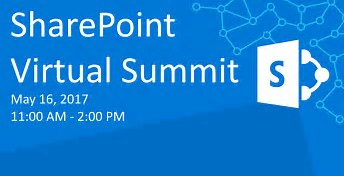
On May 10th, join leading experts as we live stream from the Microsoft CISO Summit, (an invitation-only event for Chief Information Security Officers of large enterprises) the Virtual Security Summit. 

For the first time, we’re making this exclusive content available for you to view online.

By attending this online summit, you will hear from security experts on:

  • Thought leadership and innovation
  • Identity and Threat Intelligence
  • Cybersecurity Strategy, Trends and GeoPolitics

AGENDA:

  • 8:00AM-8:15AM Welcome & Opening Remarks
    Bret Arsenault, CVP & CISO, Microsoft
  • 8:15AM-8:45AM Microsoft Security Strategy
    Kurt DelBene, EVP Corporate Strategy & Operations, Microsoft
  • 8:45AM-9:15AM The State and Future of the Cybersecurity Industry
    Arthur W. Coviello Jr., Venture Partner, Rally Ventures Microsoft
  • 9:15AM-9:45AM Emerging Opportunities for Security Startups 
    Nagraj Kashyap, CVP Microsoft Ventures, Microsoft
  • 9:45AM-10:15AM The Geopolitics of Cyberspace
    Adam Segal, Ira A. Lipman Chair in Emerging Technologies; Director, Digital and Cyberspace Policy Program; Council on Foreign Relations

Register today!

imageYesterday we released the preview of a new FREE app called Microsoft To-Do, designed to deliver a smarter, more personal and intuitive way to help people stay organized and get the most out of every day.

Powered by Office 365 integration and an intelligent algorithm to help users prioritize tasks & keep track of todos, it is the first step on our journey to simplify task management and help you achieve more.

Introducing Microsoft To-Do, now in Preview

This app will replace Wunderlist, as it is written by the Wunderlist development team.  It is available on iOS, Android, Windows, and the Web.

HOW DO I IMPORT MY OTHER TODO LISTS?
If you want to bring along your old tasks, uncompleted tasks or even your older, completed tasks for the record, Microsoft To-Do will automatically import the tasks you may have added to your Outlook or Hotmail account—you’ll see those in your core To-Do list when you first log in (and your Microsoft To-Dos will sync back to Outlook automatically).

You can then import tasks from Wunderlist and to-doist. To do that, go to import.to-do.microsoft.com or tap your name in Microsoft To-Do and select Import.

A shortened URL version of the Import site/tool is available below:
http://aka.ms/todoimport

image

DOWNLOAD:

FEEDBACK:

  1. In-app Contact form
  2. UserVoice: https://go.microsoft.com/fwlink/?linkid=841742
  3. Twitter: https://www.twitter.com/todohelp
  4. Facebook: https://www.facebook.com/microsofttodo

imageIn case you hadn’t heard, the Microsoft Stores are selling the Samsung Galaxy S8, “Microsoft Edition” as of today.

This is an Android-based smartphone that is repurposed with Microsoft technologies, (Word, Excel, PowerPoint, Outlook, OneNote, Cortana, Bing, etc.) some which come out of the box, some of which are installed when a WiFi connection is first initiated from the phone – to get the latest release, of course.

imageWHY WOULD I BUY THIS FROM A MICROSOFT STORE?
The cost of the device from a carrier or the Microsoft Store is the same however, as a Microsoft technology user, there are 3 good reasons to get the device from the Microsoft Store as opposed from a carrier:

  1. APPS SUPPORT
    If you need support or training on any of the Microsoft components installed or configured on the device – especially if you connect to your company’s corporate infrastructure (Think Office 365, Outlook sync, OneNote sync, SharePoint authentication, OneDrive connectivity, Skype for Business connectivity, etc.) , the Microsoft Store will specifically trained on them and be able to help you.  No guessing or hunting and pecking from folks that don’t know the technology first hand.
  2. DEVICE SUPPORT
    If you need “Microsoft Store quality” assistance with the device itself, the store will be trained to support you.  Samsung has very few Samsung-branded brick & mortar stores and has been at the mercy of BestBuy or Cellular Carriers for device support and realistically, the sales folks there – particularly the carriers – really have no interest in supporting devices.
    Connecting the Samsung Galaxy S8 with your Windows laptop, for example, might be something you’ll need help with.
  3. “MICROSOFT COMPLETE” WARRANTY
    My assumption is that Microsoft Complete will be available for this phone just like any other piece of hardware sold.  Easy swapping for a new device, for any reason… if you have Complete on your Galaxy S8. (Verify that this is the case with the Product Advisor)

For an overview of what the device is, please review one of the MANY articles on the topic below.

« Newer Posts - Older Posts »

Categories