imageinterested in creating business process flows in Visio and quickly exporting them to Flow for automation—all in just a few clicks?

We’ve spent months bringing Visio & Flow together and are excited to announce that Visio and Flow integrate to help you automate your processes in next to no time.

Note: Visio-Flow integration is only available for Visio Online Plan 2 subscribers.

imageInterested in configurating Data Loss Prevention policies to prevent sensitive information – credit card numbers, social security numbers, or health records – from being shared in Microsoft Teams chat/messaging?

A NOTE AROUND LICENSING DLP FOR MICROSOFT TEAMS
There are TWO types of Data Loss Prevention (DLP) available to Microsoft Teams:

  • DLP for Teams files/documents
    (included with Office 365 E3)
  • DLP for Teams chat/messaging
    (not included with Office 365 E3;
    requires “Office 365 E5” or separate licensing of “Office 365 Advanced Compliance” or corresponding Microsoft 365 suite licensing)

It is my understanding that DLP is available for files/documents for Microsoft Teams just as it is for SharePoint file folders & OneDrive for Business for Office 365 E3 licensees.  DLP is not available for chat/messages in Microsoft Teams in Office 365 E3 & requires additional licensing if needed:

  • Office 365 E5/A5
  • Microsoft 365 E5/A5
  • Microsoft 365 E5/A5 Compliance
  • Office 365 Advanced Compliance

BACKGROUND
For more background on this, visit the following URLs:

imageMicrosoft Corp. and Oracle Corp. on Wednesday, June 5th, 2019, announced a cloud interoperability partnership enabling customers to migrate and run mission-critical enterprise workloads across Microsoft Azure and Oracle Cloud.

As a result of this expanded partnership, the companies are today making available a new set of capabilities:

  1. Connect Azure and Oracle Cloud seamlessly, allowing customers to extend their on-premises datacenters to both clouds. This direct interconnect is available starting today in Ashburn (North America) and Azure US East, with plans to expand additional regions in the future.
  2. Unified identity and access management, via a unified single sign-on experience and automated user provisioning, to manage resources across Azure and Oracle Cloud. Also available in early preview today, Oracle applications can use Azure Active Directory as the identity provider and for conditional access.
  3. Supported deployment of custom applications and packaged Oracle applications (JD Edwards EnterpriseOne, E-Business Suite, PeopleSoft, Oracle Retail, Hyperion) on Azure with Oracle databases (RAC, Exadata, Autonomous Database) deployed in Oracle Cloud. The same Oracle applications will also be certified to run on Azure with Oracle databases in Oracle Cloud.
  4. A collaborative support model to help IT organizations deploy these new capabilities while enabling them to leverage existing customer support relationships and processes.
  5. Oracle Database will continue to be certified to run in Azure on various operating systems, including Windows Server and Oracle Linux.

Read more about this newly announced collaboration here:

imageMicrosoft business apps fans rejoice!

You can now watch all the PowerApps, Power BI and Microsoft Flow sessions from Microsoft Business Applications Summit on demand.  Explore 200+ sessions from Microsoft Business Applications Summit, available now in the PowerApps Community.

Here’s some recommended Sessions:

Check out the on-demand sessions here:

  • TRAINING: PowerApps, Power BI & Flow sessions from Microsoft Business Applications Summit now available on-demand
    https://aka.ms/mbasonline

imageDo you know to recognize and respond to a compromised email account in Office 365? 

  • There are over a dozen symptoms to watch & monitor for.  (Many of these can be auto-detected, identified & alerted upon using Azure Identity Protection)
  • Additionally, there are 5 steps in investigating any suspicious symptoms or activity around an account. 
  • Once identified, there are 7 steps to complete to secure and restore email function to a suspected compromised Office 365 account and mailbox.

Want to know what these steps are?  Read the following recently updated article & it’s accompanying video:

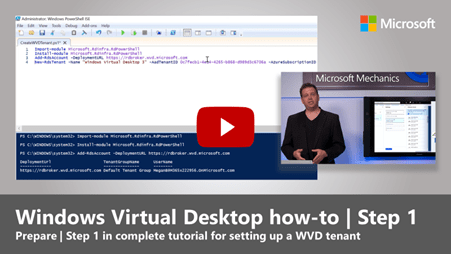
imageGet ready for our Windows Virtual Desktop AMA.

Whether you’ve already tried the Windows Virtual Desktop public preview—or are just looking for more information about this new offering—save the date and bring your questions to the Windows Virtual Desktop Ask Microsoft Anything" (AMA) event on Wednesday, June 12, 2019. From 9:00-10:00 a.m. Pacific Time, we’ll have five Windows Virtual Desktop engineers and product experts on hand to answer your questions live:

  • Joydeep Mukherjee, Senior Product Marketing Manager
  • Pieter Wigleven, Senior Program Manager
  • Christian Montoya, Program Manager
  • Stefan Georgiev, Program Manager
  • Sandeep Patnaik, Senior PM Manager

DATE/TIME:
June 12, 2019 9:00-10:00 a.m. Pacific Time
(Save the date: https://www.myeventurl.com/Events/Details/37)

LINK:
https://techcommunity.microsoft.com/t5/Windows-10-AMA/bd-p/Windows10AMA

Read more here:

imageCan’t make it to Microsoft Business Applications Summit this year? Don’t worry, we’ve got you covered – catch the opening keynote live from Atlanta, Georgia June 10 at 8:30 a.m. EDT. (Yes, that’s EASTERN Daylight Savings Time.)

Watch as James Phillips – Corporate Vice President of Microsoft’s Business Applications Group – kicks off the conference with a special keynote celebrating the Dynamics 365 and Power Platform (Power BI, PowerApps, and Microsoft Flow) communities.

Plus, he’ll give you a sneak peek into the newest innovations from Microsoft Business Applications.

Learn more and save the date!

Read more here:

imageWith the new live event capabilities in Microsoft 365, the Core Services Engineering and Operations (CSEO) team at Microsoft is offering event producers a seamless event-production solution for employee engagement. Learn more about it!

imageFor those not clear on this matter, Microsoft’s strategic direction for unified communications & collaboration is Microsoft Teams – ultimately displacing Skype for Business & Skype for Business Online. 

Our guidance to our customers consistently reflects this.  The biggest of this highlights the fact that Skype for Business Online is already no longer available to small & medium businesses as of last year, Oct 2018:

  • FAQ – Upgrading from Skype for Business to Microsoft Teams
    https://docs.microsoft.com/en-us/microsoftteams/faq-journey
    Will you continue to invest in improving Skype for Business Online?
    Our vision for bringing together Intelligent Communications and collaboration is focused on Teams. We plan to continue to support the Skype for Business service and client in Office 365. We plan to continue to support the Skype for Business clients to access on-premises server and online services. There is no end-of-support date at this time.
    Starting October 1, 2018, new Office 365 customers with fewer than 500 seats will be onboarded to Teams and will not have access to Skype for Business Online. Tenants already using Skype for Business Online will be able to continue doing so (including provisioning new users) until they complete their transition to Teams. To learn more please read Microsoft Teams is now the primary client for meetings and calling in Office 365.”

Additionally, from a press release standpoint, the two pages that highlight Microsoft’s direction in displacing Skype for Business & stepping customers up to Microsoft Teams includes the following:

  • A new vision for intelligent communications in Office 365
    Teams will evolve as the primary client for intelligent communications in Office 365, replacing the current Skype for Business client…”
    “…We encourage every Office 365 customer to begin using Teams today. Office 365 customers currently using Skype for Business can find guidance and resources on the intelligent communications page in the FastTrack portal…”
    https://www.microsoft.com/en-us/microsoft-365/blog/2017/09/25/a-new-vision-for-intelligent-communications-in-office-365/
  • Microsoft Teams is now a complete meeting and calling solution
    Make the move to Teams:
    Over the last few weeks we have released resources, tools and guidance to help current Skype for Business Online customers with their upgrade to Teams. This includes:
Posted by: kurtsh | June 3, 2019

HOWTO: Enable “Tighter Spacing” in Outlook

image

I woke up this morning to look at my computer and apparently we updated Outlook in Office 365.  As part of that update, we added some rather liberal spacing between the view of Message List items.

I’m not even gonna sugarcoat this:  This is really annoying to me.  Like many of you, I like maximum use of my screen real estate and "creating more separation between message list items is ANNOYING.

imageHere’s how to disable it:

  1. Click “View” in the menu. 
    Find the “Layout” category in the ribbon and you’ll see an new button there called “Use Tighter Spacing”.
  2. Click “Use Tighter Spacing” and it’ll revert back to the way it was.

Crisis averted.

« Newer Posts - Older Posts »

Categories