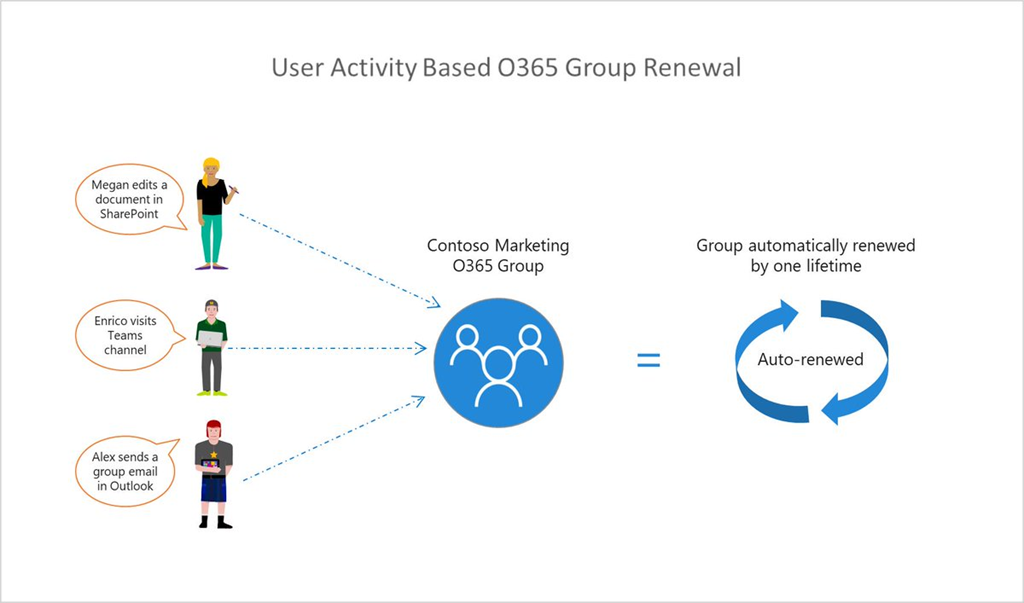
imageWe are excited to announce the new version of expiration policy which ensures any group being actively used continues to be available, circumventing expiration. This feature makes life easier for users, including admins, group owners and members, by automating the expiration and renewal process by tracking groups for user activity across different apps, like Teams, SharePoint, Outlook, tied to the group.

The new expiration policy puts group life cycle management on autopilot
The current Expiration policy allows you to set an expiration time frame for selected or all Office 365 groups . After the defined group lifetime, owners are asked to renew them if they are still needed. With this newly added intelligence, groups which are being actively used will be automagically renewed. This preempts the need for any manual action on the part of the group owners. This is based on user activity in groups across Office 365 apps like Outlook, SharePoint, Teams, Yammer, and others.

imageAs you move to the cloud, there’s a lot to learn about using containers to simplify the deployment and management of your applications. Advance your skillset with this e-book from Packt, along with an accompanying GitHub repository of hands-on labs to help you gain experience.

Discover how to package and run both monolithic and new, microservice-based applications in containers by following real-world examples of best practices in action. Delve into the design of the Kubernetes platform to understand the steps you’ll need to take to successfully use Kubernetes with Docker to manage containers. Learn how to:

  • Use containers to manage, scale, and orchestrate applications.
  • Improve the efficiency and security of containers.
  • Build highly available and scalable Kubernetes clusters.
  • Design and deploy large clusters on various cloud platforms.
  • Update or roll back a distributed application with zero downtime.
  • Monitor and secure your deployments.

Grab your free eBook here:

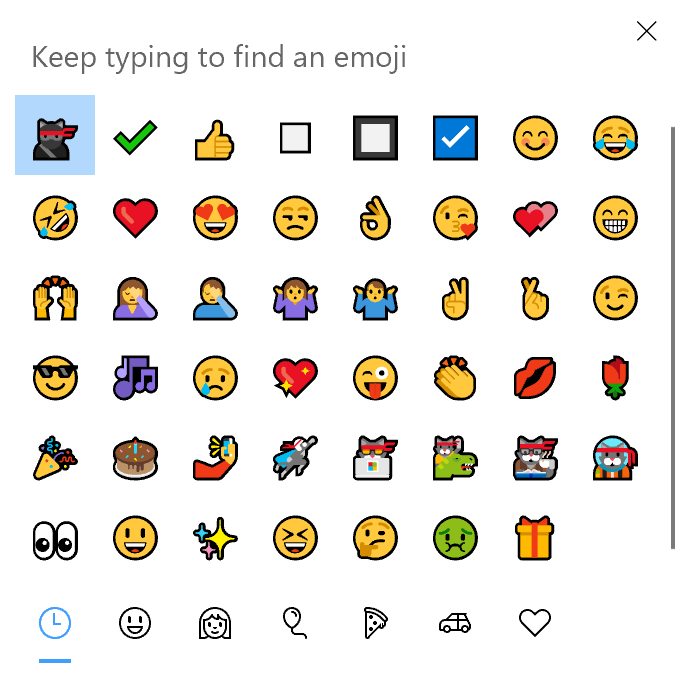
Want an easy way to add the following characters/emojis into your emails or documents:

☑ ⬜ ✔

etc.

Try typing in the keyboard shortcut Win+. (Windows Key + Period) into Windows 10. This will reveal an large list of cross-platform, cross-application emojis that can be used over email, IM, documents, etc. 

image

Simply typing in what you’re looking for will help narrow down the list.  For example, typing in “square” will reveal a sublist of square emojis.

Honestly, for professional emails and IMs. this list can be very useful.  Try it out.

imageIf you don’t believe you’ll be able to upgrade your infrastructure off of Windows 7 Professional or Enterprise by January 14th, 2020 – the day Windows 7’s end-of-service – there is the *last resort* possibility of purchasing “extended security updates” on an annual basis for your remaining computers.

Be forewarned that “extended support” contracts:

  1. Require an existing Premier Services agreement
  2. Are paid annually & increase substantially in cost every year after
  3. Are only available for Windows 7 Enterprise & Professional
  4. Are available until January 2023
  5. Have a substantial price tag

Our End of Support page for Windows 7 is located here:

There is an abbreviated FAQ at the bottom of the page that highlights the availability of “extended security updates” for Windows 7 and points to a downloadable comprehensive FAQ document with more details:

    • Are there alternatives that give me extra time to complete my migration while keeping my users safe?
      For users of Windows 7 Professional and Windows 7 Enterprise, you can purchase extended security updates through January 2023. For an in-depth FAQ about Windows 7 Extended Security Updates, please download the Microsoft end of support FAQ.
Posted by: kurtsh | July 16, 2019

VIDEO: Virtual Security Summit 2019 – On-Demand

imageRegister now to join Microsoft for a live, virtual event featuring cutting-edge security insights. Hear from Microsoft senior IT and security leaders on how to help implement strong privacy principles, fight cybercrime, and utilize advanced analytics to identify threats in real time. Gain knowledge from security experts on the lifecycle of an attack and develop techniques for how to defend your organization through innovations in cybersecurity.

  • Get the answers to all your burning questions about emerging trends in the industry from Microsoft IT security leaders.
  • Learn how Microsoft cybersecurity teams can help you gain a competitive advantage against hackers through groundbreaking skill development programs.
  • Walk away with a blueprint for Enterprise Security and actionable insights like understanding Microsoft’s Cybersecurity Reference Architecture.

Review the agenda here, and register for the on-demand event below:

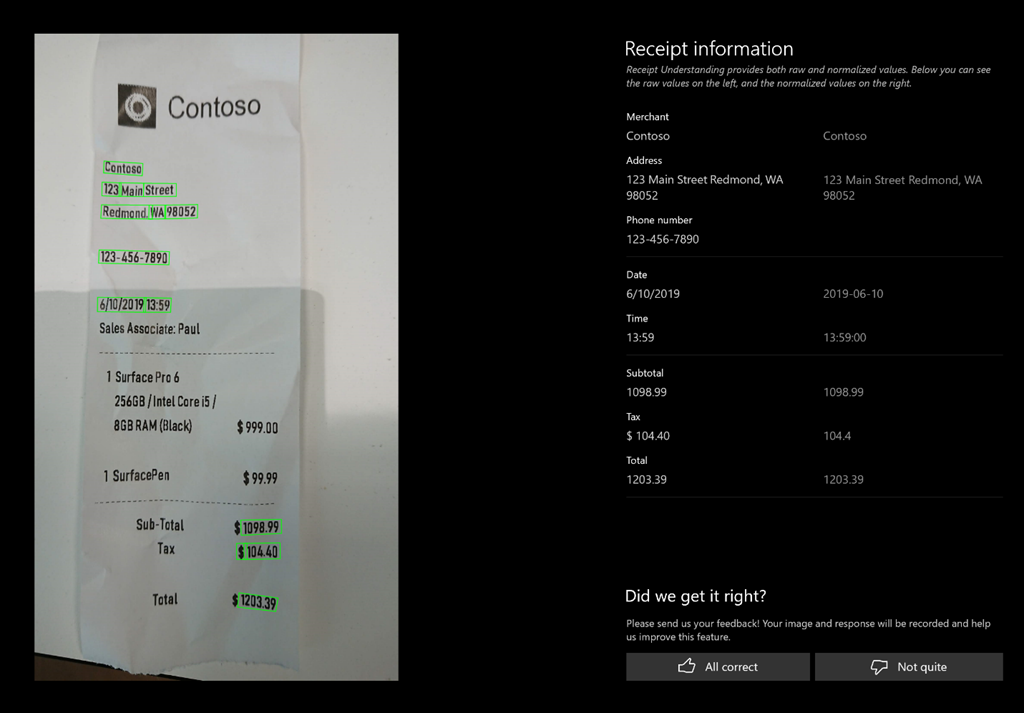
imageForm Recognizer, part of Azure AI, now handles receipts!

With no required training, receipt API extracts key information including date & time of the transaction, taxes, merchant info & more.

Learn more:

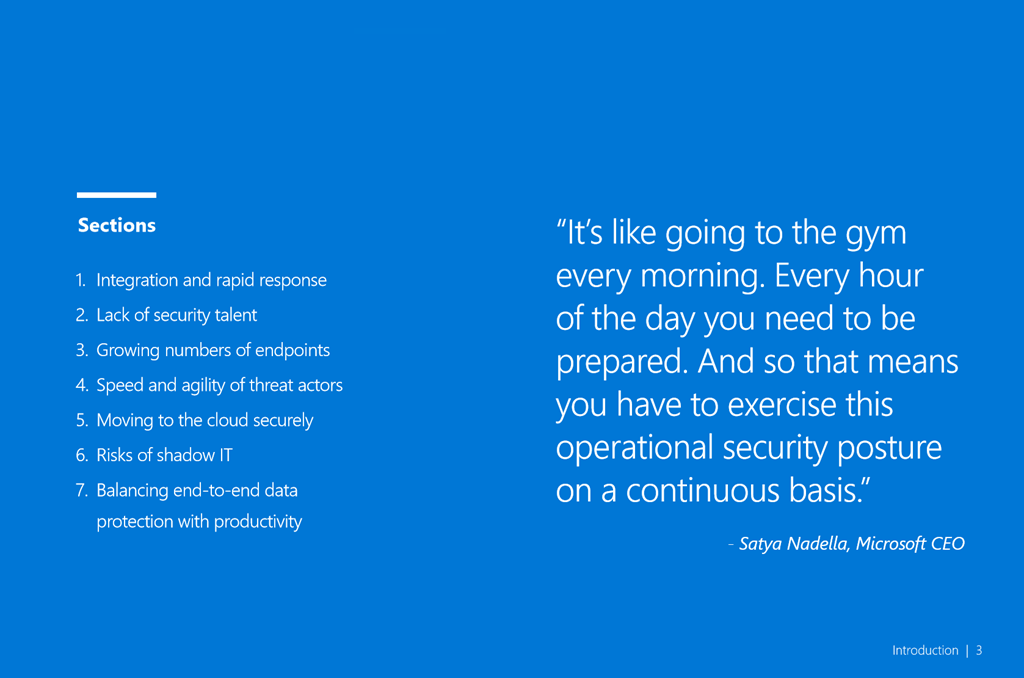
imageModern CISOs must manage their organization’s risk in the face of rising challenges, including staffing shortages and the ever-expanding scale and sophistication of today’s cyber threats. Balancing these challenges with business needs to collaborate, innovate, and grow requires an always-on, multifaceted approach to security.

Read this e-book to learn why organizations must:

  • Adopt an “assume breach” approach
  • Complement preventive security measures with detection and response
  • Embed modern security technologies into enduring processes and training programs

Read 7 steps to a holistic security strategy to learn the strategies and best practices of CISOs that have made security the cornerstone of business success.

imageKick off or expand your artificial intelligence (AI) development with this comprehensive guide to integrating and combining intelligent APIs available through Azure Cognitive Services.

Over the course of three sections covering computer vision, speech recognition and language processing, and knowledge and search, you’ll gain a deeper understanding of what’s possible and learn how to:

  • Identify a person through visual inspection and audio. 
  • Reduce user effort by building AI-like capabilities. 
  • Understand how to analyze images and text in different manners. 
  • Find out how to analyze images using Vision APIs. 
  • Use Search APIs to find anything you want.

Get the book here:

image

Visualize what your digital transformation journey can look like on Azure. Get new perspectives from Microsoft IT managers who share their real-world experiences moving SAP to the cloud. Get started today and read this e-book to:

  • Learn how IT professionals like you worked through change management and developed their SAP cloud migration strategies.
  • Get actionable advice on how to keep your organization informed as your team starts moving to the cloud.
  • Discover benefits gained from migrating SAP to Azure, including cost savings and future-proofing your SAP investment.

Download the eBook here:

Posted by: kurtsh | July 12, 2019

VIDEO: Microsoft IT on deploying “SAP on Azure”

imageWe’ve recently been publishing a lot of information from Microsoft IT around our move to SAP on Azure. 

Microsoft runs SAP for:

  • ERP (ECC 6.0, EhP6)
  • Global Trade Services
  • Supply Chain Management
  • Master Data Governance
  • Concur
  • Success Factors
  • Integrated Business Planning
  • eRecruiting
  • Ariba Business Network and Direct Sourcing, etc.

If you’re interested in hearing about the experiences of 100,000 employee company’s move to SAP-on-Azure and the benefits that have come from it:

  • Cost management (sizing system to accommodate for capacity needs during holidays, snoozing systems)
  • Agility (Creation, size up or size down, prototyping, development systems)
  • Tooling for Security & Telemetry for managing compliance & security
  • Classification of support tickets using Machine Learning to minimize turn around times & increase success rates
  • etc.

…you may want to watch this short 5-minute video.

Like many companies, Microsoft uses SAP for mission-critical business functions for finance, human resources, and global trade. When it came time to move our SAP estate to the cloud we went through a process of planning and assessment prior to migration. We then focused on optimization along with management after the migration. In this video, Hans Reutter provides a first-hand account of moving SAP workloads to the cloud with Azure, and offers tips based on what we learned along the way.

« Newer Posts - Older Posts »

Categories