Posted by: kurtsh | November 14, 2019

RELEASE: Azure Bastion

    imageAt Ignite 2019, Microsoft announced the general availability of Azure Bastion, a fully managed platform as a service (PaaS) service that provides more secure and seamless RDP and SSH access to virtual machines directly through the Azure portal. Azure Bastion is provisioned directly in a customer’s virtual network (VNet) and supports all VMs in their virtual network (VNet) using SSL without any exposure through public IP addresses. 
    Previously available in preview, Azure Bastion is now generally available in six Azure regions—West U.S., East U.S., West Europe, South Central U.S., Australia East, and Japan East. 

    It’s easy to initiate a remote Azure Bastion session directly from Azure portal. Azure Bastion then brokers a more secure RDP/SSH session to the target virtual machines in the virtual network. Azure Bastion always connects to the target VM in the virtual network over its private IP.

    Azure Bastion videos are here:

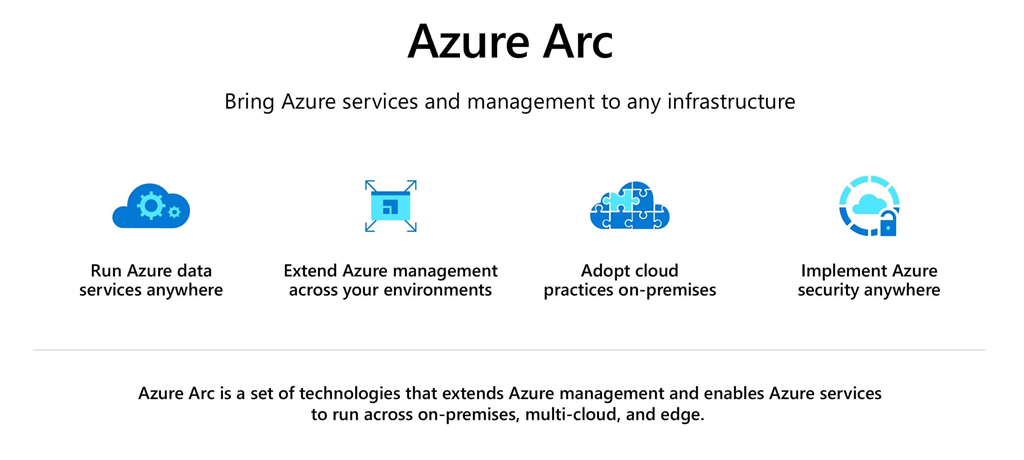
    imageJoin this webinar to learn how to use Azure Arc Preview to manage all your resources in a hybrid environment. Seamlessly govern and manage on-premises and cloud resources including Linux and Windows virtual machines, Kubernetes clusters, and databases within in Azure. Watch a product demo and ask questions through a live Q&A.

    You’ll learn how to:

    • Centrally manage role-based access control, security policies and implement unique Azure threat detection capabilities.
    • Adopt DevOps techniques such as infrastructure as code.
    • Automate database tasks at scale such as automated patching and upgrades, and access up-to-date data innovation with Azure SQL Database and Azure Database for PostgreSQL Hyperscale.

    Date/Time:
    Thursday, December 5, 2019
    1:00 PM–2:00 PM Pacific Time

    Registration:

    Posted by: kurtsh | November 14, 2019

    RELEASE: Desktop Analytics

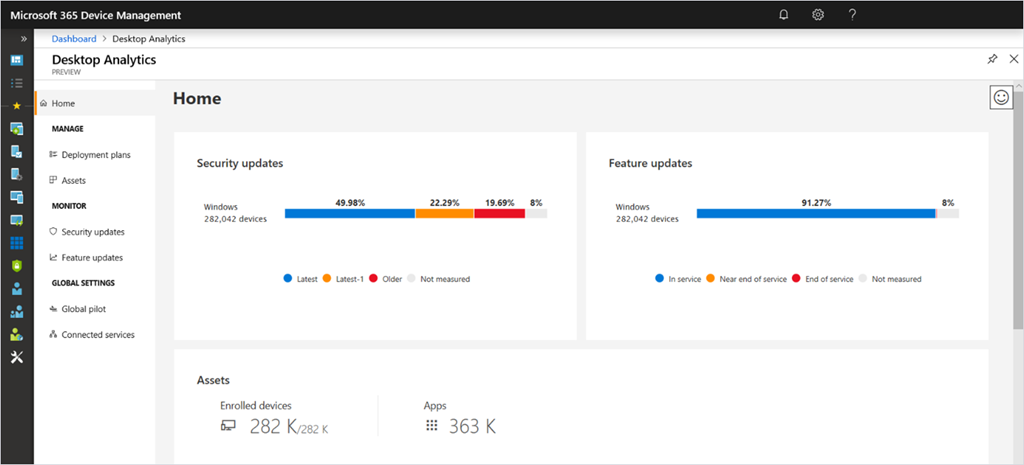
    imageWe’re thrilled to announce the general availability of Desktop Analytics—the cloud-connected service that integrates with System Center Configuration Manager to help IT professionals take a data-driven approach to their management of Windows endpoints.

    Since announcing public preview in July, thousands of organizations have already benefited from the intelligence and insights generated by millions of enrolled endpoints. We’ve been hard at work delivering new features and improvements that address your feedback on the service.

    Read the full announcement from CorpVP of Security & Management, Brad Anderson:

    Also taken from the Desktop Analytics blog:

    imageAs Brad announced this morning, Desktop Analytics is now generally available! Since our public preview release in July, we’ve seen over 3 million endpoints enrolled in Desktop Analytics. We can’t thank our public preview customers enough for trying out the service and providing valuable feedback.

    Over the past few months, we’ve been hard at work delivering new features and addressing your feedback. Below is just a sample of what you can expect to find in the generally available Desktop Analytics solution:

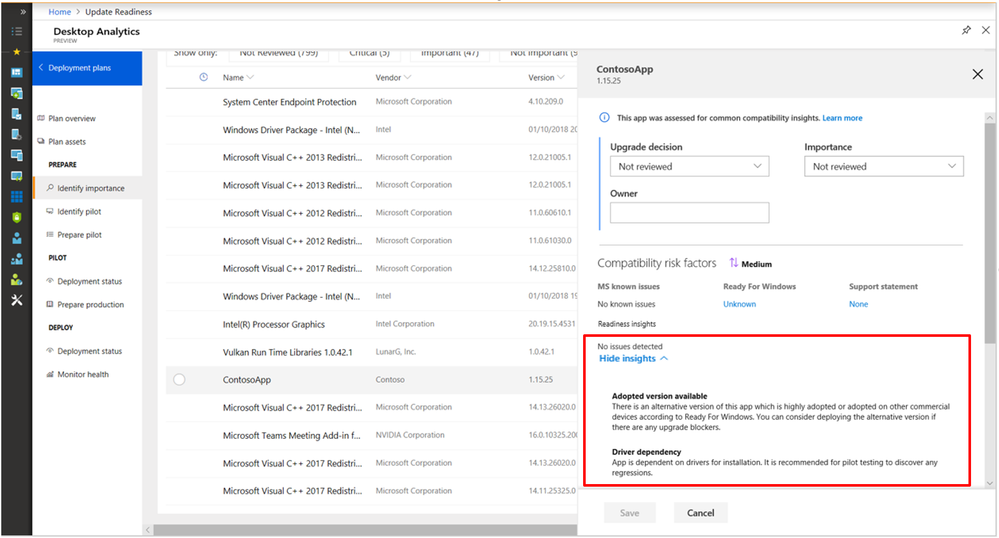
    • Auto-rationalization of low-risk apps such as system components published by Microsoft and apps delivered via the Microsoft Store
    • Administrator data migration from Windows Analytics: Upgrade Readiness
    • Deeper integration with ConfigMgr phased deployments
    • Back-end improvements to performance, scale, and reliability

    If you’ve been waiting to onboard to Desktop Analytics, the time is now! We encourage you to read up on what benefits Desktop Analytics can provide you, and get started with the service today. And as you onboard and use the tool, don’t forget to give us your feedback on UserVoice or directly in the Desktop Analytics portal—we look forward to reading it.

    Read the original post here:

    Additional resources:

    For folks concerned about Office telemetry sent to Microsoft, we’re introduced a new privacy controls switch:

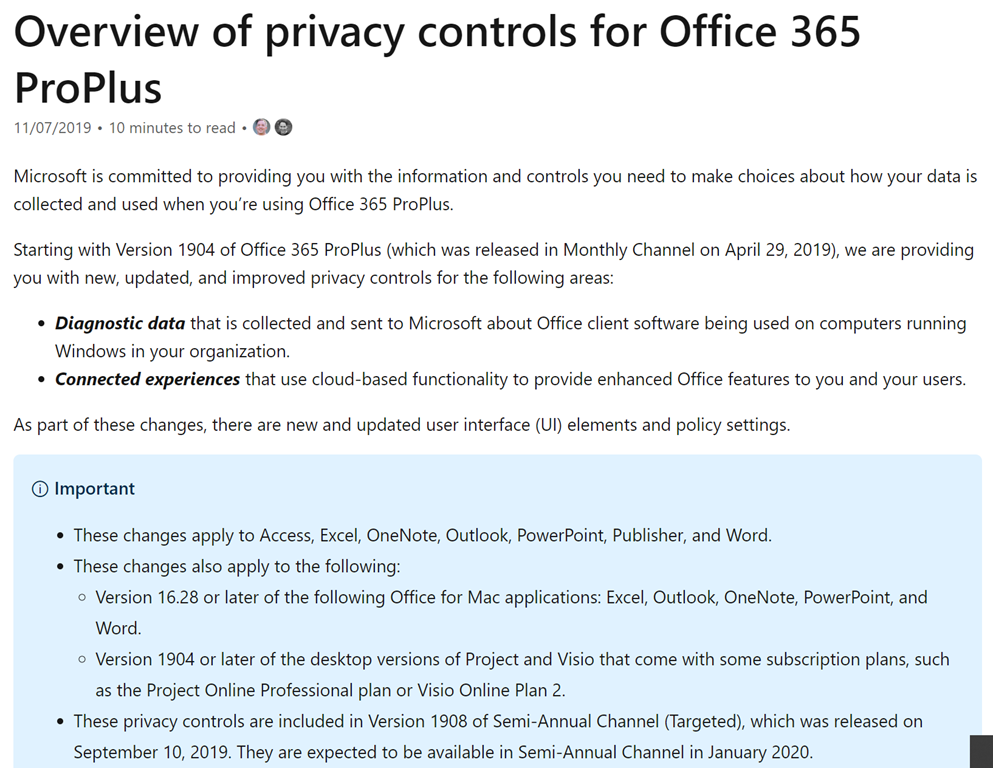
    imageUser data and personal information sent in Office telemetry
    Starting with Version 1908 of Semi-Annual Channel (Targeted) Office 365 ProPlus, a new setting was released: “Neither”

    No diagnostic data about Office client software running on the user’s device is collected and sent to us. This option, however, significantly limits our ability to detect, diagnose, and remediate problems your users may encounter using Office.

    It is expected to be available in Semi-Annual Channel (Standard) in January 2020.

    For more information on this switch, visit:

    (Please consult https://privacy.microsoft.com/en-US/ to address any other user/data privacy concerns you have regarding how Microsoft treats customer data.)

    Posted by: kurtsh | November 14, 2019

    INFO: MyAnalytics & Privacy

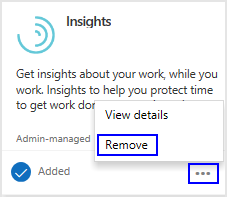
    imageThere are a number of resources that explain what MyAnalytics, how it works, what it’s intended for, and how it complies with GDPR & other privacy concerns.

    Privacy guide for MyAnalytics admins

    By using data generated from everyday work in Office 365, MyAnalytics helps people understand how they spend their limited time and who they spend it with, and then presents intelligent tips on how to work smarter.

    This page answers key questions on how MyAnalytics processes information in a manner that protects employee privacy and supports compliance with local regulations, such as General Data Protection Regulation (GDPR).

    Summary:

    • MyAnalytics is not designed to enable employee evaluation, tracking, automated decision-making, profiling, or monitoring.
    • MyAnalytics does not give employees access to new personally-identifiable information on other coworkers.
    • MyAnalytics data is processed and stored in the employee’s Exchange Online mailbox.
    • MyAnalytics supports General Data Protection Regulation (GDPR) compliance.
    • MyAnalytics can be configured so that individuals must purposefully opt in.
    • MyAnalytics reminds people that their data is private and secure.

    For more details, visit the following:

    MyAnalytics privacy, security, and compliance

    Microsoft’s vision focuses on empowering your employees. Microsoft MyAnalytics supports this vision by helping knowledge workers better understand how they use their most important and limited resource: time. By using data that people generate as they work in Office 365, MyAnalytics helps them understand how they spend their time, and then gives them tips on how to work smarter.

    It can be challenging to explain these benefits to employees and gain their buy-in on an application that appears to store and process personal information. The Privacy, security, and compliance white paper explains how Microsoft built MyAnalytics with this concern in mind. This content will help business leaders and Office 365 administrators who are considering purchasing, trialing, or deploying MyAnalytics for their employees.

    Frequently Asked Questions about MyAnalytics

    This FAQ provides insights & specific answers to questions to Privacy questions, End User questions, and IT Administrator questions, such as:

    Q1. Who can see my data?

    Only you can see your data. The statistics and insights that are generated from your data are for your eyes only. Your manager or system administrator cannot view your personal data.

    Read the FAQ here:

    imageRegister for this virtual event to learn how to simplify your data lake and data warehousing solutions with Azure Synapse Analytics. Query data on your terms using on-demand or provisioned resources. Experience a limitless analytics service built to ingest, prep, manage, and serve data, accelerating your time to insight.

    Find out how to:

    • Query petabyte-scale data on demand from the data lake, or provision elastic compute resources for demanding workloads.
    • Build a modern data warehouse enhanced with streaming analytics, machine learning, BI, and AI capabilities.
    • Reduce project development time for machine learning, BI, and AI. 
    • Easily optimize petabyte-scale workloads and automatically prioritize critical jobs.
    • Help safeguard your data with Azure Active Directory integration, dynamic data masking, column-level and row-level security, and automated threat detection.

    The presentation also includes a hands-on demo of Azure Synapse Analytics and a live Q&A.

    Date/Time:
    Tuesday, December 10, 2019 10:00 AM—11:00 AM Pacific Time

    Registration:
    https://info.microsoft.com/WW-Analytics-in-Azure-virtual-event-Accelerate-Time-to-Insight-with-Azure-Synapse-Analytics-Registration.html?ocid=AID2482920_QSG_SCL_373428

    Posted by: kurtsh | November 13, 2019

    INFO: Compliance resources for Germany

    imageDocuments on the compliance of Microsoft’s online services with the German law are stored in our Compliance Resources for Germany page. 

    They include:

    • GRC Assessment Reports (available in German & English)
    • Compliance Guides
    • FAQ & Whitepapers
    • ISO Reports (Office 365 & Azure Germany)
    • SOC Reports (Azure Germany)

    Visit the Compliance resources page here:

    imageOur industry-leading conference is hitting the road—and coming to a city near you. You don’t want to miss the very latest in cloud technologies and developer tools with guest speakers, industry experts, and more. Get on the list today! This blog covers all the related sessions and content to learn more about SharePoint, OneDrive, Yammer and Stream – aka, SOYS.

    In the SharePoint, OneDrive, Yammer, Stream (SOYS) and related tech space, keep a look out for the "Content collaboration, Communication, and Engagement in the Intelligent Workplace" learning path that consists of the below four 45-minute sessions in every city listed further below in the next “schedule” section:

    • "Content collaboration and protection with SharePoint, OneDrive and Microsoft Teams" [SOYS10]
    • Connect the organization and engage people with SharePoint, Yammer and Microsoft Stream" [SOYS20]
    • "The intelligent intranet: Transform communications and digital employee experiences" [SOYS30]
    • "Harness collective knowledge with intelligent content services and Microsoft Search" (includes #ProjectCortex) [SOYS40]

    As a primer for all things SOYS, we encourage you to view CVP Jeff Teper’s general session on-demand before attending The Tour, “The latest innovations in SharePoint, OneDrive, and Office for content collaboration in Microsoft 36…” – from Ignite 2019 in Orlando, FL.

        Posted by: kurtsh | November 13, 2019

        PREVIEW: Report-only mode for Conditional Access

        imageReport only mode for Azure AD Conditional Access is now in public preview… a low risk option for pre-flighting new policies before accidentally impacting user experience.

        Report-only mode is a new capability that allows admins to evaluate Conditional Access policies without enforcing the grant or session controls. During sign-in, policies in Report-only mode are evaluated but not enforced, and the sign-in logs record the expected result. Additionally, customers with an Azure Monitor subscription can monitor the impact of their Conditional Access policies using the new Conditional Access Insights workbook.

        Read more here:

        imageSee how Microsoft Teams is built to ensure a secure and compliant collaboration environment, and how you can manage it with the controls you need, while keeping a great experience for your users.

        We’ll share the newest security & compliance features such as data loss prevention, information barriers and new retention policies. And we’ll dig into new controls and tools, including network planner, Advisor for Teams, enhanced calling, and device management.

        At Microsoft Ignite 2019, this was session THR2270: Microsoft Teams for IT admins: What’s new and what you need to know with Anne Michels.

        « Newer Posts - Older Posts »

        Categories