Everyone is concerned about security, but are you concerned about data governance?

  • CLASSIFICATION: How can our organization automatically discover & classify files, messages, chats & database data?
  • POLICIES: How can we establish policies to reset permissions, encrypt, quarantine, or even delete these files, messages, chats or database data?
  • BLOCK AI: Is there a way to block Artificial Intelligence from examining/reasoning over certain classifications of data in our organization?
  • RETENTION/DELETION: How about retention policies mandating copies for 3 years? Or deletion policies for data older than 7 years? How can we establish all of that?

Microsoft Defender & Purview Security Governance & Compliance – for Microsoft 365
The following technologies are what’s covered in Microsoft 365 G5 license in terms of Security, Governance & Compliance. 

Reminder: Over 20+ Unified Enterprise services offerings for Planning, Implementing, Supporting both “Defender” & “Purview” security, compliance & governance services are available through your Unified Enterprise contract. This provides subject matter expertise to your team through your contract, utilizing the proactive credit on contract, requiring no additional contracting involved.

Microsoft Purview Data Governance – For Data, Databases, Azure Data Services
Data Governance – specifically for Azure-based data sources & other databases is a different topic.  Originally called “Azure Purview”, Purview Data Governance has the ability to inherit & leverage certain “centralized features” from Microsoft 365 Purview such as “data classification definitions”, however it is a separate service specifically targeting the governance of data with “databases”. 

To be clear, while it is related to Purview for Microsoft 365, Purview Data Governance is charged separately to Azure based on usage/consumption & is not part of Microsoft 365. It covers:
Posted by: kurtsh | March 3, 2025

INFO: Microsoft 365 Copilot App Keyboard Shortcuts

If you’re lucky enough to have a Copilot key on your keyboard, you know how convenient it is to be able to quickly call up the Microsoft 365 Copilot wherever you are in the Window interface. And most power users are aware of the Win+C keyboard shortcut which OPENS the Microsoft 365 Copilot app on Windows desktop to quickly ask questions or start a Copilot action.

But is there a keyboard shortcut to HIDE the Microsoft 365 Copilot app?

CTRL+SHIFT+WIN+ALT?
Yeah, it’s Ctrl+Shift+Win+Alt. This Opens/Hides the Microsoft 365 Copilot app on Windows desktop. It’s kind of a messy keyboard combo but I’ve found that I’ve gotten used to it vs. hitting Win+C because it’s sort of a button smash & quickly opens Microsoft 365 Copilot… and quickly hides it when I press it again.

One other way is to remap keys using PowerToys at the link below.
Microsoft PowerToys | Microsoft Learn

  1. Download and install the Microsoft PowerToys tool from the official Microsoft website.
  2. Open the PowerToys utility and select the Keyboard Manager tab.
  3. Click the Remap a key button.
  4. Select the Copilot key from the Physical Key drop-down menu.
  5. Select the key to which you want to remap the Copilot key from the Map to drop-down menu, and you can choose to try the same Copilot key or turn on Copilot’s features (if available).
  6. Click OK to save the changes.

Posted by: kurtsh | March 3, 2025

EVENT: OneDrive Commercial Customer Office Hours

The OneDrive Customer Office Hour is for admins, partners, and power users to ask the OneDrive team questions, share feedback, and learn more about the features we’re building. For a full description visit https://learn.microsoft.com/en-us/sharepoint/onedrive-office-hours.

Typically, the webinar is delivered by Trent Green, Senior Product Manager for OneDrive & is run every 3rd Wednesday of the month from 8:00AM-9:00AM PST.

Agenda     

  • Upcoming events & updates (Rob N)  
  • What’s new on the OneDrive Roadmap (Irfan S)
  • Unlicensed OneDrive User Accounts + Q&A. (Trent G) 

*This webinar will be recorded and viewable after session has ended.

Next OneDrive Office Hours:
Wed, March 19th, 2025 8:00 AM – 9:00 AM (UTC-08:00) Pacific Time (US & Canada)

Add to Calendar:

Past Office Hours Recordings:

Because of CA Assembly Bill 1637, many municipal government organizations find themselves needing to change their Top-level domain names from .ORG/.COM to .GOV by January 1, 2029.

In order to plan (or execute) on this order, many county & city IT departments may want to “flush the cache” of their Microsoft Outlook desktop installs, so users no longer type names and obtain the ‘legacy domain-based’ email addresses like user@countyname.ORG & instead resolve to user@countyname.GOV.

Here are some ways to clear/flush the email name resolution cache on managed Outlook installations:

  • Remove all addresses from the Auto-Complete list via UI or Command Line
    If you want to reset the Auto-Complete list to remove all addresses at once:  In the Microsoft 365 version of Outlook, the Auto-Complete list is kept in a special hidden message in your mailbox. Resetting the list can be done in the following ways:
    • Button: Empty Auto-Complete List
      Using the “Empty Auto-Complete List” button does exactly what is says. You can find the option here;
      File-> Options-> section Mail-> option group: Send messages-> button: Empty Auto-Complete List
    • Startup switch: cleanautocompletecache
      By starting Outlook with the cleanautocompletecache startup switch you’ll achieve the exact same results as using the button “Empty Auto-Complete List.
      You can execute this switch in the following way (note the space in the command);
      Start-> type; outlook.exe /cleanautocompletecache
  • PowerShell script to remove all addresses from the Auto-Complete list
    This script removes the AutoComplete cache files, forcing Outlook to look up addresses in the Global Address List (GAL) instead of the local cache.

# Get the current user’s profile path

$profilePath = [System.Environment]::GetFolderPath(‘LocalApplicationData’)

# Define the path to the AutoComplete cache file

$autoCompletePath = “$profilePath\Microsoft\Outlook\RoamCache”

# Remove the AutoComplete cache files

Remove-Item “$autoCompletePath\Stream_Autocomplete*” -Force

# Restart Outlook

Start-Process “outlook.exe”

(from GitHub – michelderooij/Clear-AutoComplete: Script to clear one or more locations where recipient information is cached.)

Posted by: kurtsh | March 2, 2025

INFO: Microsoft Copilot Chat in Edge

For folks curious as to the what Copilot Chat in Edge is & how it can be useful to their end users, here is an index of documentation we have on Microsoft Copilot Chat in Edge.

PRODUCT PAGE: Microsoft Copilot Chat in Edge
https://www.microsoft.com/en-us/edge/features/microsoft-365-copilot-chat

  • Summarize a PDF open in Edge
  • Generate content for emails, reports, social media and more
  • Create images for any occasion
  • Gain a deeper understanding
  • Understand the implications of a decision
  • Learn new skills
  • Analyze data
  • Write better code faster
  • FAQ about Copilot Chat in Edge

DOCUMENTATION: Copilot Chat in Edge
https://learn.microsoft.com/en-us/copilot/edge

  • Enable Copilot Chat in Edge
  • Data Use by Copilot Chat in Edge
  • Copilot Chat in Edge features
  • How Data Loss Prevention is enforced with Copilot Chat in Edge
  • How to manage Copilot Chat in Edge

SUPPORT: Using Microsoft Copilot in Edge at work
https://support.microsoft.com/en-us/topic/using-microsoft-copilot-in-edge-at-work-012b3674-bab8-4f99-8585-c961dac68642

  • Copilot for commercial use and enterprise data protection
  • How Copilot answers your prompts
  • Data and consent used by Copilot in Edge sidebar
  • How Data Loss Prevention is enforced with Copilot in Edge
  • Information use and storage
  • Our commitment to responsible AI
  • Glossary of terms
  • Frequently Asked Questions (FAQ)
    • Are prompts and responses in Copilot used to train foundation models?
    • What’s the best way to verify the accuracy of information provided by Copilot?
    • What features are available in Microsoft Copilot with enterprise data protection?
    • How does Copilot handle uploaded files?
    • Why am I still seeing Notebook and Compose in Copilot in the Microsoft Edge sidebar?

REFERENCE: Copilot in Edge webpage summarization behavior
https://learn.microsoft.com/en-us/DeployEdge/edge-learnmore-copilot-page-summary-results
The following chart explains the current behavior of Copilot in Edge webpage summarization on various document types. This information will be updated when support for summarization increases. This chart covers the behavior in Copilot both when enterprise data protection is applied and when it is not. Support for these document types only applies to Copilot in Edge.

Document typeCopilot and Copilot with Enterprise Data Protection
Intranet Sites such as SharePointSummarization is supported
* Embedded Office docs in SharePoint aren’t supported
Public Sites such as WikipediaSummarization is supported
Outlook Web AppSummarization is supported
PDFsSummarization is supported
Office DocumentsSummarization isn’t supported
Sites protected by Purview DLP Policies **Summarization isn’t supported
Sites protected by MAM Policies ^^Summarization isn’t supported
Sites protected by MDA Policies ++Summarization isn’t supported

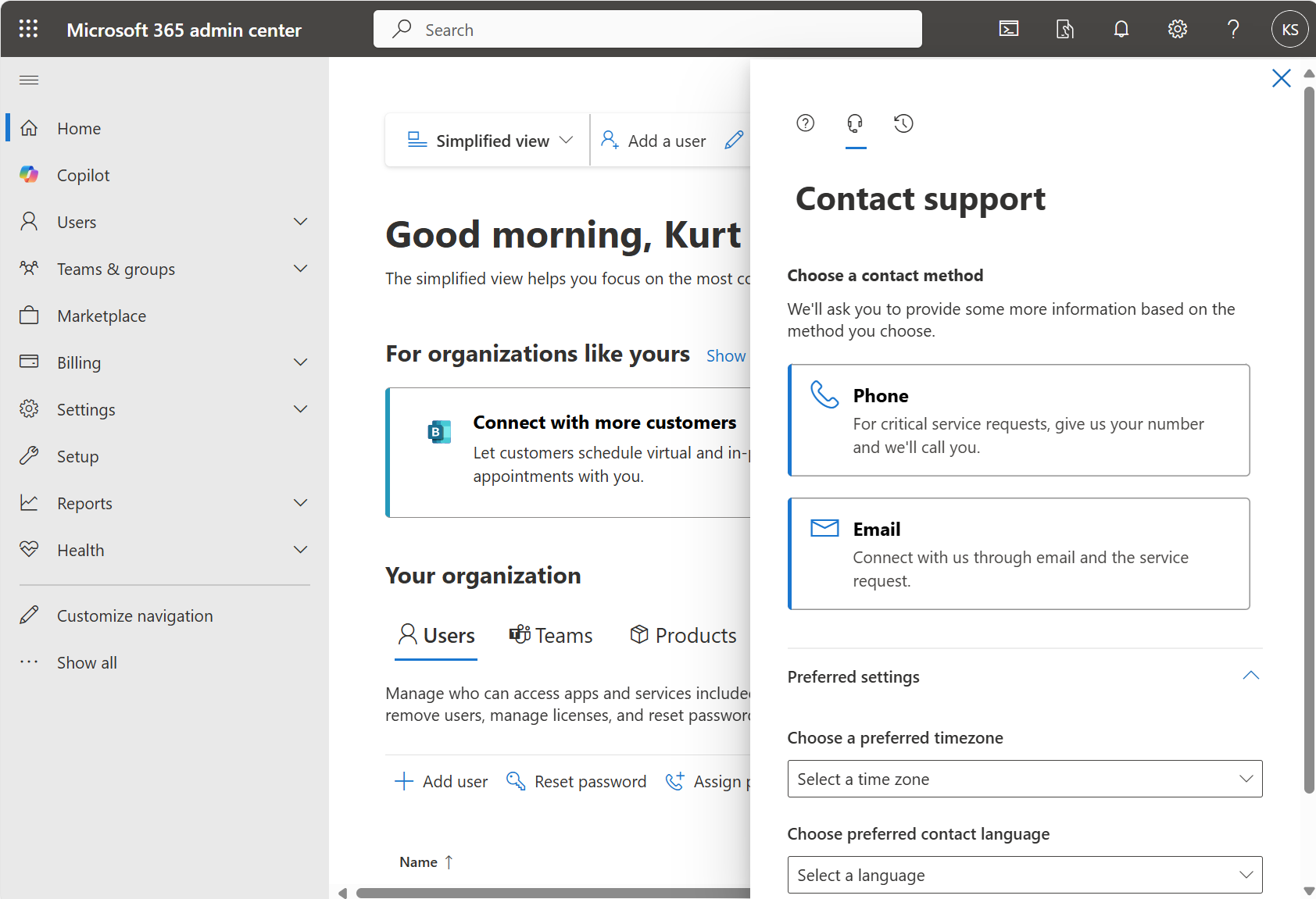
If you request Volume Licensing support from the Microsoft 365 Admin Portal, there’s a dedicated support team for users who access volume licensing contracts in the Microsoft 365 admin center. To request support for volume licensing, use the following steps:

  1. In the Microsoft 365 admin center, select Help & support.
  2. In the query box, type “manage volume licensing” together with your question to help target your query more accurately. If you see a drop-down list, select the item closest to your question, or continue typing your question, then press Enter.
  3. If the results don’t help, at the bottom, select Contact Support.
  4. Enter a description of your issue, specify the license ID or VL agreement number your issue relates to, confirm your contact number and email address, select your preferred contact method, and then select Contact me.

If you’re a volume licensing admin but are unable to access the admin center, you can create an online support request.

[taken from https://learn.microsoft.com/en-us/microsoft-365/admin/get-help-support?view=o365-worldwide#volume-licensing-support]

Attend the Fabric Community Conference 2025 with over 5,000 of your fellow data, Fabric & Power BI professionals to hear & learn about:

  • Using Fabric as their end-to-end analytics platform.
  • Achieving cost efficiencies & rapid time-to-market for AI & BI solutions
  • Attaining robust security & governance that’s easier to manage
  • Adding SQL databases to Fabric so both transactional and analytical workloads can run on a single unified SaaS data platform

Come see:

  • 4 keynotes, 215 sessions, and 20 full-day workshops
  • Everything on Microsoft’s data platform—Fabric, Power BI, SQL, AI, and more

Cost:

  • Full Conference Pass $1899
  • Use code FABINSIDER for a $400 discount

Dates:

  • Main conference: March 31-April 2, 2025
  • Workshops: March 29, 30 & April 3, 2025

Location:

Register today at:

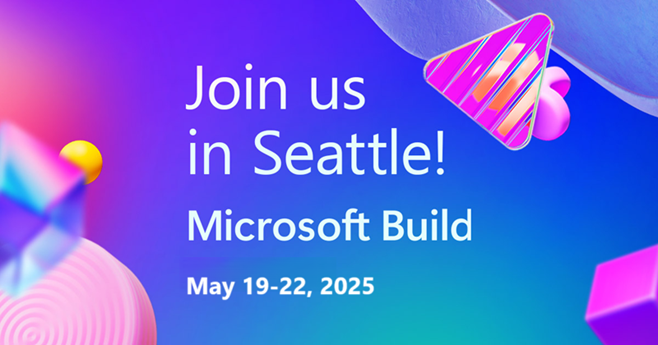
Get ready to connect, code, and grow at Microsoft Build. This your moment to connect with your peers. Your moment to skill up and get hands-on with code. Your moment to learn more about the latest AI innovations.

Date:
May 19-22, 2025
(Session catalog available April 8)

Location:
Seattle Convention Center | Arch
800 Pike St, Seattle, WA 98101

Cost:
Last year, Microsoft Build 2024 registrations were $1825/attendee.

Registration:
Registration is not yet available however every year, the Microsoft Build Conference registers completely full in minutes after the registration site goes live. Be prepared to register with your credit card the moment it’s available by signing up for notifications when the regsite goes live here: https://build.microsoft.com/

This month we announced Microsoft 365 Copilot Chat, a new integrated offering that will help every organization rapidly and securely scale their transformation for the AI era.

Microsoft 365 Copilot Chat makes it easier than ever for every employee in your organization to interact with AI using a single pane of glass, offering three powerful capabilities:

  • A free, secure AI chat powered by the latest large language models like GPT-4o so everyone in your organization can start with the same, essential organizing layer for AI, documented in our Copilot Chat & Agents Overview Guide.
  • Agents accessed through an intuitive chat experience on a metered basis, so you can transform business processes across your entire organization, documented in our Copilot Chat & Agents Overview Guide.
  • IT controls to ensure enterprise-grade security, privacy, compliance, and management, documented in our Copilot Chat IT Controls & Setup Guide.

Now, you can empower every employee with AI capabilities by offering Copilot Chat to those new to AI at work. This new offering complements our best-in-class Microsoft 365 Copilot experience and can help you unlock the full ROI of AI within your organization that only comes from broad adoption.

To assist you in getting started with Copilot Chat:

  1. There is a Copilot Chat YouTube Playlist of video content providing demonstrations & guidance around the use of Copilot Chat for your organization.
  2. We’ve developed a Copilot Success Kit with resources designed to streamline and accelerate your AI journey with Microsoft 365 Copilot.
  3. For Copilot Chat & Agents specifically, we also have Starter Kit available which includes, among other things:

Learn more about this announcement on our blog.

Frequently Asked Questions:

  • How is this licensed?
    It’s tied to your Entra ID Premium P1 licensing. Every user needs to have an Entra ID Premium P1 license minimally, which comes with every user subscription license of Microsoft 365 E3/G3 or above
  • What about customers with Microsoft 365 GCC cloud instances?
    Microsoft 365 Copilot Chat (free with Entra ID) will be available in April 2025.
    Microsoft 365 Copilot (not free) is available through subscription license purchases now.

Watch this 20min interview with Microsoft Executive VP Jason Zander, as he explains the breakthrough in Quantum Computing announced by Microsoft’s Strategic Missions & Technologies. This is a fairly thorough discussion explaining:

  • what makes Microsoft’s topological qubit unique compared to other quantum qubit technologies used elsewhere such as superconducting, trapped ion, neutral atom & photonics
  • why Microsoft’s “topoconductor” was critical to this breakthrough & what makes this quantum breakthrough a “new state of matter”
  • why Majorana 1’s initial 8 qubits are differentiated from other quantum technologies sporting “larger qubit counts”
  • how Microsoft delivers 24 reliable error-corrected qubits in Azure Quantum today & what makes this a practical application
  • why having the potential for more than 1 million qubits on a single chip is so important
  • the general timeline/roadmap for Majorana 1, Microsoft’s Quantum-on-a-Chip offering
  • the initial use cases for Microsoft’s quantum computing technology & the ecosystem
  • the 3rd party evaluation of the topological qubit by DARPA’s physicists, resulting in Microsoft’s selection as a finalist for their scalable quantum computer research program

Summary: Microsoft Unveils First Quantum Computing Chip – Bloomberg News
https://www.youtube.com/watch?v=OOP4WbP2TbM

Microsoft announced a major milestone in its quantum computing efforts on Wednesday, unveiling its first quantum computing chip, called Majorana 1. Jason Zander, Microsoft’s executive VP of strategic missions and technologies explains this breakthrough and how it gets quantum computing technology closer to real world applications. Zander speaks to Bloomberg Technology’s Jackie Davalos.

« Newer Posts - Older Posts »

Categories