image

Join Microsoft for a discussion exploring the current challenges and evolving business environment in Public Sector.

In just a short time, COVID-19 has fundamentally altered how governments, educational institutions and public health organizations around the world serve their communities. Julia Glidden, Corporate Vice President for Microsoft Worldwide Public Sector, and special guests Alex Benay, KPMG and former CIO of Canada, Vincenzo Aquaro, the United Nations Department of Economic and Social Affairs and Marquis Cabrera, Stat Zero Group will discuss how COVID-19 has impacted the Public Sector and what we can anticipate going forward.

During this webinar, we will:

  • Share our perspectives on the impact of COVID-19 in Public Sector
  • Discuss COVID-19 learnings and actionable best practices
  • Offer you the opportunity to ask questions and share feedback

Details:

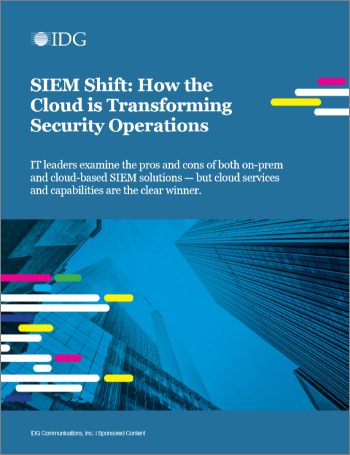
imageMany security professionals are realizing that their on-premises or private cloud-based security information and event management (SIEM) system can’t keep up—so they’re migrating this key security operations tool to the public cloud.

The IDG report, SIEM Shift: How the Cloud is Transforming Security Operations, delves into the results of a survey of 300 security and IT decision-makers to discover why more security professionals are moving to cloud-based SIEM. The report reveals that cloud-based SIEM:

  • Reduces SIEM costs by lowering or eliminating infrastructure, maintenance, licensing, and staffing costs.
  • Helps improve protection with AI and faster threat response.
  • Boosts SIEM performance, scalability, and stability.
  • Augments security teams with AI, reducing alert fatigue and automating common tasks.

Learn how your peers are strengthening their defense against threats.

Here you will find details of our upcoming webinars as well as resources for past webinars. We will be updating this page regularly with new webinars and resources so check back often!

Here’s a sample of some of what’s available on-demand in ADDITION to what’s coming up (not shown):


Category: Topic

Recording

Resources

Jun. 2, 2020

MIP: Power BI and MIP Integration

Video

Deck

May 28, 2020

MIP:  Moving to unified labeling

Video

Deck/FAQ

May 26, 2020

Compliance: Records Management

Video

Deck/FAQ

May 14, 2020

Compliance: eDiscovery for Teams

Video

Deck/FAQ

Apr. 27, 2020

Both: Working remotely during challenging times

Video

Deck/FAQ

Apr. 22, 2020

MIP: Exact Data Match (EDM) classification

Video

Deck/FAQ

Apr. 15, 2020

Compliance: Compliance score how-to

Video

Deck/FAQ

Apr. 7, 2020

Compliance: Advanced audit

Video

Deck/FAQ

Mar. 17, 2020

MIP: Trainable classifiers

Video

Deck/FAQ

Mar. 10, 2020

Compliance: Insider Risk Management & Communications Compliance

Video

Deck/FAQ

Mar. 5, 2020

MIP: Using Sensitivity labels with Microsoft Teams, O365 Groups and SharePoint Online sites

Video

Deck/FAQ

Feb. 11, 2020

MIP: Know Your Data

Video

Deck/FAQ

Jan. 22, 2020

MIP: Introduction to SharePoint & OneDrive Auto-labeling

 Video

N/A

Additionally, here are resources for Information Protection & Compliance that may be helpful.

Posted by: kurtsh | June 20, 2020

HOWTO: Contact Support for Microsoft 365/Office 365

imageIf you have a subscription with Microsoft & require support for your Microsoft 365 or Office 365 issue, you have 3 options:

Service Descriptions for Office 365 Support including SLAs, case levels, etc. are available here:

Posted by: kurtsh | June 17, 2020

WEBINAR: Advanced eDiscovery for Microsoft Teams

imageInterested in Advanced eDiscovery for Microsoft Teams? 

“While eDiscovery provides a range of search, hold, and export functionality, Advanced eDiscovery gives compliance administrators more tools to identify data sources and analyze their contents. 

Need to conduct an internal investigation of Teams content? We’ve got you covered. Join us to learn how to complete common eDiscovery processes on Teams content.”

This webinar is on-demand.  Comments & questions however from the live webinar have been recorded for review.

imageMoney in Excel is a dynamic template for Excel that can help you feel more in control of your money.

It’s the only template where you can securely connect your financial institutions to import and sync account and transaction  information into an Excel spreadsheet.

Track all your finances in one place, customize your workbook, and receive personalized tips without ever leaving Excel.

Note: Money in Excel is a premium template that is available as part of the Microsoft 365 Personal or Family subscription. Currently, Money in Excel is only available in the United States and can connect to most major financial institutions. For the best experience, we recommend using Money in Excel on a laptop or desktop.

With Money in Excel you’ll be able to…

  • Securely connect bank, credit card, investment, and loan accounts to view your financial information all in one place without ever leaving Excel.

  • Keep your workbook up to date by syncing your latest transactions and account balances.

  • Gain insight into your finances with charts, graphs, and alerts based on your data.

  • Customize Money in Excel to make your workbook work for you. Leverage tailored templates we’ve created for you or build your own using your favorite features in Excel.

DOWNLOAD: Money in Excel
https://templates.office.com/en-us/TM77948210

FAQ: Money in Excel
https://support.office.com/article/1cf6f49a-cb01-48c2-ac39-cda12a585c4a

imageThe Cortana Daily Briefing is a feature that provides helpful reminders of commitments an individual’s made in email or request others have made to the user.

Phrases like:

  • “If you’re open to meeting, I’ll find a time slot that works for us this week.”
  • “Please resolve these issues by visiting your dashboard.”

…are noticed by Cortana and will remind you to take action.

DISABLING DAILY BRIEFING

If you’re interested in preemptively disabling the upcoming Cortana Daily Briefing arriving in your Office 365 tenant, you’ll need to do so using Powershell commands.

End users can disable the daily briefing themselves via cortana.office.com.
(See https://docs.microsoft.com/en-us/briefing/be-admin)

Administrators wishing to disable the feature on specific users may do so by running are variety of PowerShell cmdlets.

DETERMINING THE STATUS OF A MAILBOX

The Get-UserBriefingConfig cmdlet is available to check the daily briefing status of mailboxes:

Get-UserBriefingConfig -Identity joe@contoso.com

DISABLING CORTANA DAILY BRIEFING FOR ONE USER

The PowerShell Set-UserBriefingConfig cmdlet, part of the new Exchange Online management module is the Admin’s best friend.  Set-UserBriefingConfig enables/disables the feature for a mailbox.

To disable the daily briefing for a specific user, run a command like:

Set-UserBriefingConfig -Identity joe@contoso.com -Enabled $False

DISABLING CORTANA DAILY BRIEFING FOR ALL USERS IN A TENANT

If you need to disable the daily briefing for all users you can process all mailboxes with cmdlets like Get-ExoMailbox. The following code finds all user mailboxes and disables them for the daily briefing, the rough equivalent of disabling the feature for an entire tenant:

$Accounts = Get-ExoMailbox -ResultSize Unlimited -RecipientTypeDetails UserMailbox

ForEach ($Account in $Accounts) { Set-UserBriefingConfig -Identity $Account.UserPrincipalName -Enabled $False }

DISABLING CORTANA DAILY BRIEFING FOR A LIST OF USERS

If you wish to be more selective, you can:

  • Create a .csv file with all users that were processed with their current status.

Identity
ClaudeL@contoso.com
LynneB@contoso.com
ShawnM@contoso.com

  • List the user principal name fort each user.
  • Set the specified Enabled parameter for each user.

$inFileName="<path and file name of the input .csv file that contains the users, example: C:\admin\Users2Opt-in.csv>" $outFileName="<path and file name of the output .csv file that records the results, example: C:\admin\Users2Opt-in-Done.csv>" $briefingEmailMode = $true

$users=Import-Csv $inFileName

ForEach ($user in $users) {
$user.identity
$upn=$user.identity
Set-UserBriefingConfig –Identity $upn -Enabled $briefingEmailMode
Get-UserBriefingConfig –Identity $upn | Export-Csv $outFileName -Append
}

More available at:
https://docs.microsoft.com/en-us/briefing/be-admin

image4 days, 4 tracks covering Data Platform, Data Migration, Analytics and AI at the Data & AI Virtual Summit on June 22-25th. All data professionals and developers welcome!

Join us for this exciting event with speakers from Microsoft Product Teams and more!

Breakdown:

  • Data Platform – June 22
    Microsoft’s data platform solutions unleash the potential hidden in your data,, revealing insights and opportunities that can transform your business.

  • Migration – June 23
    Learn more about all the tools, resources, and guidance you need to migrate your servers, apps, databases, and workloads effectively and efficiently to the Cloud.

  • Analytics – June 24
    Analytics can help you identify patterns that impact productivity, effectiveness, and employee engagement, assisting you to accelerate transformation with new insights.

  • Artificial Intelligence – June 25
    AI can extend your capabilities, free up time for creative and strategic endeavors, and help you and your organization achieve more.

Interested in free training around JS-based Azure AD authentication development beginning June 25, 2020?

—————–

imageBuild sophisticated apps that connect to Azure services or the Microsoft Graph

If you are looking to connect your modern applications to the Microsoft Identity Platform, specifically utilizing Azure Active Directory and the Microsoft Graph, then this webinar series is for you.

This series will start from the absolute fundamentals and progress to building sophisticated applications that connect to Azure services or the Microsoft Graph. You’ll start with registering new applications and then learn how to send users to authenticate to Azure AD, both manually and using the latest developer SDKs.

Authenticate users in JavaScript apps with MSAL.js

June 25, 2020 | 2 PM ET / 11 AM PT

The Microsoft Authentication Library (MSAL) is the critical enabler for any developer who wants to connect to the Microsoft Identity Platform, acquire a token, and then use that token to access secure APIs.

REGISTER NOW
Bring identity components to apps with the Microsoft Graph Toolkit

Tune in to Mixer on July 2, 2020 to watch us live | 2 PM ET / 11 AM PT

Add to Calendar: Outlook/iCal | Google

The Microsoft Graph toolkit is a set of modern reusable components for your web applications that can help you integrate the Microsoft Graph efficiently, regardless of UI framework. This toolkit is great for any developer who wants to include the Graph in their web or Microsoft 365 applications.

Authenticate to Azure services with Azure AD and MSAL.js

Tune in to Mixer on July 9, 2020 to watch us live | 2 PM ET / 11 AM PT

Add to Calendar: Outlook/iCal | Google

As more and more services in Azure support modern & managed authentication using Azure Active Directory, you may begin to wonder how to update apps to use those robust identities. In this session, we will show you how to use the MSAL.js library to acquire tokens than can be sent to services such as Azure SQL Database, Azure Storage, and Cognitive Services.

Get started with the Microsoft Graph SDK from your JavaScript apps

Tune in to Mixer on July 16, 2020 to watch us live | 2 PM ET / 11 AM PT

Add to Calendar: Outlook/iCal | Google

The Microsoft Graph is the gateway to all the data and intelligence of Microsoft 365. We’ll provide an overview to accessing this data by using the Graph Explorer and then using MSAL.js to query the graph endpoints directly. You’ll also learn how the Graph SDK makes it easier than ever to build high-quality applications that access and leverage the Graph.

clip_image002In a world where your organization’s data can be spread across multiple applications—on-premises and in the cloud—and accessed by multiple devices and users, identity is the new control plane that connects it all.

With Microsoft Azure Active Directory (Azure AD), you can establish a universal identity platform for your cloud and on-premises directories. Help your employees, partners, and customers collaborate by providing a seamless, secure sign-in experience for apps and services. Set requirements for each sign-in and increase security and compliance with conditional access, passwordless and multifactor authentication (MFA), advanced identity protection, and identity governance. Easily automate changes, enforce policies, and provide self-service options—so that you can focus on transforming your business.

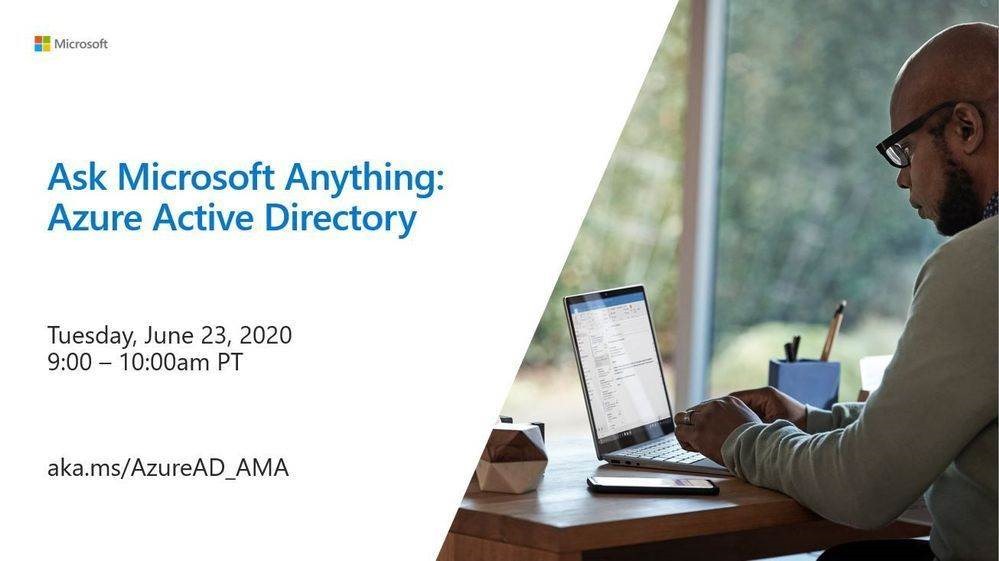
Join our identity experts on Tuesday, June 23rd for an opportunity to "Ask Microsoft Anything" (AMA) about deploying Azure AD capabilities. The AMA will take place from 9:00 AM to 10:00 AM Pacific Time in the Azure AD AMA space. Add the event to your calendar here.
To join, simply visit the AMA space at 9:00 a.m. PDT and submit a question by selecting Start a new conversation—then do this for each new question.

  • What is an AMA?
    An AMA is a live, online, text-based question-and-answer event similar to a "YamJam" on Yammer or an "Ask Me Anything" on Reddit or Twitter. 
  • Can’t attend at 9:00 AM Pacific Time?
    While we’ll only be answering questions in real-time from 9:00-10:00 a.m. Pacific Time, you can post your questions for the AMA to the Azure AD AMA space in the Azure AD Tech Community up to 24 hours in advance. 

« Newer Posts - Older Posts »

Categories