Q: How much do Copilots & Agents cost if a user is or isn’t licensed for “Microsoft 365 Copilot”?

I get this question a lot so I thought I’d just point to 2 references online to help explain how this works.

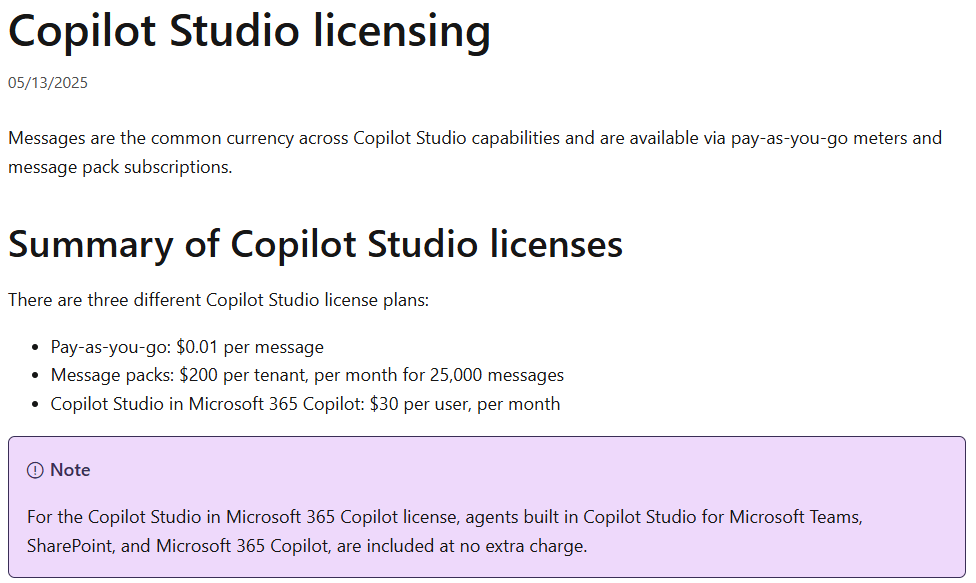
  1. Using Copilots & Agents are FREE if the user is already licensed to use “Microsoft 365 Copilot”.
  2. Using Copilots & Agents by users that do not have a “Microsoft 365 Copilot” license uses “Messages”.
    • Messages can be paid for either in pre-paid Message Packs or pay-as-you-go.
    • Messages are used at different rates depending on what the Copilot or Agent is doing.

The following sites detail the cost of messages as well as the rate at which messages are used depending on the operation.

Registration for Microsoft Ignite is now open! Get your pass today and join us in San Francisco, November 18-21, 2025 at Moscone Center.

This is your opportunity to grow your skills, build connections, and explore emerging technologies across AI, infrastructure, security, and more. Join us for an inspirational event filled with opportunities to learn from industry leaders, strengthen your network, and get hands-on experience with new products and solutions.

Take certification exams on site for free
Validate your skills and enhance your career with free onsite exams. In-person attendees can take one Microsoft and one GitHub certification exam at no cost. Registration required. Browse exams

Stay up to date on all things Microsoft Ignite
Follow the Microsoft Ignite Unplugged blog for the latest updates, session previews, and everything you need to make the most of your experience.
Go to the blog

Key dates:

  • November 17: Badge and swag pickup. Optional labs and workshops are available during the registration process as purchasable add-on experiences for in-person attendees.
  • November 18–21: In-person event featuring the keynote, breakout sessions, and an expo hall with demos, expert meetups, and networking opportunities across three and a half days.
  • November 18–20: Live global digital experience for those who can’t join in person, with the keynote and select sessions streamed online.

Register today!

Recently, I’ve gotten an unusually large number of inquiries from customers about a change to Teams, where the “animation” setting was removed & instead the Teams client defaults to the system setting in the operating system in either Windows or MacOS.

Microsoft 365 Administrators were notified of this change back a few months ago in the Microsoft 365 Message Center (through the Microsoft 365 Admin Portal) however the message was recently updated on April 16th to reflect the full deployment.  Below is the MC Message number & description for COMMERCIAL cloud instances. (For government customers, I don’t have immediate access to the GCC message but I’m sure it’s similar.)

MC1056991 – Microsoft Teams: Use OS-level animation settings instead of Teams-level animation settings

Summary

Microsoft Teams has removed its animation setting, now relying on the OS-level animation settings in Windows and macOS. This change is automatic and requires no admin action. It applies to Teams for Windows desktop, Mac desktop, and the web. Notify users and update documentation as needed.

More information

We have removed the Animation setting in Microsoft Teams. Instead, users can configure animations at the operating system (OS) level. If users disable animations in Microsoft Windows or macOS, Teams will honor that preference. This means users no longer need a separate setting in Teams to control animations. We will not reinstate the Teams-level animation control. Moving forward, Teams will rely entirely on the OS setting for animation preferences.

This message applies to Teams for Windows desktop, Teams for Mac desktop, and Teams for the web.

When this will happen:

General Availability (Worldwide): Available now.

How this will affect your organization:

This change is on by default.

What you need to do to prepare:

This change happened automatically. No admin action is required. Review your current configuration to assess the impact on your organization. You may want to notify your users about this change and update any relevant documentation

——————————————————

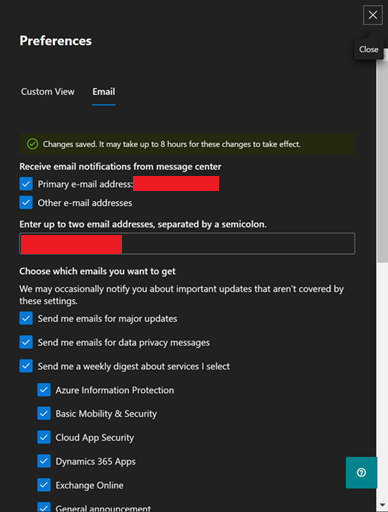
For future reference, Microsoft 365 administrators should be monitoring the Message Center daily to avoid surprises.  If an admin wants email notifications on all or some of the messages, they should set that up through the Message Center email notification service.  It’s also possible to “just get Microsoft Teams changes” notifications through filters.  I’ve outlined how to do this here:

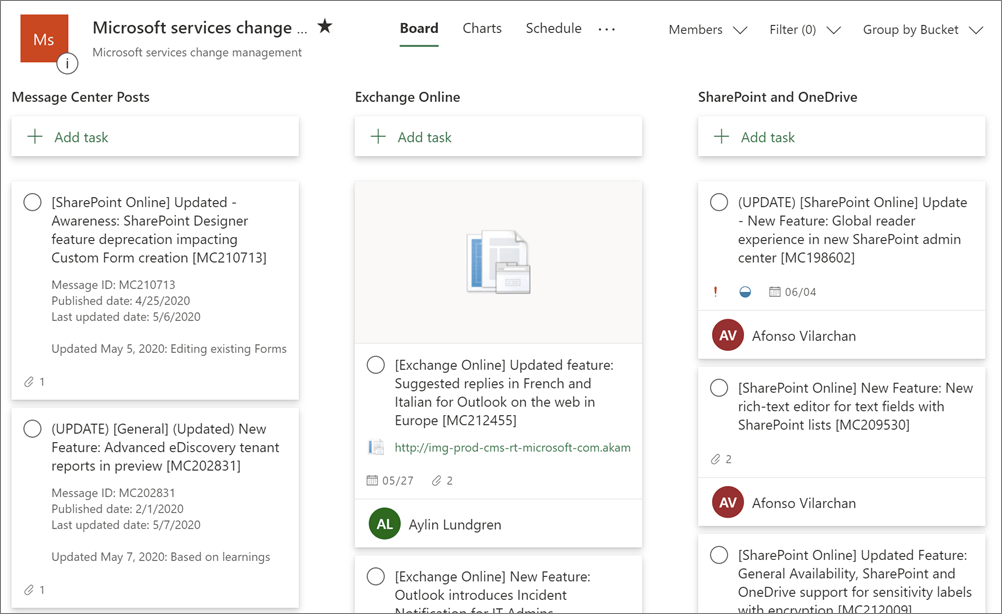
Additionally, Microsoft 365 Admins can also sync Message Center posts to Microsoft Planner.  I documented how this is done here:

For more information around how to “stay on top of Microsoft 365 changes”, please review the following documentation:

We’re excited to announce that Microsoft 365 Copilot Chat is now generally available in the GCC environment! This AI-powered chat experience is included in your licensing and designed to help you work smarter, faster, and more securely-tailored for government use and built on Microsoft’s trusted compliance framework.

How to Get Started:

  1. Visit M365.Cloud.Microsoft or M365copilot.com and sign in with your work account.
  2. Look for the green shield icon next to “New chat” to confirm you’re in the secure GCC environment.
  3. Check out the attached prompts, a quick start guide and links/launch kits below to start sharing with your users!

Helpful Resources:

Important Notes:

Unified and/or Partner Trainings

If you’re a managed customer of mine that has questions or need help getting started, feel free to reach out and our team will be happy to collaborate on a marketing campaign, prompt a thon and much more. We’re here to support your Copilot journey!

The Acquired podcast published 2 long form podcasts – each about 5 hours long – about the history of Microsoft, the first focusing on the Bill Gates/Paul Allen founding & era & the second on Steve Ballmer’s leadership & era. (They did a good job with both so I’m posting them below – Steve even comes on to the podcast in a separate episode to expand upon certain topics & make his own remarks about a few events that took place during his term as CEO.)

Microsoft Volume I: The Complete History and Strategy of founding through Windows 95 (Audio) – 4hr 23min

  • Microsoft. After nearly a decade of Acquired episodes, we are finally ready to tackle the most valuable company ever created. The company that put a computer on every desk and in every home. The company that invented the software business model. The company that so thoroughly and completely dominated every conceivable competitor that the United States government intervened and kneecapped it… yet it’s STILL the most valuable company in the world today.
  • This episode tells the story of Microsoft in its heyday, the PC Era. We cover its rise from a teenage dream to the most powerful business and technology force in history — the 20-year period from 1975 to 1995 that took Bill and Paul from the Lakeside high school computer room to launching Windows 95 alongside Jay Leno and the Rolling Stones. From BASIC to DOS, Windows, Office, Intel, IBM, Xerox PARC, Apple, Steve Jobs, Steve Ballmer… it’s all here, and it’s all amazing.

——————————————————————-

Microsoft Volume II: The Complete History and Strategy of the Ballmer Years (Audio) – 4hrs & 51min

In 1999, Microsoft became the most valuable company in the world. And in 2019, Microsoft became the most valuable company in the world, *again*. But… what happened in the twenty years in between? The answer, as we discovered in our research, is probably not what you think. In this episode we explore and analyze the browser wars and the DOJ case, Windows XP through 8, Surface, Xbox, search, Yahoo!, Bing, the iPhone, Nokia, mobile, social, Facebook… and oh yeah, a little thing called Azure and the enterprise — which ended up becoming so big that no failures mattered.

The Microsoft Security Blog post “Defending against evolving identity attack techniques” by Igor Sakhnov, Corporate VP and Deputy CISO for Identity, outlines the latest tactics used by threat actors to compromise cloud identities and offers actionable defenses. Here’s a detailed summary based on the blog and supporting internal resources:


Key Threat Trends

  • Adversary-in-the-Middle (AiTM) Phishing: As multifactor authentication (MFA) becomes more common, attackers are shifting to AiTM techniques. These involve proxying login sessions to steal session tokens, bypassing MFA entirely. Tools like Evilginx are increasingly used by actors such as Storm-0485 and Star Blizzard.
  • Phishing-as-a-Service (PhaaS): Platforms now offer ready-made phishing kits that enable even low-skill attackers to launch sophisticated AiTM campaigns.
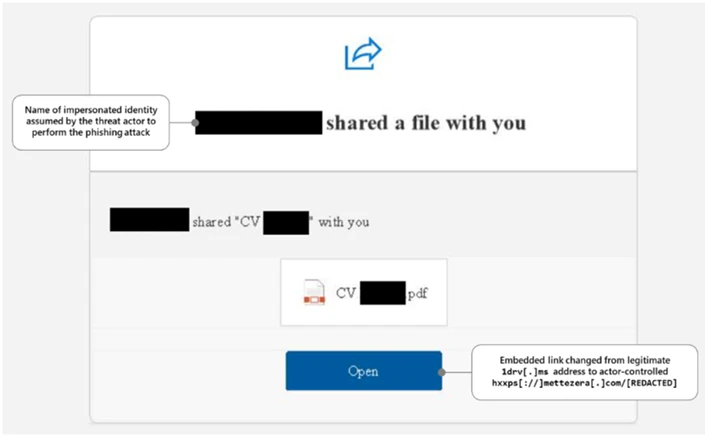
  • Social Engineering: Despite technical advances, human manipulation remains a core tactic. Attackers use lures like fake document shares or payment notices to prompt users to act quickly.

Defensive Strategies

  • Phishing-Resistant Authentication: Microsoft recommends adopting passwordless solutions like passkeys and FIDO2 security keys to mitigate AiTM and credential phishing.
  • Zero Trust Architecture: Internal files such as Microsoft Cybersecurity Reference Architectures (MCRA) – April 2025 and Microsoft-DefenderXDR-Overview emphasize Zero Trust principles—assuming breach, verifying explicitly, and using least privilege access.
  • Identity as the New Perimeter: With 80% of breaches involving stolen credentials, identity protection is now the first line of defense. This is reinforced across multiple internal decks like FY25Q3 Microsoft-Defender-XDR-customer-deck and Module 07 – Microsoft Defender XDR.
  • Continuous Monitoring and AI-Driven Detection: Tools like Microsoft Defender for Identity and Microsoft 365 Defender are highlighted for their ability to detect lateral movement, compromised users, and suspicious behavior across hybrid environments.

Actionable Recommendations

  • Retire passwords in favor of phishing-resistant methods.
  • Block legacy authentication protocols.
  • Centralize identity management and enforce MFA for all users, especially admins and developers.
  • Monitor for suspicious usage patterns and enforce least privilege access.

Microsoft’s blog post Defending against evolving identity attack techniques emphasizes that as attackers adopt advanced phishing and token theft methods, organizations must shift to phishing-resistant authentication, enforce Zero Trust principles, and treat identity as the new security perimeter.

For more detailed information including screenshots please review the blog HERE

The Microsoft Security Blog post titled “How to deploy AI safely” by Yonatan Zunger, Deputy CISO for AI, outlines a set of foundational principles for deploying AI systems responsibly. These principles are designed not only for AI but for the safe adoption of any emerging technology.

Core Principles for Safe AI Deployment

  1. Anticipate What Can Go Wrong
    Safe deployment doesn’t mean eliminating all risk—it means understanding what could go wrong and having a plan to prevent those issues from escalating into major incidents. This includes technical failures, privacy breaches, misuse, and organizational impacts.
  1. Plan for the Unexpected
    Even with the best planning, unexpected problems will arise. A safe deployment includes readiness to respond to unforeseen issues quickly and effectively.
  1. Go Beyond Security
    While security is critical, safe deployment also requires attention to privacy, ethical use, and unintended consequences. For example, how users might misuse the system or how it might affect organizational dynamics.
  1. Use Principles, Not Prescriptions
    The guidance is principle-based rather than rule-based. This allows it to be flexible and applicable across different industries, technologies, and use cases.
  1. Apply Holistic Risk Management
    Risk management should be comprehensive—covering not just the AI model but also the data, infrastructure, user behavior, and downstream impacts.
  1. Test with Realistic Scenarios
    Microsoft recommends using scenario-based testing to simulate how the AI system will behave in real-world conditions. This helps uncover edge cases and failure modes before deployment.
  1. Build Organizational Readiness
    Safe deployment isn’t just a technical task—it requires organizational alignment, training, and governance structures to ensure responsible use.
  1. Iterate and Improve
    Deployment is not the end. Continuous monitoring, feedback loops, and updates are essential to maintain safety over time.

The blog also includes a companion video that walks through a hypothetical AI tool for loan officers, showing how these principles are applied in practice.

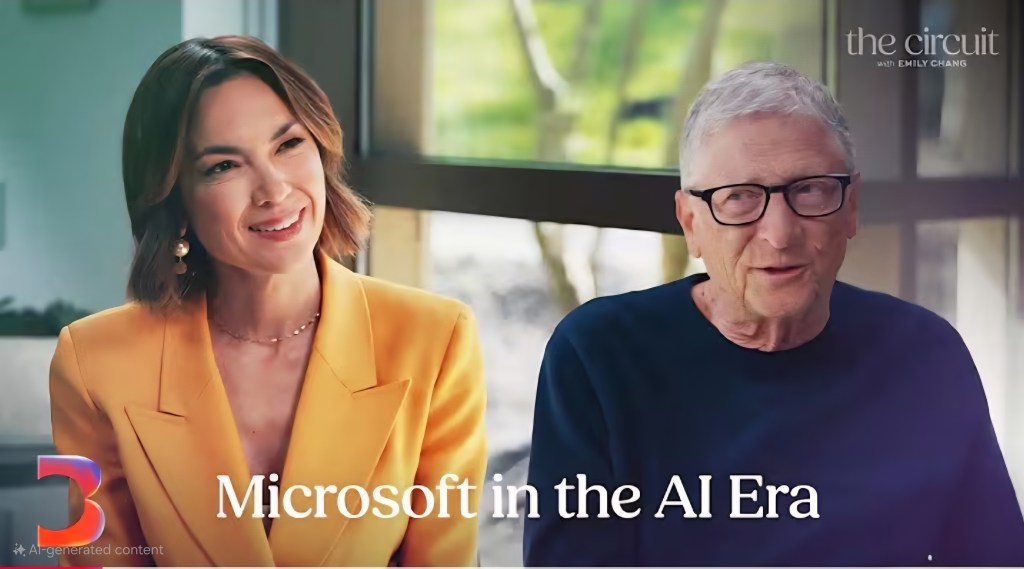
Listen to Microsoft’s 3 CEOs talk about what’s made the company successful & how it’s adapting moving forward.

▶️ Gates, Ballmer & Nadella on Microsoft in the AI Era | The Circuit with Emily Chang – Bloomberg Originals (43min)
https://youtube.com/watch?v=egeqfUGiETY&si=E7MRAH2KDwh260xZ

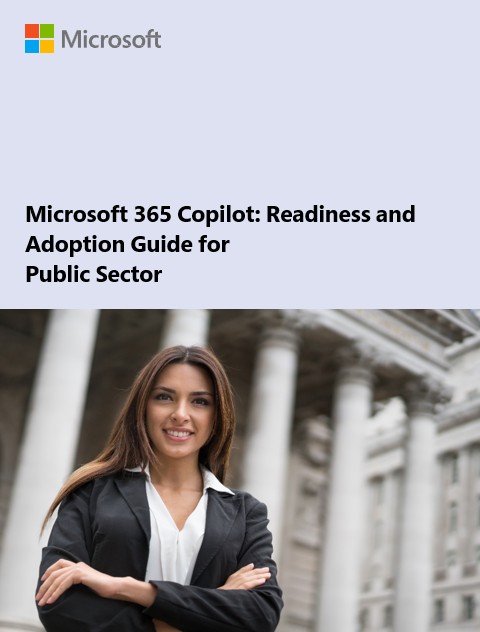
This paper provides an in-depth look at how generative AI is becoming an indispensable tool for public sector strategists, enhancing mission success across various government organizations. It also examines the role of Microsoft 365 Copilot Government in reimagining traditional workflows and processes, enabling a more agile approach to problem-solving.

Table of contents:

  • Introduction
  • Chapter 1: Generative AI is the next generation tool for public sector
  • Chapter 2: The Fundamentals of Generative AI and Microsoft 365 Copilot
  • Chapter 3: Microsoft 365 built on responsible and trustworthy AI
  • Chapter 4: Develop your workforce to maximize organizational impact
  • Chapter 5: Adopt data governance and compliance practices
  • Chapter 6: Solve organizational challenges with Copilot
  • Chapter 7: Try Copilot and develop use cases for your organization
  • Next Steps

Download the whitepaper at:
https://aka.ms/M365CopilotGCCguide

Posted by: kurtsh | June 18, 2025

eBook: Strategic CIO’s Generative AI Playbook

We’ve published a comprehensive guide crafted to support Chief Information Officers as they navigate the transformative journey of AI integration.

What’s Inside:

  • C-Suite Collaboration: Align AI strategies with overarching business goals.
  • Employee Enablement: Equip teams with tools like Microsoft 365 Copilot and Copilot Chat, complemented by targeted skilling.
  • Operational Excellence: Embed AI into business workflows, leveraging intelligent agents for scalable impact.
  • Data & Governance: Establish a robust foundation with trusted data and security protocols.

This playbook is more than just a resource; it’s a roadmap for CIOs aiming to lead with confidence and drive measurable business outcomes in the AI era.

Download a copy of the playbook here: https://aka.ms/Copilot/CIOplaybook

« Newer Posts - Older Posts »

Categories