Did you know that you can subscribe/unsubscribe to over 30 newsletters & email communications channels through your Microsoft account?
You may enroll through your consumer Microsoft Account (hotmail.com, outlook.com, live.com, msn.com, etc.) or your business Microsoft Entra/Microsoft 365 account from work. To do so, do the following:
- Go to https://account.microsoft.com/profile/communications.
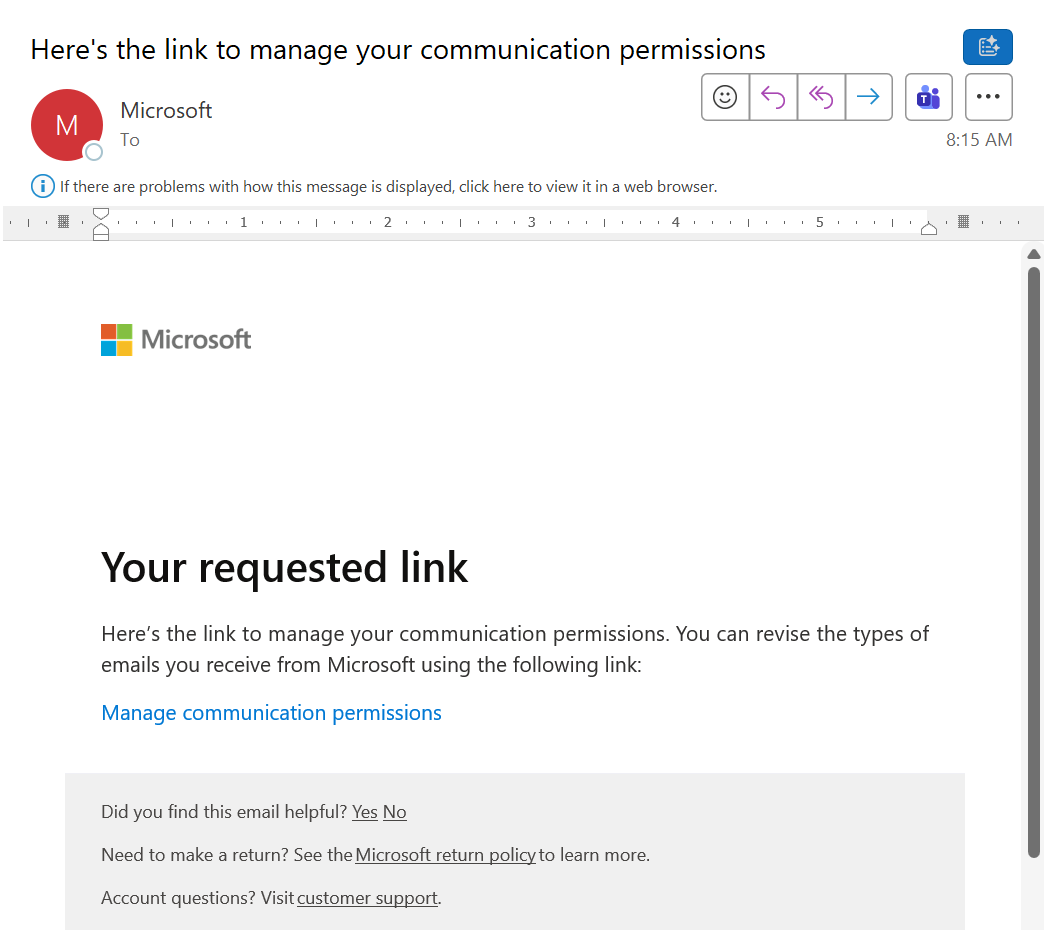
This will ask for your email address and send your a verification link. This must be done each time you wish to change your communications preferences. - Check your email for a verification message from microsoft-noreply@microsoft.com.
A unique account-specific link within the mail called “Manage communication permissions” will be there. - Click the “Manage communication permissions” link in the email.
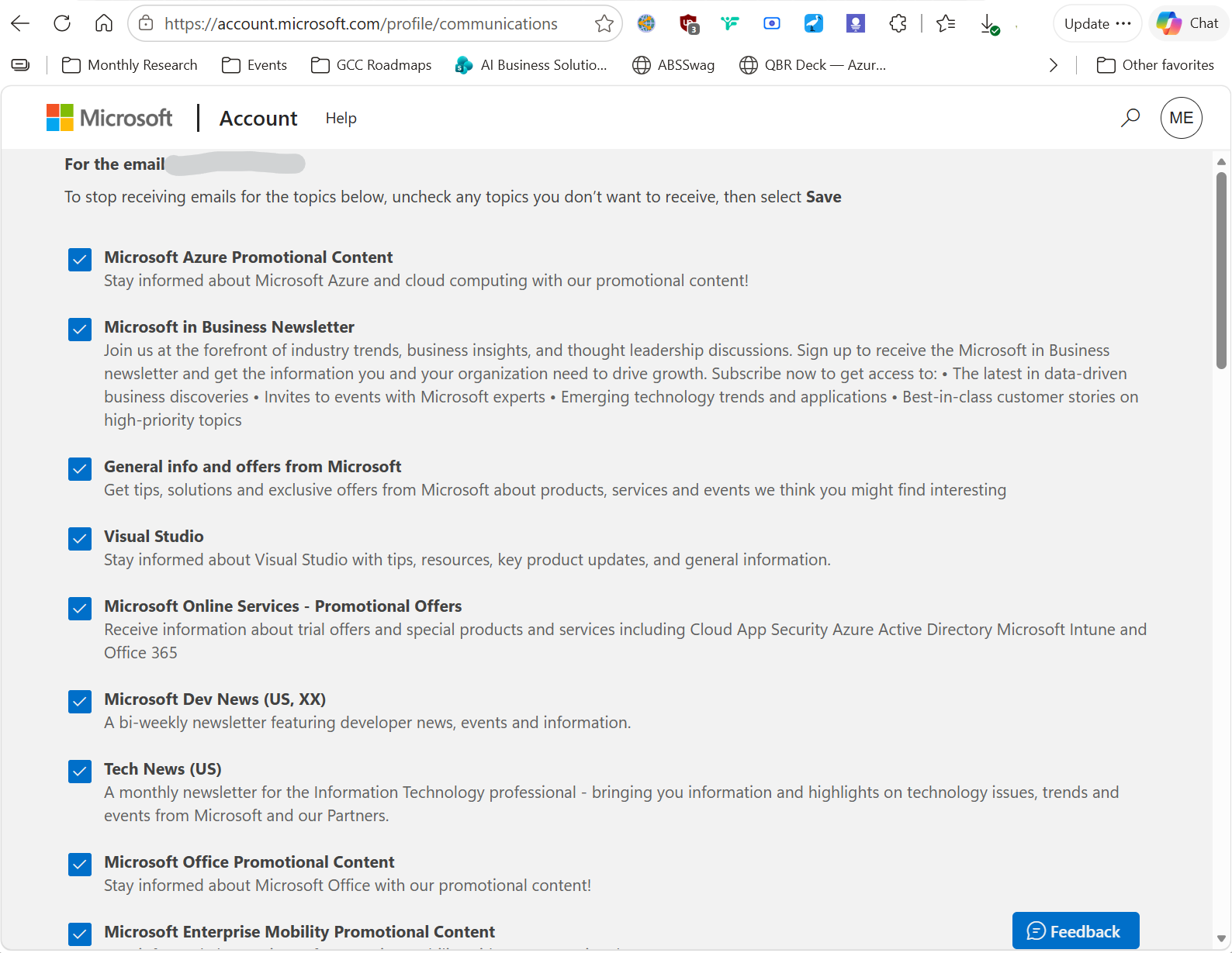
This will take you to the Account Profile Communications web page. - Select the newsletters or communications you’d like to receive.
Some of the newsletters I recommend as of 8/6/26 include:
- Microsoft Azure Promotional Content
- Microsoft Online Services – Promotional Offers
- Microsoft Dev News (US, XX)
- Microsoft Office Promotional Content
- Azure Product Updates and Announcements
- Microsoft Azure Newsletter
- Microsoft.Source Newsletter
- Microsoft Power BI Promotional Content
- Microsoft 365 Developer Newsletter
- Microsoft 365 Champion Program
- Microsoft Power BI Newsletter
- Visual Studio Customer Development
- Visual Studio Subscriptions Program Emails
- AI for government
- AI Digital Advisor
- Microsoft Reactor
 kurtsh


You must be logged in to post a comment.