Microsoft Ignite 2025 showcased 2 new AI-powered capabilities available to Microsoft 365 Copilot users:
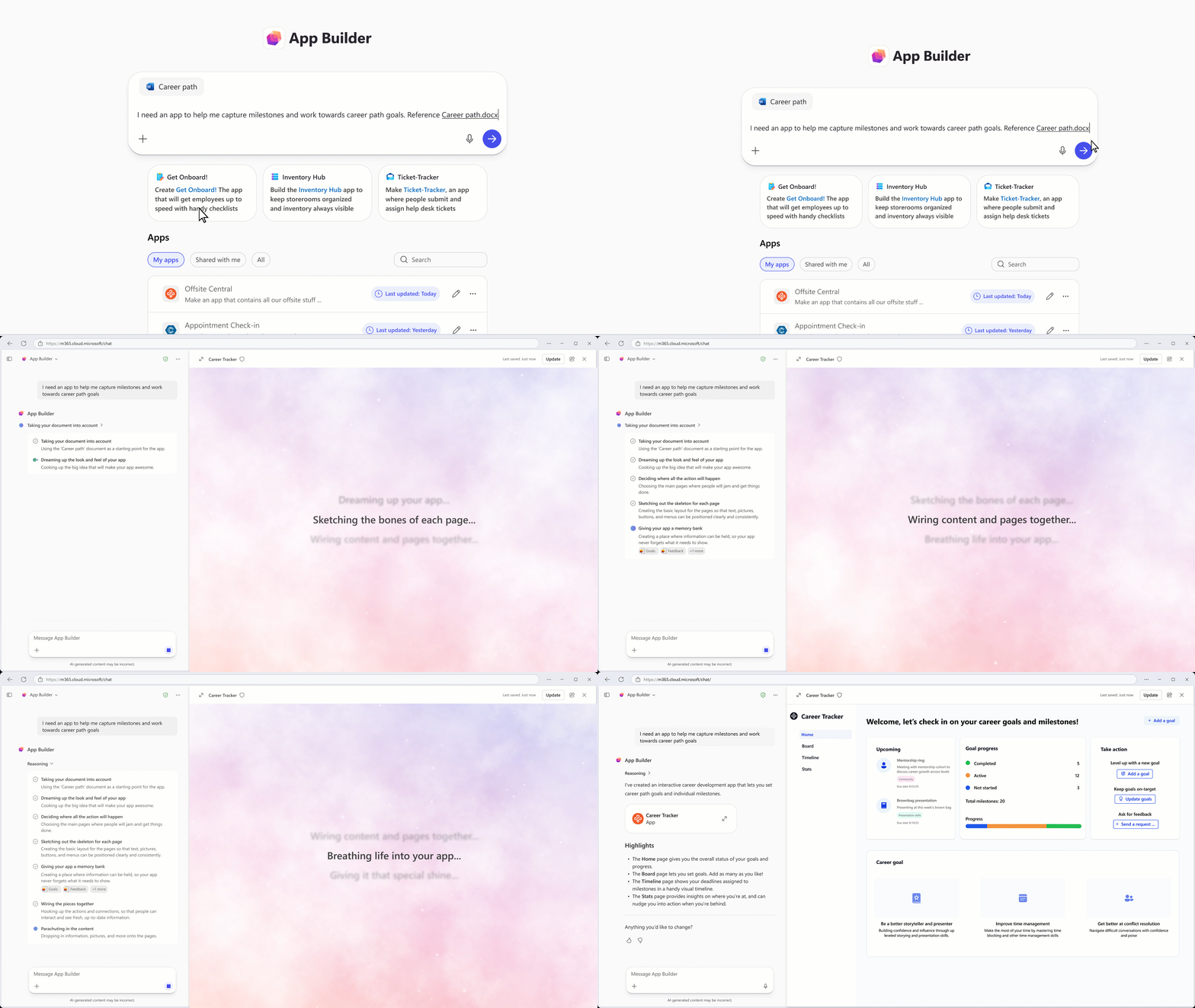
App Builder
Copilot now includes App Builder, making it easy to create and deploy apps in minutes, no database setup required. Work with App Builder to create and refine dashboards, charts, calculators, lists, and any other interactive element you can dream up. You can preview and refine your app, over multiple edits and comments, without leaving Copilot.
The experience is grounded in your Microsoft 365 content, including documents, presentations, spreadsheets, and notes, and can even generate and store new data using Microsoft Lists as a backend. Sharing is just as simple: Distribute your app with a link, just like you would share a document.
Try prompts:
- “I’m hosting a half‑day conference and want an app to manage the session schedule…”
- “Build an app to track my expenses… include a dashboard with KPIs and charts…”
- “Build an app to help me compare different options and make a decision…”
Instantly deployable: each app stores data in Microsoft Lists, providing an enterprise‑grade, governed database for instant deployment and collaboration.
Details:
- Safe and easy to share like any Microsoft 365 document, with secure links and inherited permissions.
- App Builder is available today for Commercial Frontier customers in the U.S
GCC customers slated for H1CY2026 - Included with your Microsoft 365 Copilot license.
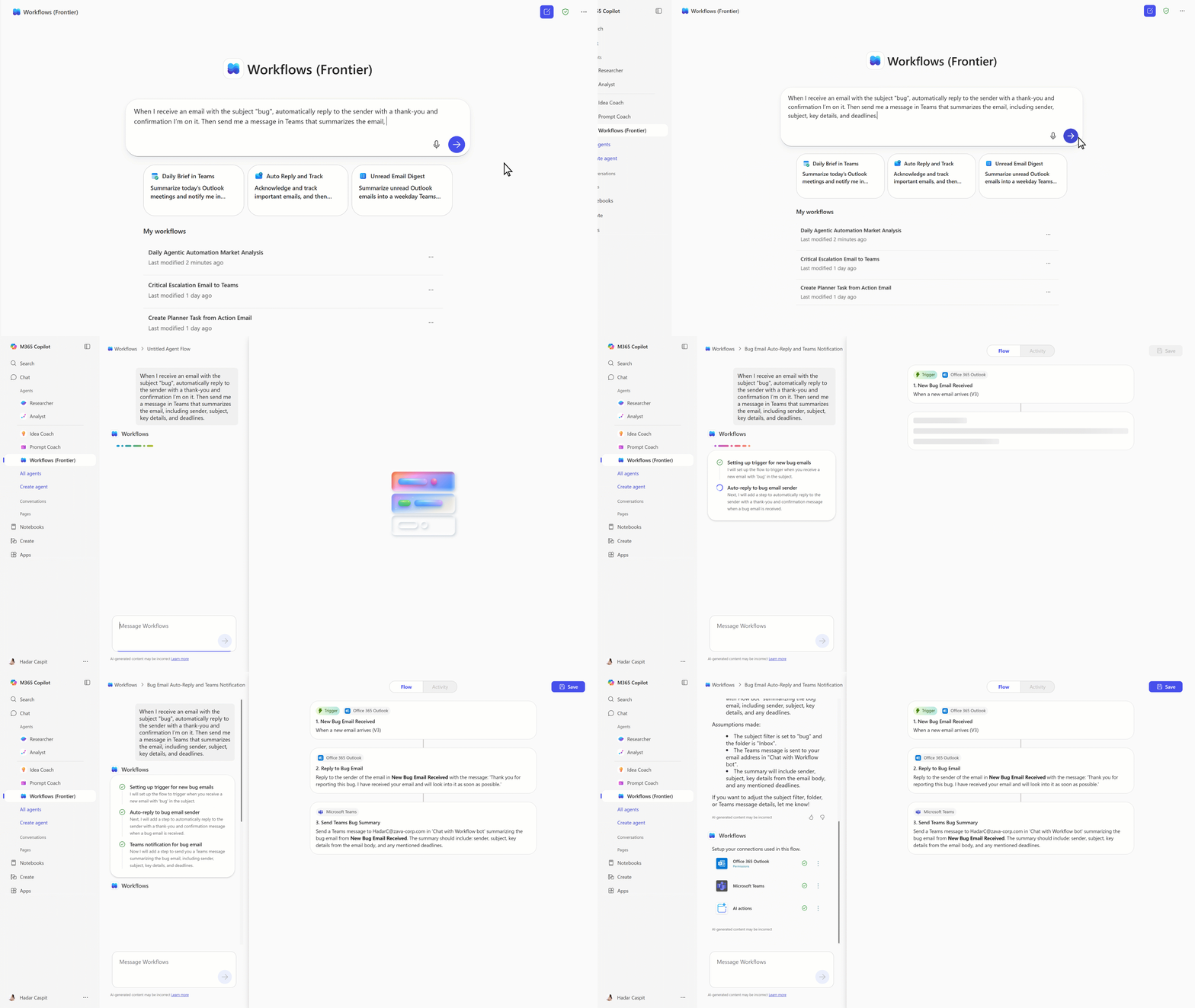
Workflow Agent
Automate tasks like sending emails and reminders, managing calendars, and sharing team updates. Now you can simply describe what you want, and Copilot converts your words into automated flows across Outlook, Teams, SharePoint, Planner, and services like Approvals.
Workflows is an agent in Microsoft 365 Copilot that helps you automate work across Microsoft 365 using natural language. Instead of manually configuring steps or connectors, you simply describe what you want and Workflows generates a working workflow using supported Microsoft 365 services.
Workflows lets you:
- Automate tasks in apps like Outlook, SharePoint, Teams, and Planner.
- Trigger actions on a schedule, or in response to events.
- Collect and save user input with adaptive cards in Teams.
- Use your Microsoft 365 data—like calendar, tasks, or lists—without writing code.
- Test and manage workflows in a visual designer.
Read more about both announcements here:
- Microsoft 365 Copilot now enables you to build apps and workflows
https://www.microsoft.com/en-us/microsoft-365/blog/2025/10/28/microsoft-365-copilot-now-enables-you-to-build-apps-and-workflows/
 kurtsh
 Kurt Shintaku's Blog
You must be logged in to post a comment.